What if the laptop you buy next year quietly sets how easily you work, game, and upgrade for the next six? That is the weight behind the Mac versus PC question. It is not a brand loyalty contest. It is a bet on how hardware and software fit together, the repair path, and resale value. In 2027, that bet looks different from two years earlier, because the chip competition under both platforms has changed.
This comparison puts Mac and Windows side by side on the criteria that actually affect daily life: software, hardware choice, cost over time, reliability, gaming, and AI workloads. No cheerleading for either camp. Just what the evidence says, and who should pick what.
The short answer, side by side
| Criterion | Mac (Apple Silicon) | Windows PC |
|---|---|---|
| Software range | Strong for creative and office work, but some apps stay Windows-only | Widest catalog, including niche, legacy, and enterprise tools |
| Hardware variety | Fixed configurations, few form factors | Touchscreens, convertibles, gaming rigs, mini PCs, modular laptops |
| Upgradability | Memory and storage locked at purchase | RAM and storage often user-replaceable |
| Upfront price | Higher entry point on many models | Cheaper floor, wide spread |
| Cost over time | Competitive once resale and support are counted | Lower sticker, variable long-term cost |
| Reliability telemetry | Fewer crashes and freezes in managed fleets | More forced shutdowns and app hangs |
| Gaming | Playable, but fewer native titles | Native support for nearly everything |
| Local AI | Unified memory and strong memory bandwidth | CUDA software stack and expandable GPUs |
That table is the summary. The rest of this article explains why each row looks the way it does.
Software compatibility is still the first filter

Before anything else, check the one app you cannot live without. A Japanese retail comparison notes that because Windows dominates market share, most software and applications are built with Windows in mind first, and plenty of titles simply do not exist for macOS. Office-style work is a good example: Mac handles it, but heavy spreadsheet and document workflows tend to run lighter on Windows.
The practical trap here is the phrase “the web version works.” It usually is not enough. Plug-ins, macros, local file access, device integration, and offline mode are where web substitutes fall apart. Ask your employer, school, or software vendor for the exact supported operating system before you buy. That single email saves more regret than any spec sheet.
Choose Mac if your core tools are creative suites, development environments, or mainstream productivity apps. Choose Windows if you depend on industry-specific, legacy, or engineering software with no Mac build.
Hardware choice and upgradability favor Windows
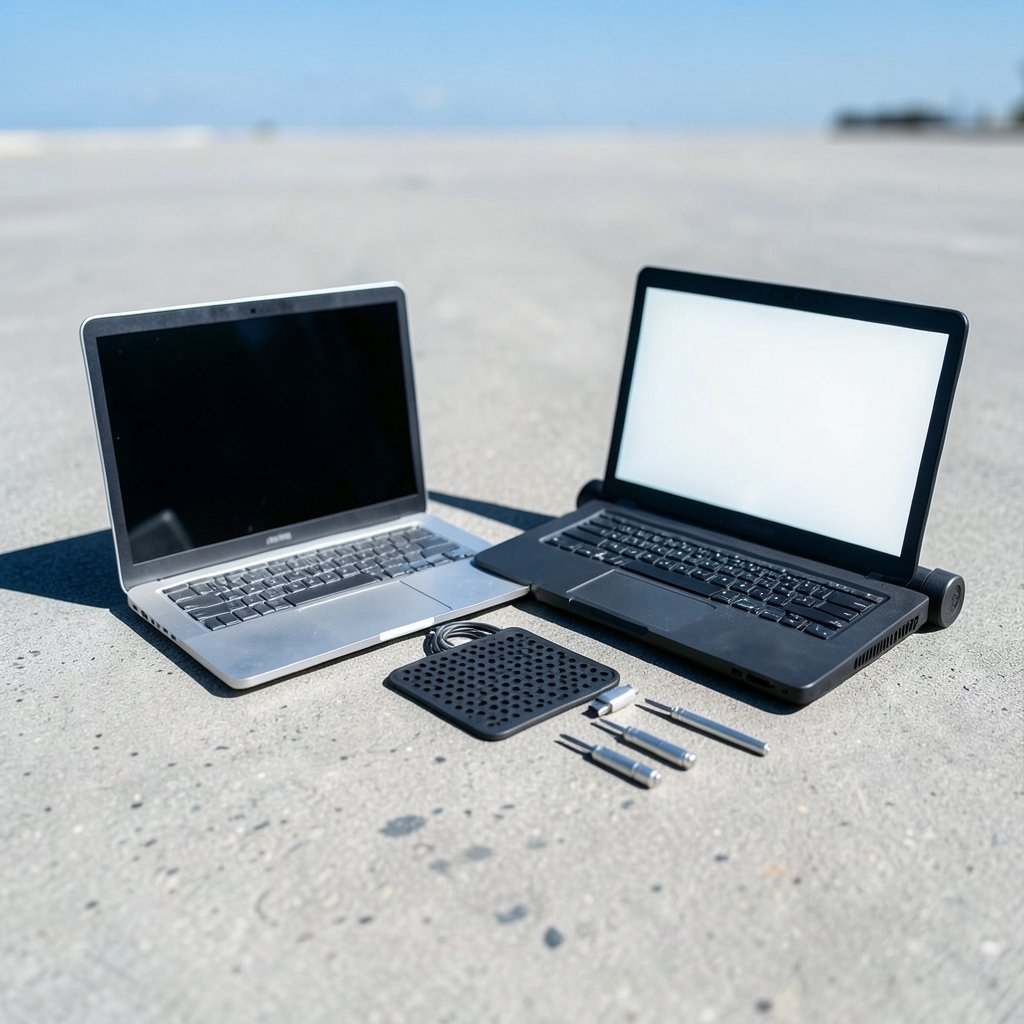
Windows wins variety without much argument. Touchscreen laptops, 360-degree convertibles, detachable tablets, rugged machines, dual-screen designs, OLED and high-refresh panels, mini PCs, modular laptops, and custom desktops all live on the Windows side. Lenovo’s Yoga convertibles, Microsoft’s Surface line, Framework’s modular laptops, and gaming models from ASUS and Lenovo are the usual examples.
Mac takes the opposite approach: a closed design in which hardware and software are tuned together, with very little room to customize. Memory and storage are decided at checkout. For buyers who want to tinker, that is a dealbreaker. For buyers who want a machine that just works out of the box, it is the whole point.
One honest caveat: the brand on the lid matters less than the exact model. Plenty of ordinary Windows laptops are neither repairable nor upgradeable, so “PC” alone does not guarantee flexibility.
If you are weighing how much software friction you can tolerate, the honest cases where automation tools fail are worth reading before you commit to a platform built around them.
The cost question is more interesting than the sticker
Macs are widely assumed to be more expensive, and at the register they often are. But the long-run math is murkier. An analysis of US data found that Apple already leads on purchase price in five of seven device categories, and across a four-year horizon it leads in all seven once residual value, IT support, energy use, and licensing are folded in. The same analysis cites estimates of $273 to $843 saved per Mac over its lifecycle, driven largely by fewer support incidents.
Treat those numbers as directional, not gospel. They come from vendor-adjacent sources and assume business deployment. For a student buying one laptop, the resale value argument still holds reasonably well, because Macs tend to keep value. For a tinkerer who swaps parts every two years, Windows usually wins on total spend.
The common mistake is comparing only the sticker. Add three years of support calls, a battery replacement, and the resale price at the end, and the gap often narrows or flips.
Reliability: what enterprise telemetry actually shows
This is where the data gets blunt. A workplace report based on telemetry from large enterprise fleets found Windows users hit forced shutdowns 3.1 times as often as Mac users, with application crashes 2.2 times as frequent and app freezes 7.5 times as frequent. The same report found 90% of managed Windows machines were under three years old, while 11.5% of Macs were still in service past six years.
It also found macOS devices update about 1.5 times faster than Windows hardware, which the report attributes to a more centralized update mechanism versus Windows’ fragmented approach.
What does that mean for a normal buyer? Not that Windows is broken. It means fleets under IT management see fewer interruptions on Macs, and Macs tend to stay useful longer. If your work stops when an app hangs, that gap is real money.
Gaming and GPU-heavy work still belong to Windows
Mac chips are fast, and 3D titles run fine when they exist for macOS. The problem is existence. Many games ship Windows-only, and a gaming PC is essentially a Windows purchase by default. Before switching, count how many titles in your library would stop working. That list is usually longer than people expect.
High-end workstations follow the same logic. A forward-looking comparison of future MacBooks against Windows workstations notes that rumored Macs may push higher AI performance, while Windows workstations keep CUDA and discrete GPU options. If your pipeline depends on CUDA, Windows or Linux on x86 remains the safe road.
The 2027 twist: ARM is no longer a Mac-only story
Here is the part most comparisons miss. The architecture split that used to define Mac versus PC is dissolving. According to an analysis of Counterpoint data, ARM held 14% of the PC market as of April 2023, with Apple taking 93% of that slice and Qualcomm about 3%. The forecast puts ARM near 25% of PC share by 2027, with x86 falling to roughly 75%.
The drivers are Apple’s continued M-series rollout, Qualcomm’s ARM chips spreading through the Windows market, and expected ARM PC chips from Nvidia and AMD adding supply. The analysis frames 2025 to 2027 as the most turbulent stretch of the shift, pushed by on-device AI workloads where ARM’s efficiency advantage matters most.
In plain terms: buying a Windows laptop in 2027 increasingly means buying an ARM Windows laptop, with the compatibility quirks that come with it. That changes the old advice. “Windows for compatibility” is still broadly true, but you now need to check whether your apps run natively on ARM or through emulation.
The same efficiency logic shows up in local AI hardware. A 128GB comparison of AMD’s Strix Halo, Nvidia’s DGX Spark, and Apple’s Mac Studio M5 puts memory bandwidth at roughly 215 to 256 GB/s for Strix Halo, 273 GB/s for DGX Spark, and 460 to 614 GB/s for Mac Studio M5 Max, with idle power near 9W for the Mac against about 30W and 45W for the others. Entry pricing in that comparison runs from roughly $1,999 for Strix Halo to $4,699 for DGX Spark to about $3,899 for an M5 Max Mac Studio. If you run local models, bandwidth and idle draw matter more than clock speed. (Zendesk ai vs freshdesk freddy 2027 helpdesk ai comparison)
Where the Mac Studio and DGX Spark fit
These names keep surfacing because they represent the two philosophies at the high end. Mac Studio M5 is the closed, quiet, efficient box: huge unified memory, low idle power, macOS and MLX. DGX Spark is the CUDA-native box built for teams already living in Nvidia’s stack. Strix Halo sits between them as an x86 option that runs Windows or Linux.
Pick Mac Studio if your AI work fits Apple’s software stack and you want silence and low power. Pick DGX Spark if CUDA compatibility is non-negotiable. Pick Strix Halo if you want x86 flexibility without a tower. None of these is a general-purpose laptop decision, and mixing them into a laptop comparison is a common error.
A practical buying checklist
- List your five must-run apps and confirm the exact supported OS for each.
- Count your games and check native macOS and ARM Windows support.
- Decide whether you will ever upgrade RAM or storage yourself.
- Estimate resale value at year three for both candidates.
- Check local AI needs: memory bandwidth, idle power, and software stack.
- Buy the exact model, not the brand. Specs vary wildly within one logo.
The most common mistake is buying for the exception instead of the routine. If you game two hours a month but write eight hours a day, buy for the writing. The second mistake is ignoring the upgrade path: a laptop with soldered 16GB of memory is a three-year machine no matter how good the chip is. The third is skipping the resale check, which quietly decides whether the “cheaper” option really was.
For founders choosing software stacks around a new machine, a practical comparison of no-code app builders for startups shows how much platform choice shapes what you can ship.
Verdict by use case
Choose a Mac if you want a quiet, efficient machine with strong resale value, long service life, and low interruption rates, and your core apps run natively. Students, writers, designers, and developers on mainstream toolchains fit here.
Choose a Windows PC if you need specific software, touch or convertible hardware, user-upgradeable parts, or serious gaming. Engineers, gamers, and IT-managed fleets fit here.
Choose carefully if you are buying ARM Windows in 2027. Verify native app support before you pay, because the compatibility story is changing faster than the marketing suggests.
Choose by workload if you run local AI. Match memory bandwidth and software stack to your models, not to brand loyalty.
Conclusion
The honest 2027 answer is that Mac and PC stopped being opposites. Both are moving toward efficient ARM-style chips, both are chasing on-device AI, and both can serve the same person at different times. What still separates them is control: Mac gives you a finished, tightly tuned object with limited tinkering and excellent longevity, while Windows gives you range, repairability, and access to nearly every piece of software ever written.
So skip the camp debate. Run the checklist, price the full four years rather than the first day, and buy the machine that matches your routine. The platform that fits your actual week will beat the one that wins an argument every time.
FAQ
Is a Mac actually cheaper than a PC over time?
Sometimes. An analysis of US data found Apple leading on purchase price in five of seven categories, and in all seven across four years once resale value, IT support, energy, and licensing are counted, with lifecycle savings estimated between $273 and $843 per Mac. Those figures assume business deployment, so treat them as directional for personal buyers.
Can I still game on a Mac in 2027?
Yes, for titles that ship for macOS, and Apple Silicon handles 3D games well. The limit is catalog size: many games remain Windows-only. Count how many titles in your library lack a macOS build before switching, because that number usually decides the purchase.
Will Windows on ARM cause compatibility problems?
It can. ARM’s PC share is forecast to reach about 25% by 2027, up from 14% in 2023, driven partly by Qualcomm chips in Windows machines. Some apps run through emulation rather than natively, so check native ARM support for your critical software before buying.
Do Macs really crash less than Windows PCs?
Enterprise telemetry cited in a workplace report found Windows users experienced forced shutdowns 3.1 times as often, app crashes 2.2 times as often, and app freezes 7.5 times as often as Mac users. That reflects managed fleets, not every consumer machine, but the direction is consistent.
Should I buy a Mac Studio or a DGX Spark for local AI?
It depends on your software stack. Mac Studio M5 offers higher memory bandwidth and much lower idle power, while DGX Spark is built around native CUDA. If your models and tools depend on CUDA, the Nvidia box is safer; if efficiency and macOS tooling matter more, the Mac Studio fits better.
Is it worth waiting for 2027 laptops?
Only if you can wait without pain. The 2025 to 2027 window is expected to be the most volatile stretch for PC chip architecture, with more ARM options arriving from multiple vendors. Buying now means buying into a moving market, so prioritize the exact model and its app support over the release calendar.