
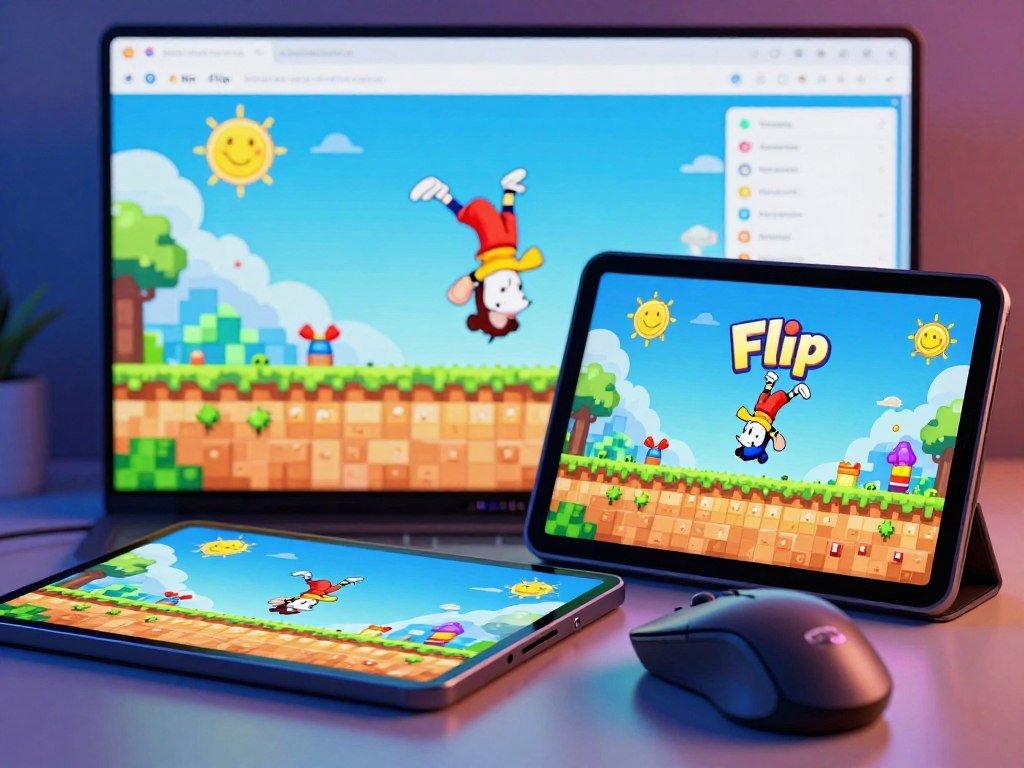
Mr Flip is a browser arcade game where you guide a ragdoll character through flips and aim to land upright in a marked zone. Ragdoll physics is a physics system that makes a character’s body move and tumble with loose, lifelike motion. You can start with a single challenge, then build your timing and precision as each jump asks for a clean landing.
The fun comes from balancing three things in the air: when you jump, how you move, and how you finish. A small change in timing can turn a smooth flip into a messy tumble. You do not need a long session to try the basic challenge, and each attempt gives you a clear chance to adjust your approach.
Start with one jump and focus on a controlled landing before chasing elaborate stunts.
Key Takeaways
- Play in a web browser on PC or mobile.
- Guide a ragdoll character through flips.
- Aim for an upright finish in the marked zone.
- Timing and precision shape each attempt.
- Begin with one challenge and build from there.
How to Play the Mr Flip Game Online
You can play Mr Flip online in a browser on PC or mobile, using a short hold-and-release sequence for each jump. The first hold prepares your launch, while a later hold guides your turn in the air.
On PC, hold and release the mouse button to launch, then hold and release again to manage rotation and landing. Touch input follows the same pattern on mobile.
Charge the jump and launch
Press and hold the mouse button on PC, or hold the screen on a phone or tablet. The length of that hold adjusts jump strength, so a brief press and a longer hold can produce different launches.
Release to start the jump. This first hold prepares the jump; it does not control the ragdoll physics or start the midair rotation. Keep the action simple while you learn how each launch feels.
The browser controls need no separate installation. If you enjoy trying games in a browser, you can also explore free games for different devices and play styles.
Rotate in midair and set the landing
Once the character is airborne, hold again to rotate. Releasing that midair hold sets the landing, so the second release matters as much as the launch.
A hold that lasts too long can keep the body turning when you want it to settle. Watch the character’s movement rather than relying on the same count for every jump.
PC uses the mouse button for both holds; mobile uses touch. The two input phases may feel similar at first, but they serve different jobs.
A long midair hold can leave too little time to prepare the landing.
Use the same input pattern on every attempt so you can judge how a change in hold time affects the jump.
| Phase | PC input | Mobile input |
|---|---|---|
| Prepare and launch | Hold mouse button, then release | Touch and hold, then release |
| Rotate | Hold mouse button in midair | Touch and hold in midair |
| Set landing | Release mouse button | Release touch |
What Makes a Landing Count and Builds a High Score?
A jump counts only when the ragdoll character lands upright on both legs inside the target zone. All three parts matter: leg contact, an upright posture, and placement within the marked area.
If any part fails, the jump does not count and you must retry. A striking series of flips cannot make up for a landing outside the zone or a fall onto one side.

Meet the landing requirement
Check the character’s final pose and position as the jump ends. Both legs need to meet the ground while the body stays upright, with contact inside the target zone.
A jump can look controlled in the air and still fail at the last moment. An impressive flip does not compensate for a failed landing, so treat the finish as part of the attempt.
A retry gives you another chance to read the movement. Use the result to spot whether the character kept turning, reached the ground unevenly, or missed the zone.
Build a score through clean attempts
A valid landing is the starting point, not the only scoring choice. Height, tricks, and timing affect points, while precise landings support higher scores.
Consecutive perfect landings build a streak and raise the score multiplier. That bonus rewards a run of clean attempts, so one missed landing can interrupt your progress.
Try these checks during practice:
- Keep both legs aligned for contact.
- Watch whether the character is still rotating.
- Confirm the landing point is inside the zone.
- After a retry, change one timing input at a time.
Tricks can add interest and points, but they work best when the landing stays under control. A clean finish gives you a better base for testing harder moves.
Notice which part of the result changes after each attempt. That detail helps you choose a useful adjustment rather than changing every part of your timing at once.
Treat a clean landing as the first scoring goal, then work on adding tricks without losing control.
How Are Mr Flip Levels and Arcade Mode Structured?
The standard progression gives you 8 levels and 10 jump challenges in each one. That means 80 challenges across the full level set, arranged as a sequence to work through.
Arcade Mode becomes available after Jump 9 of the first level. It is a separate option, not the point where the regular level sequence ends.
Work through the level challenges
Each level gives you a group of jumps or flip challenges. The sequence offers room to learn new skills as the moves and demands change from one attempt to another.
Several named options let you vary the stunt:
- Pike
- Scissor
- Knee tuck
- Switch direction
- 2nd move
A pike, scissor, or knee tuck can change how the body rotates. Switch direction changes the turn, while 2nd move adds another move to the sequence.
A more complex trick is not automatically right for every jump. A short launch may suit a simple move, while another setup may give you room to try a longer combination.
Use familiar challenges to learn how each option changes the motion. That gives you a better sense of which move fits a jump, rather than choosing the flashiest stunt by default.
Reach the Arcade Mode unlock
Arcade Mode opens after Jump 9 of the first level, before the standard progression is complete. The threshold is Jump 9 of Level 1, not Jump 10.
Wacky Flip has a different Arcade Mode threshold: it becomes available at Jump 10 of Level 1, The Court. The two games share a flip theme, but their progression points do not match.
Trying fresh moves can help you unlock new skills, but you do not need to force them into every challenge. A move becomes useful when you can control its rotation in the space available.
Try a newly available move on a familiar challenge before relying on it in a harder jump.
Which Games Offer a Different Kind of Challenge?
If you want another challenge, choose by whether you prefer timed flips, one-button obstacle play, arrow steering, or an endless run. Each game asks for a different skill, from reading a jump to guiding a ball along a track.
Wacky Flip is the closer alternative for timed flips and landings; the other options focus on obstacles or steering. Your preferred input style can make a bigger difference than the shared arcade feel.

Wacky Flip was released on May 2, 2025, and lists AzGames as its developer. Geometry Dash launched for iOS and Android on August 13, 2013, developed by Robert Topala.
Classic Geometry Dash is a distinct rhythm-platform game with single-button play. It is not a Geometry Dash cursor game, since classic control uses one button rather than cursor movement.
Games for different play styles can include group options, from shared races to calmer play. For more choices across genres, browse games for different moods and sessions.
| Game | Main challenge | Input | Structure |
|---|---|---|---|
| Wacky Flip | Time flips and landings | Hold to crouch, release to jump; hold midair to flip, release to stabilize | 8 levels, 10 challenges each; up to 3 stars |
| Geometry Dash | Clear obstacles without collision | Single button in classic play | 26 levels: 22 auto-scrolling, 4 platformer; checkpoints and user-level editor |
| Geometry Arrow | Guide an arrow through a fixed map | Click, tap, or hold to rise; release to fall | 6 fixed-map levels; collision restarts the level |
| Slope | Steer a ball through an endless course | Arrow keys or A-D steer left and right | Endless distance score; red obstacle or fall ends run |
Wacky Flip uses a crouch-and-release jump, followed by a midair flip and a release before landing. Successful landings advance the player, and flip complexity and posture shape scores.
Geometry Dash has 26 developer-made levels, including 22 auto-scrolling levels and four platformer levels. A collision restarts the level from the beginning, while Practice Mode lets you place checkpoints.
Its editor supports designing, sharing, and playing user-created levels. Geometry Dash rip-offs are not necessarily official releases, and Geometry Arrow is an independent browser game inspired by Geometry Dash’s Wave mode.
Geometry Arrow works as an arrow click game because clicking or holding sends the arrow diagonally upward, while releasing sends it diagonally downward. On PC, use the left mouse button or spacebar; on mobile, tap and hold.
Geometry Arrow uses six fixed map designs, and an obstacle hit restarts the level. Slope game play is different: the ball moves forward automatically, accelerates, and earns a score as it travels farther.
In Slope, steer left or right with the arrow keys or A-D. The run has no finish line and ends when the ball hits a red obstacle or falls off the track.
A game inspired by another title is not automatically an official release.
For more browser picks, compare the device and style that suit your next session in a guide to free-to-play games.
Pick the alternative whose input style sounds enjoyable, since its challenge loop may feel quite different from landing a flip.
Conclusion
Mr Flip is easiest to approach as a timing challenge first and a trick showcase second. Controlled movement gives you a better chance to finish upright than piling on stunts before you know how each jump responds.
Try a browser jump with one simple move. Notice what the landing shows about your timing, then adjust just one input on your next attempt.
That small change makes each retry more useful and helps you build skills without guessing. Open the game in your browser, try one jump, and refine your next attempt from what the landing shows you.
FAQ
How can I stop over-rotating in Mr Flip?
Release the midair hold earlier to set the landing, then adjust the timing in small steps. A short change helps you see whether the character stops turning sooner. If the body still rotates too far, release a little earlier on the next try. Keep the launch hold steady while testing, so you can judge the effect of that one adjustment.
Should I use the same trick on every jump?
No, choose a move that fits the jump. A basic flip can suit a short jump, while a more ambitious stunt may call for a different move or combination. The available space and rotation both affect how a move feels. Testing a new trick on a familiar challenge can show whether it suits your timing before you use it elsewhere.
Does Arcade Mode replace the regular levels?
No, Arcade Mode is separate from the standard level progression. It becomes available after Jump 9 of the first level and gives you a score-focused option. You can still work through the regular challenges as their own sequence. Switching modes changes the kind of run you play, not the status of the standard levels.
Is Geometry Arrow an official Geometry Dash game?
No, Geometry Arrow is an independent browser game inspired by Geometry Dash’s Wave mode. It is not an official Geometry Dash release. Its arrow rises while you click or hold, then falls when you release. That control idea gives it a related feel, but it remains a separate game with its own levels.
What happens if I hit an obstacle in Geometry Arrow?
An obstacle collision restarts the level from the beginning. Geometry Arrow uses fixed map designs, so each new attempt starts with the same route ahead. You can use that restart to try a different hold or release point. The arrow’s rise-and-fall motion is the main control to adjust as you learn the path.



