

What would you pay to get back family photos, a client database, or a decade of tax records? That question hits hard when a drive starts clicking and your stomach drops. The good news is that data recovery pricing follows fairly predictable patterns once you know what drives the numbers. The bad news is that the gap between the cheapest and priciest cases is enormous.
Quick Answer: How much do data recovery services cost?
Data recovery typically costs about $100 to $300 for simple logical recovery, $300 to $1,000 for moderate cases that need drive imaging, and $1,000 to $3,000 or more for cleanroom work, head swaps, or RAID arrays. You can act on this by comparing a few labs, asking for a written quote after a free or low-cost evaluation, and confirming whether a “no data, no fee” promise actually covers your situation.
DIY recovery software is the cheaper alternative at roughly $20 to $100, but it only helps with deleted files and minor corruption, never with physical damage. SSD and flash recovery is a different beast, often quoted at $500 to $2,500 or more with lower success rates than traditional hard drives.
Before you commit, compare the evaluation fee, the no-recovery-no-fee terms, turnaround time and any rush premium, shipping and handling costs, the lab’s cleanroom certification, and what happens if the drive was previously opened or tampered with.
Why Data Recovery Costs What It Costs
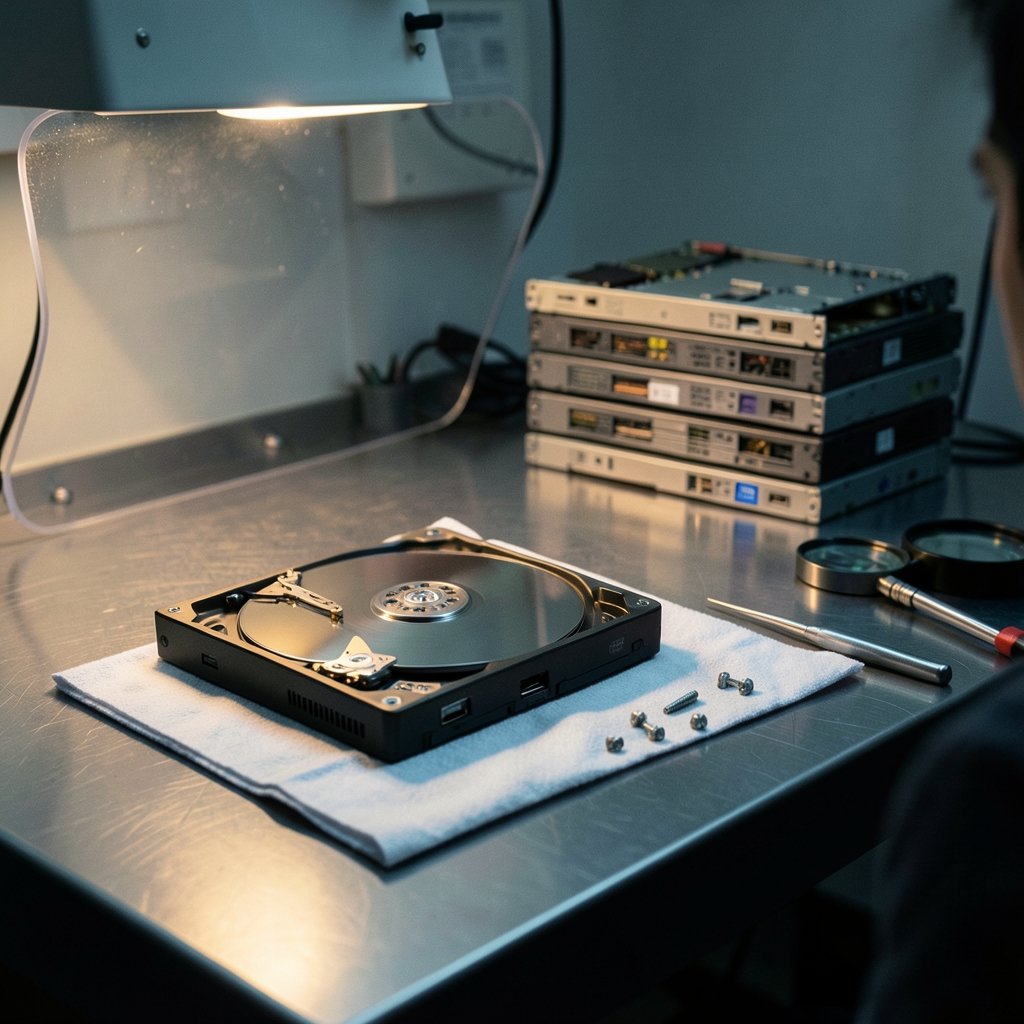
Most people assume recovery is a guy with software and a spare afternoon. Sometimes it is. But the price you pay reflects the equipment, parts, and skilled labor needed for your specific failure. Two drives that look identical on the outside can cost $150 and $2,000 to recover, and the difference is almost always physical versus logical damage.
The single biggest cost driver is cleanroom work. When a hard drive suffers a head crash or a seized motor, a technician must open it in a controlled environment, swap in donor parts from an identical drive, and image the platters before they degrade further. That requires a Class 100 or ISO 5 cleanroom, a stockpile of donor drives, and hours of specialist labor. That is why physical recovery costs an order of magnitude more than software-level work.
Logical vs. physical failures
| Failure type | Typical examples | Typical cost range |
|---|---|---|
| Logical | Deleted files, accidental format, file system corruption | $100–$300 |
| Moderate | Failing drive needing full imaging, firmware issues | $300–$1,000 |
| Physical | Clicking drive, head crash, motor failure | $1,000–$3,000+ |
| SSD / flash | Controller failure, TRIM-related data loss | $500–$2,500+ |
| RAID / server | Multi-drive arrays, SAN, enterprise storage | $1,000–$10,000+ |
These figures are indicative, not fixed. Vendors and regions vary widely, and no single authoritative price dataset exists for the industry. Treat any quote you see online as a starting point, not a promise.
The Hidden Fees That Change the Final Bill
The sticker price is rarely the whole story. In practice, several add-ons and conditions quietly move the number up or down, and knowing them in advance is the difference between a fair deal and a nasty surprise.
Evaluation fees are the first one. Large firms often diagnose for free, while smaller labs may charge $50 to $150, sometimes credited toward the final bill if you proceed. Always ask whether the diagnostic fee is refundable or applied to the repair.
“No data, no fee” policies sound reassuring but carry conditions. Evaluation and shipping costs may still apply, and the guarantee usually excludes drives previously opened or tampered with. Read the contract language rather than the website banner alone.
Rush service is another common premium. Expedited turnaround of 24 to 48 hours often carries a surcharge of 25% to 100% over the standard 5 to 10 business day window. If your data is not truly urgent, standard turnaround is where the savings live.
Shipping and handling can add $20 to $100 depending on whether you use the lab’s prepaid shipping kit or arrange your own insured courier. For valuable drives, insured shipping is not the place to cut corners.
Finally, compliance costs can appear for business clients. Firms handling personal data under GDPR or health data under HIPAA may charge more for compliant handling and chain-of-custody documentation. It is not standardized, but it is real.
What Actually Works in Practice
Practical experience from the field points to a few habits that save both money and data.
First, stop using the drive immediately. Every spin-up of a failing drive pushes it closer to total failure. If a drive is clicking, grinding, or disappearing from your system, power it down and leave it down. This one habit is the difference between a $300 imaging job and a $1,500 cleanroom recovery.
Second, never run recovery software on a physically failing drive. Consumer tools cost $20 to $100 and work fine for deleted files on a healthy disk, but on a dying drive they can worsen the damage by forcing repeated reads. If the drive makes noise or vanishes intermittently, it is a hardware problem, and software will not fix it.
Third, get quotes in writing from at least two or three labs. Ask specifically: what is the diagnostic fee, is it credited, what does the no-fee guarantee exclude, and what is the total out-the-door price including return shipping and media? A reputable lab will answer all of this without pressure.
Fourth, ask about the success rate for your exact failure type. A good lab will give you a realistic assessment rather than a guaranteed yes. SSD recovery in particular has lower success rates because of TRIM, wear-leveling, and encryption, so expectations should be set honestly.
Fifth, keep a backup and treat recovery as the exception. The cheapest recovery is the one you never need. Cloud backup and a second local drive cost far less per year than a single cleanroom job. If you are weighing subscription costs against recovery risk, the same logic applies as when people ask how much does 1password cost for a password manager: the small recurring fee is trivial next to the cost of losing everything.
How Recovery Pricing Compares to Other Tech Costs
It helps to put recovery prices in context. A cleanroom recovery at $1,500 is roughly the price of a new laptop, a game console plus a few years of service, or a couple of years of cloud storage for a family. People happily spend similar amounts on hardware upgrades without blinking.
For comparison, a new console sits in the same range as a moderate recovery, and ongoing subscriptions add up too. If you have ever checked how much does a ps5 cost or how much does playstation plus cost, you already have a mental anchor for what a mid-range recovery bill feels like. The difference is that a console is a want, and your tax records are a need.
Businesses face a steeper version of the same math. A RAID array recovery starting around $1,000 to $2,000 can climb past $10,000 for large arrays, but downtime costs often dwarf the recovery fee. That is why enterprises plan ahead with redundancy and tested backups rather than relying on recovery as a strategy.
When to Choose DIY Software Instead
DIY recovery software is genuinely useful in a narrow set of situations. If you deleted files by accident, emptied the recycle bin, formatted a healthy drive, or hit a file system error on a disk that still spins quietly and appears in your system, software is a reasonable first attempt at $20 to $100.
The rules are simple. Never install software onto the drive you are recovering from. Image the drive first if you can. Stop immediately if the drive makes noise, disconnects, or slows dramatically. And accept that a failed DIY attempt does not usually make professional recovery impossible, but it can reduce the odds if you keep hammering a failing disk.
For anything involving physical symptoms, encryption you cannot bypass, or multi-drive arrays, skip DIY and go straight to a lab. The time you save is worth more than the software license.
Questions to Ask Before You Pay
A short checklist separates a smooth recovery from a stressful one. Ask each of these before handing over a drive:
- Is the evaluation free, and is it credited toward the final bill?
- What exactly does your no-data-no-fee policy exclude?
- Do you have a certified cleanroom, and can you show the classification?
- What is your realistic success rate for this failure type?
- Is the quoted price all-in, including return media and shipping?
- What is the standard turnaround, and what does rush service add?
- Will you return the original drive and any donor parts?
A lab that answers these clearly and without pressure is usually the one worth trusting. One that dodges the exclusions question or quotes a suspiciously low flat rate is a warning sign.
Conclusion
Data recovery costs land in three broad buckets: roughly $100 to $300 for logical fixes, $300 to $1,000 for moderate imaging work, and $1,000 to $3,000 or more for cleanroom and RAID recovery. The price is driven by physical versus logical failure, cleanroom requirements, donor parts, turnaround speed, and the fine print on evaluation fees and no-fee guarantees. The smartest move is not to hunt for the cheapest quote but to stop using a failing drive, get written quotes from a few reputable labs, and ask the uncomfortable questions about exclusions before you ship anything. And once your data is back, set up a backup so you never have to pay for recovery twice.
FAQ
Is a free evaluation really free?
Often yes, but read the terms. Many large firms diagnose at no charge, while smaller labs may charge $50 to $150 and credit it toward the final bill if you proceed. Shipping costs to the lab are usually yours to cover, and some “free” evaluations still carry a handling fee if you decline the recovery.
What does “no data, no fee” actually mean?
It usually means you pay nothing for the recovery attempt if the lab cannot retrieve your files. The catch is that evaluation fees, shipping, and return media may still apply, and the guarantee typically excludes drives that were previously opened or tampered with. Get the exclusions in writing before you ship.
Why is SSD recovery more expensive than hard drive recovery?
SSDs use TRIM, wear-leveling, and often built-in encryption, which makes data harder to retrieve and success rates lower. Controller failures require specialized tools and chip-off techniques. Expect quotes of $500 to $2,500 or more, and ask the lab for a realistic success rate for your specific model and failure.
Can I just use recovery software and skip the lab?
Yes, if the drive is healthy and the problem is logical, such as deleted files or an accidental format. Software costs $20 to $100 and is worth a careful attempt. If the drive clicks, disconnects, or makes any noise, stop and go to a lab, because software on a failing drive can make things worse.
Does rush service really cost that much more?
It can. Expedited turnaround of 24 to 48 hours often adds 25% to 100% over the standard 5 to 10 business day window. If the data is not urgent, standard turnaround is the easiest way to cut the bill without cutting quality.
How much does RAID or server recovery cost?
Multi-drive RAID, SAN, and server recovery typically starts around $1,000 to $2,000 and can exceed $10,000 for large or complex arrays. The range depends on array size, RAID level, how many drives failed, and whether prior recovery attempts were made. Always get a written quote after evaluation.



