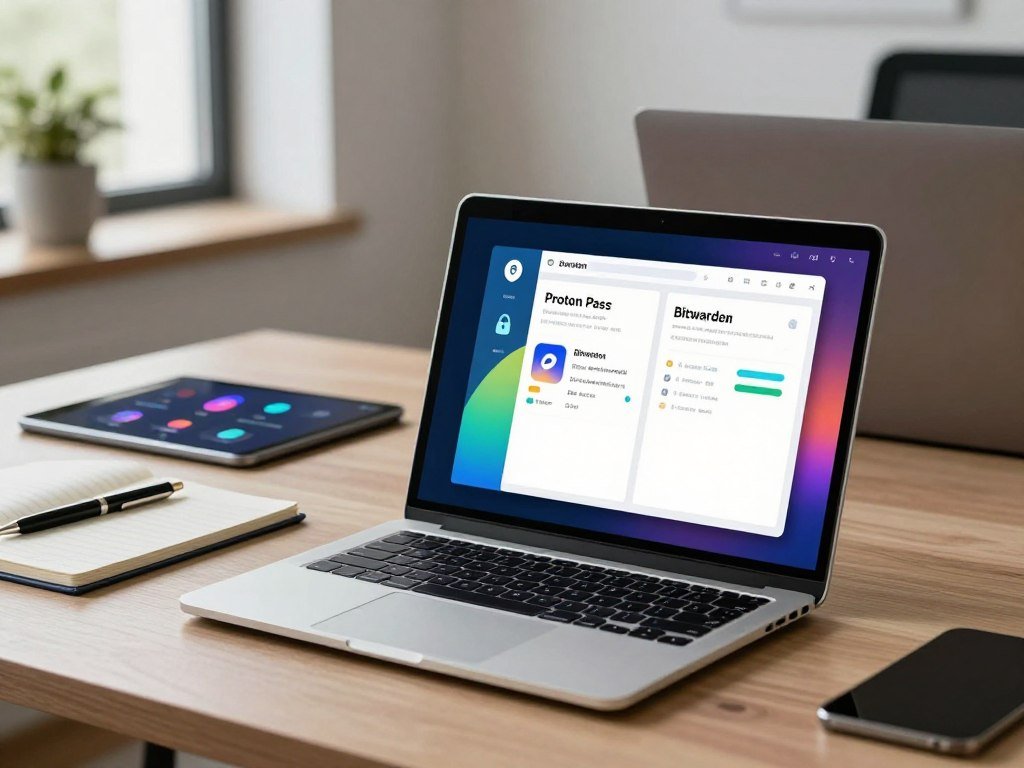
Your password manager should protect your logins without making everyday access harder. If you are choosing between Proton Pass and Bitwarden, the right fit depends on which tools you value most.
Zero-knowledge architecture means your vault data is encrypted so the provider cannot read its contents. Both services use this design, but they differ in privacy features, cost, and control.
Proton Pass adds privacy tools and links to a wider Proton ecosystem. Bitwarden puts more focus on value and user control. This comparison weighs security, useful features, cost, and everyday fit so you can choose with confidence.
Both services have free plans, so readers can compare their fit before paying.
Key Takeaways
- Choose Bitwarden for low-cost access and self-hosting.
- Choose Proton Pass for email aliases and Proton service links.
- Both services use encrypted vaults and open-source code.
- Bitwarden Free stores credit cards and personal details.
- Proton Pass has a more polished interface.
Proton Pass vs Bitwarden: Which Is Better in 2026?
Choose Bitwarden for control and value, or Proton Pass for an integrated privacy experience and a more polished interface. Your priorities shape the better choice, since each password manager serves a different kind of user.
Bitwarden is the better fit if you want low cost, self-hosting, and control. Proton Pass suits you if you value a polished interface, integrated privacy features, and Proton services.

| Attribute | Proton Pass | Bitwarden | Practical difference |
|---|---|---|---|
| Interface | Modern, polished design | More utilitarian design | Proton Pass may feel easier to scan |
| Self-hosting | Not supported | Supported | Bitwarden lets you run your own server |
| Ecosystem | Connects with Proton services | Standalone password manager | Proton Pass fits an existing Proton workflow |
| Email aliases | Hide-my-email aliases included | No built-in alias feature | Proton Pass can mask your real email |
The Proton Pass vs Bitwarden choice in 2026 comes down to these differences, not a universal winner. Your preferred interface can matter every day, while self-hosting matters only if you want to manage a server.
Bitwarden supports self-hosting, which gives technically skilled users more control over where the service runs. That control also means you take on upkeep, updates, and server access.
A polished screen can save daily friction, while a server you manage adds work.
For a wider view of password managers built for security, compare the features you would use with the level of control you want. Treat self-hosting as a deciding factor only if you are ready to maintain your own server.
How Do Proton Pass and Bitwarden Protect Your Vault?
Both services use AES-256 encryption and a zero-knowledge design, so neither provider can simply read an encrypted vault. That protection helps guard stored data, but it does not erase every risk.
A strong, unique master password remains essential because encryption cannot fix a weak password. Your device, account access, and password choices still affect security.
Encryption that protects stored credentials
AES-256 is a method for encrypting data in a vault. It turns saved credentials into unreadable data without the right key.
Zero-knowledge architecture means the provider cannot read the encrypted vault contents. Your logins stay private from the service itself, not from every possible threat.
A compromised device or stolen master password can still put an account at risk. Encryption protects stored data, but it cannot stop every attack on your device or account.
How each service protects the master password
Proton Pass uses bcrypt to protect your master password. Bitwarden uses PBKDF2-SHA-256, a key-derivation method that makes password guessing harder.
These methods raise the effort needed to test guesses against a protected password. They do not make a short or reused master password safe.
Both services are open-source, so people can inspect their code. That transparency helps users review how the tools work, but it cannot prove an account or device is impossible to compromise.
Use a strong, unique master password because encryption cannot compensate for a weak one.
What Do Audits and Security Incidents Reveal?
The 2026 Proton Pass audit found no remote exploits or encryption bypasses, while identifying desktop memory-handling issues that were resolved during retesting. That result is useful evidence, not a promise of perfect safety.
The audit reported no remote route into a vault, and Proton fixed the noted memory issues during retesting. Bitwarden faced a separate software delivery incident.

Findings from the Proton Pass audit
Recurity Labs reviewed Proton Pass browser extensions, mobile and desktop apps, and its command-line interface. The work took place from January through April 2026.
The review found no remote exploits or encryption bypasses. Auditors also found desktop memory-handling issues, which Proton resolved during retesting.
The Recurity Labs audit findings describe the tested products and reported fixes. An audit covers the code and conditions reviewed, not every future version or user device.
What happened in Bitwarden’s npm delivery path
A malicious package for @bitwarden/cli@2026.4.0 moved through the npm delivery path on April 22, 2026. It was distributed from 5:57 PM to 7:30 PM ET.
Socket linked the incident to the Trivy supply-chain campaign. The payload used the same command-and-control endpoint and core infrastructure as the Checkmarx malware.
A compromised npm package delivery path is not the same claim as an encrypted vault being breached. The incident involved a software package, not proof that every saved login was exposed.
Treat software supply-chain incidents as a reason to update carefully and check official incident guidance, not as proof that every stored vault was exposed.
Which Free Plan Gives You More?
Both free plans support unlimited password storage across unlimited devices, but Bitwarden Free also stores credit cards and personally identifiable information. The key gap is the type of information you can save.
Bitwarden Free allows credit-card storage, while Proton Pass Free does not. Proton Pass Free includes unlimited logins and notes, plus 10 hide-my-email aliases.
What Proton Pass Free includes
Proton Pass Free costs $0 per month. It gives you unlimited logins, notes, and devices, along with 10 hide-my-email aliases.
That mix works well if you want to protect sign-ups with aliases and keep notes beside your logins. The plan does not include credit-card storage.
What Bitwarden Free includes
Bitwarden Free supports unlimited password storage and unlimited device access. It also lets you save credit cards and personally identifiable information.
| Free-plan feature | Proton Pass Free | Bitwarden Free |
|---|---|---|
| Password storage | Unlimited logins | Unlimited passwords |
| Devices | Unlimited devices | Unlimited devices |
| Credit cards and personal details | No credit-card storage | Credit cards and personal details allowed |
| Notes or identity details | Unlimited notes | Personally identifiable information allowed |
Proton Pass vs Bitwarden free version is chiefly a question of which extra free-tier data types and privacy features matter to you. Both plans let you use a password manager across your devices without a subscription.
Before migrating, check that every item type you rely on is available in the free tier you choose.
How Much Do Proton Pass and Bitwarden Cost?
Bitwarden Premium starts at $1 per month, while Proton Pass Plus costs $2.99 per month with annual billing. The added tools and family coverage can change which plan offers better value.
Proton Pass Plus costs $35.88 every 12 months when billed annually. Bitwarden Families covers up to six people at a lower monthly rate than Proton Pass Family.
Individual subscriptions and annual billing
Proton Pass Plus costs $2.99 per month when billed annually at $35.88 every 12 months. It adds unlimited aliases, a built-in 2FA authenticator, dark web monitoring, secure sharing, file attachments, and Emergency Access.
Proton Unlimited costs $9.99 per month with annual billing at $119.88 every 12 months. It includes Proton Pass, Mail, Calendar, VPN, and Drive.
Bitwarden Premium starts at $1 per month. It is the lower-cost paid option for an individual who wants premium password manager features.
Family plans and the Proton bundle
Bitwarden Families costs $3.33 per month for up to six people. Proton Pass Family costs $4.99 per month for up to six people.
| Plan | Price and billing condition | Coverage |
|---|---|---|
| Proton Pass Plus | $2.99 monthly, billed $35.88 every 12 months | One user, Plus features |
| Proton Unlimited | $9.99 monthly, billed $119.88 every 12 months | Pass, Mail, Calendar, VPN, and Drive |
| Bitwarden Premium | Starts at $1 per month | One user |
| Bitwarden Families | $3.33 per month | Up to 6 people |
| Proton Pass Family | $4.99 per month | Up to 6 people |
Proton Pass and Bitwarden pricing differs most if you need Plus-only tools or a family subscription. Proton Unlimited also has added value if you already want several Proton services.
Compare the full annual charge and the features you will actually use, not just the monthly equivalent.
Which Privacy Features Set Proton Pass Apart?
Email aliases let you use a different address for sign-ups without giving every service your real one. That separation can help limit unwanted messages and reduce how widely your address spreads.
Proton Pass Free alerts you to weak and reused passwords, while Plus adds dark web monitoring. Passkeys work across devices, including on the free plan.
Hide-my-email aliases and account separation
A hide-my-email alias gives a new account a different address from your main inbox. If unwanted messages begin, you can disable that alias without changing your real email address.
Aliases help separate accounts and can make it easier to spot which sign-up brought unwanted mail. They do not stop a site from learning other details you share with it.
For a closer look at Proton Pass aliases and features, see how the email privacy tools fit into everyday sign-ups.
Password health alerts and passkeys
Proton Pass Free flags weak and reused passwords so you can improve them. Proton Pass Plus adds dark web monitoring, which alerts you to certain exposed account details.
Passkeys replace a typed password with a sign-in method tied to your device or account. Proton Pass supports passkeys across devices, even on its free plan.
- Use a separate alias for a new account.
- Disable an alias that attracts unwanted mail.
- Replace weak or reused passwords.
- Enable passkeys where supported.
An alias limits exposure of your email address, but it does not replace a unique password for each account.
When Do Sharing and Emergency Access Matter?
Bitwarden’s free Send feature can share a password or secure note with an expiration date and a view limit. Those controls help you avoid leaving a credential in a plain message.
Bitwarden Send includes expiration dates and view limits in its free tier. Emergency Access serves a different purpose: it lets a trusted contact request vault access during an emergency.
Sharing a credential without leaving it exposed
Bitwarden Send lets you share passwords or secure notes, then set when the link expires. You can also limit how many times someone views it.
Those limits help when a family member needs one login or a coworker needs a secure note. Share only the item that person needs, rather than opening your full vault.
Temporary sharing is different from giving someone lasting access to your account. A short-lived link is better for a one-time handoff.
Preparing for trusted-contact access
Emergency Access is meant for a trusted contact who may need to request vault access in a crisis. Bitwarden offers it on a paid plan, and Proton Pass Plus lists it too.
A 2026 comparison of tested plans did not find Emergency Access, while the Proton Pass Plus plan lists it. The result depends on the plans compared, so check the exact settings you would use.
- Choose only the item needed.
- Set an expiration for a shared link.
- Limit views where the service allows it.
- Review who can request emergency access.
Test the exact plan’s sharing and emergency settings before relying on them in a crisis.
Which Service Feels Easier to Use Every Day?
In hands-on tests in 2026, Proton Pass autofilled forms correctly 94 percent of the time. That result can mean fewer extra steps when a site asks for familiar login details.
Bitwarden failed to detect password fields on about 8 percent of tested websites. A failed autofill can force you to copy and paste credentials, especially on an unfamiliar login form.
Autofill accuracy on real sites
Proton Pass filled forms correctly in 94 percent of hands-on tests in 2026. Bitwarden missed password fields on about 8 percent of the tested websites.
These results describe the tested sites, not every page you will visit. Login forms vary, and a change to a website can affect how a password manager reads its fields.
When autofill misses a field, you may need to open the vault and copy credentials by hand. That extra step is more noticeable on a login page you have never used before.
Sync delays and everyday friction
Bitwarden syncing sometimes took up to 30 seconds in testing. In other cases, a manual refresh was needed before a new item appeared.
These are observed friction points, not a promise that every Bitwarden user will see a delay. Network quality and the device you use can affect syncing.
Proton Pass and Bitwarden both aim to keep logins available across devices. A brief delay matters most when you add a password on one device and need it right away elsewhere.
Keep a secure manual sign-in route available for websites where autofill does not recognize the login fields.
Which Devices, Browsers, and Imports Are Supported?
Both services have apps for Windows, macOS, Linux, iOS and Android, while Proton Pass also offers a web app. Browser choice is broad, especially for Proton Pass users.
Proton Pass extensions work with Firefox, Safari, and Chrome, plus many related browsers. Both services also accept imports from major password managers.
Apps and browser extensions
Proton Pass is available as a web app and browser extension. Its extensions support Firefox, Safari, and Chrome.
Chrome support includes many Chromium browsers, such as Edge, Brave, Chromium, Opera, and Vivaldi. Firefox support also covers many Firefox-based browsers.
Both products are open-source and offer native apps for desktop and mobile systems. That gives you access from a phone, computer, or supported browser.
Moving an existing vault safely
You can import a vault from services such as LastPass, 1Password, and Dashlane. For most people, imports from those named services take less than five minutes.
A short transfer can still miss a record or change how a field appears. Compare the new vault with the old one before you rely on it.
- Export the old vault.
- Import it into the new service.
- Compare item counts and spot-check important records.
- Keep the old vault until verification is complete.
Do not delete the old vault until item counts and a sample of important logins match.
How Do Ownership and Ecosystem Affect Privacy?
Proton’s primary shareholder is the Proton Foundation, a Swiss nonprofit whose consent is required for a change of control. That structure gives the foundation a formal role in Proton’s ownership.
The foundation has a legally binding purpose to advance privacy, freedom, and democracy around the world. Governance facts can inform trust, but they do not replace technical safeguards.
The Proton Foundation’s role
The Proton Foundation is Proton’s primary shareholder. Its consent is required if Proton changes control.
The foundation’s legally binding purpose is to advance privacy, freedom, and democracy around the world. It also has a resolution to give 1 percent of Proton’s revenue to charitable work whenever financial conditions allow.
The foundation says it has given more than $5 million in grants to aligned organizations. These are specific governance and giving facts, not proof that every privacy concern is solved.
Choosing an integrated suite or a standalone tool
Proton Pass connects with Proton Mail, Calendar, VPN, and Drive. That can suit you if those services already form part of your daily routine.
Proton VPN is one part of that wider set of tools; a free VPN privacy guide can help you compare its role with other options.
Bitwarden takes a more standalone approach and supports self-hosting. You can keep it separate from an email or storage suite, or run your own server if you can maintain it.
Treat organizational structure as one trust factor alongside encryption, account security, and the control you want over your data.
Which Password Manager Suits Your Priorities?
Choose Bitwarden if low cost and self-hosting matter most; choose Proton Pass if aliases and Proton services are the priority. Your daily habits can tip the choice when both cover the basic vault role.
Bitwarden suits readers who want value and practical control; Proton Pass fits readers who want integrated privacy tools. Interface and ecosystem preferences matter because either service can store and sync your logins.
- Choose Bitwarden if you want to self-host.
- Choose Bitwarden if you want the lower-cost Premium option.
- Choose Proton Pass for integrated hide-my-email aliases.
- Choose Proton Pass if Proton services already shape your workflow.
Pick the service whose privacy tools and daily workflow you will keep using.
If you manage a server with confidence, Bitwarden gives you a clear path to self-hosting. If you use Proton Mail, Calendar, VPN, and Drive, Proton Pass keeps your password manager close to those services.
Try the free tier that matches your priorities before moving your main vault.
Conclusion
Bitwarden and Proton Pass are both credible choices, but they serve different priorities. Bitwarden is the value-and-control choice, while Proton Pass is the ecosystem-and-alias choice.
The best password manager is the one you will use consistently. A tool you trust and can reach across your devices is more useful than extra features you rarely open.
Start with the free plan that fits your needs, move a small set of logins, and verify the import before switching fully.
FAQ
Which is better, Bitwarden or Proton Pass, in 2026?
Bitwarden is better for low cost and self-hosting, while Proton Pass suits people who want aliases and Proton services together. Bitwarden Premium starts at $1 per month, and you can run Bitwarden on your own server. Proton Pass offers a polished interface and hide-my-email aliases. Both services cover the core job of storing and syncing passwords.
What is the Bitwarden controversy?
The incident involved a malicious Bitwarden CLI package distributed through npm from 5:57 PM to 7:30 PM ET on April 22, 2026. The package was named @bitwarden/cli@2026.4.0. Socket linked its code to the Trivy supply-chain campaign because it used the same command-and-control endpoint and core infrastructure as Checkmarx malware.
Is Proton Pass really secure?
Proton Pass uses AES-256 encryption and zero-knowledge architecture, which means Proton cannot read encrypted vault contents. Recurity Labs found no remote exploits or encryption bypasses in its 2026 review. The audit also found desktop memory-handling issues, which Proton resolved during retesting. A strong, unique master password still matters for your account.
What is the most trustworthy password manager?
Bitwarden and Proton Pass are both open-source services that use zero-knowledge encryption. Bitwarden has a longer public audit history, while Proton Pass has a 2026 audit with reported findings and fixes. Trust also depends on your account security, device safety, and comfort with each company’s ownership and service model.
Which password manager was hacked?
The 2026 Bitwarden incident involved a malicious npm package for its CLI, not a confirmed breach of encrypted password vaults. The package distribution window lasted from 5:57 PM to 7:30 PM ET on April 22. A compromised software delivery path can create risk, but it does not mean every stored password was exposed.
Which is better, 1Password or Proton Pass?
1Password is an alternative if you value a polished interface and family-sharing features. Proton Pass stands out for hide-my-email aliases and links to Proton Mail, Calendar, VPN, and Drive. The best fit depends on which tools your household already uses and how you want to share access. Compare the free options or trial access before moving your main vault.
Who owns Proton Pass?
The Proton Foundation is Proton’s Swiss nonprofit primary shareholder, and its consent is required for a change of control. Its legally binding purpose is to advance privacy, freedom, and democracy around the world. This governance role shapes Proton’s ownership structure, but it does not replace the need for strong account security and safe devices.
What browser works best with Proton Pass?
No single browser works best for everyone. Proton Pass extensions are available for Firefox, Safari, and Chrome, with support for many related browsers. Chrome support includes Edge and Brave, along with Chromium, Opera, and Vivaldi. Choose the browser you already use, then check that the extension supports its current version.



