The standard PS5 is the better value for most players, while the PS5 Pro is the stronger fit for players who want the sharpest supported graphics. PSSR, or PlayStation Spectral Super Resolution, is Sony’s AI-enhanced image upscaling technology, which can sharpen games on a 4K TV. Your gaming style, budget, screen, and need for physical media all shape the choice.
The Pro’s graphics upgrades matter most when your games support them and your display can show the added detail. If you mostly play digital games on a standard screen, a lower-cost model may serve you just as well. If you own discs, the included drive on some standard models can also affect your total cost.
This comparison explains what changes, what stays the same, and which features may matter in your home. Your display and the games you play should drive the choice more than the Pro label alone.
Key Takeaways
- The standard PS5 or PS5 Slim is the value pick for most buyers.
- The PS5 Pro is aimed at players who care most about supported graphics on a capable 4K display.
- The Pro shares the PS5 game library rather than adding exclusive games.
- Physical-game owners should account for the Disc Drive when choosing the Pro.
- Display support and the games you play help determine whether the Pro’s upgrades matter.
PS5 vs Pro: Which Console Is Better for You?
Choose the standard PS5 for the same game library at lower overall cost, or the Pro if sharper supported graphics matter enough to justify a premium. For most people, the standard PS5 or PS5 Slim is the practical value choice; the Pro suits players with a capable 4K display who focus on image quality.
The PS5 Pro launched in November 2024 as a mid-generation upgrade, not a new generation. It plays the PS5 game library, and it does not unlock Pro-exclusive games. Your choice is about how supported games look and run, not access to a separate set of titles.
Think about the kind of player you are before paying more for graphics features. These profiles point to a sensible starting model.
- Budget-focused players: choose the standard PS5 or PS5 Slim.
- Physical-disc owners: choose a PS5 Slim with a disc drive.
- 4K fidelity-focused players: consider the PS5 Pro.
The Pro is an upgrade to the way supported games look and run, not a separate PlayStation generation.
That shared library means you do not need the Pro to keep playing current PS5 games. It may still be a better match if you want the strongest supported graphics and your screen can reveal the difference.
How Much Do the PS5 and PS5 Pro Cost?
The current U.S. recommended retail prices range from $599.99 for PS5 Digital Edition to $899.99 for PS5 Pro. The latest listed prices took effect April 2, 2026, after Sony cited continued pressures in the global economic landscape.
The Pro’s current recommended retail price is $150 higher than its previous U.S. MSRP. The standard disc model and Digital Edition each rose by $100. Sony’s recommended retail prices are list prices, not a promise of what a retailer currently charges.
| Model | Previous U.S. MSRP | MSRP effective April 2, 2026 | Increase |
|---|---|---|---|
| PS5 Pro | $749.99 | $899.99 | $150 |
| PS5 disc edition | $549.99 | $649.99 | $100 |
| PS5 Digital Edition | $499.99 | $599.99 | $100 |
The Pro launched at $699.99, then had a previous U.S. MSRP of $749.99 before the April 2026 increase. Its current price is not simply a small step above the digital model, so weigh the graphics gains against the size of the premium.
If you are comparing a pre-owned offer with the list price, check the seller and what the package includes. A used console may not include the same accessories or condition as a new one. Compare the listed MSRP with the full configuration you need before setting your budget.
How Do the Console Specifications Compare?
The biggest specification difference is the GPU, with the PS5 Pro offering 60 compute units compared with the PS5 Slim’s 36. The graphics hardware gap is more notable than the CPU difference, since both systems use processors from AMD’s Zen 2 family.
The PS5 Slim GPU has 36 compute units and 10.3 teraflops, while the Pro GPU has 60 and 16.7 teraflops. Those figures describe hardware capacity; they do not guarantee the same gains in every game.
| Feature | PS5 Slim | PS5 Pro |
|---|---|---|
| CPU | Custom eight-core AMD Zen 2 CPU | AMD Zen 2 CPU |
| GPU architecture and compute units | AMD RDNA 2-based GPU, 36 compute units, 10.3 teraflops | AMD RDNA 3-based GPU, 60 compute units, 16.7 teraflops |
| Memory | 16GB GDDR6 | 16GB GDDR6 plus 2GB DDR5 for system tasks |
The CPU family is shared, while the GPU architecture and compute-unit count differ. The Pro also has an extra 2GB of DDR5 memory for system tasks alongside its GDDR6 memory.
For a buyer, that extra graphics capacity matters most in games built to use it. Memory and compute figures help explain the models, but they are only part of how a game performs. Read the GPU and memory figures as hardware headroom, not a guarantee that every game will look or run better.
What Performance Difference Will You See in Games?
The PS5 Pro’s graphics advantage is most visible in games that can use its extra GPU headroom. Sony’s headline claim is about 45% faster rendering, though each game can use the added power differently.
Memory bandwidth rises from 448GB/s on PS5 Slim to 576GB/s on PS5 Pro. Their GDDR6 memory runs at 14Gbps and 16Gbps, respectively, which can help move graphics data faster.
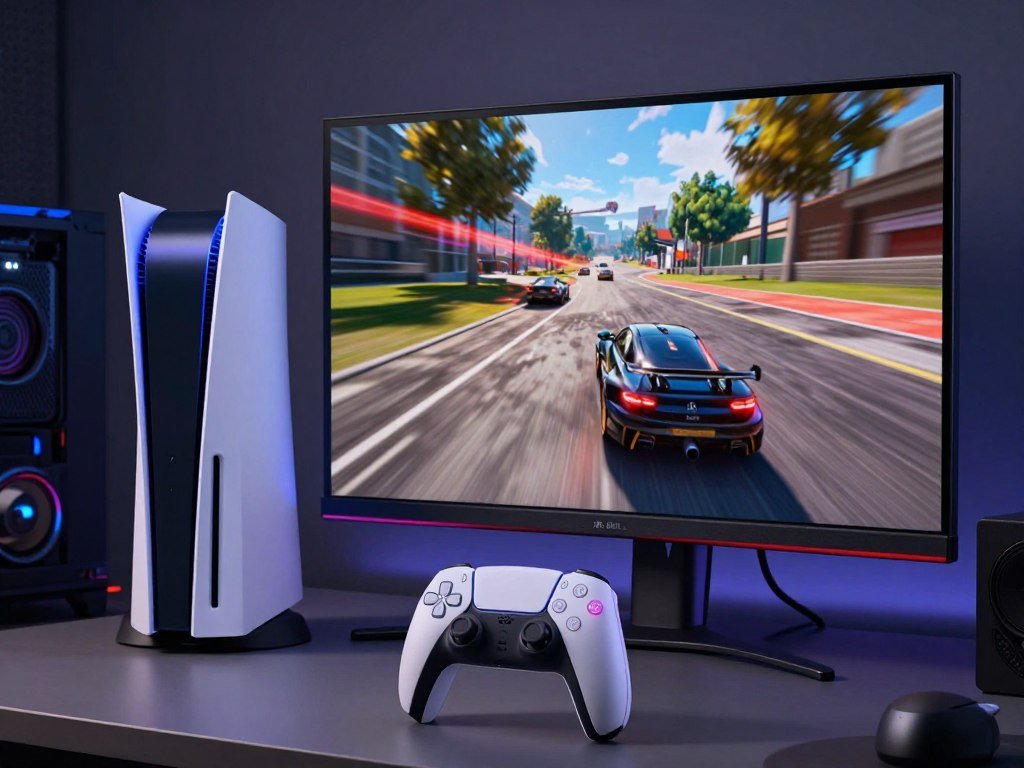
GPU Headroom and Memory Bandwidth
Sony’s rendering claim describes a broad hardware advantage, not a fixed improvement in every title. A game that leans heavily on graphics may gain more than one with other limits. The result depends on the game’s settings and how its developers use the Pro hardware.
More bandwidth can help the system feed its graphics processor, but it does not set the final image or frame rate by itself. Your experience can differ between two games on the same console.
Frame Rates and CPU Limits
Compatible titles can combine 60fps or up to 120fps with ray tracing and AI-enhanced 4K resolution. The game and your display determine which modes are available and what output you see.
A graphics-heavy game may use the Pro’s added GPU capacity for sharper effects or smoother play. A title limited by other parts of its design may show a smaller change, even on the stronger model. Higher frame rates are a game feature, not an automatic result of buying the console.
Ray Tracing in Supported Titles
Ray tracing can create more lifelike lighting and reflections, though it also takes substantial graphics power. The Pro’s more advanced ray-tracing support benefits titles optimized for the console.
Games without those changes do not gain the same ray-tracing effects just because you run them on the Pro. Treat the stated frame-rate ceiling as an option for compatible games and displays, not a default setting across the library.
Which Games Show the PS5 Pro’s Advantages?
Sony lists more than 100 PS5 Pro-enhanced titles, but the clearest value depends on which games you actually play. Several releases show how much the performance mode can vary from game to game.
Enhancements are title-specific, so one game’s resolution and frame rate do not predict another’s. These examples give you a practical way to judge whether your own library has upgrades you would notice.
| Game | PS5 Pro mode or rendering detail | Reported resolution or frame rate |
|---|---|---|
| The Last of Us Part I Remastered and The Last of Us Part II Remastered | PSSR upscaling | 1440p render upscaled to 4K, targeting 60fps |
| Final Fantasy VII Rebirth | Enhanced mode uses PSSR | 60fps, with resolution on par with graphics mode |
| Horizon Forbidden West | Quality-mode visuals at a higher frame rate | Matches or surpasses base PS5 Quality mode at 60fps |
| Ratchet & Clank: Rift Apart and Marvel’s Spider-Man 2 | Performance Pro mode combines 4K, ray tracing, and gameplay | 60fps |
Stellar Blade can run at 4K at 50fps or more in PSSR upscale mode, while its high-frame-rate option can reach 80fps with a 120Hz display. Those modes show why the screen you own matters alongside the game.
Check the Pro mode for a game you care about, since the upgrades differ by title.
How Does PSSR Improve Image Quality?
PSSR rebuilds detail from a lower-resolution render so compatible games can aim for a sharper image without rendering every pixel at full resolution. This image reconstruction uses dedicated machine-learning hardware to produce a near-4K result as its goal.
PSSR can make an image look sharper, but reconstruction is not the same as native rendering. The game first creates a lower-resolution image, then the technology estimates and rebuilds detail.
That process can free some GPU capacity that a game might otherwise spend rendering every pixel at full resolution. Developers can use the recovered headroom for more visual detail, smoother play, or a mix of both.
The result depends on how each game uses PSSR. Some implementations may create a clear image on a 4K screen, while others may show different levels of detail or stability. The technology is a tool for game makers, not a single image setting that works identically everywhere.
It also does not mean that every game renders at native 4K. The console reconstructs a higher-resolution image from a lower-resolution starting point, and the final result can differ from one title to another.
Judge PSSR by the result in a game you play, rather than assuming it produces identical gains everywhere.
How Much Storage Do PS5 and PS5 Pro Have?
The Pro doubles the Slim’s built-in SSD capacity, while the original PS5 starts with less space than either newer model. Its larger built-in drive can suit players who keep many games installed at once.
The PS5 Pro has 2TB of built-in SSD storage, compared with 1TB on PS5 Slim and 825GB on the original PS5. Actual free space is lower because the system also uses part of the drive.
Built-In SSD Capacity
Built-in capacity affects how many games you can keep ready to play without moving files. If you often switch between large titles, more space can save time and reduce the need to delete an install.
A smaller library may fit the Slim’s drive comfortably, while the Pro offers more room from the start. Your game sizes and how often you replay them shape the day-to-day difference.
Expanding Storage With an M.2 SSD
You can add a compatible M.2 SSD to expand console storage by up to 8TB. This type of drive lets you install and play PS5 games from expanded storage, as long as the drive meets the console’s compatibility needs.
Adding a drive is a useful option if you want more game space without relying only on the built-in SSD. Choose one that meets Sony’s requirements for a PS5 console.
Storing Games on a USB Drive
PS5 consoles can store compatible PS5 and PS4 games on a SuperSpeed USB drive with capacity from 250GB to 8TB. It can help you keep a large library without filling the internal drive.
PS5 games stored on a USB drive must be transferred back to the internal SSD before you can play them. PS4 games can be played from compatible USB storage. Use a compatible M.2 SSD when you want to play PS5 games directly from expanded console storage.
Do You Need a Disc Drive?
If physical games matter to you, remember that the PS5 Pro needs a separate Disc Drive. The console is digital-only out of the box, so you need the optional accessory to use disc-based games or media.
Sony lists the PS5 Pro Disc Drive at $79.99. By contrast, the PS5 Slim model with a disc drive includes an optical drive in the console.
The add-on makes sense if you own physical games or want to keep using discs. It also lets you choose physical copies when you prefer having a game in your collection rather than buying only digital versions.
A disc-free setup may suit you if your library is already digital and you do not plan to use discs. But owners of physical games should include the accessory in their comparison, since the Pro does not come ready for disc use.
Think about the titles you already own, not only the games you may buy later. Add the accessory to your planned purchase total before deciding that the Pro fits your budget.
Can You Play PS4 Games on PS5 and PS5 Pro?
Most PS4 games work on PS5 consoles, but disc support depends on having a console with an optical drive. The backward compatibility feature covers the overwhelming majority of more than 4,000 PS4 games.
PS4 game discs cannot be used with PS5 Digital Edition, and PS5 consoles do not support PlayStation 3 discs. Some PS4 games also receive Game Boost, which may give them a higher or smoother frame rate.
Game Boost can make certain older titles feel smoother, but it does not apply to every PS4 game. Check how you own a game before choosing a console without an optical drive.
- Most of more than 4,000 PS4 games work on PS5 consoles.
- PS4 game discs require a console with a disc drive.
- PS5 consoles do not support PlayStation 3 discs.
The digital version of a PS4 game can work on a digital PS5 when that title is compatible. A disc copy needs the disc drive each time you want to play it.
Check whether a title is a disc or digital copy before choosing a disc-free model.
Can the PS5 Run Games in 4K and 8K?
Yes, PS5 consoles can output 4K, but the display and output settings must support it. A compatible 4K screen and a 2160p output setting are needed for 4K video.
All PS5 consoles support 4K and HDR, while 4K at 120Hz also requires a compatible TV and game. The console supports HDMI 2.1 for 4K video output at 120Hz when those pieces work together.
Check the screen’s exact HDMI input, since not every port on a TV or monitor may support the same features. A high refresh-rate label alone cannot make a game run at 120Hz if that game lacks the mode.
Use these three checks before expecting a specific output:
- Confirm that your screen supports the resolution you want.
- Set the console’s video output resolution to 2160p for 4K.
- Confirm that both the TV and game support 120Hz before expecting that refresh rate.
PS5 Pro can output 8K with a compatible 8K, 60Hz display that supports Display Stream Compression. VRR is disabled during 8K output, so that setup involves a trade-off.
For help checking screen features, see this PS5 monitor guide. Treat 8K output as a display-compatibility feature, not a promise that every game renders at 8K.
How Large Are the PS5 Pro and PS5 Slim?
The PS5 Pro is longer than the Slim disc model, while the Slim Digital model is the lightest of the three. The exact measurements can help you decide whether a console fits your shelf.
The PS5 Pro measures 15.3 × 3.5 × 8.5 inches and weighs 6.8 pounds. Check shelf depth, cable clearance, and orientation in the space where the console will sit.
| Model | Dimensions in inches | Weight in pounds |
|---|---|---|
| PS5 Slim with disc drive | 14.1 × 3.8 × 8.8 | 7.1 |
| PS5 Slim Digital | 14.1 × 3.2 × 8.8 | 5.7 |
| PS5 Pro | 15.3 × 3.5 × 8.5 | 6.8 |
The Slim Digital model weighs less than either other model listed here. The Pro is longer than the Slim disc model, but it weighs less, so weight alone does not tell you which console will fit best.
Measure the shelf’s usable space rather than its outside width. Leave room for cables and for the console’s chosen orientation, since those can affect where it fits.
Measure the shelf and allow room for cables before settling on a console location.
Does Wi-Fi 7 Make a Difference for PS5 Pro?
Wi-Fi 7 is a useful extra only if the rest of your network can use it. A compatible router can support faster transfers and lower latency, but your home network conditions affect the result.
The PS5 Pro supports Wi-Fi 7, but you need a compatible router to use that standard. Wireless congestion, distance from the router, and other network conditions can also affect connection quality.
That means Wi-Fi 7 does not promise faster downloads or lower latency in every home. If your current wireless connection works well, the new standard may not change how games feel.
Use this checklist to see whether the feature may matter in your setup:
- Check whether your router supports Wi-Fi 7.
- Consider whether wireless congestion affects your current connection.
- Compare Wi-Fi with the option of wired Ethernet.
A wired connection may suit a console near your router, while a stronger wireless setup may help when cables are impractical. Your network gear and home layout shape the benefit more than the console label alone.
If your router does not support Wi-Fi 7, treat this feature as no reason by itself to choose the Pro.
Is the PS5 Pro Worth Upgrading To?
A PS5 Pro upgrade makes the most sense when your current setup hides improvements you actually want to see. The case is strongest with a 4K display and games that use Pro enhancements.
The Pro is worth getting over the PS5 Slim for fidelity-focused players with a suitable display and supported games. Most owners who are happy with a working PS5 do not need to upgrade.
When You Already Own a PS5
If your current console runs your games well and you like how they look, keeping it is sensible. A new model will not add exclusive games, so an upgrade makes less sense when your library already meets your needs.
Consider what bothers you about your current setup. If you rarely notice image detail or frame-rate changes, extra graphics power may not feel like a meaningful improvement.
When You Play on a 4K Display
A capable 4K screen can make changes to detail and image quality easier to notice. On a 1080p display, the Pro’s visual advantage is weaker, so the higher-performance model may not offer a clear benefit for your setup.
Your TV’s supported modes also matter. A screen that cannot show the output you want limits how much you can see from enhanced graphics.
When Your Favorite Games Are Enhanced
The upgrade is more compelling when the games you play use Pro features. A large library does not guarantee a better experience if your most-played titles lack those enhancements.
Before trading in a working PS5, check whether your favorite games have Pro enhancements and whether your display can show them.
Are PS5 Pros Still Available?
The PS5 Pro was sold out at Sony’s storefront and major retailers as of October 10, 2026. A reported retailer memo projected the shortage would last through early 2027 at the earliest.
That forecast is dated, not a live count of current inventory. Stock can change, so the October 2026 sellout does not confirm what a retailer has today.
Check listings directly before you change your plans. These three steps can help you avoid mistaking an old listing or another model for a new PS5 Pro.
- Confirm the current Sony storefront listing.
- Check major retailers directly.
- Verify that the listing names the PS5 Pro model.
Third-party and pre-owned listings may show a console even when standard retail stock is limited. Check the seller and package details carefully, especially when a listing costs much more than the recommended retail price.
For more on the shortage and resale listings, see the PS5 Pro shortage update. Recheck live retailer listings before changing your purchase plan, because a dated shortage forecast is not a current inventory count.
Which PS5 Model Fits Your Budget and Game Library?
For most new buyers, the PS5 Slim is the sensible starting point, while the Pro is the premium choice for graphics-focused play. The right model choice depends on your disc collection, digital habits, and display.
Choose the PS5 Slim with a disc drive for physical games, the Slim Digital for digital-only value, or the Pro for supported graphics. Each option suits a different kind of game library.
Use these quick picks to match the console to how you play:
- Choose PS5 Slim with a disc drive for physical games.
- Choose PS5 Slim Digital if you buy digital games and prioritize value.
- Choose PS5 Pro if you prioritize the best supported graphics on a capable display.
The disc model gives you a way to use physical games, while the digital model suits a library bought online. The Pro aims at players who care more about image quality than the lower overall cost of the Slim.
If you are also considering a portable setup, the PlayStation Portal streams games from a PS5 rather than installing them on its own. Compare that kind of play with your console needs, not as a replacement for a PS5 model.
Match the model to your disc collection and display before placing an order.
Conclusion
The standard PS5 remains the right choice for most budgets, while the PS5 Pro is a targeted upgrade for players who will notice its graphics improvements. A capable display and supported games make the Pro’s visual changes easier to appreciate.
Before choosing, check whether the games you play most have Pro enhancements and confirm what your display can show. That simple check can help you avoid paying for graphics features your setup will not use.
FAQ
Is it worth buying a PS5 Pro in 2026?
Yes, the PS5 Pro is worth considering if you have a suitable 4K display and care about Pro-enhanced graphics. Its image upgrades matter most when your favorite games support them. The standard PS5 remains the better value for most players, especially if you are happy with its performance or use a 1080p screen.
Is 4TB overkill for PS5?
No, 4TB is not automatically excessive if you keep a large game library installed. A compatible M.2 SSD can expand console storage by up to 8TB, so you can choose capacity based on how many games you keep ready to play. Game sizes vary, and a smaller library may need less added space.
Should I get 1 TB or 2TB for PS5?
Choose 2TB if you want more built-in room and fewer install deletions; 1TB can suit a smaller library. The PS5 Slim has a 1TB SSD, while the PS5 Pro has 2TB built in. You can add a compatible M.2 SSD later if your installed collection outgrows the space.
Can the PS5 actually run 4K?
Yes, PS5 consoles can output 4K with a compatible 4K display and the video output resolution set to 2160p. A game’s own graphics mode affects what it renders, so 4K output does not mean every game renders every frame at native 4K. Check your screen’s supported resolution and input features.
How many games can 2TB hold on PS5?
About 20-40 games may fit if installs average roughly 50-100GB each. The real number depends on game sizes and storage reserved by the system, so smaller titles can raise the count while larger ones lower it. Keep extra room for updates and games you want installed at the same time.



