
If you need a high-end card now for demanding 4K gaming or memory-heavy work, the RTX 5090 is the immediate option; if you mainly game, do not assume a rumored refresh is worth delaying a build for. Frame generation inserts AI-generated frames between conventionally rendered frames to make motion appear smoother. That can change how a game looks, but it does not replace the card’s own rendered performance.
The reported 24GB model is not an announced product, and NVIDIA has not set a release date. The choice matters if you are balancing a current build, a limited budget, and a workload that could benefit from more video memory. This comparison offers a practical recommendation based on your gaming resolution, work needs, and spending limit.
A rumored launch window can shift, and a new model may arrive with unknown prices or performance. You may get more value from a card you can use today, especially if your games already run well at your chosen settings. A sensible choice starts with the workload you need to run today, not a rumor’s projected launch window.
Key Takeaways
- Buy the RTX 5090 when its memory or performance meets a current need.
- The RTX 5080 suits many high-end gaming builds, including 4K setups.
- The reported 24GB model has no confirmed NVIDIA launch date.
- Compare a card’s performance with your monitor and the work you do.
- Set a firm budget before weighing expensive marketplace offers.
RTX 5090 Buy Now or Wait RTX 5080 24GB 2026: Which Should You Choose?
Buy the RTX 5090 now only if its extra headroom solves a real workload limit; for most gaming-focused builds, the RTX 5080 is the more measured choice. The main difference is the 5090’s larger memory capacity and much higher compute resources, paired with greater power use.
Choose the RTX 5090 for a workload that already needs its extra memory or compute. The RTX 5080 is a strong high-end gaming option, while the RTX 5070 Ti can suit buyers who do not need a top-tier GPU.
| GPU | VRAM and memory bus | CUDA cores and boost clock | TGP |
|---|---|---|---|
| RTX 5070 Ti | 16GB GDDR7, 256-bit | 8,960, 2.45 GHz | 300W |
| RTX 5080 | 16GB GDDR7, 256-bit | 10,752, 2.62 GHz | 360W |
| RTX 5090 | 32GB GDDR7, 512-bit | 21,760, 2.41 GHz | 575W |
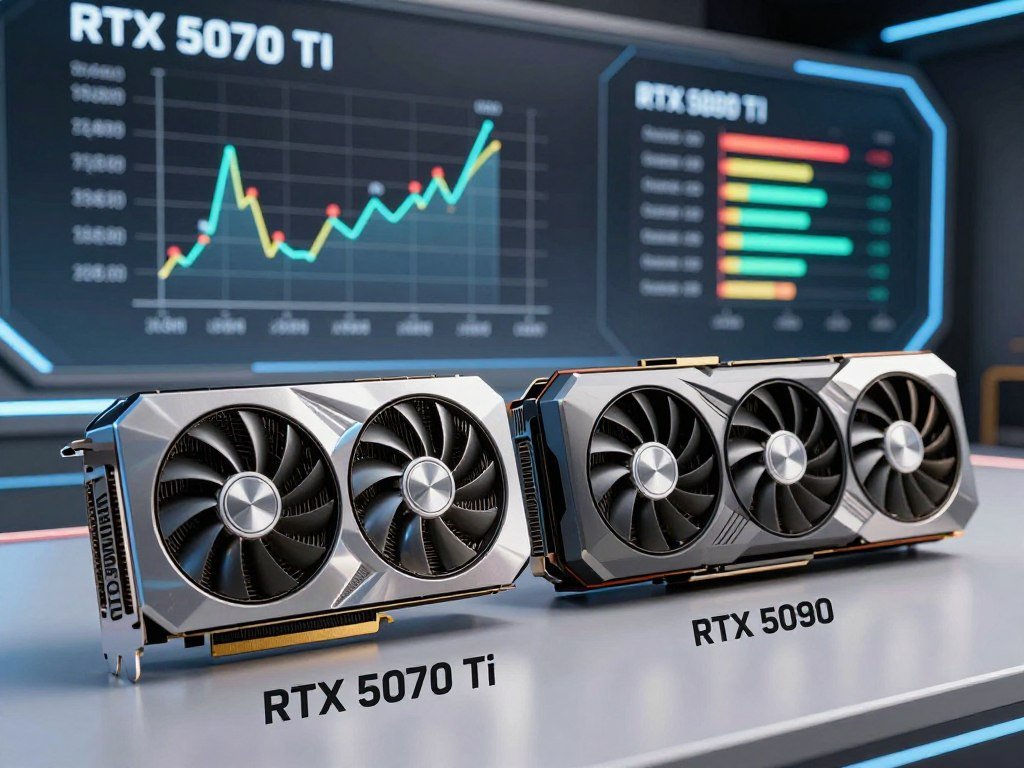
The RTX 5090 uses Blackwell architecture. The 5070 Ti’s memory runs at 28 Gbps with 896 GB/s bandwidth, while the 5080 runs at 30 Gbps with 960 GB/s bandwidth. Those differences can matter in demanding games and other work, but they do not make every system faster in the same way.
A less expensive tier can be a better value if your games and creative apps fit its capacity. The RTX 5070 Ti offers 16GB of GDDR7, like the RTX 5080, but has fewer CUDA cores and lower memory bandwidth. You do not need to buy the fastest GPU simply because you are building a new PC.
Treat the reported 24GB option as a reason to wait only when more memory, rather than a general performance upgrade, is your deciding need.
That distinction keeps the choice tied to a real limit rather than a rumored specification. If the current RTX 5080 can run your games or apps at the settings you want, you can build without waiting for an unannounced card. A higher-capacity model matters most when your software or projects run short on memory.
For buyers who want a high-end gaming build now, the RTX 5080 offers a clearer fit than an unconfirmed refresh. Treat the reported 24GB option as a reason to wait only when more memory, rather than a general performance upgrade, is your deciding need.
How Much Faster Is the RTX 5090 in Games?
The 5080 is enough for many 4K gaming setups, while the 5090’s measured advantage grows more useful as resolution and settings become more demanding. In one test suite, the 4K gap was larger than the 1440p gap.
The RTX 5090 averaged 169 FPS at 4K, compared with 115 FPS for the RTX 5080. Those results can help you judge the cards, but they are not a promise for every game or graphics setting.
Native averages at 1440p and 4K
A 13-game test suite reported in 2026 measured both cards at 1440p and 4K. The averages show a lead for the 5090 at each resolution, with a wider difference at 4K.
| Resolution | RTX 5080 average FPS | RTX 5090 average FPS |
|---|---|---|
| 1440p | 193 FPS | 233 FPS |
| 4K | 115 FPS | 169 FPS |
| Test-suite note | Same 13-game suite | Same 13-game suite |

The 13-game performance comparison gives a useful snapshot, not a rule for every title. A game with heavy ray tracing can place a different load on each GPU than a less demanding game. Your resolution, chosen settings, and target refresh rate also shape the result.
At 1440p, the RTX 5080 averaged 193 FPS in that test suite, which may already exceed what some monitors can show. At 4K, the same card averaged 115 FPS, making it a strong choice for many players. The 5090’s higher average can help when you want demanding settings and high refresh at once.
Match the card to your monitor’s refresh target, not just a benchmark average. A display cannot show frames the GPU does not produce, and an average does not show every brief drop. This monitor guide for competitive gaming explains how resolution and refresh rate affect the match.
What frame generation changes
Frame generation can make motion appear smoother by inserting generated frames between rendered ones. It affects displayed smoothness, but it does not turn those generated frames into additional frames rendered by the GPU.
For that reason, compare native performance with the games and settings you use. Frame generation may improve the feel of supported games, but it cannot promise a particular native frame rate or replace the 5090’s rendering advantage. Compare native performance with the frame rate your monitor can display, rather than choosing a card from one average alone.
Why Is the RTX 5090 Price So High in 2026?
The RTX 5090’s launch MSRP was $1,999, but the reported U.S. market had risen far above that by late summer 2026. The price gap between that launch figure and later offers reflects high demand and limited supply, not one standard retail price.
By August 2026, the reported U.S. average RTX 5090 price had reached $4,900. A single marketplace listing can be much higher or lower, so its seller and date matter.
Launch prices versus later market prices
| GPU | 2025 launch price | 2026 market snapshot |
|---|---|---|
| RTX 5070 Ti | $749 | Around $1,150-$1,200 in H2 2026 |
| RTX 5080 | $999 on January 30, 2025 | Near $1,600 in H2 2026 |
| RTX 5090 | $1,999 MSRP in January 2025 | $3,500 average in February; $4,900 in August 2026; $4,299 at one Micro Center location in September |
The RTX 5090’s September 14 marketplace snapshot showed a cheapest reported U.S. listing of $6,395, with offers reaching $9,500. Those were marketplace offers, not typical retail prices. One Micro Center location had a card priced at roughly $4,299 in September, a separate retailer example.
AI data-center demand for memory has added pressure to gaming GPU prices. AI-GPU memory demand and gaming card prices are linked because data centers and gaming cards rely on sought-after memory supplies.
What to check in a marketplace listing
Supply reports also point to a possible change in chip allocation. As of October 12, 2026, reports said GB202 chips for GeForce RTX 5090 production were being redirected to RTX PRO 6000 and RTX PRO 5500. Cards still reaching shelves reportedly used chips held by board partners. That report is not an official end-of-life announcement from NVIDIA.
Use these checks to judge an offer before you pay:
- Identify whether the quote is a marketplace offer or a retailer price.
- Check the listing date and whether the card is in stock.
- Review third-party listings for seller risks and signs of fraud.
For more on dated offers and seller checks, see this guide to marketplace pricing and availability. For a purchase you can make now, compare dated, available offers rather than treating the lowest marketplace listing as a normal street price.
What Is Known About the RTX 5080 24GB and SUPER?
There is no confirmed RTX 5080 24GB release to plan around: the reported Q1 2027 target remains unannounced. That target is a rumor, not a schedule NVIDIA has committed to.
The reported 24GB model and the rumored RTX 5080 SUPER are separate possibilities. Neither has an official launch date, and the proposed specifications do not confirm what buyers will eventually be able to purchase.
The reported 24GB RTX 5080
October 2026 supply-chain reporting described a 24GB RTX 5080 as targeting Q1 2027. The report said it would use eight 3GB GDDR7 modules, instead of the standard RTX 5080’s eight 2GB modules.
The report did not establish a confirmed product name, price, CUDA core count, clock speed, or power draw. Board partners reportedly had not received development materials for the model, another reason not to treat the target as a firm release plan.
ThePCEnthusiast’s report on the 24GB model describes the Q1 2027 target as unconfirmed. The proposed card could interest people who need more video memory, but buyers cannot yet judge its full performance or cost.
The separate RTX 5080 SUPER rumor
The RTX 5080 SUPER rumor proposes 24GB of GDDR7 on a 256-bit bus. It also lists 32 Gbps memory, 1,024 GB/s bandwidth, and 415W total board power.
The same rumor describes 10,752 CUDA cores and a complete GB203 core configuration. Those details belong to the SUPER rumor, not confirmed specifications for the reported 24GB RTX 5080.
A rumored name can create the impression that a product is settled, but neither idea is an announced GPU. Waiting can make sense if extra memory is essential to your projects and your current setup can serve you meanwhile. It is a weaker plan if you need a card for a build underway now.
Do not assume that a proposed memory increase will bring a particular speed gain or retail price. Capacity can help a workload fit, while clock speeds, core count, software support, and power limits shape performance. Wait for confirmation if the extra memory is essential, but do not treat a rumored name or date as a product commitment.
Can Your Power Supply and Case Handle the RTX 5090?
A 5090 upgrade needs a build planned around its power input and physical size, not just a free PCIe slot. Start with the whole system: the GPU’s needs depend on the power supply, CPU, and other parts.
NVIDIA lists 1,000W for an RTX 5090 system with a Ryzen 9 9950X. That figure is not a universal wattage calculation for every build, while NVIDIA recommends an 850W system power supply for the RTX 5080.
Power supply and connector requirements
NVIDIA specifies four PCIe 8-pin cables with the included RTX 5090 adapter, or one 600W PCIe Gen 5 cable. For the RTX 5080, the listed options are a 450W PCIe Gen 5 cable or three 8-pin cables through its adapter.
Both GPUs use a 12V-2×6 plug. Make sure the connector sits fully in place and leaves room for the cable, without a tight bend right beside the plug.
A thermal-camera report on one RTX 5090 recorded connector surface temperatures above 150°C during testing at 600W. The test involved a liquid-cooled card and found no visible melting, but the heat finding shows why careful cable routing matters. The reading was at the connector surface, not its hotter interior.
Card clearance and display connections
The RTX 5090 is described as a 3.5-slot card around 340mm long. Partner models can differ, so the reference size is not a safe fit assumption for every 5090.
NVIDIA lists RTX 5090 display support up to 4K at 480Hz or 8K at 165Hz with DSC. Those display limits do not guarantee that a game can run at those settings; game load and system performance still matter.
Use this checklist before choosing a GPU:
- Match the power supply rating to the complete system, not just the GPU.
- Use the correct included adapter or native cable option for the card.
- Seat the 12V-2×6 connector fully and leave room for a gentle cable path.
- Check card clearance, slot space, and case airflow around the GPU.
Good airflow helps move heat away from a large card, while cramped space can limit cooling. If you are also changing other parts, this guide to matching a motherboard to a case covers form factor and component clearance. Measure the card and cable space in the actual case before ordering, since partner-card dimensions can differ.
Which Workloads Justify the RTX 5090 Over the RTX 5080?
The 5090 is easiest to justify when its extra performance or memory capacity removes a limit you encounter in real work. For many other builds, the RTX 5080 delivers high-end gaming and creation performance without the same level of excess capacity.
Choose the 5090 when a demanding game or memory-heavy project needs its extra headroom. A lower-tier GPU is enough if it already meets your resolution, settings, and work needs.
Gaming resolution and settings
High resolution, demanding ray tracing, and high refresh targets can make the RTX 5090’s added gaming performance useful. If you play at lighter 4K settings, the RTX 5080 may be the more sensible fit.
Moderate video editing may not need the 5090’s larger capacity or compute resources. Match a GPU to the games and tasks you run, rather than paying for performance that sits unused.
A balanced PC matters too: a GPU cannot overcome every limit from the CPU or the rest of the system. If you are planning a lower-cost build, these gaming PC options under $1,000 focus on matching parts to games and total budget.
Local AI and creator workloads
Video memory can decide whether local AI models, 3D rendering scenes, or large video projects fit on a GPU. More capacity may let you handle a larger model or project without splitting the work, but the actual need depends on your software and file sizes.
The RTX 50-series supports fifth-generation Tensor cores, fourth-generation ray-tracing cores, DLSS 4.5 with Multi-Frame Generation, and Reflex 2. DLSS 4 Multi Frame Generation launched with up to three generated frames for each rendered frame.
The March 2026 DLSS 4.5 update added 5X and 6X modes and Dynamic MFG. These features can increase displayed smoothness in supported games, but generated frames do not guarantee higher native rendering performance.
That distinction matters if you are deciding between cards for competitive play or demanding creative work. A larger display refresh rate cannot show frames the PC does not produce, and a memory-heavy project may depend more on capacity than game features.
Buy the RTX 5080 when its performance and memory suit your real projects; step down further if a lower-tier card already handles them. Let your actual project sizes and game settings, rather than a future-proofing slogan, determine whether the upgrade earns its cost.
Which RTX 5080 Model Fits Your Build Best?
For a general gaming build, the Gigabyte RTX 5080 Gaming OC is the clearest default among these named models; choose another model when its size or connectivity better matches your system. It is a practical match, not a tested performance winner.
Pick the partner card that fits your space and features, rather than assuming every RTX 5080 performs or fits alike. The Gigabyte model has a factory overclock and dual BIOS, while other options suit specific needs.
Matching a partner card to your setup
These four models offer distinct reasons to choose them:
- Gigabyte GeForce RTX 5080 Gaming OC: a general gaming fit with a 2,730 MHz factory overclock and dual BIOS.
- ASUS Prime RTX 5080 OC: a compact, small-form-factor-ready choice.
- ASUS ProArt RTX 5080 OC Edition: USB-C display connectivity.
- ASUS ROG Astral RTX 5080 OC Edition: a quad-fan cooler and extra monitoring features.
The Gigabyte card was listed at $1,599.99 in a 2026 roundup. That single-model listing came with dimensions of 340 x 140 x 70 mm, not a market-wide RTX 5080 price or size.
A small case may favor the ASUS Prime, while a USB-C display setup may point toward ProArt. The Astral’s cooler and monitoring tools may appeal to users who want those features. Those differences help narrow a model, but they do not prove one card will run every game faster.
Do not choose a partner model from its name alone. Compare the features you will use with the space and connections in your build. The right default is the card that fits the system, not the one with the longest feature list.
How long a high-end GPU stays useful
A high-end GPU often remains useful for about 4-6 years. Resolution, settings, and workload demands affect when you may need to lower settings or accept slower performance.
Check the exact partner card’s measurements against your case rather than assuming every RTX 5080 model has the same dimensions.
If your games grow more demanding, you may need to make compromises sooner. Lighter workloads can keep a card useful longer, especially if you do not need the newest effects or highest refresh rates. Check the exact partner card’s measurements against your case rather than assuming every RTX 5080 model has the same dimensions.
Conclusion
Choose the 5090 only when its additional capability solves a need you have now; otherwise, make the 5080 decision on the value of the build you can buy. An unannounced refresh is not a firm reason to delay a system you need.
Set a maximum spend before checkout, then compare the chosen GPU with your actual games, projects, and current build. That step can also show whether a lower-tier card already meets your needs.
Set your spending limit, confirm your workload and system fit, then buy only when all three line up.
FAQ
Why did the RTX 5090 price go up?
The RTX 5090 price rose as AI data-center demand for memory and supply limits put pressure on gaming GPU prices. The reported U.S. average increased from $3,500 in February 2026 to $4,900 in August 2026. That average differs from individual listings, which can reflect seller markups, stock, and the date of the offer.
What is the best time to buy a GPU?
The best time to buy a GPU is when an in-stock card meets your immediate needs and stays within your budget. Waiting for an unconfirmed launch window does not guarantee a lower price or a better product. If your current system cannot handle the games or work you need, a suitable available card may be more useful than a rumor.
Is the RTX 5080 super coming?
NVIDIA had not announced an RTX 5080 SUPER product or schedule. An October 2026 report separately described a Q1 2027 target for a 24GB RTX 5080, but that was not an official launch date. The reported 24GB model and the SUPER rumor are distinct, so do not assume they name the same card.
Will the RTX 5080 Super have 24GB?
The RTX 5080 SUPER rumor proposed 24GB of GDDR7, a 256-bit bus, 32 Gbps memory, and 415W total board power. Those are rumored specifications, not confirmed product details. The same rumor listed 10,752 CUDA cores, while NVIDIA had not announced the card or a release schedule.
How long will an RTX 5080 last?
An RTX 5080 can remain useful for about 4-6 years as a general high-end GPU rule of thumb. The time before you need compromises depends on your games, resolution, settings, and creative work. A player who lowers settings may keep using it longer than someone who expects the newest effects at high resolution.
Is RTX 5080 enough for 4K?
Yes, the RTX 5080 is enough for many 4K gaming setups. It averaged 115 FPS in one 13-game 4K test suite reported in 2026. Demanding settings, heavy ray tracing, or a high refresh target can favor the RTX 5090, while results vary by game.
How long will an RTX 5090 last?
An RTX 5090 can remain useful for about 4-6 years under a general rule of thumb for high-end GPUs. Its useful high-performance life depends on future game demands, your resolution, and the settings you expect. You may keep it longer by lowering settings, while demanding work can use its capacity sooner.
Do I really need an RTX 5080?
No, you do not need an RTX 5080 if a lower-tier GPU already meets your resolution, settings, and workload needs. The 5080 makes more sense when you want high-end 4K gaming or creator performance that your current card cannot deliver. Buying above your real needs can use budget better spent elsewhere in the build.



