What if the biggest weak point in a smart lock isn’t the Wi-Fi radio or the app, but the batteries you keep buying? Anyone who has swapped four AA cells at 11 p.m. while standing in the rain knows the feeling. That is why smart locks with rechargeable batteries have quietly become one of the most practical upgrades in home security. No last-minute store runs, no drawer full of dead alkaline cells, and no lock that goes silent while you’re away.
This guide covers how rechargeable smart locks work, the battery types you’ll find, how long they really last, and the mistakes that shorten battery life. It also walks through who should buy one and who should skip it.
Why Rechargeable Batteries Change the Smart Lock Experience
A traditional smart lock runs on AA alkalines. In a busy household with four or five door openings per day, a set might last six to twelve months. That sounds fine until you forget to replace them. Many locks warn you through an app notification or a blinking light, but those warnings get ignored, and the lock eventually dies with the door shut.
A rechargeable battery replaces that cycle with a predictable routine. You charge a pack, or plug a cable into the lock, and you’re done. The lock keeps working while you plan the next charge. For renters, landlords, and anyone managing multiple doors, that reliability matters more than almost any app feature.
There is a trade-off, though. Rechargeable packs add cost up front, and some are sealed inside the lock, which means the whole unit may need service when the cell degrades. That’s a real consideration, and it’s the reason the battery type matters more than the marketing.
The Main Battery Types You’ll Find in Rechargeable Smart Locks
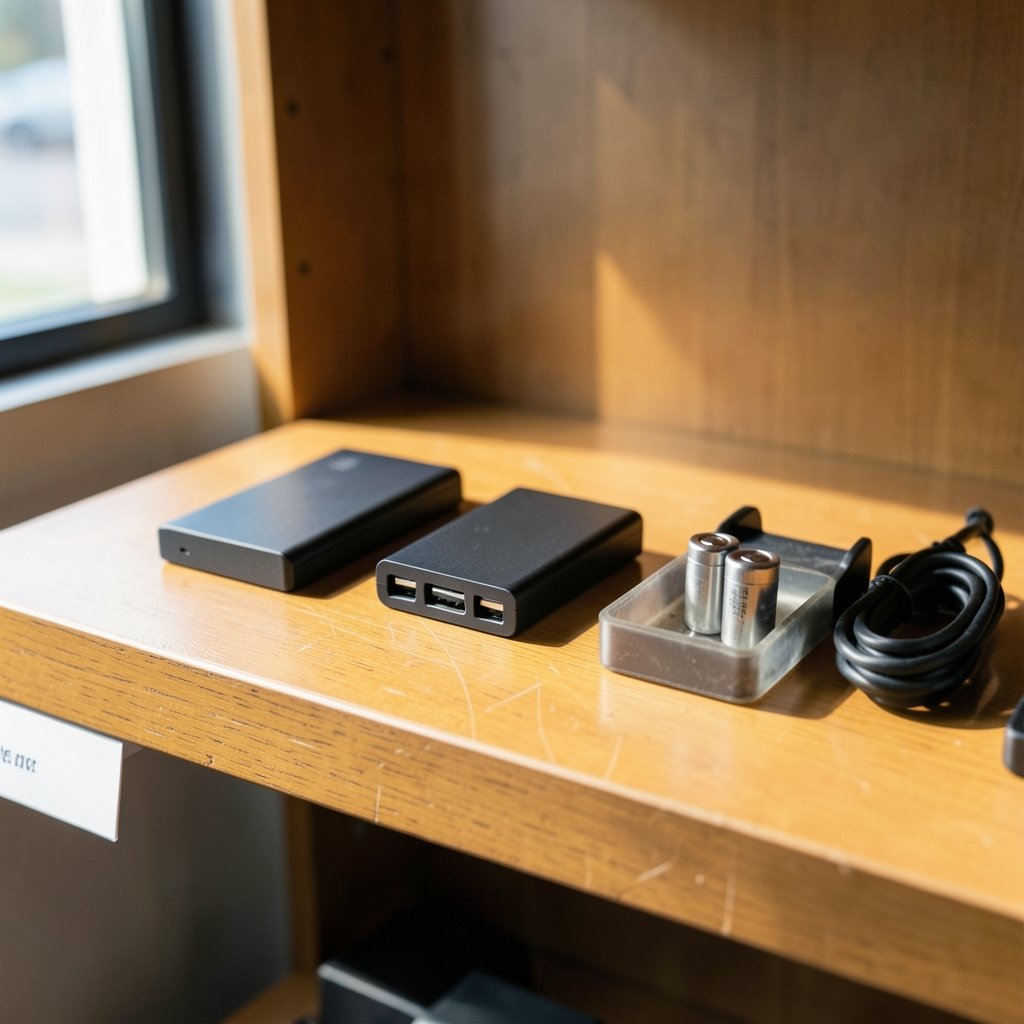
Not all rechargeable locks are built the same way. There are three common designs, and each has practical consequences.
| Battery type | How it charges | Typical strength | Typical weakness |
|---|---|---|---|
| Removable lithium-ion pack | Take the pack out, charge via USB-C | Spare pack keeps the lock running during charging | Extra pack costs money; pack can be lost |
| Built-in lithium-ion | USB-C or contact charging on the lock | Nothing to remove or misplace | Lock is offline while charging unless it supports pass-through power |
| Rechargeable AA/AAA cells | Standard external charger | Cheap, easy to replace | Lower capacity than lithium packs; shorter runtime |
Lithium-ion is the dominant chemistry for a simple reason: energy density. A small pack can hold enough charge to run a motorized deadbolt for months. Nickel-metal hydride rechargeable AAs are cheaper and easier to swap, but they hold less energy and tend to lose capacity faster in cold weather.
If you’re building out a connected home, battery choice is only one piece. The locks that pair best with your setup are usually the ones designed alongside the rest of your gear, which is why it helps to compare the best smart locks for home security before committing to a battery system.
How Long Does a Rechargeable Smart Lock Battery Really Last?
Manufacturer claims usually fall between three and twelve months per charge, depending on how the lock is used. Motorized deadbolts that physically turn the bolt draw far more power than a lock that only releases a latch. Every motorized bolt turn is a small burst of current, and those bursts add up.
Real-world runtime depends on a handful of factors:
- Opening frequency. A family of four can easily triple the daily cycles of a single occupant.
- Motorized vs. manual bolt. Motorized deadbolts drain faster than thumb-turn models.
- Wi-Fi vs. Bluetooth or Z-Wave. Wi-Fi radios are power-hungry. Locks that use a hub or a low-power protocol typically last longer.
- Temperature. Cold weather reduces the capacity of lithium-ion cells, and extreme heat accelerates aging.
- Camera or video features. Any lock with a built-in camera will drain a battery far faster than a lock without one.
A useful habit is to check the reported battery percentage weekly for the first month. That gives you a realistic baseline for your own household instead of relying on the box.
Charging Methods: USB-C, Contact Charging, and Removable Packs
The charging method is where daily frustration lives, so it deserves scrutiny.
USB-C on the lock is the most convenient option for most people. You plug in a power bank for an hour or two, and the lock keeps working. The catch is that the port must be reachable and weather-sealed, especially on exterior doors.
Contact charging uses a magnetic or dock-style connector. It’s clean and avoids exposing a port, but the contacts can corrode or collect grime over time.
Removable packs are the most flexible. You swap in a charged pack and put the empty one on a charger. If you buy a spare, you never face downtime. The downside is that small packs are easy to misplace, so label them.
A practical tip that rarely appears in manuals: charge before the lock hits zero, not after. Lithium-ion cells age faster when they’re repeatedly run to empty and stored that way. Topping up at around 20 to 30 percent is gentler on the cell.
What Rechargeable Locks Do Well, and Where They Fall Short
Rechargeable locks shine in a few specific situations. Rental properties benefit because the owner isn’t relying on tenants to buy batteries. Vacation homes benefit because the lock can be checked remotely. High-traffic front doors benefit because the charging routine is predictable.
They fall short in others. A lock with a sealed, non-replaceable battery has a finite service life, and when the cell degrades, the fix may be a replacement unit rather than a new battery. That’s a meaningful cost over five or ten years. Buyers should check whether the battery is user-replaceable before purchase, and how much a replacement pack costs.
There’s also the power-outage question. A rechargeable lock still needs charge to operate, so a dead battery means a dead lock unless there’s a key override or an external power terminal. Always confirm the lock has a physical key backup or a jump-start contact.
Common Mistakes That Shorten Battery Life
Most battery complaints trace back to a few avoidable habits.
- Leaving the lock in a cold, exposed spot. An unheated porch in winter is hard on any battery. If the door is exposed, look for a lock rated for low temperatures.
- Using Wi-Fi when a hub would do. Wi-Fi locks are convenient but power-hungry. A hub-based lock often lasts noticeably longer.
- Ignoring firmware updates. Manufacturers sometimes ship power-management fixes. Skipping updates can leave efficiency on the table.
- Charging with the wrong adapter. Use a standard adapter and the cable the manufacturer supplies. Fast-charge bricks aren’t always compatible with small packs.
- Storing a spare pack at zero. A pack left empty for months may not recover fully. Store spares at roughly half charge.
If you’re setting up a first system, it’s worth reading a guide to the best smart home devices for beginners so the lock fits the rest of your setup rather than fighting it.
How Rechargeable Locks Fit Into a Wider Smart Home
A lock rarely lives alone. It works alongside speakers, sensors, thermostats, and hubs, and battery life is affected by how those pieces talk to each other. A lock that relies on a hub for remote access typically uses less power than one with its own Wi-Fi chip.
Pairing choices matter too. If you want voice control, the best smart speakers for home automation can trigger lock commands, but each integration adds background traffic. Keep the number of automations that ping the lock to a minimum, and you’ll stretch the charge.
A central hub can also simplify things. A device like the Home Center Lite can coordinate lock events locally, which often means fewer cloud round-trips and less radio activity. That’s a small efficiency gain per event, but it compounds over a year.
Energy management extends beyond the lock. If you’re serious about cutting household power use, the best smart thermostats to save energy do far more for your bill than any lock ever will. The lock is about convenience and security, not savings. (Smart lock)
Security Considerations Specific to Rechargeable Locks
Battery-powered locks raise a few security questions that wired locks don’t.
First, dead battery access. Any reputable lock offers a key override or an external power terminal. Check which one yours uses and test it before you need it.
Second, charging port exposure. An exposed USB-C port on an exterior lock is a potential entry point if it isn’t properly sealed. Look for a covered port and a weather rating.
Third, tamper alerts. Many rechargeable locks report low battery and tamper events to the app. Turn those notifications on. A lock that quietly drops offline is a lock you can’t trust.
Finally, firmware hygiene. Battery management and security patches often ship together. Keeping the lock updated protects both. (NIST Cybersecurity overview)
Who Should Buy a Rechargeable Smart Lock?
The short answer: anyone who dislikes buying batteries and wants predictable maintenance. The longer answer depends on the door.
A rechargeable lock makes the most sense on a primary entry door with moderate traffic, in a rental or short-term rental, or anywhere the owner isn’t on site to swap cells. It makes less sense on a rarely used back door, where a set of alkalines might last two years anyway.
Budget-conscious buyers should compare the total cost over five years rather than the sticker price alone. A cheaper alkaline lock plus a decade of batteries can cost more than a rechargeable model with a replaceable pack. That math changes if the rechargeable lock’s battery isn’t user-replaceable.
Practical Buying Checklist
Before buying, confirm these points:
- Battery chemistry and capacity, listed in the spec sheet
- Whether the battery is user-replaceable and what a spare costs
- Rated runtime and the conditions it assumes
- Charging method and port location
- Key override or external power terminal
- Weather rating for exterior doors
- App notifications for low battery and tamper events
A lock that checks all seven is usually a safe buy. One that hides the battery specs is worth skipping.
Conclusion
A smart lock with a rechargeable battery solves a real, recurring annoyance. It replaces the scramble for fresh cells with a predictable charging routine, and it keeps the lock working through the moments when a dead battery would be most inconvenient. The trade-offs are real: higher upfront cost, sealed batteries in some models, and a charging habit you have to build.
The buyers who end up happiest are the ones who check three things before purchase: the battery type, whether it’s replaceable, and how the lock charges. Get those right, and the lock fades into the background where it belongs. Get them wrong, and you’ll be back to hunting for batteries, just with a higher price tag.
Frequently Asked Questions
How long does a rechargeable smart lock battery last on one charge?
Most models claim three to twelve months per charge. Motorized deadbolts, Wi-Fi radios, and heavy daily use push that toward the low end. Households with four or more daily door openings should expect closer to three to six months.
Can I use the lock while the battery is charging?
It depends on the design. Locks with a USB-C port on the unit usually keep working while plugged in. Locks with removable packs need a charged pack installed, which is why buying a spare is worth it.
Are rechargeable smart lock batteries replaceable?
Some are, some aren’t. Removable packs and rechargeable AA cells are easy to swap. Sealed built-in batteries may require a service visit or a full replacement when they degrade, so check before you buy.
What happens if the battery dies completely?
A reputable lock offers a physical key override or an external power terminal you can touch with a 9V battery or power bank. Test that backup method before you rely on it.
Do cold temperatures affect rechargeable smart locks?
Yes. Lithium-ion cells lose capacity in cold weather, and extreme heat speeds up aging. If your door is exposed to harsh winters, look for a lock rated for low operating temperatures.
Is a rechargeable lock cheaper than an alkaline one over time?
Often, but not always. Rechargeable models cost more upfront. Over five years, the savings on batteries can outweigh the difference, especially if the battery pack is replaceable and reasonably priced. A sealed battery that needs a full replacement flips the math.