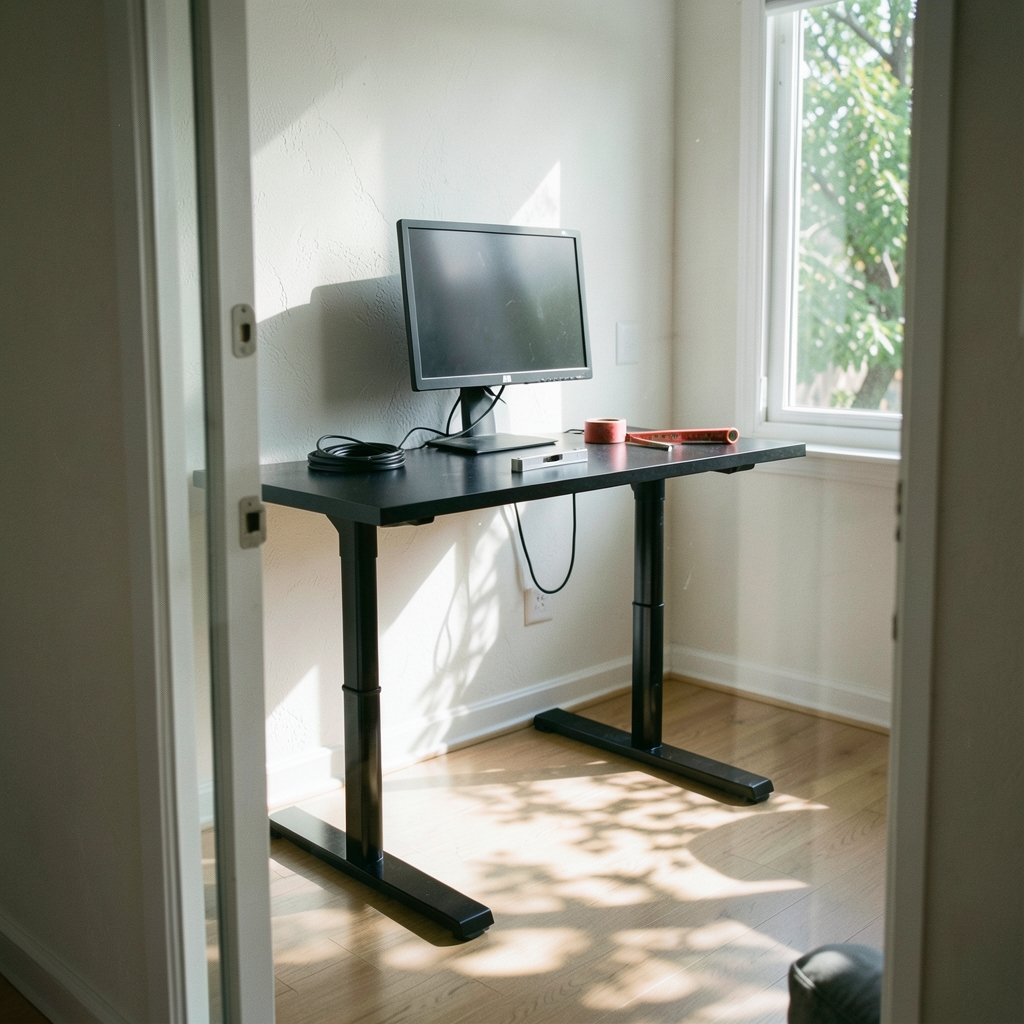
A standing desk feels rock solid at sitting height. Then you press the up button, the frame climbs past 40 inches, and suddenly your monitor is swaying like a buoy in gentle surf. So why does a standing desk wobble at full height when it felt so stable five minutes earlier, and what can you actually do about it?
The short answer: it is physics, not always bad manufacturing. The longer answer involves column design, foot size, floor surfaces, and a few setup mistakes that are easy to fix once you know where to look. This guide breaks down the real causes, the fixes that work in practice, and the stability claims you should treat with skepticism.
Why Height Itself Creates Wobble
Every sit-stand desk relies on telescoping legs. At sitting height, the inner column is mostly tucked inside the outer column, so the overlap is long and the structure is stiff. As the desk rises, that overlap shrinks and the exposed length of the inner column grows.
Think of holding a broomstick at the base versus near the middle. The longer the unsupported section, the more leverage any sideways force has. Your typing, leaning, and bumping the desk edge all create lateral force, and at full extension that force produces noticeably more movement. This is a general engineering trade-off: stability decreases as the desk rises because the extended columns increase leverage and reduce the effective stiffness of the frame.
That is why almost every honest desk maker lists a recommended maximum height for heavy loads. It is also why a desk that wobbles at 48 inches may feel perfectly fine at 38 inches. The wobble is not a switch that flips on. It scales with height.
The Design Factors That Decide How Much It Moves

Two desks at the same height can behave very differently. The difference usually comes down to a handful of structural choices.
| Design factor | What it means | Effect on wobble |
|---|---|---|
| Number of legs | Two-leg vs. three-leg vs. four-leg frames | More legs spread the load and resist twisting better |
| Column stages | Two-stage vs. three-stage telescoping legs | Three-stage desks reach higher but expose more column |
| Column overlap | How much inner tube stays inside the outer tube at max height | More overlap equals more stiffness |
| Foot size and shape | Width and depth of the base feet | Wider, heavier feet resist tipping and sway |
| Frame weight and material | Steel gauge, crossbars, overall mass | Heavier frames damp movement |
| Lifting capacity | Rated load at full extension | Desks rated high at full height are usually built stiffer |
A two-stage desk that tops out around 45 inches often feels stiffer at its maximum than a three-stage desk that reaches 50 inches, simply because the three-stage design has more extension left in reserve. Buyers who need extreme height should expect to pay more for stiffness, because the engineering gets harder, not easier.
Stability Claims Are Hard to Compare Across Brands
Here is the uncomfortable truth about shopping for a stable desk: “wobble” is rarely measured the same way twice. Some manufacturers test lateral force at the top edge. Others measure deflection under a specific load. Others rely on subjective ratings from testers.
Because the methods differ, a “low wobble” number from one brand cannot be meaningfully compared with a different number from another brand. Treat any stability figure as a relative hint within a single product line, not as a universal score. Consumer reviews are useful too, but they are anecdotal and depend heavily on floor type, carpet versus hardwood, and how tall the user is. A 6-foot-4 buyer pushing a desk to 49 inches will report wobble that a 5-foot-6 buyer at 41 inches never notices.
The practical move is to look for manufacturers who publish their test method alongside the number, then compare only desks tested the same way. If a spec sheet says “tested at maximum height with X pounds of lateral force,” that is a far better signal than a vague badge claiming “ultra-stable.”
Setup Mistakes That Make Wobble Worse
Plenty of wobble complaints trace back to assembly and placement, not the desk itself. These are the issues that come up again and again in practice.
Loose fasteners
Frame bolts loosen over months of use, especially on desks that get raised and lowered daily. A single loose crossbar bolt can turn a stiff frame into a swaying one. Re-torque every bolt once or twice a year with the included Allen key, and check them again after the first month of ownership.
An uneven floor
Most floors are not perfectly level. A desk with one foot slightly off the ground will rock no matter how good the frame is. Use the adjustable glides under each foot to level the desk, and check levelness with the desk at full height, not at sitting height.
Carpet and padding
Thick carpet or a soft standing mat under the feet lets the base sink and shift. A rigid mat or coaster under each foot spreads the load and reduces that movement. This matters more than most people expect on plush carpet.
Unbalanced loads
A heavy monitor arm clamped to one rear corner, plus a PC tower on one side, creates asymmetric weight that encourages twisting. Center heavy items where possible, and keep the heaviest gear low and toward the middle of the frame.
Skimping on the stand
Peripherals wobble too. A flimsy keyboard stand amplifies every tremor the desk transmits, so it is worth reading up on the best keyboard stand for stage performance if you play keys at a height-adjustable rig, since the same stability principles apply to any elevated platform.
Fixes That Actually Reduce Movement
Once the basics are sorted, a few upgrades genuinely help.
- Anchor or brace the desk. Wall anchoring is the single most effective fix for a freestanding desk that sways. A simple L-bracket to the wall or a rear crossbar brace cuts lateral movement dramatically.
- Add mass low down. Weighted feet or a heavy drawer unit in the base lowers the center of gravity.
- Tighten the height range. If you only need 44 inches, do not buy a desk that maxes at 50 and run it at the top of its travel.
- Choose a wider footprint. A 60-inch-wide frame with a wide stance resists sway better than a narrow 48-inch frame at the same height.
- Use anti-slip pads under the feet. Cheap, reversible, and surprisingly effective on hard floors.
If you are also weighing software and hardware setups for a home workstation, the comparison of Bluestacks desktop vs bluestacks 5 vs bluestacks 10 2026 is a good example of how version differences, like desk generations, change real-world performance in ways spec sheets rarely capture.
When Wobble Is a Dealbreaker
For some users, any movement is unacceptable. Drafting, precision soldering, heavy monitor arrays, and anyone who leans on the desk while working all raise the bar. In those cases, the honest advice is to prioritize structure over features: four legs, a heavy steel frame, a conservative height rating, and a manufacturer that publishes test data.
It is also worth knowing that stability expectations vary by workplace. Ergonomic guidance from bodies such as OSHA consistently emphasizes properly adjusted workstations, and a desk that sways enough to distract you undercuts the whole point of standing. If the movement pulls your attention away from work, it is a problem worth solving, not a quirk to tolerate.
For broader context on how adjustability affects comfort, the Wikipedia entry on standing desks covers the history and the ergonomic debate, and Harvard Business Review has published practical coverage of sit-stand routines that is useful for setting realistic expectations about how often you will actually raise the desk. (Ergonomics)
What to Check Before You Buy
Buying decisions are easier with a short checklist. Run through these before committing.
- Does the spec sheet state stability or deflection at maximum height, with a described test method?
- What is the column overlap at your standing height, not just the maximum?
- How wide and deep are the feet?
- What is the rated load at full extension, not at sitting height?
- Are there user reports from people close to your height?
If a brand cannot answer the first question, assume the stability claim is marketing rather than measurement. That is not automatically disqualifying, but it means you are buying on reputation, so lean on return policies and try before you commit if possible.
Conclusion
Standing desk wobble at full height is mostly a function of leverage: the higher the desk, the more the extended columns flex under sideways force. Design choices like leg count, column overlap, and foot size set the ceiling on stability, while setup details like loose bolts, uneven floors, and unbalanced loads decide how close you get to that ceiling.
The practical path is straightforward. Level the desk at full height, tighten every fastener, anchor or brace the frame if sway persists, and buy based on published test methods rather than vague stability badges. Do that, and most desks become perfectly usable at the height you actually work at. The wobble never disappears entirely, but it stops being something you notice.
Frequently Asked Questions
Why does my standing desk wobble more at full height?
Because the telescoping legs extend, leaving less inner column inside the outer column. The longer unsupported section gives sideways force more leverage, so the same typing or leaning produces more movement. Wobble scales with height rather than appearing suddenly.
Is some wobble normal for a standing desk?
Yes. Almost every sit-stand desk moves slightly at maximum height, especially three-stage models that reach very high. Small movement is normal. Movement strong enough to shake your monitor or distract you while typing is worth fixing.
Can I fix wobble without buying a new desk?
Usually, yes. Level the feet, re-tighten all frame bolts, add anti-slip pads under the feet, and anchor the desk to a wall or add a rear brace. These steps solve a large share of real-world wobble complaints.
Are four-leg desks more stable than two-leg desks?
Generally, yes. Four-leg frames spread load across a wider base and resist twisting better than two-leg designs. They also tend to weigh more, which helps damp movement. The trade-off is cost, weight, and more complex assembly.
Does desk weight capacity affect wobble?
Indirectly. Desks rated for heavy loads at full extension usually have thicker steel and stiffer columns, which resist sway better. But capacity alone is not a stability measure, so check whether the manufacturer publishes deflection or lateral force data.
Should I anchor my standing desk to the wall?
If sway bothers you and anchoring is possible, it is the most effective single fix. A simple bracket or rear brace dramatically reduces lateral movement. Renters should use removable options that do not damage the wall.
One more practical note: if you work on carpet and plan to anchor the desk, anchor it to a wall stud rather than drywall alone, and leave a little slack in the bracket so the frame can still be raised and lowered without binding. Recheck the anchor after the first week, since frame settling can loosen it. And if you share the desk with someone much shorter, set your standing height first and confirm stability there before adjusting for the other user—the tallest setting is where problems surface, so it deserves the first test, not the last.