

What actually decides whether a game platform feels good to live with, day after day, long after the launch-week excitement fades? It is almost never the thing people argue about online. Frame rates and exclusives grab headlines, but the everyday experience is built from quieter stuff: how fast a download resumes after the Wi-Fi drops, whether a refund takes two clicks or twenty, and whether your library still opens on the hardware you own three years from now. In 2027, with Windows 10 long out of standard support and both storefronts well into their current form, comparing Steam and the Microsoft Store means looking at the plumbing rather than the shop window.
This guide walks through the criteria that actually predict day-to-day satisfaction, with practical checks you can run before spending money on either platform.
Why the Platform Question Matters More in 2027
A decade ago, choosing a storefront was mostly about where your friends played. That is still true, but the stakes around it have grown. Operating system baselines have shifted, compatibility layers have matured, and digital storefronts now sit inside active regulatory debates about how open they must be. The European Union’s Digital Markets Act, for example, places obligations on large “gatekeeper” platforms, and its official portal explains the scope of those rules. Whether and how such rules touch a given store in 2027 is a legal question rather than a settled fact, but it signals that platform lock-in is no longer just a consumer annoyance. It is policy.
For ordinary players, the practical translation is simple: the store you pick should not be able to strand your purchases. That single principle explains most of the differences below.
The Criteria That Actually Predict Everyday Satisfaction
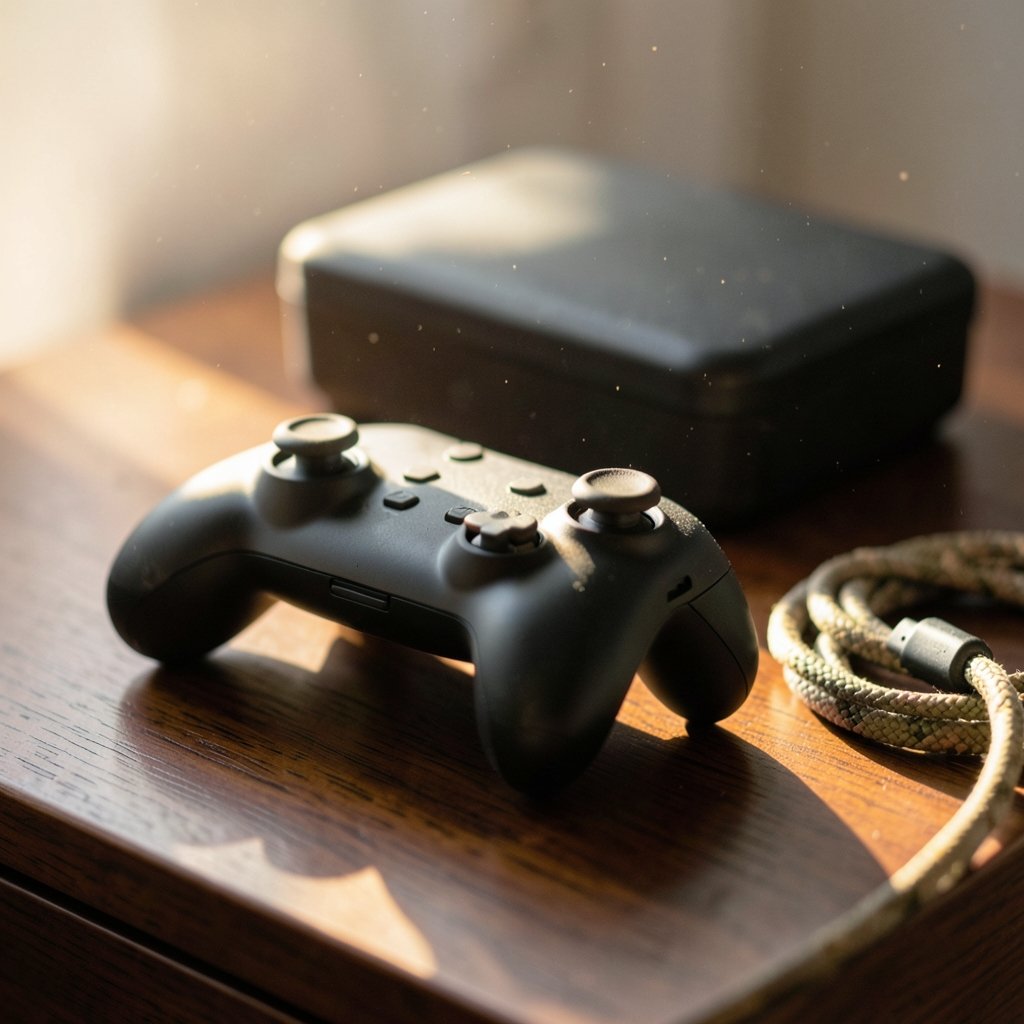
Before comparing the two stores head to head, it helps to name what “everyday” really means. In practice, five things dominate:
- Library continuity. Can you still launch what you bought after a hardware change, an OS upgrade, or a move to a different operating system?
- Refund and return friction. How clear are the rules, and how easy is the process when a game turns out to be a dud?
- Download and update behavior. Does the client handle interruptions gracefully, schedule updates sensibly, and avoid hogging bandwidth?
- Social and family features. Can you share with people in your household without jumping through hoops?
- Hardware and app fit. Does the store work with the hardware, controllers, and companion apps you already own?
Notice what is missing: raw catalog size. Both stores have more games than any person will play in a lifetime. The differentiator is how the software behaves once it is on your drive.
Steam in Everyday Use: Mature, Flexible, Occasionally Cluttered
Steam’s biggest everyday advantage is that it has been solving the same problems for two decades. The client is heavy and sometimes noisy with promotions, but the underlying mechanics are well-worn.
Refunds are the clearest example. Valve’s published policy offers refunds on games played under two hours and owned for under fourteen days, with discretion to go beyond those limits. In practice, that two-hour window is generous enough to cover a rough launch, a bad port, or a game that simply does not click. The lesson from years of user experience is to test early: if a game stutters or crashes in the first ninety minutes, request the refund before you cross the threshold rather than hoping a patch lands.
Library continuity is the other pillar. Steam’s catalog is not tied to Windows. Valve’s Proton compatibility layer, documented in the official Proton repository, lets a large share of Windows games run on Linux through Steam. That matters in 2027 because it gives players an exit route if they want to leave Windows behind without abandoning hundreds of purchases. It is not universal, and some titles with aggressive anti-cheat still refuse to run, but the option exists and is actively maintained.
Steam also handles household sharing. The long-standing Family Library Sharing feature has been revised over the years, so the exact mechanics in 2027 are worth checking against current help pages rather than old forum posts. The principle holds: sharing is supported, but it comes with device and account limits that trip people up if they assume it works like a streaming subscription.
The common mistakes with Steam are predictable. People buy during a sale and let a game sit unplayed past the refund window. They install a massive library on a small drive and then fight with storage management. They ignore offline mode until the internet goes down. If you want a deeper look at how sharing settings behave in practice, a breakdown of how Steam family sharing works for private everyday use is a useful companion read. (Steam (service)))
The Microsoft Store and Xbox App: Tighter Integration, Different Trade-offs
The Microsoft Store on Windows is not a single experience. Games are often delivered and launched through the Xbox app, while the Store itself handles discovery and billing. That split confuses newcomers, and it is the first thing to understand before judging the platform.
The upside is integration. If you already use an Xbox console, a Game Pass subscription, or a Windows laptop with an Xbox controller, the Microsoft setup connects in ways Steam does not attempt. Cloud saves, achievements, and account-level entitlements flow across devices with little setup. For players who want one identity across console and PC, that is convenient.
Refunds work on similar terms to Steam, generally within fourteen days and under two hours of play, requested through your Microsoft account order history. The rules are comparable; the friction is different. Because purchases can route through the Store, the Xbox app, or a subscription, players sometimes are not sure which door to knock on. The practical tip is to check your order history first, since that is where the refund path begins regardless of how the game was launched.
The bigger everyday consideration is portability. A Microsoft Store purchase is tied to Windows in a way a Steam purchase is not. That is not a problem if you plan to stay on Windows, but it is a real constraint if you are curious about Linux or a future handheld that runs something else. Windows itself has moved on: Microsoft’s official Windows 10 lifecycle page confirms standard support ended on October 14, 2025, with Extended Security Updates available. Anyone still on Windows 10 in 2027 is running an unsupported baseline, and both stores increasingly assume Windows 11-era features. (Microsoft copilot safe private everyday use)
Privacy and security settings also matter. The Xbox app and Store use Microsoft account infrastructure, so the same sign-in protects your games, email, and cloud storage. Getting that right matters more than most people think. A look at how Microsoft Defender handles privacy for everyday use covers the security side of relying on Microsoft’s account and device setup.
Head-to-Head Comparison
Here is how the two platforms stack up on the criteria that shape daily use.
| Criterion | Steam | Microsoft Store / Xbox App |
|---|---|---|
| Refund window | Under 2 hours played, under 14 days owned | Generally under 2 hours played, within 14 days |
| Library portability | Runs on Windows and, via Proton, many Linux setups | Tied to Windows and a Microsoft account |
| Household sharing | Supported with account and device limits | Limited; family features center on Microsoft accounts |
| Console crossover | None | Strong integration with Xbox consoles and Game Pass |
| Client feel | Feature-rich but heavy and promotion-heavy | Lighter, more fragmented between Store and Xbox app |
| Offline behavior | Dedicated offline mode | Depends on app and license type |
The table makes the trade-off clear. Steam wins on flexibility and portability. The Microsoft Store wins on how tightly its devices and services fit together. Neither wins on everything, which is why the right answer depends on how you actually play.
Practical Checks Before You Buy on Either Store
Rather than picking a side on principle, run a short evaluation. These steps take about ten minutes and save hours of regret.
- Check the refund clock. Note the purchase date and set a reminder for day twelve. Play the game properly within the first two hours instead of leaving it in the backlog.
- Verify hardware and OS support. Confirm your machine meets the game’s requirements and that your operating system is still supported. Steam ended support for Windows 7, 8, and 8.1 at the start of 2024, and that trend has only continued.
- Test the download on your actual connection. Large games expose weak Wi-Fi quickly. If downloads stall, fix the network before blaming the store.
- Confirm cross-device entitlements. If you split time between a console and a PC, check whether your purchase follows you. This is where Microsoft’s cross-device setup proves useful.
- Read the current policy page, not a forum thread. Refund and sharing rules change. Old advice is the most common source of avoidable mistakes.
A useful mindset is to treat each purchase as a small trial rather than a permanent commitment. The players who end up happiest are the ones who test early, refund fast when needed, and keep their libraries portable where possible.
Where the Experience Is Heading
Two forces will shape 2027 and beyond. The first is regulatory pressure toward openness. Rules aimed at large platforms could eventually loosen the grip stores have on purchases, though the timing and reach remain uncertain. The second is hardware fragmentation. Handheld PCs, cloud streaming, and Linux-based devices are pushing players to ask whether their library travels with them. Steam’s compatibility work positions it well for that shift; the Microsoft Store’s strength lies in tying PC and console together instead.
Neither platform is standing still, and any evaluation written today should be rechecked against current policy pages before you rely on it. That is not a weakness of the comparison. It is the nature of software that updates itself.
For readers weighing hardware alongside storefronts, the same everyday-use logic applies to devices: whether a Steam Deck is worth buying for beginners is a question best answered by how you play, not by spec sheets. The same goes for a gaming monitor: the right pick depends on the room, the desk, and the games, not the marketing.
Conclusion
Choosing between Steam and the Microsoft Store in 2027 is less about picking a winner and more about matching a platform to your habits. Steam rewards players who value portability, generous refund testing, and a library that can survive an operating system change. The Microsoft Store rewards players who use Xbox consoles and services and want their console, PC, and subscription to feel like one thing. The everyday experience is decided by refund friction, download reliability, sharing rules, and library continuity, not by catalog size or launch-day hype. Test purchases early, keep an eye on policy pages, and treat portability as a feature worth paying attention to. Do that, and either store will serve you well.
Frequently Asked Questions
Which store has the better refund policy?
Both are close. Steam offers refunds on games played under two hours and owned under fourteen days, with discretion beyond that. The Microsoft Store generally applies a similar fourteen-day, two-hour standard through your account order history. The bigger difference is process clarity, where Steam’s single path is easier to follow.
Can I play my Steam games on Linux?
Often, yes. Valve’s Proton compatibility layer lets many Windows games run on Linux through Steam, and compatibility is tracked publicly. Some titles with strict anti-cheat still will not run, so check before committing if Linux is your main system.
Do Microsoft Store games work on Xbox consoles?
Not automatically. The Microsoft Store sells PC games, while console titles are handled separately. The real crossover comes through Game Pass and shared account features, which let one subscription and identity span PC and console without every purchase transferring.
Is my library locked in if I buy from the Microsoft Store?
Largely tied to Windows and a Microsoft account. That is fine if you plan to stay in that setup, but it limits flexibility if you later move to Linux or a non-Windows handheld. Steam purchases are more portable thanks to compatibility tooling.
How do I avoid missing the refund window?
Set a reminder for day twelve after purchase and play the game properly within the first two hours. The most common mistake is buying during a sale and letting the title sit unplayed until the window closes. Test early, decide fast.
Does Windows 10 still work for gaming in 2027?
It runs, but standard support ended on October 14, 2025, with Extended Security Updates available. Running an unsupported operating system carries security and compatibility risks, and both stores increasingly assume newer Windows features. Upgrading is the safer long-term choice.



