Stripe or Square for Service Businesses in 2027?
Every service business eventually faces the same question at the till: how should clients pay? A cleaning company, a salon, a repair shop, or a fitness studio sells time rather than stock — appointments, sessions, call-outs, and packages — and the payment tool has to fit that shape. Stripe and Square are the two names that come up first, and both can take money online and in person. The difference is what each one was built for, and that difference shows up in the daily work.
Stripe grew up online. It is the processor behind millions of websites, built for developers and for businesses that sell through a checkout page, an invoice link, or a subscription. Square grew up at the counter, starting with a small card reader plugged into a phone, and it built its empire on face-to-face payments, point-of-sale hardware, and simple tools for shops and salons. In 2027 both have crossed into each other’s territory, but their instincts have not changed.
This comparison tests Stripe and Square where a service business actually feels them: taking payment in person, taking payment online, invoicing and deposits, pricing as the business grows, and the hardware and apps that keep a working day moving. Prices below are approximate starting points, so check current pricing before you decide.
Key takeaways
- Stripe is the better pick for service businesses that sell mostly online: bookings, invoices, subscriptions, and custom checkouts.
- Square is the better pick for service businesses that sell mostly in person: walk-ins, counter payments, and on-the-day bookings.
- Stripe’s online checkout and developer tools are deeper, while Square’s point-of-sale, hardware, and built-in bookings are simpler.
- Card fees are close — around 2.9% + 30¢ online on both — but in-person rates and monthly costs decide the real bill.
- Neither platform is wrong: pick Stripe when the website is the shop, and Square when the counter is the shop.
At a glance: Stripe vs Square for service businesses
The two processors side by side on the factors that matter most to a service firm.
| Factor | Stripe | Square |
|---|---|---|
| Best for | Online sales and bookings | In-person sales and walk-ins |
| Monthly cost | No monthly fee; pay per transaction | Free plan; paid plans from around $29 a month |
| Online card fee | Around 2.9% + 30¢ | Around 2.9% + 30¢ |
| In-person card fee | Around 2.7% + 5¢ | Around 2.6% + 10¢ |
| Bookings | Via third-party tools | Built in with Square Appointments |
| Hardware | Card readers via Stripe Terminal | Own range, from reader to register |
| Ease of use | Powerful, needs setup | Very easy, ready the same day |
Stripe: the online-first processor

Stripe is a payments platform first and a business tool second. Its checkout is fast, trusted, and familiar to customers, which matters when a new client is deciding whether to book a first appointment with a business they have never visited. Payment links let a service firm charge a deposit without building a website, invoicing is clean and professional, and subscriptions handle recurring packages — weekly cleans, monthly memberships, maintenance plans — with little ongoing effort. For a business that sells mostly through its website, Stripe is hard to beat.
The depth is the draw and the catch. Stripe connects to almost every booking, scheduling, and accounting tool a service business might use, and its reporting and fraud tools are excellent. But it assumes someone will set it up: there is no built-in diary, no appointment system, and no counter hardware in the box. A firm that wants bookings needs a separate scheduling tool wired into Stripe, which adds a subscription and a setup job. Our Stripe vs PayPal comparison for small business covers how Stripe’s online strengths compare with another online-first option.
Pros: best-in-class online checkout, payment links and subscriptions, huge integration range, strong fraud tools.
Cons: no built-in bookings, needs setup and third-party tools, in-person hardware is an add-on, support is mostly online.
Square: the in-person-first processor
Square is the processor for businesses that meet their customers face to face. The card reader is cheap, the point-of-sale app runs on a phone or tablet, and a salon, cafe, or repair shop can take its first card payment within an hour of signing up. Square Appointments adds booking, reminders, and a client list to the same system, so the diary and the till share one record — a client books, shows up, pays, and rebooks without anything being retyped. For a business built on walk-ins and repeat local clients, that simplicity is the whole pitch.
Square’s online tools are good but narrower than Stripe’s. Its online store and payment links cover the basics — selling packages, gift cards, and deposits — but the checkout is less flexible, and the integration range is smaller. The free plan is genuinely usable, and paid plans add features rather than unlocking the basics. Where Square earns its keep is the working day: hardware that just works, staff permissions that keep the till safe, and reports the owner can read in a minute. If Square is also on your shortlist against a shop platform, our Shopify vs Square comparison for service businesses shows how the two differ for service firms.
Pros: excellent in-person payments, built-in bookings, cheap hardware, free plan, very easy to start.
Cons: online checkout is less flexible, fewer integrations than Stripe, paid plans needed for advanced features.
Pricing and fees head to head
On headline card fees the two are close. Online, both charge around 2.9% + 30¢ per successful card payment. In person, Square is slightly cheaper at around 2.6% + 10¢, while Stripe Terminal runs around 2.7% + 5¢. On a $100 job the difference is a few cents, so fees alone should not decide the choice — volume and mix matter more. A business taking 200 small in-person payments a month will feel the per-transaction fixed fee; a business taking ten large online deposits will not.
The real difference is the monthly bill. Stripe has no monthly fee: the business pays only per transaction, plus whatever its booking or scheduling tool costs. Square’s core payments are also free to start, but the features a growing firm wants — advanced appointments, marketing, loyalty, payroll — sit on paid plans from around $29 a month, and hardware costs extra. Add up the full stack on both sides, including the booking tool Stripe needs, before comparing headline rates.
In person vs online: where each wins
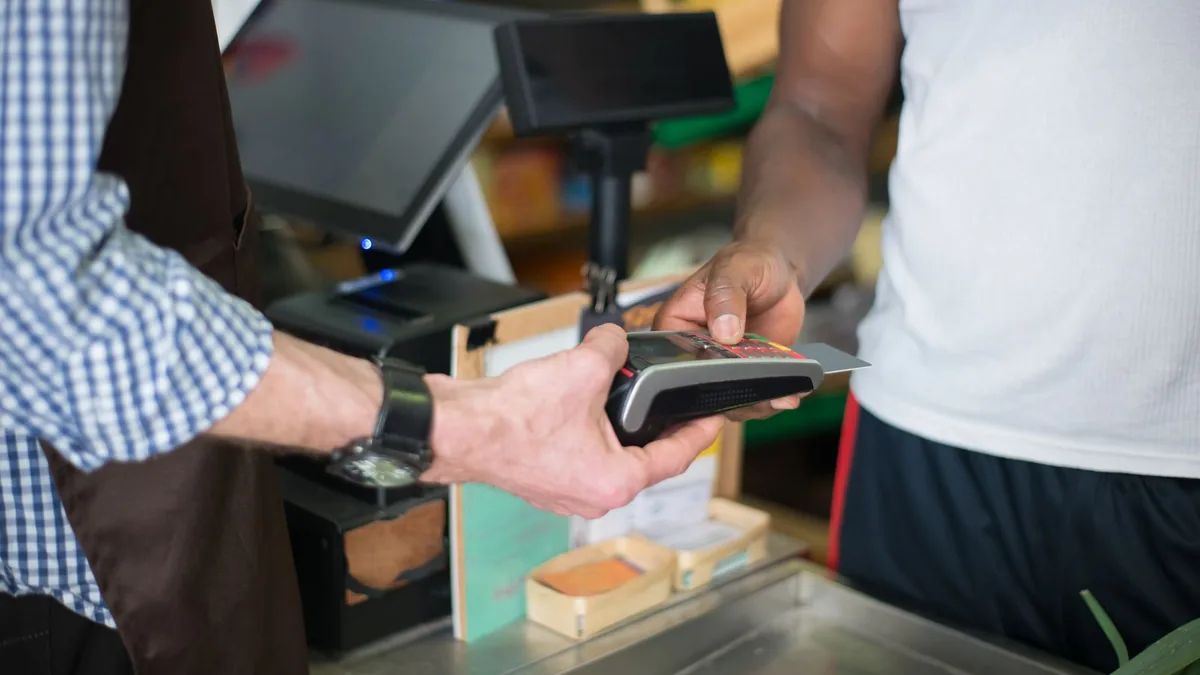
In person, Square wins on the day. The reader is in the hand, the sale is recorded against the client, the receipt is sent, and the rebooking prompt appears before the client leaves. Staff can be given limited till access, tips can be collected on screen, and the end-of-day takings reconcile themselves. Stripe Terminal can do the same jobs, but it is a developer product that needs configuring, and most service firms will not use its extra power.
Online, Stripe wins on flexibility. Its checkout supports more payment methods, its payment links and invoices look sharper, and its subscription tools handle recurring packages better. A firm selling courses, memberships, or multi-session packages online will find Stripe’s options deeper. Square’s online store is simpler and faster to set up, which suits a firm that sells a few packages alongside its in-person work, but it is not the tool for a business whose website is its main shop.
How to choose between Stripe and Square
Count where your money comes from. If more than half of payments happen face to face, Square’s counter tools and built-in bookings will save time every day. If more than half come through the website — deposits, online bookings, subscriptions — Stripe’s checkout and integrations will earn their keep. A business split down the middle should look at the diary: if you need bookings built in, Square removes a subscription and a setup job; if you already run a booking tool that plugs into Stripe, switching gains little.
Also weigh the team. Square is the easier tool for staff who are not technical: the app is obvious, the hardware is simple, and training takes minutes. Stripe suits a business with someone comfortable setting up software, or with a website developer on call. And think about the wider stack: accounting, scheduling, and customer records all have to connect. Our Jobber vs Housecall Pro comparison covers two service-business platforms that handle the job side, and either can sit alongside your chosen processor.
Your Stripe vs Square checklist
- Work out your payment split: what share is in person vs online?
- Price the full stack, including booking tools, hardware, and paid plans.
- Test the checkout and the counter flow with a real payment before committing.
- Check deposits, no-show fees, and refunds work the way your business needs.
- Confirm the processor connects to your accounting and scheduling tools.
- Read the payout timing: how fast does money reach your bank account?
Frequently asked questions
Is Stripe or Square cheaper for service businesses?
They are close on card fees — around 2.9% + 30¢ online on both, and slightly cheaper in person on Square. The real cost is the full stack: Stripe needs a separate booking tool, while Square charges for advanced features on paid plans. Price both at your actual volume before deciding.
Can Stripe take in-person payments?
Yes, through Stripe Terminal, which offers card readers that work with its online system. It works well, but it is built for businesses with someone to set it up, and it lacks Square’s built-in diary and point-of-sale simplicity.
Does Square work for online bookings?
Yes — Square Appointments handles online booking, reminders, and payments in one system. It suits salons, studios, and clinics well. For complex online selling, such as courses or large membership programmes, Stripe’s checkout is more flexible.
Which is better for a small service business just starting out?
Square, for most starters: it is free to begin, the hardware is cheap, and bookings are built in. A business that sells mainly online from day one, or already has a website with bookings, may find Stripe the better starting point.
Can I switch from Stripe to Square, or the other way?
Yes, both ways. Export your customer list first, keep your old account open until payouts clear, and move active subscriptions or packages manually, since they do not transfer automatically. Expect a few days of overlap while the new setup is tested.
Do Stripe and Square handle deposits and no-show fees?
Both can take deposits and charge cancellation fees through payment links, invoices, or bookings. Square’s built-in appointments make this simplest; with Stripe, the booking tool you connect handles the deposit rules.
The verdict
Stripe wins for service businesses that sell mostly online, thanks to its checkout, payment links, subscriptions, and integrations. Square wins for service businesses that sell mostly in person, thanks to its hardware, point-of-sale, and built-in bookings. The fee gap is too small to decide on, so the choice comes down to where your clients pay and how your diary runs.
If the website is the shop, choose Stripe and pair it with a good booking tool. If the counter is the shop, choose Square and let its appointments system run the day. Either way, test both with real payments before committing, and revisit the decision as the business grows — the right processor at ten clients a week is not always the right one at a hundred.