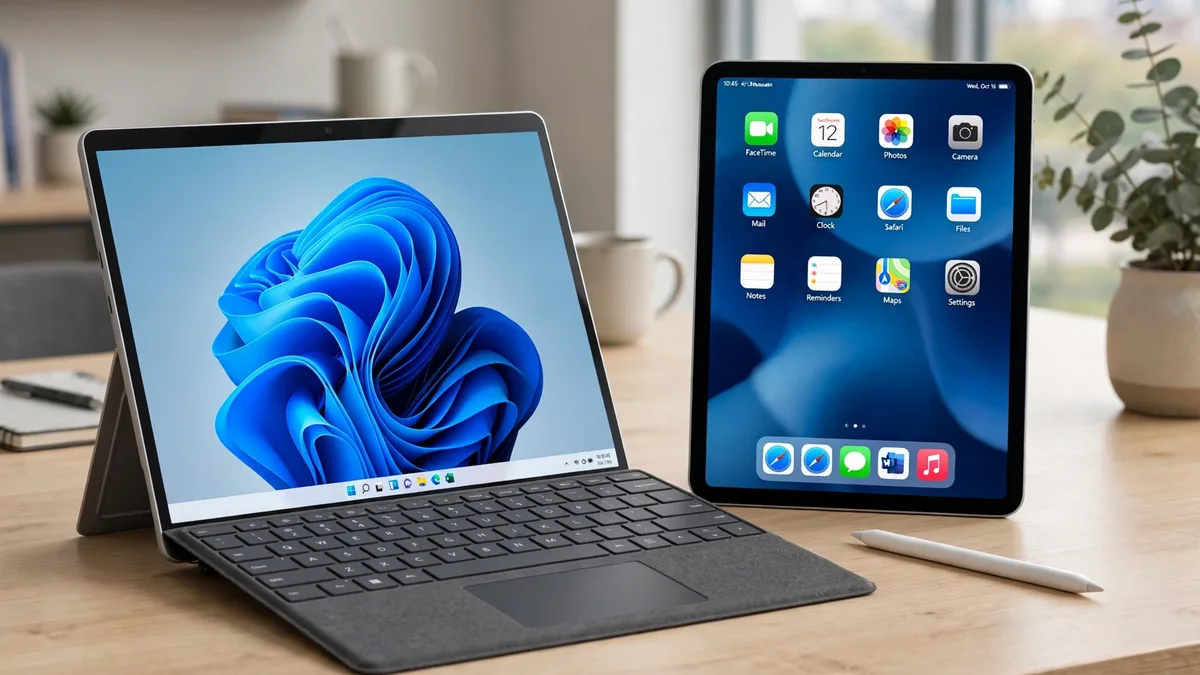
Surface Pro vs iPad Pro in 2027 is the hardest premium tablet choice most buyers face, because both devices now do the same jobs on paper. Both promise to replace a laptop. The difference is not the hardware on the spec sheet. It is the software underneath it, and that difference decides which one will feel effortless and which one will fight you every day.
Microsoft sells the Surface Pro as a full Windows computer in tablet form. It runs desktop apps, a real file system, and full desktop browsers, so work you already do on a Windows laptop moves across unchanged. Apple sells the iPad Pro as the best tablet ever made, with a superb app library for drawing, video, and music. One is a laptop that can be a tablet. The other is a tablet that can sometimes act like a laptop.
This comparison tests both on the things that matter in daily use: price and the true cost once you add a keyboard and stylus, screen quality, speed, battery life, apps, and how each handles real work like documents, spreadsheets, and video calls. Prices below are approximate starting prices, so check current pricing before you buy.
Key takeaways
- Surface Pro is the better laptop replacement, because full Windows runs desktop apps, external monitors, and file management without workarounds.
- iPad Pro is the better tablet, with a brighter tandem OLED display, a deeper creative app library, and a smoother touch-first experience.
- Both start near $999, and a usable setup with keyboard and stylus costs roughly $1,250 to $1,600.
- Artists and video editors should lean iPad Pro; office workers, students, and anyone tied to Windows software should lean Surface Pro.
- Neither is a good buy if you only want to browse and watch video, since a base iPad or a cheaper Android tablet does that for far less.
At a glance: Surface Pro vs iPad Pro
| Feature | Surface Pro | iPad Pro |
|---|---|---|
| Starting price | From about $999 | From about $999 (11-inch), $1,299 (13-inch) |
| Operating system | Windows 11, full desktop OS | iPadOS, tablet-first OS |
| Display | 13-inch LCD or OLED, 120Hz | 11-inch or 13-inch tandem OLED, 120Hz |
| Chip | Snapdragon X or Intel Core Ultra | Apple M4 or M5 chip |
| Keyboard | Type Cover, about $140 to $180 extra | Magic Keyboard, about $269 to $349 extra |
| Stylus | Surface Slim Pen, about $130 extra | Apple Pencil Pro, about $129 extra |
| Battery life | About 12 to 14 hours of video playback | About 10 hours of web or video use |
| Weight | About 1.9 pounds with keyboard | About 1.5 pounds with Magic Keyboard (11-inch) |
Surface Pro — Best for replacing a laptop
The Surface Pro is the only tablet in this comparison that is also a complete computer. It runs Windows 11, so it runs the same Microsoft Office, Chrome, Zoom, Photoshop, and coding tools you use on a desktop, with the same windows, the same right-click menus, and the same file system. If your work lives in Excel macros or desktop-only software, the Surface Pro works where the iPad Pro needs a workaround.

The hardware supports that promise. The kickstand adjusts to almost any angle, and the Type Cover keyboard is genuinely good for long typing sessions. Snapdragon models add long, silent battery life, while Intel models keep compatibility with older Windows software. Either way, you can plug in a monitor, a mouse, and an external drive and work at a desk exactly as you would on a laptop.
As a tablet, though, the Surface Pro is a compromise. Windows touch apps are thinner on the ground than iPad apps, it is heavier to hold one-handed, and tablet mode still feels like a desktop system wearing a touch costume. The cheapest model’s storage also fills up fast once you install real software. Students comparing options should also look at our guide to the best tablets for students, because a cheaper tablet plus a laptop often beats one expensive hybrid.
Pros: Full Windows 11 with desktop apps; excellent keyboard and kickstand; strong battery life on Snapdragon models; works with monitors and docks like a laptop.
Cons: Weaker touch-first app library than iPad; heavier and less comfortable as a handheld tablet; keyboard and stylus cost extra; some older apps still run through emulation on ARM models.
iPad Pro — Best for creative work and tablet-first life
The iPad Pro is the best pure tablet you can buy, and the gap shows the moment you pick it up. It is thin, light, and silent, the tandem OLED screen is brighter and more vivid than almost anything else at this size, and the touch experience is instant and precise. For drawing, photo editing, video editing, and music, the app library has no equal on a tablet.
Speed is not a concern. The M-series chip handles 4K video timelines and large illustration files without stuttering, and iPads hold their value well. The Apple Pencil Pro adds pressure sensitivity, tilt, and hover preview, so sketching feels close to paper. For a designer, illustrator, photographer, or video creator who works with their hands, there is no better portable setup.
The trade-off is iPadOS. It has grown more capable, with Stage Manager and external display support, but it still cannot run desktop software and still makes simple laptop jobs feel fiddly. The Magic Keyboard is excellent but expensive, pushing a 13-inch setup well past $1,600 with a Pencil, and at that price you are paying laptop money for a device that cannot fully replace one. The iPad Pro rewards people whose work fits its apps; it punishes people who need it to be a Windows machine.
Pros: Best-in-class tandem OLED display; unmatched creative app library; very fast M-series chip; thin, light, and excellent handheld.
Cons: iPadOS cannot run desktop apps and still limits file and window management; Magic Keyboard and Pencil are expensive add-ons; poor value if you only browse, email, and stream video.
Verdict: Surface Pro vs iPad Pro by use case
There is no single winner, because the right choice depends on the software your life already runs on. If your days are built around Office documents, web apps, and Windows-only tools, buy the Surface Pro. It will do everything your laptop does, and you will never hit the wall where a tablet cannot run something you need.
If your days are built around drawing, editing photos or video, making music, or reading and annotating documents, buy the iPad Pro. Its screen, stylus, and creative apps are meaningfully better than anything Windows offers in tablet form, and the device is a joy to carry and hold.
For mixed use, the tiebreaker is simple. Choose the Surface Pro if you need one device to do everything, including work your employer or school dictates. Choose the iPad Pro if you already own a laptop and want the best second device for creative work and travel. If your budget is tight, skip both flagships: a base iPad or mid-range Surface covers browsing, notes, and streaming for half the price.
How to choose
Start by listing the five apps you use most. If any of them is desktop-only, or needs a full file system, a VPN client, or background sync, the Surface Pro is the safe pick. Do not buy on chip speed alone; the software gap matters far more than any benchmark.
Next, price the full setup, not the headline price. A Surface Pro at $999 plus a Type Cover and Slim Pen lands near $1,270, while an 11-inch iPad Pro at $999 plus a Magic Keyboard and Apple Pencil Pro lands near $1,400. The 13-inch iPad Pro setup passes $1,700. If those totals sting, our roundup of the best laptops for students shows how much you can get for the same money when a keyboard is built in.
Finally, think about what you already own. iPhone and Mac owners get Handoff, AirDrop, Universal Clipboard, and iCloud sync that make the iPad Pro feel like part of one system. Windows and Android users get the same benefit from the Surface Pro, with Phone Link, OneDrive, and full Office integration. Switching ecosystems adds friction and cost, so the device that matches your phone and computer usually wins, even when the other one has the better screen.
Checklist: before you buy
- List your five most-used apps and confirm each one runs well on your chosen system, with no desktop-only deal breaker.
- Price the keyboard and stylus together with the tablet, and compare that total against a laptop with the same budget.
- Check storage: 256GB is the practical minimum, and neither device lets you add storage later.
- Try the keyboard and stylus in a store, since typing feel and pen weight decide whether you will actually use them daily.
- Confirm your school or employer supports the device, including VPN, printing, exam software, and device management rules.
- Check return and warranty terms, and look for student, education, or refurbished pricing before paying full price.
Frequently asked questions
Is the Surface Pro a real laptop replacement?
Yes, for most office, study, and general work. It runs full Windows 11 and desktop apps, supports external monitors and USB accessories, and handles documents, spreadsheets, calls, and browsing like any laptop. It trails a similarly priced laptop only in sustained heavy tasks like gaming.
Can the iPad Pro replace a laptop?
It can for many people, especially creatives, students, and light office users, but not for everyone. iPadOS still limits desktop software, file management, and background tasks, so anyone tied to Windows-only tools, complex spreadsheets, or coding workflows will feel the limits. Try your exact workflow on a borrowed iPad before selling your laptop.
Which has the better screen?
The iPad Pro wins on screen quality. Its tandem OLED panel is brighter, with deeper blacks and more vivid colour, and it makes photos and artwork look noticeably better. The difference matters most to photographers and designers rather than to document work.
Which is better for drawing and note-taking?
The iPad Pro, by a clear margin. The Apple Pencil Pro, the large creative app library, and the low-latency display make sketching and handwriting feel natural, and apps like Procreate and GoodNotes are built for the stylus. The Surface Pro and Slim Pen handle notes and markup, but the app choice is thinner.
Which lasts longer on battery?
The Surface Pro with a Snapdragon X chip usually lasts longer in mixed use, often reaching 12 to 14 hours of video playback, while the iPad Pro is rated at about 10 hours of web browsing or video. Treat both as all-day devices and carry a charger for heavy days.
Should I buy a Surface Pro or iPad Pro if I already own a Samsung tablet?
If you already own a good Android tablet, neither flagship is an urgent upgrade unless your work demands it. The choice then comes down to ecosystem: iPad Pro pairs with iPhone and Mac, Surface Pro pairs with Windows and Android phones. Our iPad vs Samsung Galaxy Tab comparison covers what you gain and lose moving between tablet platforms.
The bottom line
Buy the Surface Pro if you want one device that does everything a laptop does, with a tablet mode on the side. Buy the iPad Pro if you want the best tablet experience money can buy, with a screen and creative app library nothing else matches, and you already have a laptop for the jobs it cannot do. Both are excellent machines, but they are excellent at different things, and the buyer who matches the device to their software will be happy for years.
Before you spend, write down your five most-used apps, price the keyboard and stylus into the total, and check current pricing and student discounts. The headline price is never the real price on either side.