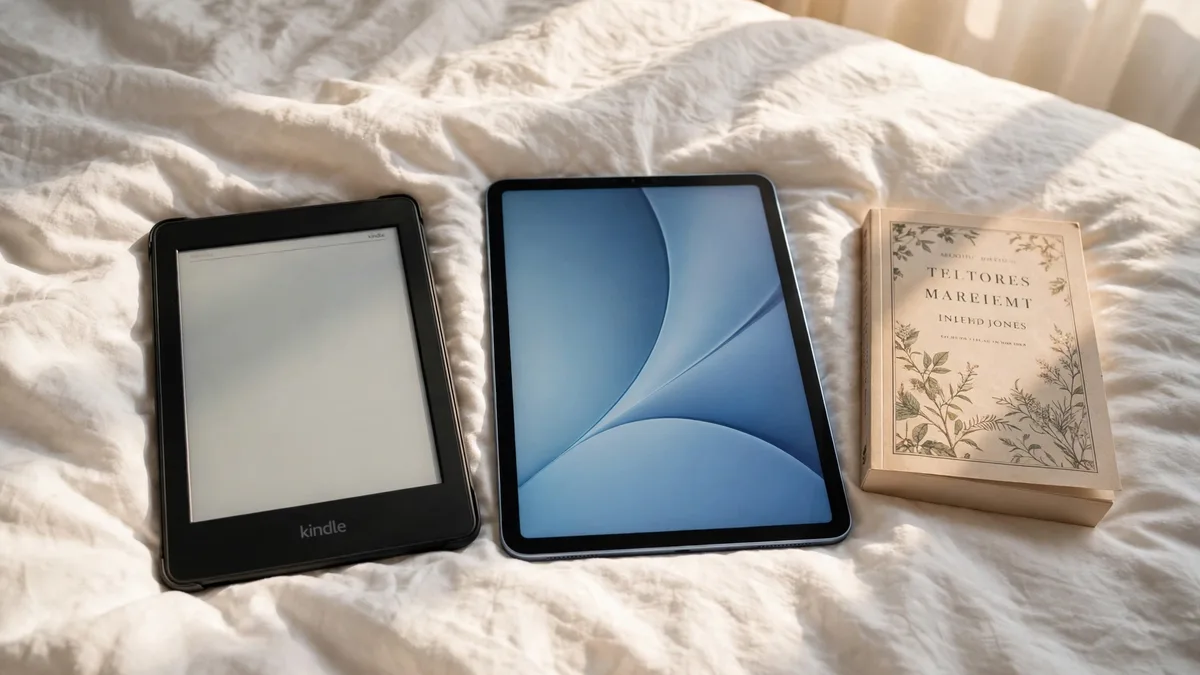
Kindle vs iPad for reading in 2027 comes down to one question: do you want a device that does one thing perfectly, or a device that does everything well enough? The Kindle is built only for books. Its e-ink screen looks like paper, its battery lasts for weeks, and it disappears in your hand on a long flight or a sunny afternoon. The iPad is built for everything, and reading is just one of its many jobs, alongside video, email, browsing, and games.
That difference matters more than any spec sheet. Readers who finish a book every week or two will feel the Kindle’s advantages every single day: lighter weight, no glare, no notifications, and no temptation to check social media mid-chapter. Readers who dip into books between other tasks may prefer the iPad, because it already lives in their bag and shows colour illustrations beautifully.
This comparison looks at comfort over long sessions, screen quality in sunlight and in bed, battery life, book selection, eye strain, and the true cost of each setup. Prices below are approximate starting prices, so check current pricing before you buy, since Kindle and iPad bundles change with sales and new models.
Key takeaways
- Kindle wins for serious readers, with a paper-like e-ink screen, weeks of battery life, and a light body that is easy to hold for hours.
- iPad wins for versatility, handling colour books, comics, magazines, PDFs, and audiobooks in one device you already carry everywhere.
- A Kindle starts from about $110, while even the cheapest iPad starts from about $349, so the Kindle is the far cheaper dedicated reader.
- Eye comfort and sunlight readability favour the Kindle; colour, speed, and app choice favour the iPad.
- Buy the Kindle if reading is the main job, and buy the iPad if reading is one job among many and you want a single device.
At a glance: Kindle vs iPad for reading
| Feature | Kindle | iPad |
|---|---|---|
| Starting price | From about $110 (Kindle), $160 (Paperwhite) | From about $349 (iPad), $599 (iPad Air) |
| Screen | 6 to 7-inch e-ink, paper-like, no glare | 11-inch LCD or OLED, bright colour, glossy |
| Weight | About 6 to 7.5 ounces | About 17 ounces (iPad 11-inch) |
| Battery life | Up to 6 to 10 weeks per charge | About 10 hours of use per charge |
| Reading in sunlight | Excellent, reads like printed paper | Washout and glare in direct sun |
| Colour books and comics | Black and white, or limited colour on Coloursoft | Full rich colour, ideal for comics and magazines |
| Bookstore | Kindle Store, plus library loans | Apple Books, Kindle app, and every other store |
| Distractions | Almost none, no apps or notifications | Many, with email, messages, and social apps |
Kindle — Best for serious readers
The Kindle’s greatest strength is that it refuses to be anything but a book. The e-ink screen reflects light the way paper does, so there is no glare in bright sunlight and no blue glow keeping you awake at night. Text is crisp and calm, the front light is warm and even, and the whole device weighs less than a paperback.

Battery life is the other quiet superpower. A Kindle lasts for weeks on a single charge with regular reading, so you never think about charging it, never carry a cable on holiday, and never lose your place because the battery died mid-chapter. The Paperwhite adds a larger 7-inch screen, warm light, and waterproofing, and is the best all-round Kindle for most readers.
The Kindle Store is the largest ebook store in the world, with frequent deals, Kindle Unlimited, and free library loans through services like Libby. The limits are real, though: most Kindles show books in black and white, so comics and cookbooks lose their colour, and the device handles complex PDFs poorly. If you are weighing a dedicated reader against a general tablet, our guide to the best tablets for ebooks compares more options across both kinds of device.
Pros: Paper-like e-ink screen with no glare and low eye strain; weeks of battery life per charge; very light and easy to hold one-handed; huge Kindle Store with deals, subscriptions, and library loans.
Cons: Black-and-white screen on most models, poor for comics and colour books; cannot run other apps or a web browser well; limited PDF handling; tied closely to the Amazon ecosystem.
iPad — Best for reading plus everything else
The iPad is the better device for anyone whose reading is mixed in with the rest of digital life. Its bright colour screen makes comics, graphic novels, magazines, cookbooks, and illustrated children’s books look superb, and it handles PDFs, textbooks, and annotated documents far better than any e-ink reader.
It is also the only choice if you read across many stores. The iPad runs the Kindle app, Apple Books, Kobo, Libby, and every other reading app side by side, so you are never locked into one shop. Audiobooks and accessibility features like large text and VoiceOver are also stronger than on any dedicated reader.
The price of that versatility is comfort. An iPad weighs about three times as much as a Kindle, its glossy screen glares in sunlight, and its battery lasts about 10 hours rather than 10 weeks, so it needs charging every day or two. Worse for focus, it is full of notifications and apps competing for your attention. If you buy an iPad mainly to read, you are paying at least $349 for a heavier, glare-prone reader than a $110 Kindle.
Pros: Full-colour screen ideal for comics, magazines, and illustrated books; runs every reading app and store, not just one; strong PDF, textbook, and audiobook support; doubles as a tablet for video, email, and browsing.
Cons: Heavy to hold for long reading sessions; glossy screen glares in sunlight and strains eyes at night; about 10 hours of battery, not weeks; notifications and apps constantly compete with your book.
Verdict: Kindle vs iPad for reading by use case
For most people who read for pleasure, the Kindle wins. It is cheaper, lighter, easier on the eyes, and free of distractions, and those four advantages show up every time you open a book. If you read novels, non-fiction, or biographies for an hour or more a day, a Kindle Paperwhite is the best money you can spend on reading, and the basic Kindle is the best value of all.
For readers whose books are visual, the iPad wins. Comics, graphic novels, cookbooks, art books, magazines, and textbooks with colour diagrams all belong on a colour screen, and the iPad handles them beautifully. Students and professionals who read PDFs, annotate documents, and switch between books and the web will also get more from an iPad, because a Kindle handles those jobs poorly or not at all.
Many households end up owning both: a Kindle for novels and long sessions, an iPad for everything visual. If you must pick one, pick the Kindle when reading is the job, and pick the iPad when reading is one job among many and you would buy the tablet anyway.
How to choose
Start with what you actually read. Novels, thrillers, memoirs, and non-fiction are Kindle books: black-and-white text on a calm screen, for hours at a time. Comics, cookbooks, magazines, textbooks, and anything with colour diagrams are iPad books, and buying a Kindle for them will disappoint you.
Next, be honest about your attention. If you already struggle to finish books because your phone pulls you away, an iPad will make that worse, not better. A Kindle’s lack of apps is a feature, not a flaw, for distracted readers, and many people report finishing far more books after switching.
Finally, think about syncing. Both devices keep your place across devices, so you can start a chapter on one screen and finish it on another. Our guide on how to sync reading position across devices explains how to set that up.
Checklist: before you buy
- List the last ten books you read and note how many needed colour, diagrams, or large PDFs.
- Try holding each device one-handed for ten minutes, since weight decides comfort on long sessions.
- Check whether your library loans work on the device, including Libby and your local library app.
- Compare the total cost: a Kindle plus a case is under $150, while an iPad plus a case starts above $400.
- Decide if you want an ad-free model, since ad-supported Kindles show offers on the lock screen for a lower price.
- Confirm your books will transfer, especially if you are switching stores or moving from print to digital.
Frequently asked questions
Is a Kindle better than an iPad for your eyes?
Yes, for long reading sessions. The Kindle’s e-ink screen reflects ambient light like paper, produces no glare, and emits very little blue light, so eyes tire more slowly. An iPad’s backlit LCD or OLED screen is brighter and sharper for colour, but it causes more fatigue over hours, especially in a dark room.
Can I read Kindle books on an iPad?
Yes. The free Kindle app on iPad gives you access to the whole Kindle Store, syncs your place, highlights, and notes with a Kindle device, and shows your books in full colour on the iPad screen. Many readers use the app for comics and illustrated books and a Kindle device for novels, which is the best of both worlds if you already own an iPad.
Does the Kindle work in direct sunlight?
Yes, and this is one of its biggest advantages. E-ink reads like printed paper in bright sun, with no washout and no need to shade the screen. An iPad struggles in direct sunlight even at full brightness, and its glossy screen reflects everything around you. For beach, garden, and outdoor reading, the Kindle is the clear winner.
Which Kindle should I buy in 2027?
For most readers, the Kindle Paperwhite is the right pick: a 7-inch glare-free screen, warm adjustable light, waterproofing, and weeks of battery for about $160. The basic Kindle at about $110 is the best value if you want the cheapest way into e-ink,
Can I borrow library books on a Kindle?
Yes, in the US and several other countries, through the Libby app, which sends library loans to your Kindle. The process takes a few steps, but once set up it works smoothly, and it is one of the best ways to read for free. Our Libby e-reader compatibility guide explains which devices work with library books and how to set borrowing up.
Is it worth owning both a Kindle and an iPad?
For heavy readers, yes. A Kindle covers novels and long sessions in comfort, while an iPad covers comics, PDFs, audiobooks, and everything else a tablet does. Because reading position syncs between them, you can switch devices mid-book without losing your place.
The bottom line
Buy the Kindle if reading is what you do most with the device, because nothing else matches it for comfort, battery life, and focus at its price. Buy the iPad if you need one device for reading, video, email, and browsing, and you accept that it is a heavier, more distracting reader in exchange for doing everything else. Both are good devices, but they are built for different readers, and the reader who matches the device to their books will finish more of them.
Before you buy, check the price of the exact model you want and confirm your library and store access. The right choice is the one that fits your books, not the one with the brightest screen or the longest feature list.