

A small business owner opens a laptop on a Monday morning and the website is gone. Not broken, not slow, but gone: replaced by a blank page, or a warning that the site may harm visitors, or a redirect to a page selling something the business has never sold. How much will this cost to fix.
The answer is never one number. There is a cleanup bill, and then a downtime bill, and then a bill for the customers who left while the site was down, and then a bill for the trust that takes months to rebuild. None of those bills were in the budget, because the budget had a line for a website and no line for protecting it. That is the real cost of ignoring website security: not a single disaster, but a stack of smaller costs that arrive one after another, on the worst possible day.
This is an argument about cost, not a manual about tools. The tools exist, and other articles on this site cover them in detail. This article makes a different case: that a small business which ignores security is not saving money. It is borrowing against a future incident, at a terrible rate of interest, and the repayment always arrives without warning.
Key takeaways
- Small business sites are probed by automated bots around the clock, whether anyone notices or not.
- The bill for a breach is not one bill: cleanup, downtime, lost sales, and lost trust arrive separately.
- Downtime costs money every hour a shop or booking page is down, and search warnings cost traffic for weeks after.
- The cheapest security work is boring and regular: updates, backups that have been tested, and strong logins.
- Postponing security does not save money. It moves the cost to a worse day.
What ignoring security actually means
Ignoring security does not mean a website has no protection. It means nobody is watching the protection. A site can have a firewall, a scanner, and a backup plugin installed, and still be effectively ignored, because nobody checks the alerts, nobody runs the updates, and nobody has ever tested whether the backup restores.
The break-in itself is rarely dramatic. There is no hooded figure typing furiously in a dark room. There is an automated bot, one of millions, trying a list of known passwords against a login page, or probing a plugin that was patched six months ago and never updated on this site. A small business site is a target precisely because it is small: the owner is busy, the updates are behind, and nobody is watching.
Once inside, the damage is usually quiet at first. The attacker may add hidden links to the pages, redirect a share of visitors to a scam, or use the server to send spam. The owner often learns about it from a customer, a search warning, or a host that suspends the account. By that point the site has been compromised for days or weeks, and the cleanup is no longer a quick fix.
The bill, line by line
The first line of the bill is the cleanup. A hacked site needs a professional to remove the malicious code, check every file against a clean copy, and close the hole that let the attacker in. For a small site that bill often runs into hundreds, and for a shop with customer data it can run into thousands. The work cannot be skipped and it cannot be done slowly, because every day the site stays infected is another day of lost visitors and another day of risk.
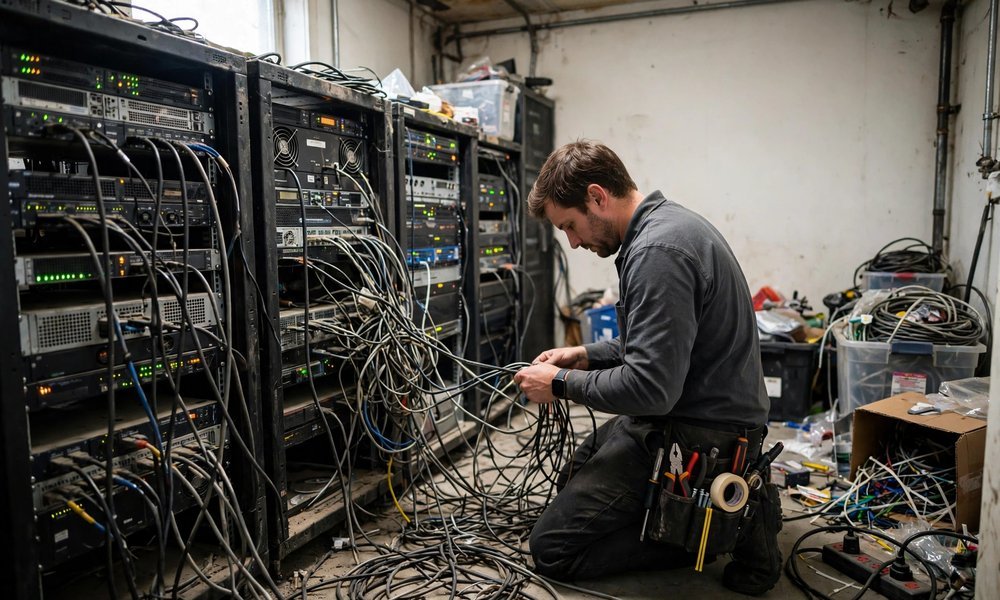
The second line is downtime. While the site is down, hacked, or suspended by the host, it earns nothing. A shop loses orders. A booking page loses appointments. A services site loses enquiries that go to a competitor whose site still works. The loss is easy to estimate in hindsight and impossible to recover, because a customer who booked elsewhere rarely comes back to explain.
The third line is trust, and it is the hardest to price. A customer who sees a browser warning that a site may be unsafe does not think about plugins or patches. The customer thinks the business is careless, and that judgement sticks. A small business lives on a small number of repeat customers and referrals, so losing even a few of them to a security incident is a cost that keeps arriving long after the site is clean.
The fourth line is search. A hacked site can be flagged by search engines, dropped from results, or labelled with a warning that turns visitors away before they arrive. Recovering search visibility takes weeks, and it takes work: cleaning the site, requesting a review, and waiting for the warning to lift. During that time the business is invisible to the people searching for exactly what it sells.
The fifth line is the work nobody budgets for: the phone calls, the emails to customers, the password resets, the conversations with the host, the insurance forms, and the hours the owner spends on a problem that is not the business itself.
Why small businesses keep postponing it
The first reason is that nothing has happened yet. A site that has run for two years without an incident feels safe, and the owner reads that feeling as evidence. A site can be probed hundreds of times a day without the owner knowing, because the probes that fail leave no trace. The absence of a visible incident is the weakest possible reason to believe a site is secure.
The second reason is that security looks technical, and the owner is not technical. Words like firewall, malware, and patching sound like a job for a specialist, so the owner files the whole subject under later. That is a mistake, because the most valuable security work is not technical at all. It is updating software when prompted, using a password manager, turning on two-factor authentication, and testing a backup once.
The third reason is cost, and it is the most honest one. A small business watches every monthly subscription, and security tools look like another bill for a problem that has not happened. But the comparison is wrong. The cost of basic protection is a few pounds or dollars a month. The cost of one cleanup is a year of those subscriptions, paid at once, on a day when the site earns nothing.
The caveats that matter
None of this means a small business should panic, or buy every security product on the market. Most small sites need a small set of basics, done regularly: updates applied, a firewall in place, a backup that has been tested, and logins protected by strong passwords and a second factor. The roundup of the tools that actually protect a small business website covers that set, and it is short on purpose.
There is also a limit to what tools can do. A tool cannot stop an owner from reusing a password, or stop a member of staff from clicking a convincing link. The human side of security matters as much as the software, which is why a written set of rules helps. The guide to creating a cybersecurity policy for a small business covers those rules in plain language.
Finally, remember that no security is perfect. A business can do everything right and still be breached, because new holes appear faster than anyone can patch them. The goal is not a site that can never be hacked. The goal is a site that recovers in hours, not weeks, and a business that survives the incident instead of being defined by it.
| Detail | What is known |
|---|---|
| First bill | Cleanup by a professional, often hundreds, sometimes thousands |
| Second bill | Downtime, with every hour offline losing orders and enquiries |
| Third bill | Lost trust, as customers who see a warning may never return |
| Fourth bill | Search warnings and lost visibility, taking weeks to recover |
| Fifth bill | Recovery work: calls, resets, forms, and a week of stolen attention |
| Cheapest fix | Updates, tested backups, strong logins, and a second factor |
| What tools cannot do | Stop a reused password or a clicked link, which is why rules matter |
| Realistic goal | Not a site that can never be hacked, but one that recovers in hours |
Checklist: what ignoring security costs, and what to do instead
- Check when the site software and plugins were last updated, and apply every pending update this week.
- Test a backup restore on a copy of the site, so the backup is proven rather than assumed.
- Turn on two-factor authentication for every admin login, starting with email and the website itself.
- Run a security audit for the small business, and fix the first problem it finds before buying any new tool.
- Write down who to call and what to do first if the site is hacked, before the day it happens.
- Set a monthly reminder to check the firewall, the scanner, and the backup log, and keep the habit.
Frequently asked questions
How much does a website hack actually cost a small business?
There is no single number, because the bill has several lines: cleanup, downtime, lost sales, lost trust, and recovery work. Cleanup alone often runs into hundreds, and for a shop with customer data it can run into thousands.
Is a small website really a target?
Yes, and its size is part of the reason. Automated bots probe millions of sites and do not care what the business sells. They look for open doors: an out-of-date plugin, a weak password, or a login page with no limit on guesses.
Will a security plugin on its own keep a site safe?
No. A plugin helps, but it is one layer. Updates, strong passwords, two-factor authentication, and a backup that has been tested matter just as much.
How long does a hacked site stay down?
It depends on how quickly the hack is found and whether a clean backup exists. With a tested backup and a clear plan, a site can be back in hours. Without a backup, cleanup can take days, and search warnings can take weeks to lift.
What should a business do first when it finds a hack?
Do not delete evidence, reset systems, or tell customers anything until the scope is known. Take the site offline or put it in maintenance mode, contact the host, and get a professional to clean it.
How often should a small business check its security?
Monthly is enough for most small sites: check the updates, the firewall alerts, the scanner, and the backup log. A full audit once or twice a year catches the slow drift, such as old accounts that should have been closed and plugins that are no longer used.
The bottom line
Ignoring website security feels free, and that is exactly why it is expensive. The cost is deferred, not avoided, and when it arrives it arrives as a stack: a cleanup bill, a week offline, customers who quietly leave, search warnings that take weeks to clear, and hours of recovery work that nobody planned for.
The fix is not dramatic. Update the software, test the backup, protect the logins, and check the alerts once a month. That routine costs a little time and a little money, and it buys the one thing a hacked site cannot buy back: an ordinary week, without a crisis in it.
Note: This article is general information about website security for small businesses, not professional advice. If a site holds customer data or takes payments, get a professional review, and check any insurance or contract requirements before relying on a basic setup.


