
A business website booking page is the page where a visitor reserves a bookable thing and pays for it, or confirms it, in the same visit. The bookable thing can be a seat in a class, a table for dinner, a room for a night, a place on a tour, or an hour with a piece of equipment. The visitor picks what they want, picks a date and time, sees the price, and leaves with a confirmed booking and a record of it in writing.
For a small business, the booking page is the point where browsing turns into revenue. Every other page on the site can inform or persuade, but the booking page is the page that takes the order. A visitor who reaches it has already decided that the offer is worth a closer look. What happens next depends almost entirely on whether the page makes the booking clear, quick, and certain.
Key takeaways
- A booking page sells a bookable thing with a price, a capacity, and a payment or confirmation step, which is a wider job than an appointment page that only books a time with a person.
- The page has one job: turn a visitor who has already decided into a customer with a confirmed place, without a phone call or an email exchange.
- Every part of the page answers a question: what can I book, when is it free, what does it cost, and how do I know it is confirmed.
- A booking is the agreement, a reservation is a held place, a calendar is a display of free time, and the booking page is where those ideas meet the visitor.
- A page that hides prices, shows stale times, or leaves confirmation unclear will lose bookings already won.
What a business website booking page actually is
A booking page is a single page on a business website built around one action: reserving something that can run out. The central idea is inventory. Inventory means the things a business can sell only a limited number of times: seats in a yoga class, tables in a restaurant, rooms in a guesthouse, places on a walking tour, or hours in a studio. Each unit of inventory has a length, a capacity, and a price, and the booking page shows those limits honestly and lets the visitor claim one unit for one time.
The page is distinct from the booking itself. A booking is the agreement between the visitor and the business, a confirmed reservation for a specific service, date, and time. The page is what the visitor sees and uses. The system behind the page is the machinery that holds the diary, takes the payment, and sends the confirmation. The page, the booking, and the system are three different things, and confusing them is one of the most common mistakes in small business websites.
The parts a visitor sees on a booking page
The first part a visitor sees is the list of bookable things. Each entry names the thing, states how long it lasts, and states what it costs. A yoga class lists the class name, the length of the session, and the price per seat. A guesthouse lists the room, the number of nights, and the nightly rate. A tour lists the route, the departure time, and the price per person. The list is short and specific, and a visitor should be able to read it and know, in seconds, whether the offer fits.
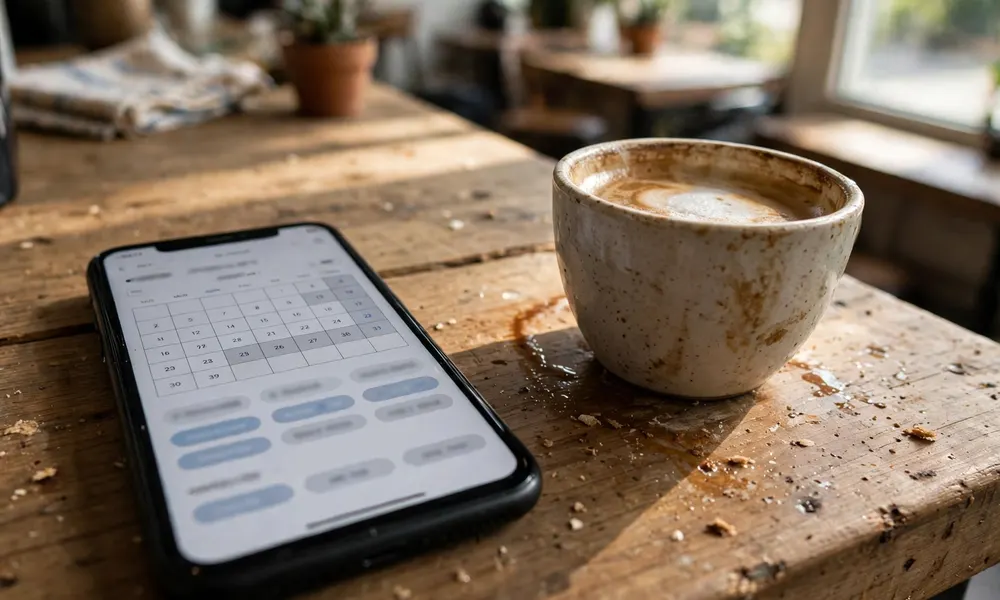
The third part is the price. The full price appears before the payment step, with any deposit, fee, or tax stated in plain language. A visitor should never reach the payment step and discover a new charge. The price is not a detail to be revealed late. It is part of the decision, and a page that hides it is asking the visitor to commit before knowing the cost.
The fourth part is the short form, which asks only for the details the booking needs: a name, a way to contact the visitor, and the service and time chosen. Every extra field is another reason for a ready customer to leave. The fifth part is the confirmation. After the visitor confirms, the page shows a confirmation at once, with the same details the visitor chose, and sends the same confirmation by email or message. Without it, the visitor leaves unsure whether the place is held, and an unsure visitor will often book elsewhere as insurance.
How a booking page differs from the pages around it
The closest neighbour is the appointment page. An appointment is a reserved time with a named person for a named service, agreed through the business website. An appointment page books a time with a person: a consultation, a check up, a lesson, or a fitting. A booking page is wider. It can book a time with a person, but it can also book a thing: a seat, a table, a room, or a place. It carries capacity and payment as central parts of the job, while an appointment page can work with time alone.
The calendar page is a display and nothing more. It shows when the business is open and which hours are free, but it does not take a booking. A visitor who uses a calendar is scanning time. A visitor who uses a booking page is claiming a place. The calendar points toward the booking step, and the booking page completes it. A site that shows a calendar but offers no booking page is a site that shows the visitor the door without opening it.
Why a booking page matters for a small business
A booking page matters because it takes bookings while the business is busy doing something else. A small business has few staff, and the person who answers the phone is often the same person who delivers the service. Every booking taken by phone is time taken from the work itself. A booking page takes the routine bookings without a member of staff, and it takes them at midnight, on a Sunday, and during a busy lunch service, when no one is free to answer.
For the owner, the booking page is a diary that fills itself. Staff rotas, stock, room preparation, and the shape of the working day all start from the bookings on the diary. A page that takes bookings cleanly gives the owner a true picture of the day ahead. A page that takes bookings badly gives the owner a diary full of gaps, double bookings, and names without contact details, which is worse than an empty diary because it looks full.
The caveats that matter
A booking page is not a cure for a weak offer. If the service is poor, the price is wrong, or the business has a bad reputation, a booking page will only make it easier for visitors to discover those facts and leave. The page can remove friction, but it cannot create demand. A business that blames the page for empty seats should first check whether the offer itself is the problem.
| Detail | What is known |
|---|---|
| Core job | Reserve a bookable thing for a set time, with a price and a confirmation |
| Built around | Inventory: seats, tables, rooms, places, or hours that can run out |
| Main parts | Service list, calendar, price, short form, confirm button, confirmation, rules |
| Difference from appointment page | Booking covers things as well as time with a person; appointment covers time with a person |
| Difference from reservation | Booking is a paid agreement for a thing; reservation is a held place |
| Difference from calendar | Calendar displays free time; booking page lets the visitor claim a place |
| Biggest risk | Stale times, hidden prices, and unclear confirmation lose bookings already won |
| Best test | Book as a customer on a phone, including payment and cancellation, before launch |
Checklist: judging a booking page honestly
- The page names each bookable thing, with its length and its full price, before asking for any personal details.
- The calendar shows only times that are genuinely free, with closed days marked clearly and the time zone stated.
- The full price, including any deposit or fee, appears before the payment step, with no new charge at the end.
- The form asks only for a name, a way to contact the visitor, and the service and time chosen.
- The confirmation appears at once and arrives by email or message, with the same details the visitor chose.
- The cancellation and no show rules appear in one short paragraph near the confirm button, with the deadline stated in hours.
Frequently asked questions
What is a business website booking page?
It is the page where a visitor reserves a bookable thing, such as a seat, a table, a room, or a place, for a set date and time, sees the price, and leaves with a confirmed booking in writing.
How is a booking page different from an appointment page?
An appointment page books a time with a named person, such as a consultation or a lesson. A booking page is wider: it can also book a thing, such as a seat or a room, and it carries capacity and payment as central parts of the job.
How is a booking page different from a booking?
A booking is the agreement itself, a confirmed reservation for a specific service, date, and time. The booking page is the place where the visitor makes that agreement, and the system behind the page holds the diary and sends the confirmation.
Does a booking page need to take payment?
Not always. A low value booking can work with confirmation alone, while a high value booking usually needs a deposit or full payment to reduce no shows. The rule should be visible before the visitor pays.
What makes visitors leave a booking page without booking?
The most common causes are hidden prices, calendars that show times already taken, forms that ask for details nobody needs, and confirmations that never arrive. Each tells the visitor the booking may not be real.
Can a small business use a booking page without a large team?
Yes. A booking page takes routine bookings without a member of staff, at any hour, and it gives the owner a diary that fills itself, with the service, the time, and the price recorded for each booking.
The bottom line
A business website booking page is a single page with a single job: let a visitor who has already decided reserve a bookable thing, see the full price, and leave with a confirmation that can be trusted. It is built around inventory, it shows free time honestly, and it states its rules near the confirm button. It differs from an appointment page by covering things as well as time with a person, and from a calendar by letting the visitor claim a place rather than only view free time.
For a small business, the page is worth judging by one test: book as a customer on a phone, from the first click to the confirmation, including a paid booking and a cancellation. If that journey is clear, quick, and certain, the page is doing its job. If it is not, the fix is usually a true calendar, a visible price, a shorter form, and a confirmation that arrives at once.
Note: This article explains what a booking page is. It does not cover the setup steps, the software choice, or the launch checks, which belong to the setup guide for the same page.