The CPU is the part of a computer that does the actual thinking. Every click, keystroke, calculation and file opening passes through it, and the speed and smoothness of a computer depend more on this one small chip than on almost any other component. When a laptop feels fast or a phone opens apps without hesitation, the processor is usually the reason.
A CPU, short for central processing unit, is a silicon chip about the size of a postage stamp that sits in a socket on the computer’s motherboard. It fetches instructions from memory, works out what each one means, carries it out, and stores the result. It does this billions of times a second, one tiny step at a time, and that relentless repetition is what makes everything from a web browser to a video game possible.
Understanding the CPU helps with almost every computer decision: why two laptops with the same storage can feel very different, and why some tasks finish in seconds and others take minutes. This guide explains what a CPU is, how it works, the main types, and how to judge one when buying.
Key takeaways
- A CPU is the chip that runs instructions: it fetches, decodes and executes them, billions of times a second.
- Cores let a CPU handle several tasks at once, while clock speed measures how fast each core can work.
- More cores help with editing, coding and multitasking; single-core speed matters most for everyday responsiveness.
- A CPU works with memory and storage, but it does not store your files — that is the job of a drive.
- When buying, match the processor to the work: office and browsing need far less power than video editing or gaming.
CPU at a glance
| Detail | What it means |
|---|---|
| Full name | Central processing unit |
| Job | Runs instructions for programs and the operating system |
| Location | In a socket on the motherboard, under a cooler |
| Main parts | Cores, cache memory, control unit and arithmetic logic unit |
| Speed measure | Clock speed in gigahertz (GHz), plus cores and threads |
| Main makers | Intel and AMD for most computers; Apple and Qualcomm for phones and laptops |
| Typical cores | 4 to 8 in everyday laptops; 12 or more in workstations |
| Does not do | Store files permanently or display graphics on its own in most cases |
What a CPU actually is
A CPU is a processor built from billions of transistors, tiny switches etched onto silicon, packed into a chip a few centimetres across. Each transistor can switch on or off, and combinations of those switches represent numbers, letters, instructions and decisions. The chip has no moving parts. It works entirely by switching electrical signals, which is why it can run so fast and why it produces heat that needs a fan or heatsink to carry away.
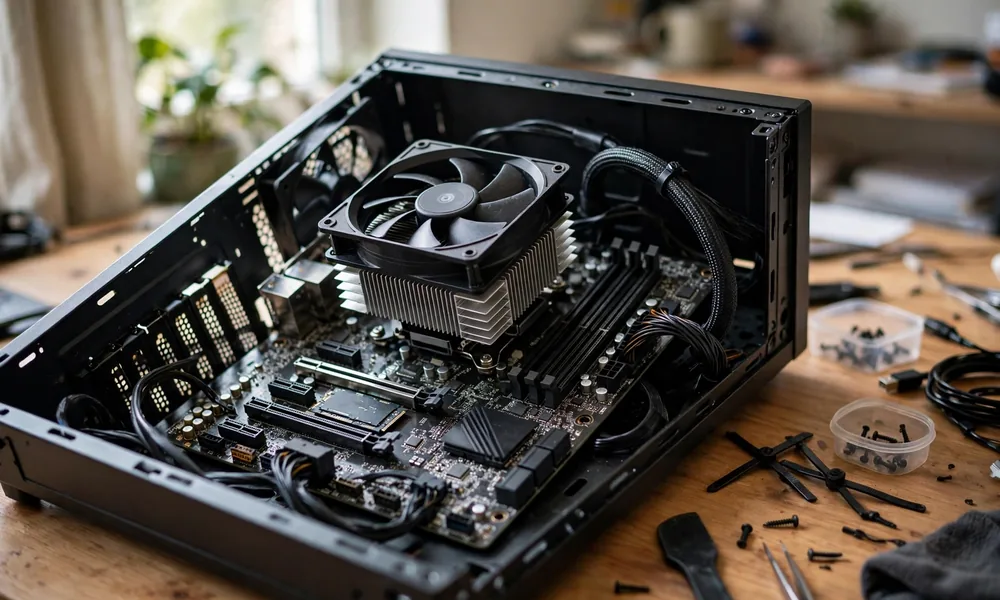
The processor sits in a socket on the motherboard, the large circuit board that connects every part of a computer. A metal cooler or fan sits on top of it. Around it are slots for memory, connections for storage drives, and the graphics hardware that draws images on screen. The CPU talks to all of them through the motherboard, sending and receiving data along high-speed pathways called buses.
Think of the CPU as the cook in a kitchen: memory is the countertop within reach, storage is the pantry, and the motherboard is the kitchen itself. A fast cook with a tiny countertop still has to keep fetching things, which is what happens when a strong CPU is paired with too little memory.
How a CPU works
A CPU works in a repeating cycle with three steps: fetch, decode and execute. First it fetches an instruction from memory, which might say “add these two numbers” or “load this part of a web page”. Then it decodes the instruction, working out exactly what operation is required and which data it needs. Finally it executes the instruction, performs the calculation or moves the data, and stores the result. Then the cycle starts again with the next instruction.
That cycle is driven by a clock that ticks billions of times a second: a CPU rated at 3.5 gigahertz ticks about 3.5 billion times a second. Clock speed is not the whole story, because designs do different amounts of work per tick, but a higher clock usually means each core finishes its steps faster.
Inside the chip, the control unit directs traffic, deciding which instruction runs next, while the arithmetic logic unit, or ALU, performs the actual maths and comparisons. Registers are tiny, extremely fast storage spots inside the CPU, holding the numbers being worked on right now.
Cache memory sits between the CPU and the main memory. It is small, often a few megabytes, but far faster than main memory because it is built into the processor. Frequently used instructions are kept there so the CPU does not have to wait for the slower trip to memory.
Cores and threads
A core is an independent processing unit inside the CPU. A quad-core processor has four cores, so it can work on four instruction streams at the same time. A thread is a sequence of instructions from a program, and many programs split their work into several threads so different cores can handle them in parallel. Hyper-threading, which AMD calls simultaneous multithreading, lets one core handle two threads at once, improving efficiency when a program has many small tasks waiting.
More cores help most when several programs run together or when one program splits its work, such as video editing or compiling code. For a single simple task, such as typing a document, extra cores add little.
Clock speed, turbo and heat
Clock speed is measured in gigahertz, and most modern processors run between about 2 and 5 gigahertz. Many have a turbo mode that temporarily raises the clock when a task needs a burst of speed and the chip is cool enough. Sustained heavy work can push a CPU to its thermal limit, at which point it slows itself down to protect the chip, which is called thermal throttling.
Types of CPU
The two best-known makers of desktop and laptop processors are Intel and AMD. Intel’s Core i3, i5, i7 and i9 lines, and AMD’s Ryzen 3, 5, 7 and 9 lines, cover everything from budget laptops to high-end workstations. The numbering is a rough guide to position in the range rather than a precise measure of speed, so a recent i5 can beat an older i7, and the generation matters as much as the tier.
Apple makes its own M-series processors for Macs, combining the CPU, graphics and memory into one package, which is why MacBooks run fast while staying quiet and lasting a long time on battery. Qualcomm’s Snapdragon chips power many Windows laptops and most Android phones.
Server processors, such as Intel Xeon and AMD EPYC, are built for data centres, with many more cores and far more memory than a desktop chip. They run the cloud services behind the computer hardware news that follows new chip launches.
Benefits and limits of a faster CPU
A faster processor brings clear benefits: programs open more quickly, large spreadsheets recalculate without long pauses, photo and video exports finish sooner, and a computer stays usable with many tabs and apps open at once.
There are limits, though. A CPU cannot fix a slow storage drive, too little memory, or a weak internet connection. If a computer takes a long time to start, the bottleneck is often the drive, which is why understanding what an SSD does matters before spending money on a faster chip. A computer used mainly for streaming or writing will see little benefit from a top-end processor, and a more powerful CPU also costs more and generates more heat.
Where CPUs are used in real life
CPUs are in almost every electronic device: laptops, phones, tablets, smart televisions, cars and washing machines all contain a processor. The difference is scale: a washing machine chip runs one simple program, while a laptop chip runs an operating system and dozens of background services.
In business, CPUs power office computers, servers and cloud computing. A company running data analysis or machine learning workloads needs many cores and plenty of memory, because those jobs split naturally across cores. In creative work, the CPU handles effects, encoding and exporting in photo and video editing, while gamers also need a strong processor, although the graphics card often matters more for frame rates.
CPU vs GPU: what is the difference?
A CPU and a GPU are both processors, but they are designed for different kinds of work. A CPU has a small number of powerful cores that handle a wide variety of tasks one after another, quickly and flexibly. A GPU has thousands of small cores that handle many simple calculations at the same time, which makes it ideal for drawing images, rendering video and training AI models. Neither replaces the other: a computer needs the CPU to run its programs and the GPU to draw what those programs show. Many modern processors include basic integrated graphics, enough for office work and browsing, while a separate graphics card is still the right choice for serious gaming, 3D work or AI training.
Checklist: choosing a CPU
- List the heaviest task the computer will do regularly, and buy for that, not for occasional peaks.
- Check the generation as well as the tier: a recent mid-range chip often beats an older high-end one.
- Match cores to the work: 4 to 6 cores for everyday use, 8 or more for editing, coding or heavy multitasking.
- Balance the rest of the system: at least 16 GB of memory and a fast SSD matter as much as the processor.
- For a laptop, check battery life and cooling, since a fast chip that throttles is no faster than a cooler one.
- Confirm the socket and motherboard support the chip before buying a processor to upgrade an existing PC.
Frequently asked questions
What does CPU stand for?
CPU stands for central processing unit. It is the main processor in a computer, the chip that runs instructions from programs and the operating system.
Is a CPU the same as a computer?
No. A CPU is one component inside a computer, although people sometimes use the word loosely to mean the whole desktop tower. The computer also needs memory, storage, a motherboard, a power supply and a screen.
How many cores do I need?
Four to six cores are enough for browsing, office work and streaming. Eight cores suit photo and video editing, programming and heavy multitasking, while twelve or more are mainly for professional rendering, simulation and server work.
Does a faster CPU make the internet faster?
No. Internet speed depends on the connection and the network. A faster CPU can render web pages slightly more quickly, but it cannot make a slow connection any faster.
Can I upgrade the CPU in my laptop?
Usually not. Most laptop processors are soldered to the motherboard and cannot be replaced. Desktop processors can often be swapped, provided the new chip fits the same socket and the motherboard supports it.
Do I need a separate graphics card?
Not for everyday work. Integrated graphics in a modern CPU handle office tasks, browsing and video playback well. A separate graphics card is worth it for gaming, 3D design, video production and AI work.
The bottom line
A CPU is the working heart of a computer: a small, fast chip that runs instructions billions of times a second. It does not store files and it does not draw the screen on its own, but without it nothing else in the machine can do its job.
When choosing a computer, treat the processor as one part of a balanced system. Match the core count and generation to the heaviest regular work, pair it with enough memory and a fast drive, and remember that the best CPU is the one that fits the work, the budget and the battery, not simply the fastest one on the shelf.