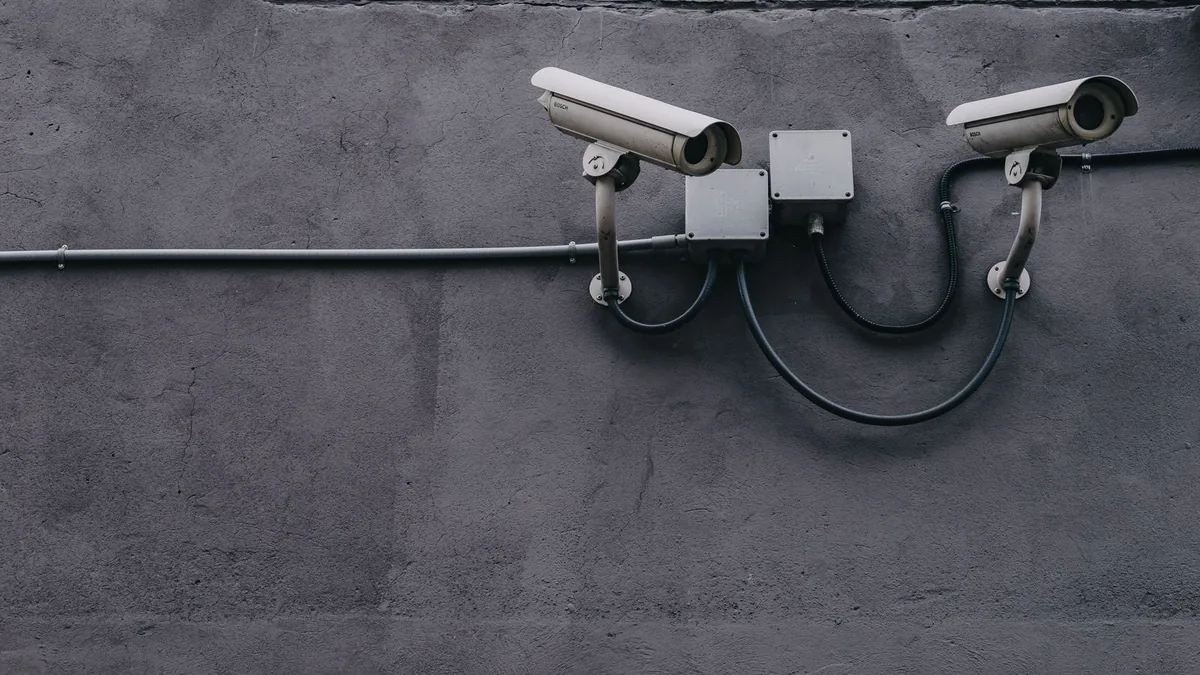
A security camera is a camera built to watch over a place and record what happens there. It can sit on a front door, in a shop, on a warehouse wall or above a car park, and its job is simple: capture video of an area so you can see what is happening now or check what happened earlier.
The modern security camera is far more than a lens on a wall. Most models connect to Wi-Fi, send motion alerts to a phone, record to the cloud or a memory card, and can tell a person apart from a passing cat. Some can speak to a visitor, follow movement, or see in colour at night. That combination deters theft, helps check deliveries, and keeps an eye on a property while you are away.
At the same time, a camera that watches people raises questions a doorbell never did. This guide explains what a security camera is, how it works, the main types, the features that matter, and the privacy rules to respect before pointing a lens outside your door.
Key takeaways
- A security camera records video of an area and sends motion alerts and live video to a phone app.
- The main types are bullet, dome, pan-tilt-zoom, doorbell and indoor cameras.
- Video quality, night vision, field of view and storage matter more than the feature count.
- Most cameras need Wi-Fi and a power source, and cloud recording usually means a monthly subscription.
- Respect privacy: avoid filming neighbours and public areas, and tell people when cameras are recording.
What a security camera actually is
A security camera is a video camera designed for continuous monitoring rather than for taking photographs. It is built to run for long periods, often around the clock, and to survive outdoors in rain, cold and bright sun. The core parts are the same as in any camera: a lens, an image sensor, and a processor that compresses video for storage or sending over a network.
The difference from a regular camera is what happens to the video. A security camera records on its own, usually when it detects motion, and makes that recording easy to find later. It timestamps every clip, can store days or weeks of footage, and sends an alert the moment something moves. Many models also include a microphone and speaker, infrared lights for night vision, and a small siren.
Most modern security cameras are part of the Internet of Things, the name for everyday devices that connect to the internet and share data. A connected camera sends video over your home network to an app or a cloud service, which is why you can watch your front door from another country. That connection is also the camera’s main weakness: if the network is slow or insecure, the video can lag or drop out.
How a security camera works
A security camera starts with light. The lens focuses the scene onto an image sensor, which measures brightness and colour many times per second to build video frames. The processor compresses that stream, because raw video would fill storage in minutes, and writes it to a memory card, a hard drive, or a cloud server. It also watches for changes between frames, and when it detects movement it sends an alert to your phone.

Night vision works by switching to infrared light. When the scene gets dark, the camera turns on small infrared LEDs that are invisible to the human eye but visible to the sensor, and it records in black and white. More expensive cameras add a spotlight or a larger sensor to record in colour at night. The range is shorter in practice than on the box, especially in rain or fog.
Motion detection has changed in recent years. Older cameras compared one frame with the next and alerted on any change, which meant constant notifications from trees, shadows and passing cars. Newer cameras use on-device software to classify what moved, so they can tell a person or a vehicle apart from an animal or a branch, which is faster and more private than sending every frame to a server.
The video then has to go somewhere. Wired cameras send it over an ethernet cable to a recorder, while Wi-Fi cameras send it wirelessly to the cloud or a local hub. Footage that travels over the internet depends on your upload speed, not your download speed, which is why a camera can stutter even on a fast home connection. A camera that records locally keeps working during an outage, while a cloud-only camera may stop recording entirely.
Security cameras at a glance
| Feature | What it does |
|---|---|
| Resolution | 1080p is the minimum worth buying; 2K and 4K show faces and plates more clearly |
| Field of view | How wide the camera sees, usually 100 to 160 degrees; wider covers more, shows less detail |
| Night vision | Infrared recording in black and white, or colour night vision with a spotlight |
| Motion detection | Alerts on movement, ideally with person and vehicle classification |
| Two-way audio | Microphone and speaker let you hear and speak to a visitor |
| Storage | Local memory card or recorder, cloud subscription, or both |
| Power | Mains wired, battery, or solar panel, each with different upkeep |
| Weather rating | Outdoor cameras should be rated at least IP65 for rain and dust |
Types of security camera
Bullet cameras are the long, cylindrical cameras most people picture when they think of CCTV. They mount on a wall or under an eave, point in one direction, and are easy to see, which itself deters intruders. They usually have good night vision and long range, suiting driveways, gardens and entrances. Their limit is their fixed position: they cover one view only.
Dome cameras sit inside a rounded housing, often on a ceiling. The dome makes it hard to tell exactly where the camera is pointing, which is useful in shops and offices, and the shape is more discreet and harder to tamper with. They suit hallways, entrances and retail floors, though the dome can reflect light at night.
Pan-tilt-zoom cameras, known as PTZ, can rotate, tilt and zoom on command or automatically. One PTZ camera can sweep a large area and zoom in on a person or vehicle when it detects movement, which makes them popular for car parks and warehouses. They cost more and are usually overkill for a small home.
Doorbell cameras combine a camera, a doorbell and a speaker in one unit by the front door. They record anyone who approaches, let you speak to a visitor from your phone, and are the easiest type to install, because they often replace an existing wired doorbell. Their view is limited to the doorway, so they complement rather than replace a wider camera.
Benefits and risks
The clearest benefit is deterrence. A visible camera makes a property a less attractive target, and footage can help identify a thief or settle a dispute about a delivery or a damaged car. For many owners the real value is peace of mind: a quick check of the app shows the house is quiet and the parcel arrived. For small businesses, cameras also help with safety and reviewing incidents, and because video reaches your phone anywhere, you can answer the door from work or show footage to the police without being on site.
The risks are real and worth weighing. A camera that watches a street or a neighbour’s garden can damage relationships and may break privacy law, depending on where you live. Footage stored in the cloud is only as safe as the account protecting it, and cameras with weak default passwords have been accessed by strangers. Change default passwords, use two-factor authentication, and keep the software updated. Keep recording proportionate: point cameras at your own property and store footage briefly.
Where security cameras are used
At home, the most useful spots are the front door, the back door, the driveway and any side passage hidden from the street. One well-placed camera covering an entrance is worth more than three cameras pointed at blank walls. Indoor cameras are best used sparingly, such as watching a pet while you are out. If you are setting up a smart home, cameras usually join the same app as door locks, lights and alarms, so a motion alert can switch on a light or lock a door.
Wired vs wireless security cameras
Wired cameras connect to power and a recorder over a cable, usually ethernet. They are the most reliable option: video does not drop when Wi-Fi is busy, power never runs out, and footage can be stored locally for weeks. The cost is installation, since running cables through walls usually needs a professional. Wireless cameras use Wi-Fi for video and a mains adapter, rechargeable battery or solar panel for power. Battery cameras are the easiest to install, but they need charging every few weeks or months and record shorter clips to save power. A permanent installation covering entrances and a driveway is usually better wired; a rented home or a single camera by a door is usually better wireless.
Checklist: before you buy a security camera
- Decide what you need to see, then choose the camera position and field of view first.
- Check your Wi-Fi signal and upload speed at each camera location, or plan for a wired connection.
- Compare storage options and the real monthly cost of any cloud subscription.
- Look for at least 1080p resolution, useful night vision and person detection.
- Check the weather rating and power source for outdoor cameras.
- Read the privacy rules for your area and plan camera angles that respect neighbours.
Frequently asked questions
Do security cameras need Wi-Fi?
Most home cameras use Wi-Fi for alerts and live video, but wired cameras can record to a local recorder without it, and some use mobile data. Without any network, you can record locally but not view remotely.
How much storage does a security camera need?
It depends on resolution and motion. A camera recording only on motion may need a few gigabytes a week, while continuous 4K recording can use hundreds of gigabytes. Cloud plans usually keep clips for 30 to 60 days.
Can a security camera record at night?
Yes. Most cameras switch to infrared night vision and record in black and white. Cameras with a spotlight or larger sensor can record in colour at night, which helps identify people and vehicles, but the range is shorter than in daylight.
Is it legal to install a security camera at home?
In most places you can film your own property, but rules differ on filming neighbours, public streets and audio recording. Check the law where you live and keep cameras pointed at your own property where possible.
Do security cameras work during a power cut?
A mains-powered camera stops when the power goes out, unless it has a battery backup. Battery cameras keep working, and a local recorder with a backup battery can keep recording.
How do I keep my security camera secure?
Change the default password, use a strong unique password and two-factor authentication, keep the software updated, and put cameras on a separate or guest Wi-Fi network if your router allows it.
The bottom line
A security camera is a practical tool when it is pointed at the right place for the right reason. It deters opportunistic theft, records what happened when something goes wrong, and lets you check on a property from anywhere. The features that matter most are a clear picture day and night, reliable motion alerts that tell people from pets, and storage you can reach.
Buy for the spot you need to cover, not for the longest feature list, and treat privacy as part of the installation. Aim the camera at your own property, keep storage periods short, protect the account with a strong password and two-factor authentication, and tell the people who live with you.