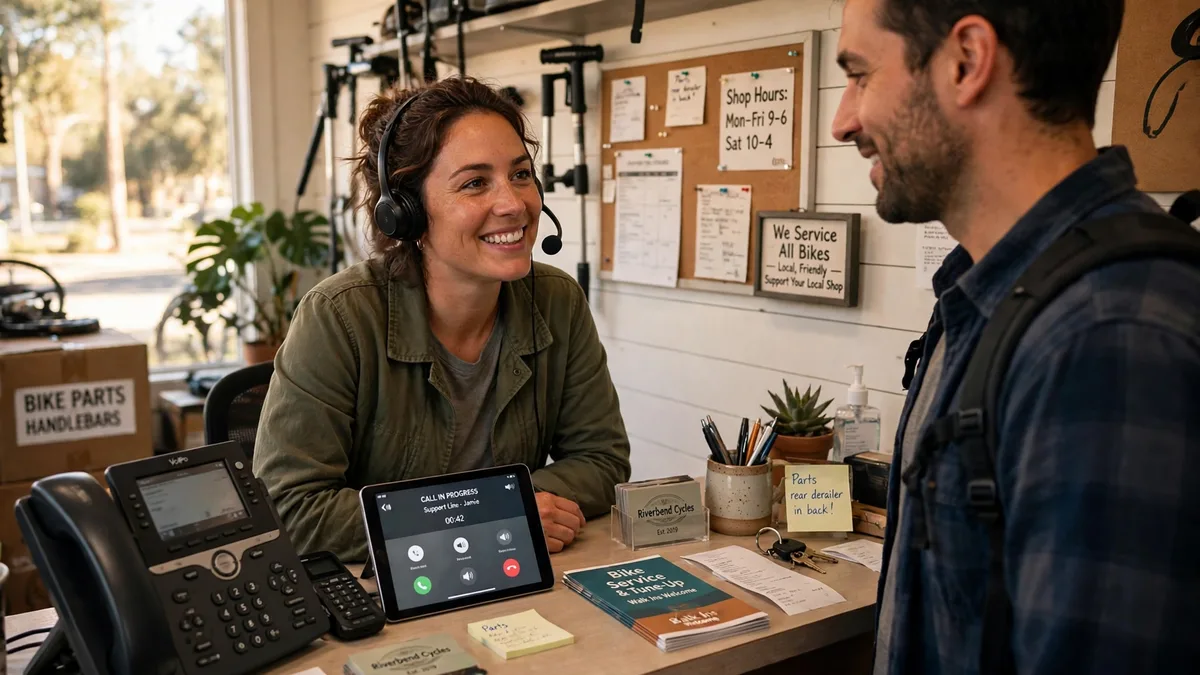
What Is an AI Coworker?
An AI coworker is software that works alongside a person the way a colleague would: it takes on parts of a job, asks questions when unclear, hands work back for review, and learns from feedback. Unlike a tool that waits for a command, it tracks ongoing work and remembers context — a tireless teammate for repetitive, research-heavy work.
The term became common in 2027 as AI assistants grew out of single chat windows and into workplace software. Early chatbots could answer a question and then forget it. Today’s AI coworkers sit inside email, documents, project boards, and customer systems, so they can draft a reply using a client’s history, summarise a meeting into tasks, or flag a deadline about to slip.
This explainer covers what an AI coworker is, how it works, the forms it takes, where it helps, where it creates risk, and how to decide whether one belongs in your team.
Key takeaways
- An AI coworker works alongside people, keeping context and handing work back for review.
- It differs from a chatbot: it remembers, plans multi-step work, and uses workplace tools.
- The strongest uses are drafting, summarising, and researching repetitive work.
- It needs clear limits: what it may do alone, what needs approval, and what data it may touch.
- The human stays responsible for decisions, accuracy, and anything affecting customers or money.
At a glance: AI coworkers in 2027
| Detail | What to know |
|---|---|
| What it is | AI software that works alongside a person, with memory and tool access |
| Not the same as | A chatbot, which answers one question and forgets, or a fixed automation, which follows rigid rules |
| Common forms | Copilots inside apps, standalone agents, and team assistants across email and docs |
| Typical cost | Roughly $10 to $30 per user per month for copilots, with standalone agents often higher |
| Biggest risk | Confident mistakes in unchecked work, and private data in unapproved tools |
| Best first step | One narrow job with a human review step, such as drafting replies |
The concept: a teammate, not a tool

The core idea is shared work. A traditional tool does exactly what you tell it, one step at a time, and then stops. An AI coworker is given a goal, such as “prepare the weekly client update,” and works out the steps itself, leaving the draft ready for approval.
This only works because the system keeps context. It remembers the morning meeting, which client prefers short emails, and that Tuesday’s budget figure was corrected. That memory makes it feel like a colleague — and makes the risks different, since a system that remembers can also remember the wrong thing. Be honest about the phrase: an AI coworker does not understand your business the way a person does, and it cannot take responsibility for a decision. What it can do is handle volume — read more, draft faster, track more loose ends — and teams that treat it as a capable but junior colleague get far more value than teams that treat it as a magic employee.
How an AI coworker works
Under the surface, an AI coworker combines a large language model with three additions: memory, tools, and a loop that plans and checks its own work. Memory stores facts and the state of ongoing tasks. Tools are its hands: reading email, searching documents, updating a project board.
You ask it to prepare for a client call. It searches your documents for the contract, checks the project board, reads the last few emails, and drafts a one-page brief. If a number is missing, a good system says so and asks you, rather than inventing one. If a step fails, it reports the failure instead of quietly skipping it. Asking and reporting rather than guessing is the difference between a useful coworker and a dangerous one.
Types and variants
AI coworkers come in several forms. Copilots live inside a single app, such as a word processor or email client, and help with the task open in front of you. They are the easiest to start with, since there is nothing new to learn. Their weakness is narrow vision: a copilot in your email cannot see your project board.
Standalone agents work across many apps at once, carrying a task from one to another, such as turning an email thread into a task list and then a draft reply. They are more powerful, but need more setup and oversight, since a system that can touch everything can also make a mess everywhere. There are also specialised variants built for one job: a sales coworker that prepares call briefs, a support coworker that drafts replies, or a research coworker that summarises what changed. These tend to work better out of the box, because their job is narrow. The best AI productivity tools in 2027 include several copilots and agents in this category, and comparing them is a good way to see which form fits your team.
Benefits and risks
The clearest benefit is time. Drafting, summarising, and gathering information expand to fill the day, and an AI coworker can cut them down sharply. A support agent drafting replies, a manager getting a meeting summary with action items extracted, or a researcher getting a first-pass brief all gain hours a week. The second benefit is consistency: the same checks happen every time, even on a busy Friday afternoon.
The risks are real. The most common is a confident mistake: a plausible summary that misstates a figure, a draft that promises something the team never agreed to, or a brief built on an outdated document. These are hard to catch precisely because the output looks polished. The second risk is data: an AI coworker that can read your email and documents can also expose them, especially if it sends data to a service your company never approved. There is also a quieter risk, skill loss: when a system drafts everything, people stop practising the judgement that spots a bad draft. The fix is to keep humans reviewing and handling difficult cases, while the AI coworker handles the routine first pass.
Real-world uses
In customer support, an AI coworker reads incoming tickets, pulls the customer’s history, drafts a reply in the team’s tone, and leaves it for an agent to send. The human still handles angry customers, but routine replies take a fraction of the time. In sales, it prepares for calls from the account history, then updates the customer system from the meeting notes. In operations, it watches for stalled work and nudges the right person before a deadline slips.
Smaller teams often get the most visible benefit, because one person in a small business wears many hats. A founder can use an AI coworker to draft supplier emails, summarise customer feedback, and track open tasks, all without hiring. The best AI tools for small business in 2027 cover several options aimed at exactly this kind of team. Creative work is subtler: an AI coworker can gather sources or draft a first version, but the final thinking still belongs to a person.
AI coworker vs chatbot vs automation
It is easy to confuse an AI coworker with the tools that came before it. A chatbot answers a question and forgets it; it has no memory of your projects. A fixed automation follows rules you wrote in advance and breaks when the situation does not match them. An AI coworker sits between them: it plans its own steps, remembers context, and works inside the tools your team already uses.
That middle position is both its strength and its weakness: more flexible than automation, but less predictable. A rule-based automation will do the same thing every time, which is exactly what you want for a refund or a payroll step. An AI coworker will vary its approach, which is fine for a draft and risky for a payment. The practical rule: use rigid automation where the steps are known and the stakes are high, a chatbot for quick questions, and an AI coworker where the work is varied and a human will review the result. The explainer on what generative AI is covers how these models produce text, which helps explain their fluency and their tendency to invent details when unsure.
How to choose an AI coworker
Start with one job, not with a product. Pick a task that is repetitive, takes real time, and has a clear review step: drafting replies, summarising meetings, or preparing briefs. Then look for a tool that does that one job well inside the apps you already use. Ask four questions before you buy. First, what can it see, and can you limit that to only the data the job needs? Second, how does it show its work? Third, what needs human approval before anything is sent or changed? Fourth, what happens to your data? Vendors that answer clearly are usually worth trusting. Then run a two-week trial, measure time saved, and count outputs needing correction. If corrections are small and time saved is real, expand to a second job.
Your AI coworker checklist
- One narrow job is chosen, with a named human reviewer.
- The AI coworker can only see the data that job needs.
- Anything sent to a customer or changed in a system needs approval first.
- Sources are visible, so a claim can be traced to its document.
- A two-week trial measures time saved and corrections needed first.
- The team knows what it must never do, such as promise refunds or share private data.
Frequently asked questions
Is an AI coworker the same as an AI agent?
The terms overlap. An AI agent is software that plans and carries out multi-step tasks on its own. An AI coworker is a kind of agent, designed to work alongside people, with memory and a handoff back to a human.
Will an AI coworker replace my job?
It is more likely to change your job than to replace it. AI coworkers take over drafting, gathering, and summarising, shifting human work toward deciding and reviewing. Roles heavy in routine writing will change the most, while roles built on trust change the least.
How much does an AI coworker cost?
Built-in copilots typically cost around $10 to $30 per user per month. Standalone agents can cost more, sometimes priced per task. Check current pricing first.
Is it safe to give an AI coworker access to my email and documents?
It can be, if you limit access to what the job needs and choose a vendor with clear data policies. Start with narrow permissions, and widen access only when the trial proves it worthwhile.
Can an AI coworker work without the internet?
Most cannot, because the language model runs on the vendor’s servers and needs a connection. Some tools offer offline features, but connected versions are far more capable.
What is the best first job for an AI coworker?
Meeting summaries are a strong first job: the input is clear, the output is easy to check, and the time saving is obvious. Drafting routine replies is another good start, as long as a human reviews every message first. Avoid anything that moves money or makes promises on your behalf.
The bottom line
An AI coworker is best understood as a junior colleague with an extraordinary memory and no judgement of its own: excellent at gathering and drafting, and entirely dependent on a human to decide what is right. Teams that give it narrow jobs, visible sources, and a firm review step get real hours back each week; teams that hand it broad authority get polished mistakes at speed.
In 2027 the question is no longer whether this software will reach your workplace, but how deliberately you bring it in. Start small, measure honestly, and let it earn a bigger role one job at a time.