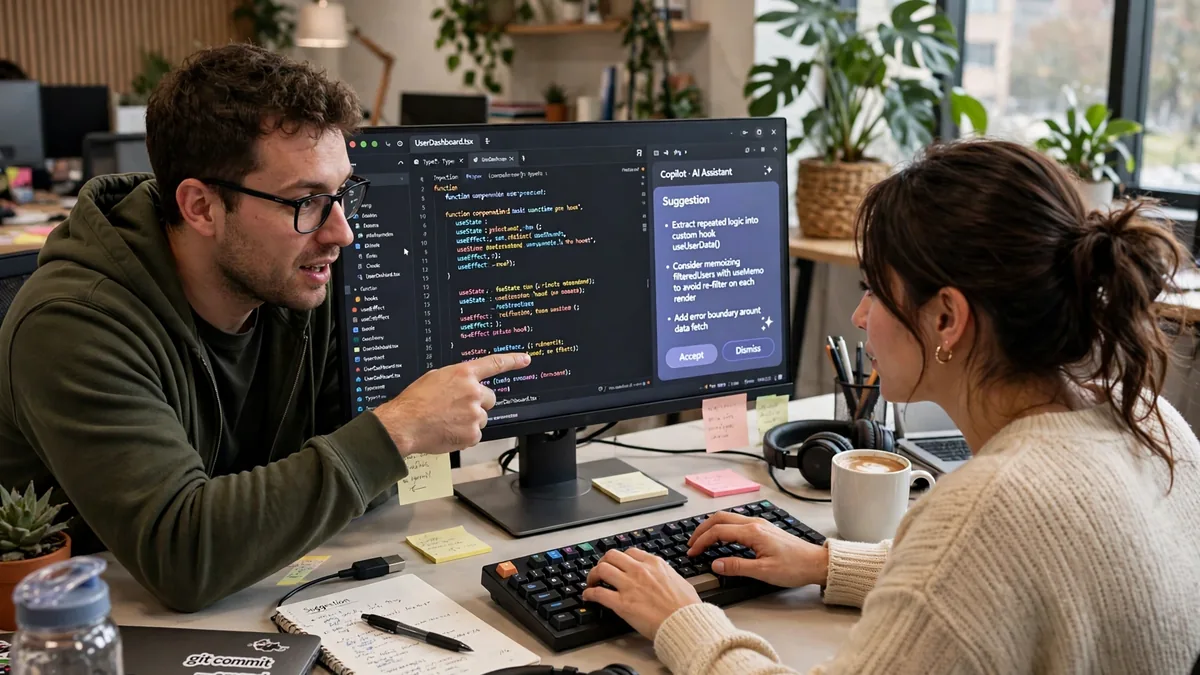
What Is AI Pair Programming?
Pair programming used to mean two developers, one keyboard, and a lot of discussion. One person typed while the other reviewed every line, and they swapped roles through the day. It was effective but expensive: it tied up two people on one task. AI pair programming keeps the shape of that idea and replaces the second person with software.
AI pair programming is a way of writing software in which an AI assistant works alongside a developer inside the code editor, suggesting code, catching mistakes, and explaining unfamiliar code. The developer stays in charge — deciding what to build and accepting or rejecting each suggestion — while the AI handles the repetitive parts.
The idea matters because it changes who can build software and how fast experienced developers work. A junior developer can tackle a task that used to need a senior colleague nearby, and a senior developer can move faster on routine code. But it also raises real questions about code quality, security, and skills when the machine writes half the code. This guide explains what it is, how it works, where it helps, and where it goes wrong.
Key takeaways
- AI pair programming pairs a human developer with an AI assistant inside the code editor, not a second human.
- The AI suggests code and catches likely errors — but the developer reviews and owns every line.
- It speeds up routine work most; it helps least on novel architecture.
- Accepted suggestions can carry security flaws, so review matters more, not less.
- The skill that matters most is judgement: knowing when to accept a suggestion and when to write the code yourself.
What AI pair programming means
Traditional pair programming has two roles: the driver, who writes the code, and the navigator, who reviews it and spots problems. AI pair programming keeps that split, with the AI as a tireless navigator. It watches what you type, reads the surrounding code, and offers the next lines or a fix for an error.
The key difference from older coding helpers is context. An autocomplete tool completes a word; an AI pair programming assistant reads the file, the project structure, and your comments, then suggests whole functions that fit the codebase. You can also talk to it: ask why a test is failing, ask it to explain legacy code, or ask it to draft a first version of a feature from a plain-language description.
It is not a separate program you open and close. It lives inside the editor, appears as suggestions while you type, and answers in a side panel when you ask a question. The workflow feels like coding with a knowledgeable colleague looking over your shoulder — one who never gets tired and is sometimes confidently wrong.
How AI pair programming works
Under the hood, these assistants are large language models trained on huge amounts of public code and documentation. When you type, the tool sends the surrounding code to the model, which predicts the most likely useful continuation. The suggestion appears as greyed-out text you can accept with a keystroke, edit, or ignore.
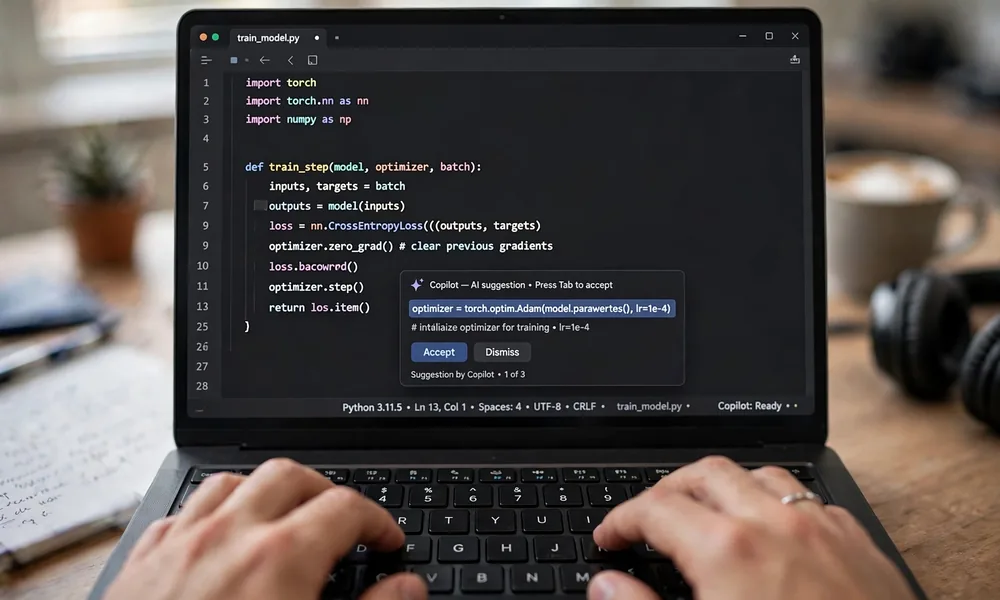
The assistant can do more than complete lines. Given a comment such as “sort users by last login and return the ten most recent”, it can draft the function. Given an error message, it can suggest a cause and a fix. This range of abilities comes from the same foundation as other generative AI: our guide to what generative AI is explains the technology behind it.
What the AI does not do is understand your project the way you do. It has no real grasp of your business rules, your users, or why a particular design was chosen. It predicts plausible code, and plausible is not the same as correct. That gap is why the human stays in the loop: every suggestion needs a check against what the code is supposed to do.
The main types of AI pair programming tools
Most tools fall into three groups. Inline completion assistants live in the editor and suggest code as you type. Chat-based assistants sit in a side panel and answer questions, explain code, and draft larger pieces on request. Agent-style tools take on multi-step tasks: given a description, they edit several files, run the tests, and report back.
Inline completion is the most common and the least disruptive: it speeds up typing, fills in boilerplate, and reminds you of exact syntax. Chat assistants are better when you are stuck or learning a new codebase, because you can ask open questions. Agent tools are the newest and the most powerful — and the riskiest, because they change more code between human checks. Our roundup of the best AI tools for developers in 2027 compares the leading options across these groups.
What AI pair programming does well
The clearest win is speed on routine work. Boilerplate, repetitive patterns, and test scaffolding take far less typing when the AI drafts the first version, and the gain is largest on code developers have written many times before.
The second win is learning. A junior developer can ask the assistant to explain a function or show the idiomatic way to do something in a language they are still learning — without waiting for a colleague to become free. It also helps experienced developers in an unfamiliar language.
There is a third, quieter benefit: fewer interruptions. Small questions that used to mean tapping a colleague on the shoulder — the exact name of a function, the syntax for a query — get answered inside the editor. That keeps developers in flow longer, and frees senior colleagues for the questions that genuinely need human judgement.
Where AI pair programming goes wrong
The biggest risk is also the most ordinary: the AI suggests code that looks right and is wrong. It can invent functions that do not exist or write code that works for the common case and fails on edge cases. A developer who accepts suggestions without reading them will ship bugs a careful review would have caught.
Security is the sharper worry. AI-generated code has been found to contain known vulnerable patterns, such as unsanitised inputs or weak cryptography. It can also suggest code under licences that do not fit a commercial project. Teams need a review step that treats AI-written code like any untrusted input — and a policy on what may be sent to a cloud service.
There is a longer-term concern too: skills. Developers who lean on the assistant for everything may stop building the deep understanding that lets them debug the hard problems. The assistant is excellent at the familiar and unreliable at the novel. The developers who benefit most are the ones who could write the code themselves and use the AI to write it faster — not the ones who cannot tell good output from bad.
AI pair programming vs traditional pair programming
The two approaches share a shape — one person writing, another voice reviewing — but they differ in almost every other respect. A human partner knows the project, the users, and the trade-offs, and can challenge a design decision. An AI partner brings speed and patience, but no real understanding and no accountability. Cost is the other side of the trade: a human pair costs a second developer’s time, while an AI pair costs a subscription. The honest answer for most teams is not either-or: use the AI for the bulk of the work and keep human pairing for the hard parts — architecture decisions, tricky bugs, and code that carries real risk.
| Detail | AI pair programming | Traditional pair programming |
|---|---|---|
| Partner | AI assistant in the editor | Second human developer |
| Availability | Always, at any hour | Limited by schedules |
| Cost | Subscription per seat | A second developer’s time |
| Understanding | Predicts plausible code | Understands the project and users |
| Best for | Routine code, boilerplate, learning | Architecture, tricky bugs, design debates |
| Main risk | Confident, plausible errors | Cost, and two people pulled from other work |
| Review needed | Every suggestion, every time | Built into the pairing itself |
Real-world uses in 2027
In practice, teams use it in a handful of proven ways. Writing tests is one of the most popular: the AI drafts test cases and the developer checks the coverage. Refactoring is another — renaming, extracting functions, and modernising old code are repetitive jobs the AI handles well under supervision. Onboarding has changed too: a new hire can ask the assistant to explain the codebase section by section.
The line between pair programming and generating whole features has blurred. Some developers now describe what they want in plain language and let the assistant draft it, then review the result — a style often called vibe coding. It works for prototypes and small features, but the developer must read everything the AI produces, because the person who ships the code owns the bugs in it.
How to choose an AI pair programming setup
Choosing a setup is less about the brand and more about fit: your language, your editor, your privacy rules, and how much autonomy you give the tool.
- Does it work inside the editor your team already uses, without changing the workflow?
- Does it support the languages and frameworks your team actually writes in?
- How is your code handled — is it processed in the cloud, and can it be excluded from training?
- Can you limit the tool to suggestions, or does it edit files on its own?
- Can you trial it on a real task with one or two developers before rolling it out?
- Does the total cost per seat fit your actual usage, not just the headline price?
Start with one or two developers on real work for a fortnight, and judge it by the code review: fewer trivial comments, no new classes of bug, and developers who say they are faster without feeling less in control. If the review burden grows, tighten the tool to suggestions only and try again.
Frequently asked questions
Is AI pair programming the same as using an AI code generator?
They overlap, but pair programming is the wider workflow: the AI assists continuously inside the editor as you work, rather than generating a finished block from a single prompt.
Can AI pair programming replace a junior developer?
No. It makes developers faster, but someone still has to decide what to build and judge whether the output is correct.
Is code written with an AI assistant safe to use?
It can be, with review. Treat AI-written code like any code from an untrusted source: review it, test it, and check it for security flaws and licensing problems.
Which languages work best with AI pair programming?
Popular languages with large public codebases — Python, JavaScript, TypeScript, Java, and Go — get the strongest suggestions. Niche languages get weaker, less reliable help.
Does AI pair programming send my code to the cloud?
Most tools do, though business plans often add privacy controls and promises not to train on your code. Check the terms before using any assistant on proprietary work.
Will AI pair programming make developers worse at coding?
It can, if developers accept suggestions without reading them. Used well, it has the opposite effect: developers see idiomatic patterns and learn new libraries faster.
The bottom line
AI pair programming is pair programming with the second chair filled by software: fast, patient, always available, and sometimes confidently wrong. It earns its place by speeding up routine work and helping developers learn — but it does not understand your project, and it cannot take responsibility for the code it suggests. That job stays with the developer.
The teams getting the most from it treat the AI as a keen junior colleague: useful, quick, and worth checking. Set it to suggestions first, review everything, and keep human pairing for the hard decisions. Done that way, it is one of the most practical uses of AI in software in 2027.