
What Is a Digital Twin for Small Business?
A digital twin is a live digital copy of a real thing, process, or place that a small business can watch, test, and improve on a screen. It might copy a single machine, a whole shop floor, a delivery route, or the flow of customers through a store. The copy is fed with real data from sensors, sales records, or staff input, so when something changes in the real world, the copy changes too. That live link is what separates a digital twin from a simple 3D model or a static diagram.
For a small business, the idea sounds large, but the practice can be small. A bakery does not need a twin of an entire factory. It might need a twin of one oven, tracking temperature and energy use, so the owner can see when it runs hot or wastes power. A small warehouse might twin its shelving layout, testing where to place fast moving stock before anyone moves a single box. The twin is useful when it answers a real question, not when it looks impressive.
This guide explains what a digital twin is, how it works, the main types a small business might use, the benefits and the risks, and where it already helps in the real world. It also compares a digital twin with simpler tools, so a business owner can decide whether one is worth the effort, or whether a spreadsheet and a sensor would do the same job for less money.
Key takeaways
- A digital twin is a live digital copy of a real machine, process, or place, updated with real data as conditions change.
- Small businesses should start with one clear problem, such as machine downtime, energy waste, or a confusing shop layout.
- A twin needs reliable data to be useful, so sensors, sales records, and regular checks matter more than the software itself.
- The main benefits are fewer surprises, faster testing of changes, and clearer decisions about repairs, stock, and space.
- Costs and complexity can grow quickly, so a small pilot with a clear success measure is the safest first step.
| Twin type | What it copies | Best for |
|---|---|---|
| Product twin | One item or machine, such as an oven or a pump | Spotting wear, heat, and failure early |
| Process twin | A workflow, such as order packing or deliveries | Finding delays and testing faster steps |
| Place twin | A shop, workshop, or warehouse layout | Planning space, shelving, and customer flow |
| System twin | Several linked parts, such as stock, sales, and delivery | Seeing how one change affects the whole business |
| Customer twin | How customers move and buy, in simple terms | Testing store layout and opening hours |
What a Digital Twin Really Means
A digital twin has three parts: the real thing, the digital copy, and the data flowing between them. The real thing might be a fridge in a small cafe, a delivery van, or a production line with three machines. The digital copy is a model of that thing on a computer, showing its current state in a form a person can read at a glance. The data link keeps the copy honest, updating it when the temperature rises, the van moves, or the machine slows down.
How a Digital Twin Works in Practice
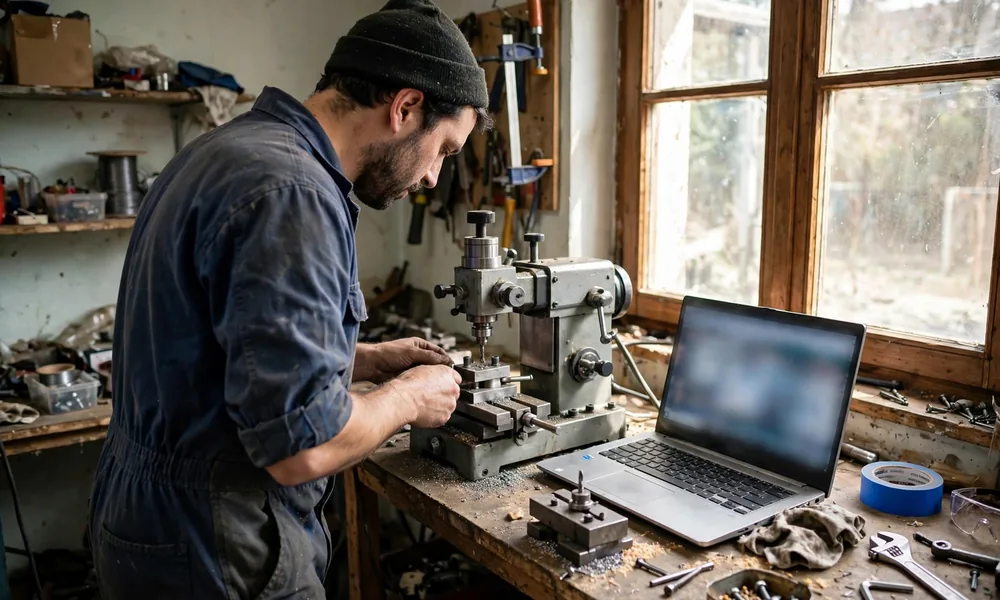
A twin starts with data. Sensors on a machine might report temperature, vibration, and power use. A point of sale system might report what sold, when, and in what quantity. Staff might enter delivery times or stock counts by hand. The twin brings these feeds together into one view, so the owner sees the current state without walking the floor or opening five different apps.
Next, the twin compares the current state with what is normal. If a machine usually runs at a steady temperature and suddenly runs hot, the twin flags it. If a delivery route usually takes 40 minutes and today it takes 70, the twin shows the delay and the reason, such as a road closure or a late loading time. The owner can then act early, before a small problem becomes a lost day of work.
Costs vary widely, so treat every figure here as an approximate starting price and check current pricing before choosing a tool. Simple sensor kits for one machine can start from about 100 dollars, while cloud twin platforms often start from about 50 to 200 dollars per month for a small setup. Larger setups with many sensors and custom models can cost far more, which is why a small pilot is the sensible first step.
Types and Variants a Small Business Might Use
A product twin copies a single item. A coffee shop might twin its espresso machine, tracking shots pulled, water temperature, and cleaning cycles. When the data shows the machine needs service, the owner books it before a busy weekend rather than during one. A product twin is the easiest type to start with, because it has one clear subject and a small number of data feeds.
A place twin copies a physical space. A retailer might twin the shop floor, using sales data and simple footfall counts to see which areas customers visit and which they ignore. The owner can test moving a display in the model before moving it in the shop. A warehouse might twin its racking, testing where to store fast moving items so pickers walk less. Place twins are useful for any business where space is tight and every metre matters.
Benefits and Risks for a Small Business
The clearest benefit is earlier warning. A machine that is about to fail usually gives signs first, such as heat, vibration, or falling output. A twin that watches those signs can warn the owner days before a breakdown. That warning can be the difference between a planned repair on a quiet afternoon and an emergency repair on the busiest day of the month.
The risks are real too. Bad data makes a bad twin, and a twin built on wrong sensor readings or out of date sales figures will give confident but wrong advice. Security is another risk, because a twin connected to the internet can become a way into the business network if it is not protected. Cost is a third risk, because a twin that grows without a clear purpose can eat time and money without returning value. Each risk can be managed with a small pilot, clean data, and a clear rule about what the twin is for and what it is not for. The manufacturing view adds useful context, and our explainer on what a digital twin for manufacturing is shows how the same idea works at factory scale.
Real-World Uses in Small Businesses
Delivery and service businesses use twins to plan routes and schedules. A twin that models delivery stops, traffic, and loading times can test a new route before the driver tries it. The business saves fuel, the driver saves time, and customers get more accurate arrival times. The same idea works for cleaning, repair, and installation businesses that send staff out each day. Connected devices sit at the heart of many twins, and our guide to the best web hosting for IoT in 2027 covers the hosting side of connected equipment.
A small gym can twin its class schedule and equipment use, tracking which machines sit idle and which classes fill up. The owner can test moving a popular class to a larger room in the model, then check whether attendance rises before changing the real timetable. The same approach works for a salon, a studio, or any business where space and timing shape the customer experience each day.
Digital Twin vs Simpler Tools
Many small businesses end up with a mix. They use simple tools for simple questions and a twin for the one or two questions that matter most. A bakery might use a spreadsheet for sales, a sensor alert for the fridge, and a twin for the oven that drives most of its output. That mix is sensible, and it keeps costs low while still getting the benefit where it counts. Supply chain twins show the same logic at a larger scale, and our roundup of the best AI tools for supply chain optimisation in 2027 covers tools that pair well with a twin.
Frequently Asked Questions
How much does a digital twin cost a small business?
A small pilot can start from about 100 dollars for a sensor kit, plus about 50 to 200 dollars per month for a cloud platform. Larger setups with many sensors, custom models, and integration work can cost far more. Treat these figures as approximate starting prices and check current pricing before choosing, because costs depend heavily on how many things are twinned.
Do I need sensors to build a digital twin?
Not always. Some twins run on data the business already has, such as sales records, delivery logs, and staff input. Sensors help when the twin needs live readings from a machine or a room, such as temperature or vibration. A twin built only from existing records is a good low cost way to start.
Is a digital twin the same as a 3D model?
No. A 3D model is a static copy of how something looks. A digital twin is a live copy that updates with real data and can be used to test changes. A 3D model can be part of a twin, but on its own it does not show the current state or warn of problems.
How long does it take to build a small twin?
A simple pilot for one machine or one process can take a few days to a few weeks, depending on the data available. A twin that needs new sensors, clean data, and custom modelling takes longer. Start with the smallest version that answers one question, then expand it only when that version proves useful.
Can a digital twin help a business with no machines?
Yes. A service business can twin its booking and delivery process, and a retailer can twin its shop layout and stock flow. The twin copies a process or a place rather than a machine, and the same ideas apply: live data, early warning, and safe testing of changes.
What is the biggest mistake when starting a digital twin?
The biggest mistake is trying to twin everything at once. A twin of the whole business needs data from everywhere, and that data is rarely clean on the first try. Start with one machine, one process, or one room, prove the value there, and only then add more.
The Bottom Line
A digital twin for small business is a live digital copy of one real thing, process, or place, kept honest by real data. It helps a business spot problems early, test changes safely, and make decisions from shared facts rather than guesswork. It is not magic, and it is not right for every question, but for the one or two problems that cost the most time or money, it can pay for itself quickly.
The sensible path is a small pilot with a clear question, clean data, and a simple measure of success. If the pilot saves a breakdown, a wasted delivery, or a week of bad layout, it has earned its place. If it does not, the business has learned cheaply and can try a simpler tool instead. Start small, measure honestly, and let the results decide.