
A private message or online payment can cross several devices and networks before it reaches its destination. Encryption helps keep sensitive data unreadable to people without permission while it is stored or sent. That matters for your privacy, your work, and the online information you share every day.
Encryption cannot stop every attack or prevent someone from misusing information they can already see. It is one part of cybersecurity, alongside strong passwords, careful access rules, and safe devices. This guide explains what encryption protects and how to make sensible choices about keys and recovery. Good protection depends on who can unlock the data.
Key Takeaways
- Encryption turns readable information into coded data that needs a key.
- Data can need protection while stored, sent, or in use.
- Symmetric encryption uses one shared key; asymmetric encryption uses a pair.
- Encryption protects privacy, but does not block every threat.
- Keep recovery options safe, since a lost key can block access.
The important question is not only whether information is scrambled, but who can unlock it.
What Is Encryption and Why Is It Important? A Plain-English Answer
Encryption changes readable information into a form that cannot be understood without the right key. Plaintext is the original, readable form of information before it is encrypted. The scrambled output is called ciphertext, and the change helps protect data from people without permission.
Encryption protects the contents, while access permissions control who may open a file. Those protections solve different problems: a login may block a person from opening a document, while encryption can keep its contents unreadable if someone gets past that login. This gives businesses and individuals another layer of data security.

Encryption protects information, not every part of a system
Encryption supports security, but it does not make every device or system safe. An authorized person can still copy or misuse information they are allowed to read. Malware can also capture data after an app opens it, even when the stored file was encrypted.
Cybersecurity needs more than coded data. Access permissions, updates, backups, and careful account use help protect the system around it. A company that encrypts a database still needs rules about which staff can view customer records.
Encryption can keep a file unreadable to an intruder, but it cannot stop an authorized reader from misusing its contents.
The same difference matters for personal files. A locked screen may control who can use a device, while encryption protects stored information if someone removes its drive.
A short history of secret messages
The Caesar cipher is an early example of a simple code. It replaces each letter with another letter a fixed number of places away in the alphabet. Julius Caesar is associated with this method, which could hide a basic message from a casual reader.
Modern cryptography does much more than shift letters. It uses mathematical algorithms and digital keys to protect files and messages. Claude Shannon, known as the father of information theory, made foundational contributions to symmetric-key cryptography.
A protected file still depends on its key. A file can remain unreadable to an intruder even after that person gets past a login screen, provided its key stays protected.
How Does the Encryption Process Turn Data Into Ciphertext?
A photo becomes ciphertext when an algorithm transforms its readable file using an encryption key. This is the basic model for how encryption works: an algorithm and a key change plaintext into coded data. The right key allows an authorized user to reverse the change.
Encryption changes plaintext into ciphertext; decryption uses the corresponding key to restore readable plaintext. The process can protect a file before it is saved or a message before it travels. These steps describe the basic path:

- Identify the information you want to protect, such as a photo or account record.
- Apply a cryptographic algorithm with an encryption key to create ciphertext.
- Store the ciphertext on a device or send it across a network.
- Use the correct decryption key to recover the original plaintext.
From readable information to coded data
An algorithm is a set of rules that carries out the transformation. The encryption key supplies a value that the algorithm uses, so the same algorithm can support many separate keys. A sound algorithm matters more than a complicated-looking string of symbols.
Longer keys can make guessing harder, but length alone does not guarantee protection. A weak algorithm or careless key handling can undo the benefit of a long key. Storing a key beside the file it unlocks is a common mistake, since one theft may expose both.
Encryption methods also vary in how they use keys, though the basic input and output remain the same. A person or app with the correct key can decrypt the data; someone without it should see only ciphertext.
How the right key reverses the process
Decryption is the reverse operation: it uses a matching or corresponding key to turn ciphertext back into plaintext. The app may handle this step in the background, so you see a normal photo or message rather than coded data.
Keys must match the method used to encrypt the information. A damaged file, wrong key, or unsupported app can prevent successful decryption even when no attacker is involved. Keep the distinction clear: ciphertext is the protected output, while the key makes it readable again.
If an attacker obtains both the ciphertext and its key, encryption alone cannot keep that information secret.
What Are the Main Types of Encryption?
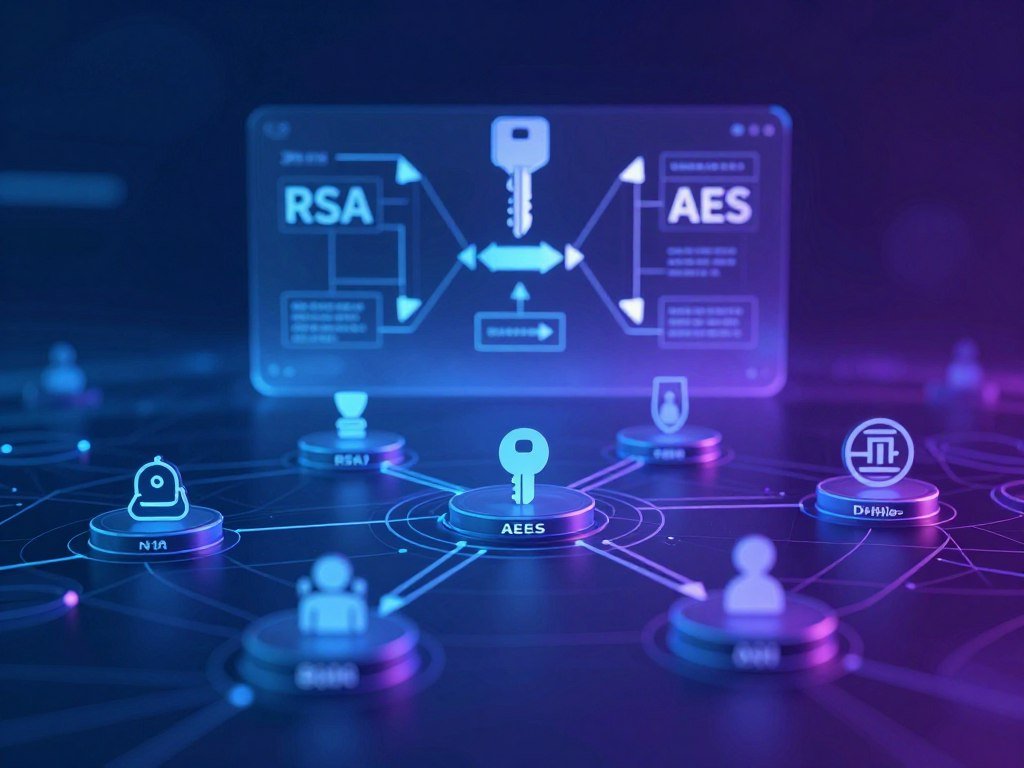
AES is a familiar example of symmetric encryption, while RSA illustrates asymmetric cryptography. The key arrangement is the main difference: one method uses a shared key, while another uses a public and private key pair. Systems often combine both approaches.
Symmetric encryption handles large amounts of data efficiently; asymmetric encryption helps establish secure exchanges. AES is a symmetric block cipher that processes information in 128-bit blocks. AES-128, AES-192, and AES-256 name its key lengths in bits.
| Method | Key arrangement | Practical strength | Common role |
|---|---|---|---|
| Symmetric encryption | One shared key | Fast for bulk data | Encrypt files or data streams |
| Asymmetric encryption | Public key and private key | Supports secure exchanges | Establish connections or sign data |
| Hybrid encryption | Public-private pair plus shared key | Combines both methods | Secure a connection, then protect bulk data |
Symmetric encryption uses one shared key
With symmetric encryption, the sender and recipient use the same shared key to encrypt and decrypt data. This method works well when a system needs to protect large files or steady streams of information. Both parties need a safe way to get that key.
The Advanced Encryption Standard, or AES, is a widely used encryption standard. FIPS 197 specifies AES-128, AES-192, and AES-256, and each uses 128-bit data blocks. NIST’s AES standard applies to federal information systems, including agency systems and systems run on an agency’s behalf; other organizations may adopt it too.
Asymmetric encryption uses a public and private key
Asymmetric encryption uses two linked keys. A public key can be shared, while the private key stays secret. RSA and ECC are examples of this approach, which can help systems establish a secure exchange without first sharing one secret key.
Public-key encryption and digital signatures are related cryptographic uses, but they do different jobs. Encryption helps keep information secret; a signature can help verify who signed a message and whether it changed. Hybrid systems use asymmetric methods to set up a connection, then symmetric encryption for larger amounts of data.
Keep the private key secret, because anyone who obtains it may be able to unlock information meant for its owner.
Where Does Encryption Protect Data?
A stored file, a browser connection, and an app actively using a record are three different protection situations. Data can be protected at rest, in transit, and while being processed. Coverage in one state does not automatically protect the others.
Check each stage where sensitive information is stored, sent, or opened. A drive may protect a file at rest, but the file can be exposed after an app opens it. HTTPS uses TLS, a security protocol, to protect browser traffic between your device and a website.
| Data state | What is happening | Familiar example | Remaining exposure |
|---|---|---|---|
| At rest | Information is saved | Encrypted laptop drive | Open files may be visible to an app |
| In transit | Information moves between systems | HTTPS browser session | A compromised device can expose data |
| Being processed | An app reads or changes information | Bank app checks a record | Malware or misuse may capture it |
Protection for stored, moving, and processed data
Data encryption for stored files can cover a whole drive, a folder, or one document. The right choice depends on the device and the kind of information. Encrypted backups can also help protect copies kept away from your main device.
For data in transit, HTTPS protects browser traffic using TLS. A virtual private network, or VPN, encrypts network traffic between your device and the VPN service. A VPN can add privacy on a network, but it does not make you anonymous or guarantee complete protection.
When comparing free VPN alternatives, consider the provider’s privacy terms, data limits, and app features. A free app may collect or expose identifiable data, so check who runs it before installing.
What encryption cannot hide from an endpoint
An endpoint is a device or app at either end of a connection. If malware controls your laptop, the attacker may see information after you unlock it or before an app encrypts it. The same risk applies when a trusted user can view a record.
Encryption uses do not replace safe device habits or access rules. CISA advises government groups to encrypt devices, documents, and backups as part of data security. Its guidance on encrypting government data also stresses protecting stored and moving information.
Check that sensitive information is protected both where it is stored and while it travels between systems.
How Do You Encounter Encryption in Everyday Life?
A bank transaction or private message can rely on encryption without requiring you to manage its algorithm yourself. Many devices and online services handle the technical work in the background. That convenience does not mean every service offers the same privacy.
Look at what each service protects, not just whether it says “encrypted.” A bank, shopping site, messaging app, and VPN may protect different parts of your information. Their account rules and data practices also differ.
Messages and payments
Online banking and shopping sites commonly use HTTPS to protect browser traffic through TLS. That helps keep data from being read as it moves between your browser and the site. It does not prove the site is honest or that a payment request is real.
End-to-end encryption, or E2EE, protects a message so that only the sender’s and recipient’s devices hold the keys to read it. Relay servers carry the message but cannot read its contents. Signal is a messaging app that uses E2EE, though that example does not mean every feature or setting in every app works alike.
An HTTPS indicator only shows that a connection is protected. Scammers can use protected connections too, so check the site name and the reason for a payment before sharing information.
Devices and online accounts
Many modern phones and computers encrypt device storage. This can help protect files if someone steals a locked device. Your cloud account has separate settings, since device encryption does not automatically control what a provider can access.
A VPN encrypts network traffic between your device and its service, which can help protect traffic on public Wi-Fi. The VPN provider may still see some connection details. Review its privacy terms and data limits rather than treating every VPN as the same tool.
Everyday encryption uses are usually built into apps, devices, or account services. A password manager may protect saved credentials, while a cloud service may hold its own encryption keys. Know which service controls the keys before placing highly sensitive information there.
Treat a secure connection as one protection layer, not proof that the person or website on the other end is legitimate.
What Can Encryption Protect, and What Can It Not Do?
Encryption can keep a stolen file unreadable, but that alone does not prove the file is unchanged. Confidentiality means keeping information secret from people without permission. Integrity means detecting unwanted changes, while authentication helps check who sent or signed the data.
Encryption supports confidentiality; integrity and origin checks need added methods. Authenticated encryption can help with both secrecy and tamper detection. A hash-based method or digital signature can also help check whether information changed or came from the expected signer.
| Method | Main purpose | Reversible or verifiable | Key use |
|---|---|---|---|
| Encryption | Confidentiality | Reversible with the right key | Uses encryption and decryption keys |
| Hashing | Change detection | One-way check | Usually no key needed |
| Digital signatures | Verify signer and data | Verified with a public key | Private key signs; public key verifies |
Confidentiality is not the same as integrity
A hash function turns data into a fixed-size output designed to work in one direction. SHA-256 creates a 256-bit hash. Comparing hashes can reveal a change, but the hash does not let you recover the original message.
That is why hashing is not encryption. Encryption and decryption work as a pair, while a hash is meant to make a short fingerprint of the data. A digital signature uses a private key to sign and a public key to verify, helping confirm the signer and detect changes.
Organizations need to consider what happens if a record changes, not only if someone reads it. A changed medical record, payment detail, or backup can cause harm even when nobody else sees it.
Hashes and digital signatures have different jobs
Encryption does not stop every breach, prevent account misuse, or prove that a website is trustworthy. It also creates risks when attackers use it against an organization. In ransomware attacks, criminals encrypt an organization’s files and demand payment for a key.
Organizations can lower the impact by keeping separate backups and limiting who can reach important systems. Encryption remains useful for confidentiality, but it cannot replace recovery plans or checks for altered data.
Pair confidentiality controls with integrity checks when altered records would cause harm.
How Do You Keep Encryption Keys Safe?
A strong encryption method cannot rescue data if its only decryption key is lost. Key management covers who can use keys and how they are handled through their life cycle. Recovery matters as much as keeping a key away from strangers.
Keep keys protected, access limited, and recovery plans separate from the files they unlock. NIST SP 800-57 gives guidance for cryptographic key management, including key access and key-related tasks over time.
Key management for organizations
Organizations may use access controls to limit which staff or systems can use keys. Audit logs can record key access, helping teams review who used protected material. A written process should cover key creation, backup, review, rotation, and retirement.
NIST SP 800-57 guidance describes ways to protect keying material and manage key-related functions. The right controls depend on how sensitive the data is and who needs access.
- Restrict key access to people and systems that need it.
- Keep recovery material separate from the protected data.
- Use supported key-management tools rather than improvised storage.
- Review who can access keys and remove access that is no longer needed.
- Plan how keys will be backed up, rotated, and retired.
Practical habits for personal data
For personal data, use a layered approach: encrypt devices and backups, use strong account authentication, and limit access to sensitive files. Keep account recovery options current so a lost device or password does not leave you without a way back in.
Cloud storage services differ in who holds the keys. With zero-knowledge encryption, files are encrypted on your device before upload, so the provider cannot read them without the decryption key. A cloud storage comparison can help you assess key control and recovery choices.
Syncing is not the same as backup: a deletion may sync across devices, while a backup is meant to help restore data after loss or failure. Losing the only usable key can make encrypted data permanently inaccessible.
Test a recovery route before an emergency, while keeping recovery material away from the data it unlocks.
How Is Encryption Changing in the Quantum Era?
Quantum computing is a future concern for some public-key cryptography, not a reason to assume every encrypted file is already exposed. A sufficiently capable quantum computer could threaten some current public-key methods. That is not the same as saying today’s computers can break all encryption.
Post-quantum cryptography is designed to resist quantum attacks, but it is not quantum encryption. One concern is “store now, decrypt later”: an attacker may save encrypted data today and try to read it with stronger tools in the future.
Why quantum computing matters to current cryptography
Some public-key systems rely on math problems that are hard for ordinary computers to solve. A powerful quantum computer could change that for certain algorithms. This does not mean every encryption algorithm faces the same risk or that current devices can simply read protected files.
Organizations that hold sensitive records for many years may need to plan for a long transition. The expected lifetime of information matters, since private records can still be valuable long after they were first encrypted.
What post-quantum standards cover
NIST finalized three post-quantum cryptography standards in 2024. FIPS 203 covers general encryption and is based on ML-KEM, formerly called CRYSTALS-Kyber.
FIPS 204 uses ML-DSA, formerly CRYSTALS-Dilithium, for digital signatures. FIPS 205 uses SLH-DSA, formerly Sphincs+, also for digital signatures. These signature standards do not serve the same role as FIPS 203’s encryption method.
Post-quantum methods use algorithms designed to resist attacks from quantum computers, but they still need sound implementation and key handling. An encryption standard protects only when systems use it correctly.
Organizations should plan cryptographic updates around their systems and the expected lifetime of the information they protect.
How Do You Encrypt a Phone and Recover Your Data?
A phone may encrypt its local storage by default, while its cloud backup has separate protection and recovery choices. Check both before relying on a device for sensitive information. Recovery rules can change when you turn on stronger cloud privacy.
Stronger end-to-end protection can also mean the provider cannot restore your data if you lose every recovery method. Before changing settings, make sure you understand which data stays protected and how you can regain access.
- Confirm that the phone’s built-in encryption is active.
- Install supported updates for the phone and its apps.
- Review account recovery options before changing protection settings.
- Keep a separate copy of essential recovery information.
iPhone and iCloud protection choices
Standard iCloud data protection is the default. It encrypts data in transit and at rest, and always end-to-end encrypts 15 categories, including Health and iCloud Keychain passwords.
Advanced Data Protection raises the number of end-to-end encrypted iCloud categories from 15 to 25. These include iCloud Backup, Photos, and Notes. With this setting, trusted devices keep keys for most iCloud data, and Apple cannot recover that protected data.
Advanced Data Protection needs two-factor authentication, a device passcode or password, and supported software on every signed-in device. You must set up a recovery contact or recovery key before turning it on. The recovery key is a secret 28-character code used with a trusted phone number and an Apple device.
With Advanced Data Protection, iCloud.com access is off unless you turn web access back on and approve temporary access from a trusted device. iCloud Mail is not end-to-end encrypted. Apple’s native email clients support optional S/MIME message encryption.
Android device encryption
Android encryption depends on when a device launched. New Android devices launching with Android 10 or later must use file-based encryption. Devices launched with Android 9 or earlier can use full-disk encryption, and Android 13 removes support for full-disk encryption.
That version rule describes the device’s launch version, not simply the version installed today. Check your device’s security settings and supported updates to understand its protection. Account and cloud backup settings remain separate from local storage encryption.
With stronger end-to-end cloud protection, losing access to trusted devices and recovery methods can make protected data impossible to restore.
Before enabling an optional protection setting, verify that you can use its recovery method and accept its web-access limits.
Conclusion
Encryption is most useful when the protection and the way back into your data are planned together. It can keep information confidential when keys are handled well, but access controls and recovery plans still matter.
Choose a high-value account or device first. Check whether its stored data and backups are encrypted, then make sure its recovery route still works. One careful check can uncover a gap before you need the data in a hurry.
Pick one important account or device today and verify its encryption and recovery settings.
FAQ
What are the advantages and disadvantages of encryption?
Encryption can keep exposed data unreadable, but losing the key can block access. It helps protect privacy when devices or networks are exposed, yet it cannot stop every breach or prevent an authorized person from misusing information. Keep recovery options safe and limit who can read sensitive files. Encryption works best with access rules, secure devices, and reliable backups.
Who is the father of encryption?
No single person is universally recognized as the father of encryption. Claude Shannon is known as the father of information theory and made foundational contributions to symmetric-key cryptography. Earlier secret-message methods existed long before modern computing. Today, cryptography draws on many fields, including mathematics and computer science, so one title cannot describe its full history.
Is encryption legal?
Encryption is generally legal for ordinary personal and business use in the United States. Particular settings, such as regulated work or government systems, may have rules about how data must be protected. Export rules can also restrict some cryptographic products or software. If you handle sensitive data for an employer or agency, follow its policies and the laws that apply to that work.
What are three types of encryption?
Three common types are symmetric encryption, asymmetric encryption, and hybrid encryption. Symmetric encryption uses one shared key for encryption and decryption. Asymmetric encryption uses a public key and a private key. Hybrid encryption combines both: asymmetric methods can help establish a secure connection, while symmetric encryption protects larger amounts of data efficiently.
What is the strongest encryption today?
AES-256 is the longest-key variant in the AES family, but key length alone does not decide security. The algorithm must be implemented correctly, and the key must stay protected. The right level also depends on what you are protecting and for how long. A strong method can still fail if an attacker gets the key or controls the device.
How do I encrypt my data?
Use built-in device or drive encryption to protect files stored on your computer or phone. Choose communication tools that clearly explain how they protect messages, and use encrypted storage for sensitive files. Keep recovery keys in a safe place separate from the data they unlock. Check that backups are protected too, since a copy can expose the same information.
How do I access my encrypted data on my phone?
Unlock the phone or account with its authorized passcode, password, or other supported sign-in method. The device or app then uses its keys to make the information readable. If you lose access, recovery depends on the platform’s setup and the keys still available to you. Without a usable key or recovery method, encrypted data may not be recoverable.
How do I encrypt my cellphone?
Check your phone’s security settings and install supported updates. Modern iPhone and Android devices generally provide built-in encryption, though the exact method can depend on the device and its launch version. Cloud accounts and backups have separate protection settings, so check those too. Keep recovery information safe before changing an optional setting that limits what the provider can restore.



