Junior developers in 2027 are starting their careers in a workplace that looks very different from the one their predecessors entered. An AI coding assistant now sits inside the editor, finishing lines, suggesting whole functions, and answering questions that once took a senior colleague twenty minutes to explain. For a new developer, that help is immediate, constant, and easy to lean on.
The change is not a future prediction. Tools such as GitHub Copilot, Cursor, and other AI assistants are already part of daily work in many teams, and hiring managers report that candidates now arrive expecting them to be available. Surveys in 2025 and 2026 showed rapid adoption, with junior staff among the heaviest users, because the tools remove the friction that slows beginners down: unfamiliar syntax and boilerplate code.
That speed comes with a trade-off that the industry is only starting to measure. When an assistant writes the code, the junior developer may ship faster while learning slower. This article looks at what is actually changing for junior roles, which skills are gaining value, which are fading, and how new developers can use AI without letting it hollow out their careers.
Key takeaways
- AI coding assistants are now standard tools for junior developers, not optional extras, in most software teams.
- They speed up routine coding, but they can also hide gaps in understanding if their output is accepted without review.
- Debugging, reading code, and explaining decisions are becoming more valuable than typing code from scratch.
- Employers are shifting junior interviews toward problem-solving and code review rather than memorised syntax.
- Junior developers who learn to direct, check, and test AI output will progress faster than those who simply accept it.
What has actually changed for junior developers
The first change is the shape of a working day. A junior developer once spent a large share of the day writing straightforward code, searching documentation, and asking colleagues for help with errors. An AI assistant now handles much of that routine work in seconds. The junior developer’s day has shifted toward describing a problem clearly, choosing between suggestions, and checking whether the result actually works.
The second change is the speed of output. A beginner can now produce a working feature far earlier than before, sometimes in the first week of a job. That looks like progress, and in one sense it is: the team ships sooner, and the junior developer feels useful sooner. The risk is that the output belongs more to the tool than to the person, and the person cannot explain, fix, or extend it when the assistant is wrong.
The third change is in hiring. Recruiters and engineering managers say they are seeing fewer roles that ask a junior developer to write simple code all day, because that work is increasingly automated. Instead, teams want juniors who can test code, read an unfamiliar codebase, spot a security problem, and ask good questions. The job has not disappeared, but the entry point has moved, and the developers who notice that shift early have an advantage.
None of this means junior developers are obsolete. Every senior developer started by writing simple code badly, and that practice built the judgement they now rely on. The question for 2027 is whether AI assistants can shorten that learning path without removing the learning itself.
Why AI assistants matter so much at the start of a career
AI assistants matter most to beginners because beginners face the steepest learning curve. A new developer must learn a language, a framework, a codebase, a testing setup, and a team’s unwritten rules at the same time. An assistant that explains an error message in plain language, or shows how a library is normally used, can turn a day of frustration into an hour of progress. That is a real benefit, and dismissing it would be dishonest.
The tools also change how juniors learn to ask questions. Instead of waiting for a senior colleague to become free, a junior can ask the assistant first, try its answer, and then bring a sharper question to a human. The assistant becomes a first draft, and the human conversation becomes the place where real understanding is checked.
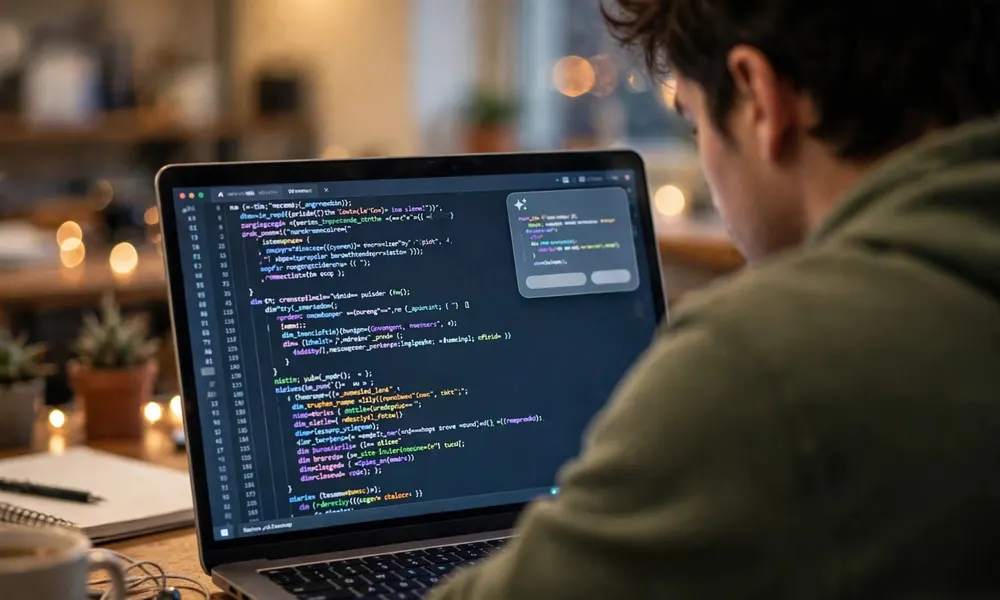
There is also a confidence effect. Shipping a first feature matters to a new developer, and AI help makes that first win arrive sooner. Managers notice the difference in morale, and some teams deliberately pair new starters with an assistant so they can contribute while they learn. The danger begins when that confidence is built on code the developer has never really read. A feature that works in a demo can still fail in production, and the person who shipped it is the person who has to explain why.
The wider industry is adapting around this. Training courses now teach prompt writing and code review alongside syntax, and AI tools for code generation are reviewed as productivity tools rather than novelties. Engineering teams are rewriting their onboarding guides to say explicitly when AI use is expected, when it is discouraged, and how its output should be tested. That clarity helps juniors far more than either a ban or a free-for-all.
The human context: learning, mentoring, and the junior trap
Learning to program has always involved struggle. A beginner writes code, it breaks, they work out why, and the lesson sticks because it cost them effort. AI assistants remove much of that friction, which is pleasant, and also risky. A junior who accepts every suggestion may look productive for months, then stall when asked to design something the assistant cannot simply generate.
Mentoring is changing too. Senior developers used to spend time explaining syntax and small errors. Now they spend more time reviewing AI-assisted code and asking the junior to justify it. That is a harder conversation, and a more useful one, because it tests understanding rather than memory. The best teams treat code review as teaching time, and they expect juniors to arrive at a review able to explain every line, including the lines the assistant wrote.
There is also a quiet pressure that juniors feel but rarely name. When everyone on a team uses an assistant, working without one can feel slow, and asking for help can feel like admitting failure. Some juniors hide their confusion behind fast output, and some managers mistake that output for competence. The teams that handle this well make it normal to say that a suggestion was confusing, or that a piece of code is not understood yet.
The career path is widening rather than narrowing. Juniors who focus on testing, security, and systems thinking are finding new routes forward, and AI tools for engineering teams are reshaping how whole teams divide work, not just how individuals type. The junior trap is not that AI will take the job, but that a junior will spend two years producing code they cannot explain, and then discover that the next step up requires exactly the understanding they skipped.
The caveats that matter
AI coding assistants are useful, but their limits are well documented. They can invent library functions that do not exist, suggest code with security flaws, and reproduce outdated patterns from old training data. They are confident even when they are wrong, which is a dangerous combination for a beginner who cannot yet tell the difference. Every suggestion needs to be read, tested, and understood before it is committed.
| Detail | What is known |
|---|---|
| Main benefit | Faster routine coding and quicker answers for beginners |
| Main risk | Shipping code the developer cannot explain or fix |
| Skill gaining value | Debugging, code review, testing, and system design |
| Skill losing value | Memorised syntax and writing boilerplate from scratch |
| Known weakness | Invented functions, outdated patterns, and security flaws |
| Hiring shift | Interviews now test problem-solving more than recall |
| Best habit | Read, test, and explain every AI suggestion before use |
| Worst habit | Accepting suggestions without reading or testing them |
Privacy and licensing add further caveats. Code sent to a cloud assistant may leave the company, which matters for teams working with sensitive data, and AI output can resemble existing code closely enough to raise licensing questions. Teams should check their employer’s policy before pasting proprietary code into any assistant. Good testing habits help here as well, and many teams now pair AI coding with AI tools for unit testing so that generated code is checked automatically before it reaches review.
Checklist: using AI assistants without harming your career
- Read every AI suggestion line by line before accepting it, and delete anything you cannot explain.
- Write a test for AI-generated code before trusting it in a real feature.
- Ask the assistant to explain its answer, not just to produce code.
- Keep practising core skills without AI, including debugging and writing small functions by hand.
- Bring confusing suggestions to code review, and be honest about what you do not yet understand.
- Learn the system around the code: testing, security, version control, and how the product actually works.
Frequently asked questions
Will AI coding assistants replace junior developers?
No, not in the near term. They replace some routine coding, but teams still need juniors who can test, debug, learn a codebase, and grow into senior roles. The job is changing shape rather than disappearing, and juniors who build understanding alongside speed are still in demand.
Should a junior developer use an AI coding assistant every day?
Yes, in most teams, because the tools are now part of normal work. The key is how they are used. A junior should treat the assistant as a helper to check and learn from, not as a replacement for thinking, and should regularly practise without it.
What skills should junior developers focus on in 2027?
Debugging, reading unfamiliar code, writing tests, explaining decisions, and understanding systems matter most. Syntax and boilerplate matter less than they used to, while security awareness and clear communication matter more.
Do employers still value coding ability in interviews?
Yes, but interviews are changing. Many now focus on problem-solving, code review, and explaining trade-offs rather than memorised syntax. Candidates who can talk through a problem and spot flaws in sample code do better than those who simply type quickly.
Can AI-generated code be trusted?
Not without checking. AI assistants can produce code that looks correct but contains bugs, security flaws, or invented functions. Every suggestion should be read, tested, and reviewed, just as code written by a colleague would be.
How can a junior developer stand out when everyone uses AI?
By showing understanding. A junior who can explain why code works, find its weaknesses, test it properly, and communicate clearly will stand out from one who only produces fast output. Curiosity and reliability are harder to automate than typing.
The bottom line
AI coding assistants are changing junior developer jobs by moving the value of the role away from typing code and toward understanding it. The developers who thrive will be the ones who use the tools to learn faster, not to think less. They will read suggestions carefully, test everything, ask better questions, and build the judgement that no assistant can supply on their behalf.
For teams, the task is to mentor differently: review AI-assisted code as a teaching moment, set clear rules about when AI help is welcome, and judge juniors on understanding rather than speed alone. For juniors, the task is simpler and harder at once: accept the help, but keep learning. The career that follows will belong to the developers who did both.
Note: This article describes general trends in software work and is not career advice for any individual. Hiring practices, tools, and team policies vary widely, so check your employer’s guidance and keep building the fundamentals alongside any AI tool.