What happens when a game asks you to press three buttons at once, and your hands simply can’t do it? For millions of players with limited mobility, that question used to mean giving up on a hobby they loved. Not anymore. Two first-party accessibility controllers now sit on store shelves, and they take wildly different approaches to the same problem. The Xbox Adaptive Controller (often shortened to XAC) launched in September 2018 at $99.99. Sony’s answer, the PlayStation Access Controller, arrived on December 6, 2023, at $89.99 in the US. If you’re weighing the Xbox Adaptive Controller vs PS Access Controller in 2026, the decision comes down to less obvious factors than price. It’s about your console, your body, and how much gear you already own. This guide breaks down the real differences so you can pick with confidence.
The Core Difference: A Hub vs a Self-Contained Controller
The single most important thing to understand is that these two devices are not the same kind of product.
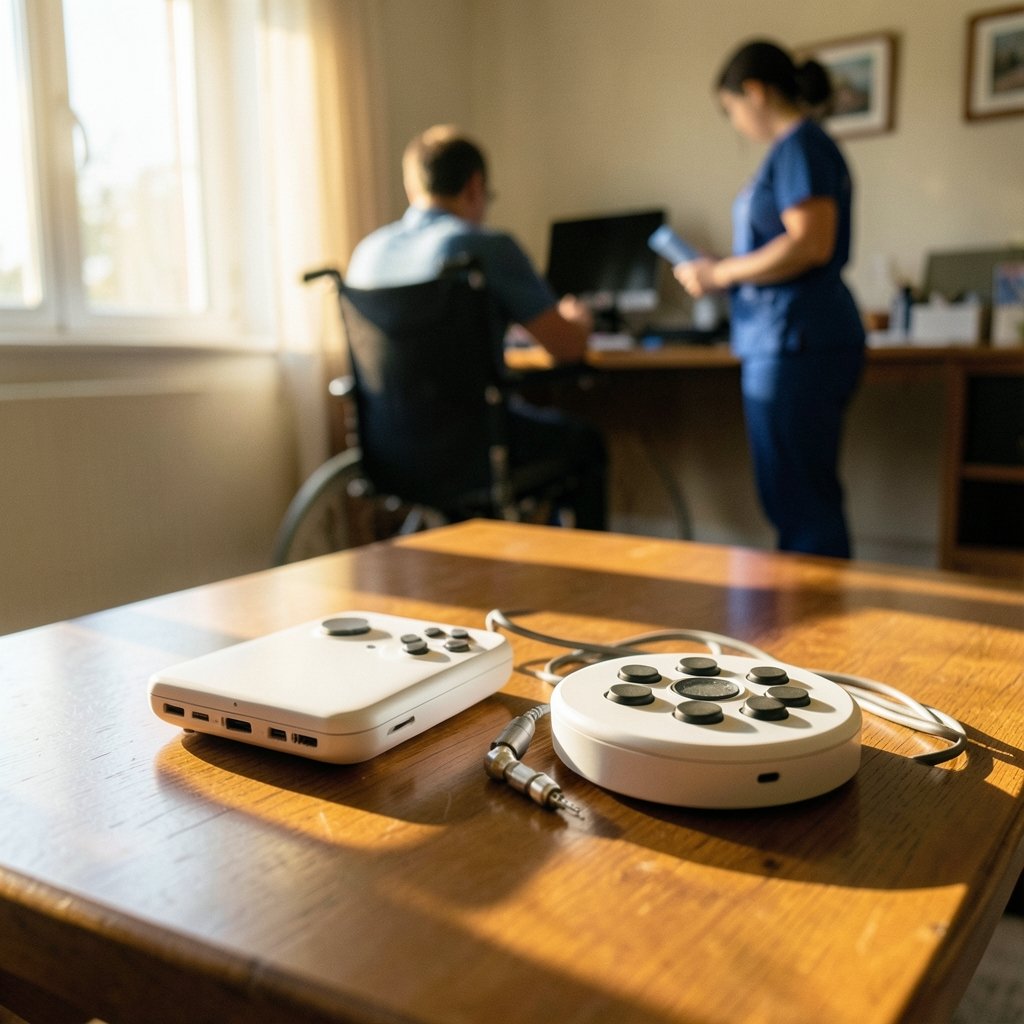
The Xbox Adaptive Controller is a hub. Out of the box, it’s a flat, rectangular board with two large programmable buttons and a ring of 19 3.5mm jacks. Those jacks let you plug in third-party switches, joysticks, sip-and-puff devices, and buttons made by specialist companies. On its own, it’s not really a full controller. It’s a bridge between whatever input method works for your body and an Xbox console or Windows PC. It registers as a standard USB HID device, which means it works without special drivers on most modern systems.
The PlayStation Access Controller is the opposite philosophy. It’s a self-contained, disc-shaped controller that looks a bit like a futuristic puck. It ships with a set of swappable stick caps and button caps in different shapes and sizes, so you can configure it to your hand. You can flatten it on a table, mount it on a tripod thread, or hold it in one hand. It also includes four 3.5mm AUX ports for adding third-party switches, so it has hub-like flexibility too, but the starting point is a complete controller rather than a bare board.
Think of it this way: the XAC asks “what equipment do you already have?” The Access Controller asks “how do you want to hold this?”
Platform Compatibility: The Dealbreaker Most People Hit First
Here’s where a lot of buyers get tripped up. Neither controller is a universal accessory.
| Feature | Xbox Adaptive Controller | PlayStation Access Controller |
|---|---|---|
| Designed for | Xbox consoles, Windows PC | PS5 (PC via Bluetooth/USB per Sony) |
| Launch price (US) | $99.99 | $89.99 |
| Release date | September 2018 | December 6, 2023 |
| Built-in inputs | Two large programmable buttons | Full button and stick set with swappable caps |
| Expansion ports | 19 x 3.5mm jacks | 4 x 3.5mm AUX ports |
| Mounting | Flat board, non-slip base | Tripod thread, tabletop or handheld use |
| Configuration | Xbox Accessories app | PS5 system software profiles |
The XAC is built for Xbox and Windows. The Access Controller is built for PS5, with Sony stating it also works on PC. If you game on a PlayStation, the XAC won’t help you, and if you’re on Xbox, the Access Controller won’t either. This isn’t a case of “works better on one platform.” It’s a hard wall. Before you spend a cent, confirm which ecosystem your games live in. That single check eliminates half the decision.
If you’re also shopping for a standard pad for family members or friends, it’s worth knowing what a good mainstream option looks like, and our guide to the best Xbox controller covers that ground well.
Build Quality and Setup: What Actually Happens in Practice
Spec sheets don’t tell you what setup day feels like. Here’s the practical reality.
With the Xbox Adaptive Controller, expect to spend time planning. The device rewards users who already work with an occupational therapist or an assistive technology specialist. You’ll need to source the switches and mounts that suit your body, plug them in, and map each jack to a button in the Xbox Accessories app. That process is powerful but not instant. The most common mistake is buying the XAC alone and expecting a plug-and-play experience. In practice, most users pair it with at least one or two external switches, which adds cost and lead time.
With the PlayStation Access Controller, setup is more immediate. You unbox it, swap the caps around until the layout feels right, and create a profile in the PS5 settings. The learning curve is gentler because the controller is complete on day one. The trade-off is that the cap system, while clever, offers less granular customization than a full switch ecosystem. If your needs are highly specific, the XAC’s open jack architecture wins. If you want something that works well out of the box with minimal extra purchases, the Access Controller is friendlier.
One more practical note: both controllers benefit enormously from Copilot mode, which lets a second controller act alongside the accessibility device so a helper can assist. Xbox has offered this for years, and PS5 added a similar feature through system updates. For families where a parent or carer helps a child play, this feature is quietly transformative and rarely mentioned in marketing.
Software Support and Long-Term Updates
Accessibility hardware lives or dies by software support. A controller that isn’t recognized by new games is a paperweight.
Microsoft has a long track record here. The XAC appears in Xbox platform-level settings rather than per-game menus, so button remapping carries across titles. That’s a big deal. It means you configure once and your layout follows you. Microsoft has also kept the device in its accessory lineup for years, which signals ongoing commitment.
Sony’s approach relies on PS5 system software profiles. You can save multiple configurations and switch between them, and the profiles are stored at the console level too. The Access Controller is newer, so its long-term update history is shorter, but Sony has continued to ship accessibility features in firmware updates since launch.
If you’re tracking broader shifts in the Xbox ecosystem that could affect accessory support and pricing, it helps to stay current. Changes like the Xbox layoffs and studio restructuring in 2026 can ripple into how platforms prioritize hardware and services, and reports that the Xbox COO Helen Chiang left Microsoft after 21 years are the kind of leadership news that shapes long-term strategy. Neither directly changes how your controller works today, but they’re context worth having. (Xbox Adaptive Controller)
Who Each Controller Is Really For
After comparing the two, clear profiles emerge.
Choose the Xbox Adaptive Controller if:
- You play on Xbox or PC
- You already use, or plan to use, specialist switches or joysticks
- You have an occupational therapist or specialist helping design your setup
- You need maximum input flexibility and don’t mind sourcing accessories
- You want a proven device with years of community knowledge behind it
Choose the PlayStation Access Controller if:
- You play on PS5
- You want a complete controller that works with minimal extra purchases
- You prefer adjusting physical layout (cap shapes, positioning) over wiring external switches
- You want something that can sit flat on a table or mount to a tripod
- You value a gentler setup curve
There’s also a group that gets overlooked: players with temporary injuries. A broken wrist or a recovery period after surgery can make a standard controller painful for weeks. Both devices serve this group well, but the Access Controller’s out-of-the-box completeness makes it easier to adopt quickly, while the XAC’s lower entry price for the base unit appeals to buyers who already own switches.
The Cost Picture Beyond the Sticker Price
The $10 gap between $99.99 and $89.99 looks trivial. The real cost difference shows up after purchase.
The XAC’s base price is only the beginning for many users. External switches from specialist makers can run from modest sums to several hundred dollars depending on complexity, and mounting hardware adds more. The Access Controller includes its cap set in the box, so the all-in cost is closer to the sticker price for most buyers. That said, the XAC’s modularity means you only buy what you need, and some users spend very little beyond the base unit because they already own compatible gear.
If budget is your main constraint and you’re on Xbox, it’s also worth comparing against the entry-level console itself. Our breakdown of how much an Xbox Series S costs helps you plan a full accessible gaming setup rather than pricing the controller in isolation.
Common Mistakes Buyers Make
A few pitfalls come up again and again.
First, buying before confirming platform. The most expensive mistake is purchasing the wrong ecosystem’s controller. Check your console first, always.
Second, skipping the accessory plan. Buying an XAC without budgeting for at least one switch often leads to disappointment. Plan the whole setup, not just the board.
Third, ignoring Copilot mode. Many buyers don’t realize a second controller can assist until months later. Set it up early if a helper is part of your play.
Fourth, not testing cap configurations. Access Controller owners sometimes settle on the first layout they try. Cycling through the included caps takes twenty minutes and often reveals a much more comfortable arrangement.
Fifth, overlooking mounting. Both devices work better when secured. A non-slip mat for the XAC or a tripod mount for the Access Controller reduces fatigue dramatically during long sessions.
Conclusion
The Xbox Adaptive Controller and the PlayStation Access Controller aren’t rivals so much as two answers to the same question, shaped by different philosophies. Microsoft built an open hub that hands control to specialist hardware and the people who configure it. Sony built a complete, configurable controller that works well the moment you open the box. Neither is objectively better. The right choice depends on your console, your existing equipment, and how much customization you want to manage. Start with platform compatibility, budget for the full setup rather than the base unit, and lean on Copilot mode and professional guidance where you can. Do that, and either controller will open doors that used to stay closed.
Frequently Asked Questions
Can the Xbox Adaptive Controller work on a PlayStation 5?
No. The Xbox Adaptive Controller is designed for Xbox consoles and Windows PC. It is not officially supported on PS5, and there’s no straightforward workaround. If you play on PlayStation, the Access Controller is your first-party option.
Can the PlayStation Access Controller work on an Xbox?
No. Sony designed the Access Controller for PS5, with PC support noted by Sony. It does not officially work on Xbox consoles. The two ecosystems use separate first-party accessibility hardware.
Which controller is cheaper overall?
The Access Controller has a lower sticker price at $89.99 versus $99.99 for the Xbox Adaptive Controller. However, the XAC often requires external switches to be fully usable, which can push total cost higher. The Access Controller includes its swappable caps in the box, so its all-in cost is usually closer to the listed price.
Do I need extra equipment to use the Xbox Adaptive Controller?
Not strictly, but most users benefit from it. The XAC has two built-in programmable buttons and 19 jacks for external switches, joysticks, and buttons. Many users pair it with at least one specialist switch to match their needs. Working with an occupational therapist helps you choose the right combination.
What is Copilot mode and does it help?
Copilot mode lets two controllers function as one, so a helper can assist without taking over. Xbox has offered it for years, and PS5 added a similar feature through system updates. It’s especially useful for families and carers supporting a player during difficult sections.
Are these controllers only for people with disabilities?
They’re designed with accessibility as the priority, but anyone can use them. Players with temporary injuries, fatigue conditions, or repetitive strain issues often benefit. Some players also use them for unconventional layouts in specific genres. The design goal is flexibility, and flexibility helps more people than any single diagnosis.