
A portfolio, a service business, and an online store need different things from a website platform. Your choice depends on what the site must do, how much you can spend, and how comfortable you feel editing pages. SEO means the practices that help search engines understand a site’s pages and decide when to show them in results.
The best website builder is not automatically the one with the most features. A simple portfolio may need strong visuals and a contact form, while a local business may need booking tools. A store may need product, stock, and order management.
This guide offers clear picks for common projects, from no-cost information pages to growing online shops. You will also find ways to compare editing, upkeep, and costs before choosing. A good choice should be easy to launch now and practical to maintain as the site grows.
Key Takeaways
- Match the platform to your site’s main job and the work you can maintain.
- Wix offers a broad set of tools for many general-purpose sites.
- Squarespace suits visual portfolios and service businesses that need connected tools.
- Shopify is built around product sales and store management.
- Google Sites and Canva offer free ways to start, with different limits.
- Count domains, add-ons, and payment-processing fees in your budget.
Which Website Builders Fit the Most Common Projects?
For a general-purpose site, start with Wix; choose Shopify when selling products is the main job. Those two cover different needs, so the right platform depends on the work you expect it to handle.
Choose a builder for its fit, not its feature count. The table narrows the options by their strongest use and their main trade-off.
| Platform | Best fit | Main trade-off |
|---|---|---|
| Wix | Small business sites with varied needs | Many choices can take time to manage |
| Squarespace | Design-led portfolios and service firms | Less freedom in page layout |
| Shopify | Product stores with active sales | Store tools may exceed a simple site’s needs |
| Google Sites | Basic information pages and intranets | Limited design and store functions |
| Webflow | Designers who want layout control | More to learn before routine edits |
The best free website builder depends on your project: Wix offers a broad starting point, Google Sites keeps information pages simple, and Canva helps create visual pages. Each free plan has different limits, so check branding, domains, and needed functions before publishing.
Pick the platform that makes your regular site tasks manageable, not the one with the longest feature list.
For example, a service provider may value appointment tools more than a large product catalog. A designer may accept a steeper learning curve to gain more control over page layouts.
Use the table to choose two finalists, then compare their limits against the work your site must do.
What Should You Compare Before Choosing?
The best test is whether you can make ordinary updates yourself without turning each change into a project. Daily editing matters more than a polished demo when your site needs fresh hours, photos, or prices.
Check the editor, core tools, growth path, and upkeep before you commit. A platform can look simple at first, then feel hard to manage once you add pages or services.
Match the editor to your comfort level
A drag-and-drop editor lets you move page parts with a mouse or touch screen. Wix gives you broad placement freedom, while Squarespace guides you through a more structured layout.
Webflow offers detailed design controls, but its editor takes longer to learn. A hosted editor handles much of the technical setup, while a self-managed site asks you to handle more updates and care.
Preview the site on a phone before publishing. Mobile editing can be useful for quick fixes, but some layout changes are easier on a larger screen.
Check built-in tools, add-ons, and room to grow
Built-in tools keep common jobs in one place. Connected add-ons can fill gaps, but they may bring extra fees, separate logins, or more updates.
Think about what you may add: more pages, a blog, bookings, payments, or a larger product catalog. A site that starts as a portfolio may later need forms or sales tools.
Portability matters if you may move the site. WordPress.com is a hosted publishing service, while WordPress.org is software you manage through a web host. The two options place different demands on your time and skills.
A common mistake is choosing a builder for its demo design without checking how routine updates work. A beautiful template will not save time if changing one photo means reworking the whole page.
- Editing comfort: Can you change text and images without help?
- Must-have functions: Does the site need bookings, forms, a blog, or sales?
- Future site needs: Could pages, visitors, or products grow?
- Ongoing maintenance: Who will update content and connected tools?
Before signing up, list the three site tasks you expect to repeat most often and check that each feels manageable in the editor.
Is Wix the Best Website Builder for Most People?
Wix is the strongest all-round choice here if you want a flexible editor and a path from a basic site to online sales. Its range suits many small projects, though the free plan has firm limits.
The free plan includes hosting and editing, but it has limited storage and bandwidth. Wix lists more than 2,000 customizable templates for free users, giving you many starting designs.
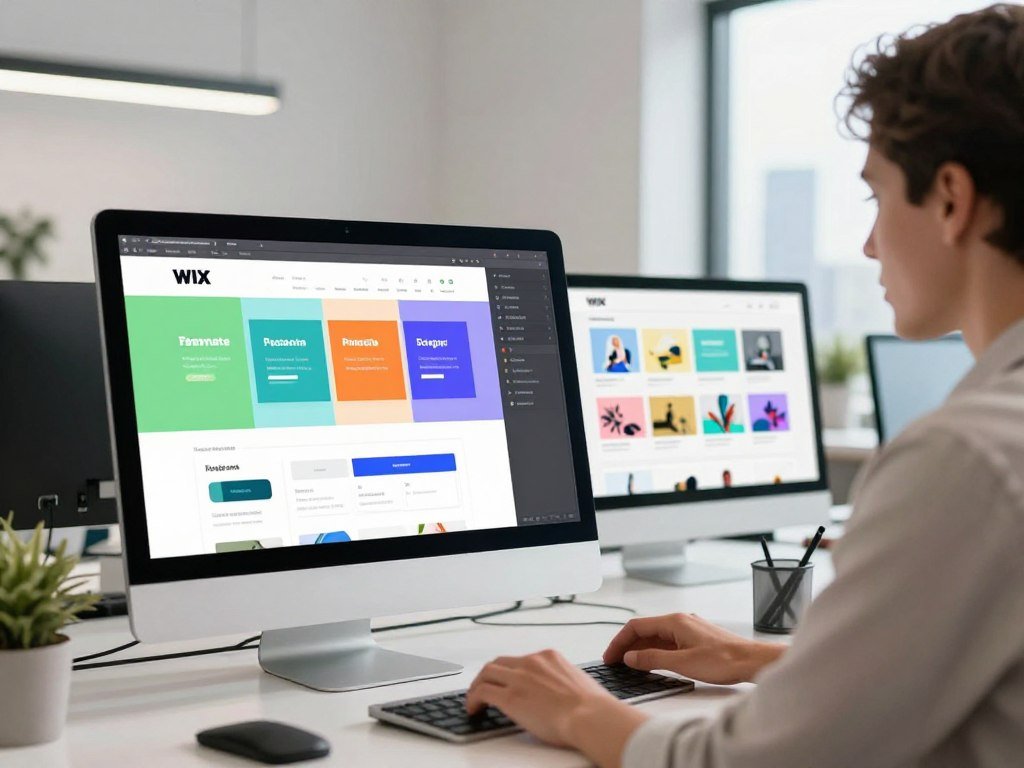
You can edit pages with a drag-and-drop editor, add site tools, and change templates and content as your needs shift. Wix offers a free plan and four paid plans in 2026.
| Plan | Listed monthly price with yearly payment | Storage |
|---|---|---|
| Free | $0 | 500 MB |
| Light | $17 | 2 GB |
| Core | $29 | 50 GB |
| Business | $39 | 100 GB |
| Business Elite | $159 | Unlimited |
The listed paid prices are for yearly subscriptions paid in full. Wix’s yearly plan prices help you compare the recurring cost before adding apps or sales needs.
The free plan gives you a Wix subdomain and displays Wix branding. It includes 500 MB of storage and 1 GB of bandwidth, but no custom domain or ecommerce.
That makes a free site useful for testing a layout or keeping a basic presence online. It is not a good base for a branded store launch or a site with heavy traffic.
Core is Wix’s first plan for online payments and basic ecommerce. An initial paid-plan upgrade has a 14-day money-back guarantee.
If you plan to accept payments, budget for Core or above rather than building around the free plan.
When Does Squarespace Make More Sense?
For an artist or service provider who wants a polished portfolio and business tools together, Squarespace is a strong fit. Presentation is a clear strength, and the platform connects common tasks in one place.
Squarespace works well when your site must present creative work and help run a service business. Its templates and layouts cover portfolios, blogs, stores, and service pages.

The drag-and-drop editor supports page changes, while Blueprint AI starts by asking questions about your site. That can help you shape an initial design without starting from a blank page.
Artists looking for the best website builder for artists can choose Squarespace when a visual portfolio also needs contact, booking, or sales functions. The same tools can help a consultant show work, collect inquiries, and book appointments.
Other built-in options include invoicing, donations, content monetization, domain management, SEO, email marketing, social connections, and online checkout. Keeping these tools together can reduce the need to piece together a site from several services.
A connected set of tools is not the same as a permanent free option. Squarespace offers a 14-day trial, but no free plan.
Use the trial to build one representative page and test how it feels to update before committing.
Is Shopify the Right Choice for an Online Store?
Choose Shopify when the store, not just the website, is the center of the business. Product sales shape its tools, from catalog setup to checkout and order management.
Shopify is a stronger match when products drive your business and store tasks fill your workday. A basic service site with occasional sales may not need an ecommerce-first platform.

Before choosing, map the steps involved in selling. Product options, stock counts, shipping, returns, and payment choices all affect how smoothly an order moves.
A store platform can help keep the product catalog, inventory, checkout, and order records in one workflow. That can matter when you have many products or frequent orders.
Wix and Squarespace also support sites that combine business information with selling. Shopify and Square Online focus more directly on ecommerce, so they may suit a sales-led operation better.
- Catalog size and variants: How many products and product choices will you list?
- Inventory workflow: How will you track stock across sales channels?
- Shipping and returns: What steps happen after checkout?
- Payment options: Which ways to pay do your customers need?
A small shop that sells a few items beside its services may prefer a general builder. A store with a growing catalog benefits more from tools built around product operations.
Map one typical order from product page to delivery before deciding whether a store-first platform fits.
Can Google Sites Handle a Simple Website?
Google Sites is 100% free for building, hosting, and maintaining a basic site when you use its included address. That free setup works well for information sharing and simple internal pages.
A Google or Gmail account is enough to build and host a basic Google Site without a hosting fee. The platform also uses no space in Google Drive or Google Workspace.
You can use a custom domain you already own or buy one through a registrar. A custom domain costs about $15 per year on average in 2026.
Google Sites is the easiest free website builder for basic informational pages that do not need extensive design controls. It suits event details, class resources, and simple intranets where clear information matters more than custom layouts.
Google Sites’ free hosting keeps the basic site cost low when you use its included address. The optional domain still carries a registration cost.
The platform is not a practical way to manage a large ecommerce site. It also lacks built-in login, registration, and members-only features.
Pick it for information sharing, not for a storefront or a members-only portal.
Is Canva Enough for a Published Website?
Canva is a quick, approachable choice for a polished visual site that does not need complicated functions. Its familiar design workflow helps beginners make a page or portfolio without learning a complex editor.
Canva Free can publish up to five websites on a Canva address, but the footer keeps Canva branding. You can build a site with up to 45 pages.
Each free page can include up to 10 published sections, while paid Canva plans allow up to 20. The free footer says “Designed with Canva” and cannot be removed on that plan.
Canva Free publishes to a my.canva.site address and cannot connect an existing domain. Paid plans include custom domains, and can connect up to five existing domains at a time.
Canva Pro costs $144 per year for one person or $18 per month with monthly billing. Canva Business costs $250 per year per person or $25 per month per person with monthly billing.
The free plan is a useful way to try a design, make a simple event page, or show a small portfolio. A visually striking page can still be a poor fit if you need complex functions or a larger business workflow.
That makes Canva a good beginner choice for a limited project, not every kind of website. A business that needs advanced tools should compare the work those tools require before choosing.
Preview every page on a phone before publishing, since a design that works on a canvas may need adjustments on a screen.
Which Free Website Builder Works for Online Sales?
Square Online is the clearest free starting point in this lineup when online sales and a physical shop need to work together. Connected sales help businesses manage online and in-person activity.
A free site plan does not make payment processing free. Square Online processing costs 2.9% plus $0.30 per transaction, and its paid Plus plan starts at $29 per month.
Square Online includes Square POS integrations, which connect online orders with in-person sales tools. The platform also syncs Etsy inventory, a useful feature for sellers who list products in both places.
This setup may suit a shop that takes orders at a counter and online. It can also help a small business keep product stock aligned across Square and Etsy.
Plan costs and payment costs are separate. A free website can still lead to regular sales charges, and those charges rise as customers buy more.
Do not treat a free storefront as unlimited or cost-free commerce. Product and transaction limits can shape whether a plan fits your volume.
Estimate processing costs alongside the site plan before treating a free storefront as a zero-cost sales channel.
Can Ecwid Run a Small Product Catalog?
Ecwid’s free plan is a fit for a shop with a very small range, not a large catalog. Five products is the free-plan limit in 2026.
Ecwid charges no platform transaction fee on its free plan, but payment gateways still charge fees. Listed third-party gateway fees range from 1.9% to 2.9%.
That product cap can suit a maker who sells a few items or a business testing its first online shop. It may also work when an existing website needs a small store added.
- A small product range with only a few core items.
- A test shop that lets you check customer interest.
- An existing website that needs a simple store.
The platform fee and payment-gateway fee are separate costs. A seller may avoid Ecwid’s platform transaction fee while still paying the provider that processes a card or other payment.
That difference matters when you compare pricing. Look at the whole payment path, rather than reading “no platform fee” as “no selling costs.”
Count the products you expect to sell before deciding whether five listings will be enough.
Who Should Choose Webflow?
Webflow makes sense when control over layout matters more than the shortest learning curve. Detailed design control can suit people who want to shape pages closely and can spend time learning the editor.
Webflow has a steeper learning curve than simpler drag-and-drop editors. Its site plans start at $14 per month when billed yearly in 2026.
Readers seeking the best website builder like WordPress often want more control over design and content. Webflow can fit that goal, though it asks you to learn its own system.
Webflow can export static HTML and CSS for non-CMS pages. CMS content does not export as dynamic data, so exported files will not carry every content feature with them.
Export does not mean every part of a live site moves cleanly. A page built from static content differs from one that depends on a content management system.
That distinction matters if you may change platforms later. A simple page may be easier to move than a site built around dynamic collections.
Before committing, test one CMS-backed page as well as one static page if portability matters to you.
Where Do HubSpot and Framer Fit?
HubSpot is worth a look when marketing workflows matter, while Framer suits a visual design process. Each serves a narrower need than a general-purpose site builder.
A free tier may publish a site while still showing the platform’s brand. Check what appears on the public page before using it for a business launch.
HubSpot for marketing-connected pages
HubSpot can link site pages to marketing workflows, which may help a business connect its web content and email tasks. Its free tier supports up to 30 website pages and one email automation in 2026.
Paid plans start at $9 per month and remove branding while adding a custom domain. That can matter if the site needs a more branded public address and connected marketing work.
Businesses should still check whether the page and automation limits fit their actual process. A small set of landing pages may be enough, while a broader campaign may need more.
Framer for visually led prototypes and small sites
Framer suits people who want a visual design-led site or a quick prototype. Its free tier publishes sites with Framer branding.
Paid plans start around $12-$20 per month for custom domains and more pages in 2026. The right choice depends on whether the editor and page workflow suit your work.
For background on AI tools that can help draft copy or code, see this comparison of AI chatbots. Treat generated material as a draft that still needs review.
Choose based on the function you need to keep close to the site, not on the novelty of the editor.
How Much Does It Cost to Make a Website in 2026?
In the United States, a basic business website commonly falls in the $700-$3,500 estimate range, while an ecommerce build can cost more. The first build and recurring bills belong in separate parts of your budget.
A small-business website is estimated at $1,500-$3,500, while a basic ecommerce site is estimated at $2,000-$5,000. The scope of the work changes the likely total.
Budget for the initial build
A basic business site in the United States is estimated at $700-$3,500 in 2026. A small-business project is estimated at $1,500-$3,500, while a basic ecommerce build is $2,000-$5,000.
Estimated US website build costs show why a store project needs a different budget from a basic information site. Product pages, checkout, and store setup add work beyond a few service pages.
These estimates describe initial website work, not every later bill. They help set a starting budget, but do not replace a count of your own pages and functions.
Count recurring platform and sales costs
Recurring charges can include the plan, domain renewal, apps, and payment-processing fees. Wix .com domain renewals cost $13.35 per year, while .org renewals cost $14.95 per year.
| Cost item | Amount | Condition |
|---|---|---|
| Basic US business site | $700-$3,500 | Estimated initial build |
| US small-business site | $1,500-$3,500 | Estimated initial build |
| US basic ecommerce site | $2,000-$5,000 | Estimated initial build |
| Wix domain renewal | .com $13.35; .org $14.95 | Per year |
| Wix app add-on range | $3-$20+ per month | Varies by add-on |
Wix card processing, excluding American Express, costs 2.9% plus $0.30 per transaction. American Express processing costs 3.7% plus $0.30, and PayPal costs 3.49% plus $0.49.
Most Wix yearly or multi-year paid plans include a one-year voucher for a new domain bought through Wix. It does not renew or extend a domain you already own.
- Plan: Include the recurring website subscription.
- Domain renewal: Set aside money for the address after its first year.
- Sales or app fees: Add payment costs and any paid tools.
Payment-provider fees can apply even when the site plan is inexpensive. Write down the initial build budget and the recurring charges separately so a low monthly plan does not hide the full cost.
What SEO Controls Should a Website Builder Include?
A useful SEO checklist starts with control over page titles, descriptions, URLs, and whether a page can be indexed. These basics help search engines read and list the pages you want people to find.
Good SEO settings support useful content, clear navigation, and a sound site structure; they do not replace them. Each page should have a clear purpose and a useful path through the site.
A page title tells people and search engines what a page covers. A page description gives a short summary, while a readable URL makes the page address easier to understand.
Search visibility settings let you control whether a page can appear in search results. A sitemap lists pages for search engines, and redirects send old addresses to new ones.
Canonical tags help identify the main version of similar pages. Structured data adds details that search engines can use to interpret page content.
Canva website settings include site and page titles, page descriptions, custom URL paths, and a site-wide search visibility switch in 2026. Canva does not document sitemaps, redirects, canonical tags, or structured data in its website help.
Canva also states that its website form responses are anonymous, and names cannot be collected. That makes its forms unsuitable when a business needs names for lead follow-up.
Forms should collect only details that fit the next step, such as a reply address for a service inquiry. A form that cannot gather needed contact details may interrupt the path from interest to response.
Test a form with the information your business actually needs before building lead capture around it.
Which Builder Fits a Beginner, Artist, or Small Business?
Beginners should start with the tool they can maintain, while a business should choose around the customer tasks its site must support. Ease of use matters, but so does what your customers need to do.
A free plan can help you test an idea, but may not suit a business that needs its own domain or professional brand. Your choice should reflect how the site will appear to customers.
First site and free-plan priorities
For a first site, Wix, Canva, and Google Sites offer free-plan options with different limits. Google Sites works for simple information, Canva for visual pages, and Wix for broader editing and site tools.
Choose a free plan to test a layout or learn how website building feels before paying. A branded public presence may justify an upgrade when you need a custom domain or fewer platform marks.
The best website builder for beginners is the one that makes common edits feel clear. A familiar template helps, but the routine work of changing text and adding a page matters more.
Small-business and service-site needs
Wix suits small businesses that need broad functions, while Squarespace fits design-led service firms. The best website builder for a small business depends on whether its main need is flexible tools or a polished service presentation.
The best free website builder for a small business is a good testing tool, not always a strong public launch choice. A business that needs its own domain, booking, or sales tools may soon outgrow a basic free plan.
Think through the customer’s path: finding hours, asking for a quote, booking a visit, or buying a service. A site should make those tasks easy to spot.
Creative work and WordPress-like flexibility
Squarespace suits a portfolio that needs a polished display and service features. WordPress.com and WordPress.org suit different preferences: hosted convenience or more hands-on control over content and setup.
Product-led businesses may prefer Shopify, while creative users may value more say over how pages look and how content is managed. Consider how much upkeep you want to handle before choosing a flexible system.
- Audience: Who needs the site, and what do they want to find?
- Required functions: Does the site need forms, booking, sales, or a blog?
- Upkeep comfort: Who will make changes and manage the site?
- Expected growth: Could the site add content, customers, or products?
If two platforms still seem tied, build the same sample page in each and compare how easily you can revise it.
Is Canva or Wix Better for Your Website?
Wix wins for a growing business site, while Canva wins for a quick visual page with modest needs. The deciding point is how much function and growth your site needs.
Both platforms offer drag-and-drop editing and free ways to start, but their branding and growth trade-offs differ. A free page may work for a test, yet fall short for a public business launch.
Choose Wix for a fuller business site
Wix is the better fit when a business site may need broader tools or ecommerce. It offers a path from basic pages to online sales, so the site can take on more work over time.
A business should check whether its public site needs a custom domain or online checkout. A free Wix site does not include ecommerce, so it cannot support a store launch by itself.
Wix also offers a wide range of templates and built-in tools. That breadth may help a business whose website must serve more than one customer task.
Choose Canva for a simple visual page
Canva is better for a small, visually led page when quick design matters more than complex functions. It can suit an event, a simple portfolio, or a page that shares key details.
A free Canva page keeps Canva branding, which may not suit a business that wants a fully branded public site. Its publishing and domain limits also matter as the project grows.
Canva and Wix are both practical ways to begin, but the best editor is the one that fits the work after launch. Choose the platform that fits the site you need to publish, not the one whose editing screen looks more fun.
Pick Wix when the site needs business tools or room for sales; pick Canva when a focused visual page is enough.
Conclusion
Choose the platform that makes your most important site task straightforward to build and maintain. Fit beats novelty when you are the person who will update the pages after launch.
Balance the site’s main job with your time, budget, and comfort with editing. A platform that looks right in a demo may feel different when you change a service, add a page, or update a product.
Choose two finalists and test one representative page in each editor before paying or committing to a domain. Draft one sample page in your top two choices, then move forward with the one you can confidently update.
FAQ
Is Google Sites 100% free?
Yes, Google Sites has no hosting fee for building, hosting, and maintaining a basic site with a Google or Gmail account. You can publish using its included address without paying for a hosting plan. A custom domain is optional and still has a registration cost, averaging about $15 per year. The free setup suits information pages, but not complex stores or members-only sites.
Is Canva or Wix better?
Wix is better for a site that needs broader business features or ecommerce, while Canva suits a quick visual page with modest needs. Wix gives you more room for business tools and selling. Canva makes simple design work approachable, especially for a small page or portfolio. Choose based on the tasks your public site must support, not just which editor looks easier at first.
What is the best website builder in the USA?
Wix is the most versatile choice for many small websites in the United States. Shopify suits a dedicated product store, Google Sites works for free informational pages, and Webflow fits people who want detailed design control. Your best match depends on the site’s main job and how much editing or upkeep you can handle. A simple site rarely needs every available feature.
How can a 12 year old make a website?
A 12-year-old can plan the content and design a page with a simple visual editor, while a parent or guardian supervises the account and publishing. An adult should also review personal details before anything goes online. Start with a page that shares general interests or a school project, not a home address or private contact information. Keep passwords private and ask an adult before adding forms.
Can ChatGPT actually create a website?
ChatGPT can help draft website copy, suggest page layouts, or write code, but it does not replace an editor or hosting platform. You still need to choose where the site will live, decide on a domain, and test the pages. Review generated facts and code before publishing, since errors can appear in both. A human also needs to update the site as the business changes.
Is web design still worth it in 2026?
Yes, web design is worth learning in 2026 when it solves real user and business needs. A page needs more than a good look: people must find key details, use forms, and move through content clearly. Skills in accessibility, content structure, and maintenance add value beyond visual style. Those skills help a designer spot problems that a template alone cannot judge.
Is AI replacing web designers?
No, AI is not replacing the full work of web designers. It can speed up early drafts, routine content, and some code tasks, but people still set goals and make design choices. Designers also need to check facts, accessibility, and how well each page serves the business. AI output works best as a starting point that a person reviews and improves.



