
QuickBooks Online is a strong all-around starting point, while Zoho Books and Wave offer free plans for qualifying or basic-use cases. For many owners, that makes these options worth considering for the best small business accounting software, alongside tools for freelancers and service firms.
Double-entry bookkeeping is a method that records each transaction with equal debit and credit entries. Your best fit depends on transaction volume, team size, how customers pay, and whether you need payroll or inventory. This roundup covers free and paid choices without assuming one platform suits every company.
Before choosing, list the accounting tasks you need to handle every week.
Key Takeaways
- QuickBooks Online is a broad starting point for many small businesses.
- Xero gives you unlimited users on its plans.
- FreshBooks centers on client billing and time tracking.
- Zoho Books and Wave offer free starting options with different limits.
- Compare user access, bank connections, and payment costs before you commit.
Which Platforms Belong on a Small-Business Shortlist?
A useful first pass is to compare free entry points, user access, and the first limit a growing business is likely to hit. These five recognizable platforms cover a range of accounting software needs for small businesses.
Keep only the options that cover your must-have tasks without forcing an early upgrade. The table shows where each platform starts and one distinction to keep in view.
| Platform | Entry point | Useful fit | Important limit or distinction |
|---|---|---|---|
| QuickBooks Online | Paid subscription | Broad feature set | No free tier |
| Xero | 30-day trial | Unlimited users | Payroll is an add-on |
| FreshBooks | $23 per month for Lite | Service-business invoicing | Up to 5 billable clients on Lite |
| Zoho Books | Qualifying Free Plan | 1,000 invoices per year | $50K financial-year revenue cap |
| Wave | Free Starter plan | Core invoicing and bookkeeping | Manual bank-statement uploads |
Five other viable options round out this ten-platform shortlist: QuickBooks Desktop, Sage Accounting, Kashoo, ZipBooks, and Microsoft Dynamics 365 Business Central. Each serves a different kind of business, from basic bookkeeping to complex operations.

Keep only the options that cover your must-have tasks without forcing an early upgrade.
Before comparing features in depth, check these three details:
- Expected invoice volume
- Who needs access on your team
- Connections to payment or sales tools
Those checks can quickly narrow the software choices to a useful few.
Best Small Business Accounting Software for Different Needs
For a typical small business that wants broad bookkeeping functions, QuickBooks Online is the leading all-around pick in this group. It has a wide mix of tools for routine accounting, billing, and reporting.
Choose a platform for the work your team does, not the size of its feature list. The best accounting software for one business may not suit another with different clients or workflows.

Which platforms suit general bookkeeping and growing teams?
QuickBooks Online fits businesses that want a broad set of bookkeeping functions in one cloud platform. Xero suits a team that needs many people to work in the books, since its plans include unlimited users.
QuickBooks Desktop can suit existing subscribers who want to renew a familiar setup. Sage Accounting is another option for businesses that need bank feeds, reconciliation, reporting, or project tracking.
What works well for freelancers and client-service businesses?
FreshBooks is designed around client billing and time tracking, so it can suit consultants, contractors, and other service businesses. You can connect recorded hours to client work and bill for projects or time.
ZipBooks gives you free basic bookkeeping and invoicing, plus tools for recurring billing and reports. Kashoo offers multi-currency capability, which can help when you bill clients or track costs in more than one currency.
QuickBooks Self-Employed and TrulySmall Accounting are additional options for self-employed users. Their focus may fit better than a larger system built for a team.
Which options suit free starts or more complex operations?
Zoho Books and Wave both offer free starting points, though their features and rules differ. They can help you test a bookkeeping routine before taking on a paid plan.
Microsoft Dynamics 365 Business Central is an enterprise resource planning platform, a system that links business operations such as finance and inventory. Reserve it for operations that have outgrown simpler small-business tools.
Each of the ten options has a place, but they do not serve the same kind of business. Match the recommendation to the work you actually do, not the longest feature list.
How Does Zoho Books Fit a Small Business on a Tight Budget?
Zoho Books can remain free indefinitely for a US business whose revenue for the financial year stays at or below $50K. The revenue ceiling makes its Free Plan a real option for some smaller firms.
Free includes one user plus one accountant, with annual invoice and expense limits. Plan limits rise as your business adds more activity and people.

| Plan | Annual invoice limit | Annual expense limit | Included users | Scheduled reports |
|---|---|---|---|---|
| Free | 1,000 | 1,000 | 1 plus 1 accountant | 5 |
| Standard | 5,000 | 5,000 | 3 | 50 |
| Professional | 10,000 | 10,000 | 5 | 200 |
| Premium | 25,000 | 25,000 | 10 | 200 |
| Ultimate | 100,000 | 100,000 | 15 | 200 |
The [S3 plan limits](href=””>limits for Zoho Books plans show how invoice volume, expense tracking, and reporting grow across paid tiers. Elite matches Premium’s 25,000 invoices, 25,000 expenses, and 200 scheduled reports, with 10 included users.
Extra users cost $3 per month each, or $2.50 per user each month with annual billing. That fee can matter when several staff members need accounts access.
Free includes email support. Paid plans add voice and chat support, which may help when a bookkeeping issue blocks your work.
Zoho Books ties useful accounting features to clear activity and access limits. Recheck the plan limits whenever invoice volume or the number of people working in the books increases.
Is Wave Enough for Invoicing and Simple Bookkeeping?
A business that only needs to send invoices and keep basic bookkeeping records can start with Wave Starter at no subscription cost. Its simple starting plan can cover a lean workflow.
Wave Starter includes unlimited estimates, invoices, bills, and bookkeeping records. It requires manual bank-statement uploads to keep bank records current.

What does the free Starter plan include?
Starter includes profit-and-loss, balance-sheet, and cash-flow reports, with month-to-month and year-to-year comparisons. Those reports help you track expenses and see how the business is doing over time.
For online card payments on Starter, Visa, Mastercard, and Discover cost 2.9% plus $0.60 per transaction. Amex costs 3.4% plus $0.60 per transaction.
When does Pro or a paid service make sense?
Wave Pro costs $19 per month per US business. It connects bank accounts through Plaid, though some financial institutions are unsupported.
Pro adds bank imports, automatic transaction merging and categorization, unlimited digital receipt capture, and late-payment reminders. Its first 10 cumulative transactions in a monthly subscription period cost 2.9% plus $0 for Visa, Mastercard, or Discover, and 3.4% plus $0 for Amex. Later transactions cost 2.9% plus $0.60 or 3.4% plus $0.60, respectively.
Legacy free accounts moved to Starter on June 1, 2026. Those accounts lost grandfathered automatic bank feeds and invited bookkeeper or accountant access unless they upgraded to Pro.
US Payroll costs $40 per month plus $6 per employee or contractor. Wave Advisors bookkeeping starts at $149 per month and includes Pro features except receipt scanning.
One Wave account can manage up to 15 business profiles. Each profile needs its own Pro subscription for automated bank feeds, and Wave has no native multi-entity consolidation. Before upgrading, total the payment fees across every business profile that needs automated bank feeds.
Which Works Better for Client Services, FreshBooks or ZipBooks?
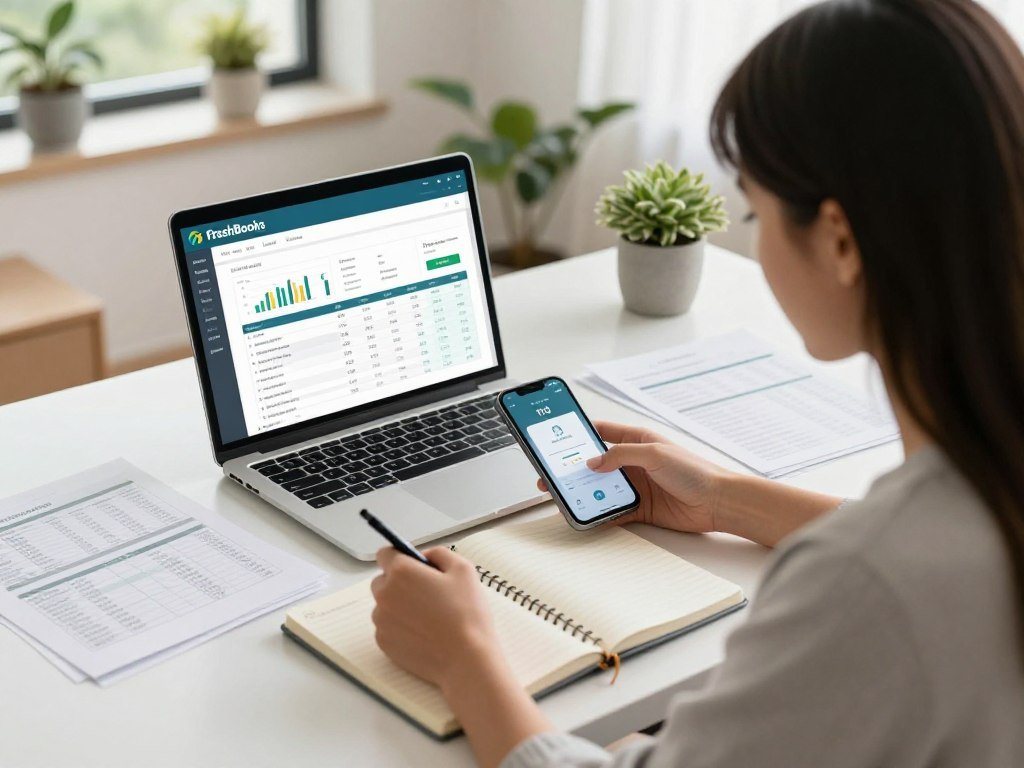
A freelancer billing by the hour may value FreshBooks’ combination of client invoicing and time tracking more than a broad inventory feature set. Its service-work focus supports project and hourly billing.
FreshBooks Lite costs $23 per month and supports up to 5 billable clients. A growing client list may change which accounting software small businesses find practical.
When is FreshBooks a stronger fit?
FreshBooks’ regular monthly prices are $23 for Lite, $43 for Plus, and $70 for Premium. Lite’s five-client limit matters if you bill many clients, even when your invoice volume stays modest.
Client invoicing and time tracking can connect hours to a project and turn that work into a bill. That workflow can suit freelancers who need to show clients how they spent their time.
What does ZipBooks offer at no subscription cost?
ZipBooks Free includes invoicing, accounting, contact management, review gathering and publishing, and simple reports. Its free accounting software gives service businesses a place to track income and expenses.
ZipBooks supports automatic bank syncing and reconciliation, recurring billing, payment reminders, and time tracking. It also offers sales and tax reports, income and expense tracking, and transaction auto-categorization.
Its machine-learning tool uses transactions you categorized before as a pattern for sorting later entries. That can reduce routine data entry, though you still need to review the books for errors.
Compare the Lite client ceiling with the number of clients you expect to bill, not just the monthly price.
What Does QuickBooks Desktop Cost in 2026?
A single-user QuickBooks Desktop Pro Plus or Mac Plus subscription costs $1,149 annually for 2026 once the new rate applies. The higher renewal price starts February 1, 2026, or at your next renewal after that date.
New QuickBooks Desktop Plus subscriptions stopped being sold in 2024, but existing subscribers can renew. The table compares several annual prices with their prior rates.
How much do Pro Plus and Premier Plus cost?
| Product and access | 2026 annual price | Prior annual price | Effective timing |
|---|---|---|---|
| Pro Plus or Mac Plus, single user | $1,149 | $999 | February 1, 2026, or next renewal |
| Pro Plus or Mac Plus, multi-user seat | $230 per seat | $200 per seat | February 1, 2026, or next renewal |
| Premier Plus, single user | $1,609 | $1,399 | February 1, 2026, or next renewal |
| Premier Plus, multi-user seat | $345 per user | $300 per user | February 1, 2026, or next renewal |
| Enterprise White Gold, single user | $2,467 | $2,243 | February 1, 2026, or next renewal |
Enterprise Silver costs $1,873 per year for one user, up from $1,703. Six-user Enterprise White Gold costs $6,598, up from $5,737; six-user Enterprise Silver costs $6,608, up from $5,746.
Basic Payroll costs $640 annually, up from $550, and Enhanced Payroll costs $805, up from $700. The per-employee monthly payroll charge remains $7 in 2026.
What changes for Enterprise, payroll, and ACH?
Basic ACH fees rise from $3 to $5 per transaction. Advanced ACH fees rise from $5 to $10 per transaction, and Advanced plan caps vary by plan.
Existing Pro Plus, Premier Plus, Mac Plus, and Enhanced Payroll subscribers can renew. Intuit stopped selling new Desktop Plus subscriptions in 2024.
Check whether the change applies on February 1, 2026, or at your next renewal before comparing a renewal bill with the annual price.
When Should You Choose QuickBooks Online or Xero?
For a business seeking a broad set of cloud accounting tools and integrations, QuickBooks Online is the more natural all-around choice. Its broad feature mix can support daily bookkeeping as the company grows.
Choose Xero when unlimited user access matters more than a specific feature mix. Bank reconciliation and sharing current records with an accountant also belong in the comparison.
What makes QuickBooks Online a broad all-around option?
QuickBooks Online covers invoicing, expense tracking, reports, bills, and inventory. It also syncs with more than 750 apps and platforms, giving you many ways to connect other business tools.
Those connections can support payment, sales, or management tasks outside the accounting system. Review the tools your business already uses before relying on a new connection.
When does Xero’s user model matter more?
Xero plans include unlimited users and bank reconciliation. That user model can suit a growing team where staff, managers, and an accountant need regular access.
Xero payroll requires an add-on or a third-party integration such as Gusto. The right choice can turn on who needs to update records and how you manage payroll.
Count every person who needs regular access before deciding whether unlimited users or a different feature mix matters more.
What Should You Compare Before Committing to a Plan?
A plan that looks affordable can cost more in practice if payment fees, added users, or missing functions do not fit your workflow. Check the full cost and daily workload before settling on accounting software.
Core accounting functions include general ledgers, accounts payable, accounts receivable, invoicing, payroll, and financial reporting. Double-entry bookkeeping records each transaction with matching debit and credit entries.
Use this checklist to compare the needs of your business and the features included in each plan:
- Total subscription and payment-processing cost
- Invoice and expense volume
- Bank and payment integrations
- User and accountant access
- Reporting, payroll, and inventory needs
Reports answer different questions about performance. A profit-and-loss report shows income and costs over a period, while a balance sheet shows assets and debts at a point in time.
A cash-flow report tracks money entering and leaving the business. Review the reports your accountant uses, since a tool with the wrong reporting options can add work each month.
Small businesses can also outgrow a plan when transaction volume or the number of users rises. Ask your bookkeeper or accountant to review the required reports and account access before you commit.
How Can You Switch or Scale Without Losing Control of Your Books?
Export your current reports and transaction data before changing the system that holds your books. Clean records help you compare old and new reports without losing sight of key balances.
Check opening balances and account access before relying on reports from a new system. A small error during setup can affect later cash flow and reporting.
What should you prepare before moving platforms?
Use these steps to keep bookkeeping data in order during a switch:
- Export current reports and transaction data.
- Map the chart of accounts and customer or vendor records.
- Verify bank connections, opening balances, and accountant access before relying on new reports.
You can use QuickBooks for small-business bookkeeping by connecting accounts, categorizing income and expenses, reconciling transactions, invoicing customers, and reviewing reports. That routine helps keep accounts current as new activity comes in.
Keep employment tax records for at least 4 years. Store those files with care, even if you stop using the software that first held them.
When might a business need a larger system?
Complex departments, inventory, or multi-entity needs may call for a more comprehensive system. Business Central may fit operations that need more than a small-business accounting platform can handle.
Microsoft sells and supports Dynamics 365 Business Central exclusively through its global partner network. Partners provide implementation and training support for businesses setting up the system.
Keep the original records accessible until the new system’s opening balances and first reports have been checked.
Keep the original records accessible until the new system’s opening balances and first reports have been checked.
Conclusion
The strongest choice is the one that keeps your books usable without charging you for functions your business does not need. Your accounting platform should handle today’s work accurately and leave room for near-term growth.
Choose two options that fit your needs, then test the same real invoice and reports in both. You can also follow product and technology updates as your needs change.
Pick two suitable platforms, run the same invoice and reporting tasks in each, and choose the one your team can maintain consistently.
FAQ
What are some popular accounting software programs?
QuickBooks Online, Xero, FreshBooks, Zoho Books, and Wave are popular accounting software programs. QuickBooks Online serves businesses seeking broad bookkeeping features, while Xero allows unlimited users. FreshBooks focuses on client billing and time tracking. Zoho Books and Wave offer free starting options, each with its own rules and feature limits.
What is QuickBooks?
QuickBooks is Intuit’s accounting software family, with cloud-based QuickBooks Online and Desktop products. Businesses use it for tasks such as invoicing, expense tracking, bank reconciliation, and reporting. QuickBooks Online runs in a web browser or app, while Desktop products install on a computer. The product names refer to different versions, not one shared plan.
Is there a free accounting software that is similar to QuickBooks?
Yes, Zoho Books and Wave Starter are free options for some businesses. Zoho Books’ US Free Plan remains available indefinitely when financial-year revenue stays at or below $50K. Wave Starter supports basic invoicing and bookkeeping, with manual bank-statement uploads. Compare the tasks you need with each plan’s limits before moving your records.
Why are people leaving QuickBooks?
There is no basis to say that QuickBooks users are broadly leaving the software. Some businesses may reconsider after price increases, workflow friction, or duplicate transactions caused by setup issues. A poorly matched plan can also make routine bookkeeping harder than expected. Check the cause of the problem before switching, since a corrected setup may solve it.
How much does QuickBooks cost for a very small-business?
QuickBooks Desktop Pro Plus for one user costs $1,149 annually for 2026 when the new rate applies. That Desktop subscription price differs from QuickBooks Online cloud-plan pricing. The Desktop increase applies starting February 1, 2026, or at an existing subscriber’s next renewal after that date. Multi-user access has a separate annual seat cost.
What are people replacing QuickBooks with?
Possible QuickBooks alternatives include Xero, Zoho Books, Wave, FreshBooks, and ZipBooks. Xero suits teams that need unlimited users, while Zoho Books and Wave offer free starts with different limits. FreshBooks fits client-service billing, and ZipBooks offers free bookkeeping and invoicing. These products suit different needs, so there is no single replacement for every business.
Why don’t accountants like QuickBooks Online?
Accountants do not all dislike QuickBooks Online, and many factors shape their preference. They may need clean setup, reconciled transactions, and suitable account access to review a client’s books. Duplicate entries or missing records can make any accounting platform harder to use. Agree on who will handle each task before inviting an accountant into the account.
Can I just buy QuickBooks without a subscription?
New QuickBooks Desktop Plus subscriptions stopped being sold in 2024, while existing subscribers can renew. That change applies to new Desktop Plus subscriptions and does not establish that every Desktop purchase option is unavailable. Pro Plus, Premier Plus, Mac Plus, and Enhanced Payroll subscribers can continue renewals. Check which product and access type your business uses.



