

In March 2006, Amazon launched Simple Storage Service, and the storage world quietly split in two. Before S3, “storage” meant a filesystem with folders inside folders. After it, storage became a flat pool of objects reachable over HTTP. That shift is the foundation of nearly every cloud storage architecture in use today, and understanding how it works under the hood explains almost everything about cost, speed, and durability.
What cloud storage architecture really means
Strip away the marketing and a cloud storage system is a distributed software stack that spreads your data across thousands of machines while pretending to be one reliable service. It has to solve four hard problems at once: where to put each byte, how to survive disk failures, how to keep metadata lookup fast, and how to guarantee that two users reading the same file see something sensible.
The core building blocks are consistent across providers:
- A storage layer that splits data into chunks and places them across nodes.
- A metadata service that tracks which chunk lives where, who owns it, and when it was last touched.
- A redundancy scheme, usually replication or erasure coding, that survives hardware failure.
- An access layer exposing REST APIs, typically object (S3-style), block, or file interfaces.
If you want the plain-language version of the concept before diving into internals, a solid primer on what cloud storage is and how it works covers the basics without the jargon. (NIST Cloud Computing Program)
Objects, blocks, and files: three architectures, three trade-offs
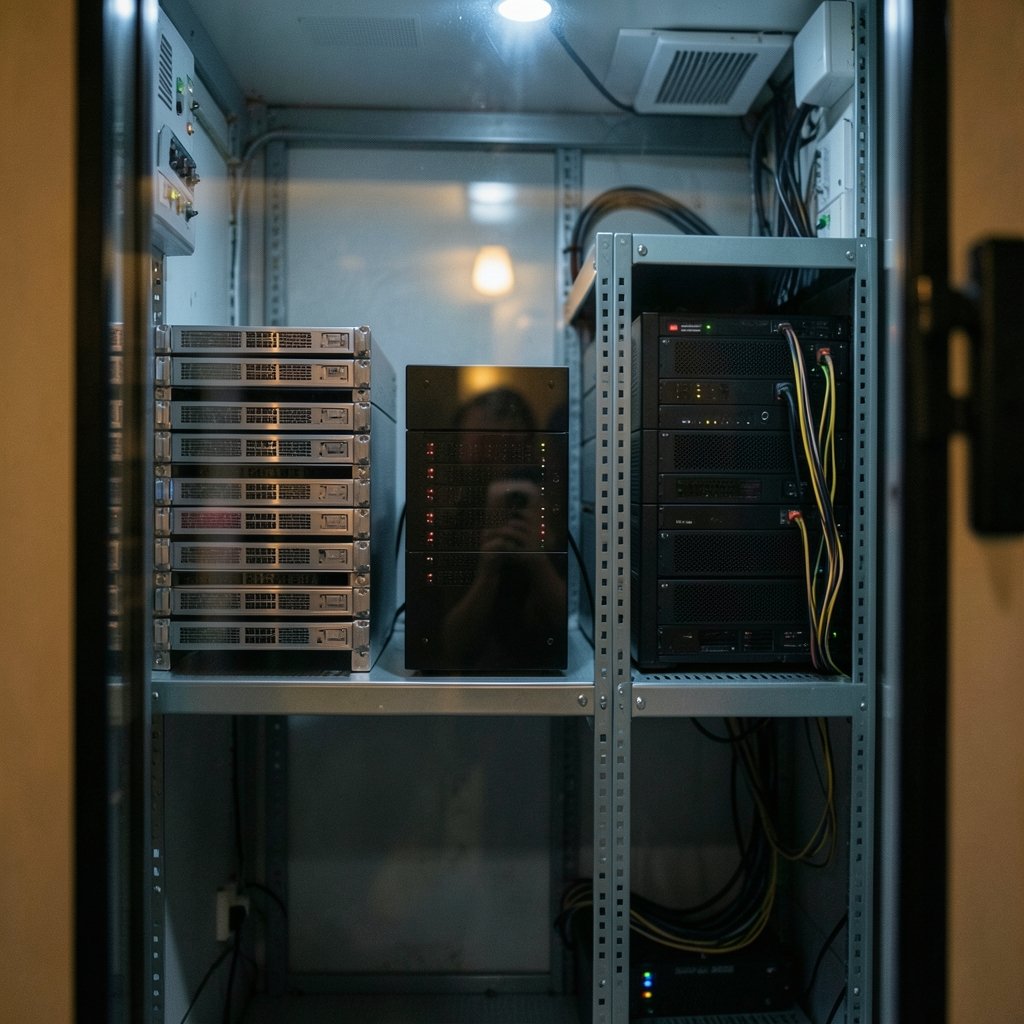
Not every cloud storage product is built the same way. The interface you choose locks in a lot of downstream behavior.
| Type | How data is organized | Best for | Weakness |
|---|---|---|---|
| Object storage | Flat namespace, buckets and keys, rich metadata | Backups, media, data lakes, static sites | Not ideal for frequent in-place edits |
| Block storage | Raw volumes attached to a compute instance | Databases, boot disks, transactional apps | Tied to a single instance or zone |
| File storage | Hierarchical directories shared over a protocol | Shared documents, legacy apps, home directories | Can bottleneck under heavy concurrency |
Object storage dominates because it scales almost limitlessly. There is no directory tree to lock, so adding capacity means adding nodes. Block storage stays essential because databases want low-latency reads and writes on a single volume. File storage persists mostly because decades of enterprise software expect a mounted drive with folders.
The practical consequence: picking the wrong type costs real money and performance. A team that stores a live transactional database on object storage will fight latency forever. A team that keeps a media archive on premium block volumes is burning cash. For a deeper side-by-side, this breakdown of cloud storage vs local storage key differences is a useful sanity check before committing. (Cloud storage)
Placement: how the system decides where your data lives
Every distributed storage system needs a placement algorithm. Early designs used a central lookup table, which became a bottleneck fast. Modern systems use deterministic hashing so any node can compute where a chunk belongs without asking a coordinator.
Ceph, the open-source storage platform that began as Sage Weil’s doctoral work, uses an algorithm called CRUSH. Given a chunk identifier and a cluster map, CRUSH computes a placement across failure domains: disk, host, rack, row, datacenter. The elegance is that no central index is needed, and the cluster map is small enough to distribute to every client.
Hyperscalers take a related approach with a separated metadata tier. Google’s Colossus file system, the successor to the original Google File System described in a 2003 SOSP paper, moved away from a single metadata server toward distributed metadata management. Microsoft’s Azure Storage uses a partition layer that spreads metadata across many servers. The shared lesson: metadata is the hard part, not the bytes.
Failure domains matter more than raw node count. A system that places three replicas on three disks in the same rack survives a disk failure but not a rack failure. Good architectures let operators define the topology so redundancy spans the right blast radius.
Redundancy: replication versus erasure coding
This is where the cost math gets interesting.
Replication stores full copies. Three replicas means three times the raw capacity for one unit of usable data, so storage overhead is 200%. It is simple, fast to rebuild, and easy to reason about.
Erasure coding splits data into k fragments and computes m parity fragments, so any k of the k+m pieces can reconstruct the original. A common 10+4 configuration has 40% overhead instead of 200%. The trade-off is computational work: encoding, decoding, and rebuilding after a failure all cost CPU and network.
| Scheme | Overhead | Rebuild cost | Typical use |
|---|---|---|---|
| 3x replication | 200% | Low, copy a full replica | Hot data, low-latency tiers |
| Erasure coding 10+4 | 40% | Higher, reconstruct from fragments | Warm and cold tiers, archives |
| Erasure coding 6+3 | 50% | Moderate | Mid-tier object storage |
Durability figures deserve skepticism. Providers advertise figures like eleven nines of durability for object storage, but these are design targets derived from models, not audited measurements. They are useful for comparing tiers within one provider and much less useful across providers.
The practical tip: match the scheme to the access pattern. Hot data that gets read constantly justifies replication because rebuilds are cheap and latency is low. Cold archives that are rarely touched are perfect for aggressive erasure coding. Many providers automate this through lifecycle rules that move objects between tiers based on age or access frequency, which is the single easiest cost lever most teams ignore.
Consistency: the promise that changed over time
Consistency is the most misunderstood part of cloud storage architecture. It answers one question: after a write, when will other readers see it?
For years, object storage offered eventual consistency for overwrites and deletes. A new object was readable immediately, but an overwrite might briefly return the old version. In December 2020, AWS announced strong read-after-write consistency for S3 across all operations, removing that caveat. It was a genuine engineering milestone, not a marketing tweak, because it required rethinking how the system tracked object metadata at scale.
Why does this matter to normal users? Because consistency models leak into application design. A pipeline that writes a file and immediately triggers a job reading it depends on read-after-write behavior. A distributed cache that assumes strong consistency across regions will surprise you. Always check the consistency guarantee for the specific operation and region, and date your assumptions, because providers change these guarantees quietly.
The control plane and the data plane
A useful mental model separates two paths through any storage system.
The control plane handles authentication, bucket creation, policy, lifecycle rules, and inventory. It changes rarely and can tolerate higher latency. The data plane handles the actual reads and writes of bytes. It must be fast and is where most engineering effort goes.
This split explains a lot of real-world behavior. Creating a bucket might take a second while uploading a gigabyte streams at line speed. A permissions change might take a moment to propagate while data transfers are unaffected. When debugging, always ask which plane you are actually in.
It also explains why architecture decisions compound. If you are designing a system that stores files, the choice between object, block, and file storage shapes your entire application, the same way structural choices shape a building. Teams working through those decisions often find it helpful to compare approaches the way architects compare designs, and resources on software architecture fundamentals translate surprisingly well to storage design.
Common mistakes that cost teams real money
A few patterns show up again and again in postmortems and billing reviews.
- Ignoring egress costs. Storage is cheap; moving data out is not. Architect so compute sits near data.
- Using one tier for everything. Hot, warm, and archive tiers exist for a reason. Lifecycle policies do the work for you.
- Over-replicating cold data. Three replicas of a compliance archive is money set on fire.
- Assuming global consistency. Read the docs for the exact operation, not the marketing page.
- Skipping the failure-domain review. Redundancy that shares a rack or a power feed is not redundancy.
- Never testing a restore. Durability protects against hardware loss, not against a bad delete by an admin.
The restore point deserves emphasis. Versioning and object lock features exist precisely because the most common data loss event is human, not hardware. Enable versioning on anything you cannot recreate.
Where the architecture is heading
Two trends are reshaping the stack. First, tiering is becoming automatic. Rather than asking users to pick a storage class, systems increasingly observe access patterns and move data on their own. Second, compute and storage are decoupling further, with storage exposed as a service that many compute engines share. That is the same pattern behind the current wave of multi-cloud comparisons, where the storage layer is often the stickiest part of a platform choice.
Confidential computing is the third thread. Hardware-backed enclaves aim to protect data in use, at rest, and in transit. It is early, and performance overhead is real, but the direction is clear.
Conclusion
Cloud storage architecture is a study in trade-offs made visible. Flat object namespaces beat folder trees at scale. Erasure coding beats replication on cost and loses on rebuild speed. Strong consistency is now the default in leading object stores, but only because providers spent years rebuilding metadata systems to make it possible. None of these choices is universally right.
The useful takeaway is a set of questions to ask before committing: What is the access pattern? How much does a rebuild cost in time and money? What consistency does the specific operation guarantee? Where are the failure domains? What does egress cost at expected volume? Teams that answer those five questions honestly tend to end up with storage bills they can defend and systems that survive the failure they did not plan for. That is what good architecture looks like in practice: boring, predictable, and cheap to run.
Frequently asked questions
What is the difference between object storage and block storage?
Object storage keeps data as discrete objects in a flat namespace with rich metadata, accessed over HTTP APIs. It scales almost without limit and suits backups, media, and data lakes. Block storage presents a raw volume that behaves like a disk, which databases and transactional apps need for low-latency in-place writes. Most real systems use both.
Is erasure coding always cheaper than replication?
On raw capacity, yes, usually by a wide margin. A 10+4 erasure-coded set uses about 40% overhead versus 200% for three replicas. But erasure coding costs more CPU and network during rebuilds and reads, so hot data with heavy traffic can be cheaper to replicate. The right answer depends on access frequency and latency requirements.
What does strong consistency mean for cloud storage?
Strong consistency means that once a write succeeds, any subsequent read returns the new value. Leading object stores moved to strong read-after-write consistency for overwrites and deletes, which removed a long-standing source of application bugs. It matters most for pipelines where one process writes data and another immediately reads it.
How durable is cloud storage really?
Providers publish very high durability figures, often expressed as eleven nines, but those numbers come from design models rather than independent audits. They are reasonable indicators of engineering quality, not guarantees you can verify. Practical protection comes from versioning, cross-region replication, and tested restore procedures.
Why does data egress cost so much?
Storage providers price ingress cheaply or free and charge for data leaving their network, because outbound bandwidth carries real infrastructure cost and because it encourages keeping workloads inside one platform. The architectural fix is to place compute near data and avoid designs that shuttle large volumes between providers or regions repeatedly.
How do I choose between storage tiers?
Start with access frequency. Data read daily belongs in a hot tier with replication. Data read monthly fits a warm tier with moderate erasure coding. Data kept for compliance and rarely touched belongs in an archive tier, ideally with lifecycle rules that move it there automatically. Review the tier mix quarterly, since access patterns drift.



