
A remote team and a workstation with bad internet need different answers about cloud storage and local storage. The right choice shapes how easily people reach files, how systems handle outages, and how much work storage takes to manage.
Cloud storage is often the practical fit for remote access and changing capacity. Local storage suits offline access and direct control, while hybrid storage can serve a workload that needs both. Choose by workload, not by habit. This comparison covers business systems and personal files, so you can make a sound decision for each.
The useful choice is the storage arrangement that fits each workload, not a blanket rule for every file.
Key Takeaways
- Cloud storage supports remote access and flexible capacity.
- Local storage supports offline work and direct hardware control.
- Hybrid storage places data across local and cloud systems.
- Object, block, and file storage suit different ways of using data.
- Compare access, performance, cost, control, and recovery needs.
- A cloud plan or local device alone may not meet every need.
What separates cloud storage from local storage?
The clearest distinction is who operates the hardware and where the data lives. Cloud storage sits on a provider’s remote infrastructure, while local storage stays on hardware your organization owns and operates.
Physical storage devices include internal and external drives, servers, and network-attached systems. Network-attached storage, or NAS, connects storage to a local network; a storage area network, or SAN, links servers to shared storage. The location and operator of the equipment define the basic difference.

| Attribute | Cloud storage | Local storage |
|---|---|---|
| Where data lives | Cloud provider infrastructure | Organization-operated hardware |
| Who operates hardware | Provider | Organization |
| How it is reached | Internet or provider network | Device or local network |
Cloud local storage can describe a setup that combines both locations, but the phrase does not name one hardware type. Public cloud services serve many customers through a provider. A private cloud is set aside for one organization, while workload-specific cloud systems are built for certain tasks.
Hybrid cloud uses cloud and local environments as parts of one design. NIST describes cloud deployment models in its cloud computing definition. Each model can run different services, so the label alone does not tell you where every file lives.
Identify who controls the equipment before comparing the features built on top of it.
The provider typically operates cloud hardware, while your team runs local equipment and its supporting systems. That difference affects the work needed for access, upkeep, and capacity changes. A local setup may include one workstation drive or a larger group of servers, NAS units, or SAN hardware.
Identify who controls the equipment before comparing the features built on top of it.
What do object, block, and file storage do?
A photo archive, a virtual machine, and a shared team folder can need three different storage architectures. Object storage stores data as individually identified objects with metadata instead of arranging it in folders. Object, block, and file storage organize data in different ways.

Object storage keeps data as individually identified objects
Object storage gives each item a unique identifier and metadata in a flat address space. It suits large volumes of unstructured data, such as archived media, backups, and records that rarely change.
Metadata can describe an object’s date, type, or owner, which helps systems sort large collections. Yet an object cannot be edited in place. To change one, an application must create and upload a replacement.
Object storage is common in cloud storage services because it can scale across large collections. Existing applications may need new code or application programming interfaces, called APIs, to use it. The three primary storage architectures each support a different data pattern.
Block storage serves applications that need fast, frequent changes
Block storage splits data into fixed-size blocks that applications can read and write on their own. A database or virtual machine can use those blocks for frequent updates and low-latency access.
Block storage keeps little descriptive information with each block. That design can make searching harder when an application relies on rich metadata or needs to find data by its contents.
Applications often manage the structure above those blocks themselves. This gives them control over how data is laid out, but it can add setup and management work for your IT team.
File storage follows folders, names, and paths
File storage arranges content in files and folders with names and paths. A shared team folder is a familiar example, since people can browse it and use common file permissions.
File systems support familiar file-level protocols, which can help existing apps and users work with shared documents. File storage is often easier to use for folders of office files than object storage, which may require application changes.
Each architecture solves a different retrieval problem. Match the architecture to how the application finds, changes, and retrieves its data.
Cloud Storage vs Local Storage: Key Differences in Cost, Access, and Control
The financial tradeoff is usually recurring service spend versus hardware investment and upkeep. Cloud storage is typically an operating expense, while local storage usually starts with a capital expense. Compare ongoing use costs with the full cost of owning equipment.
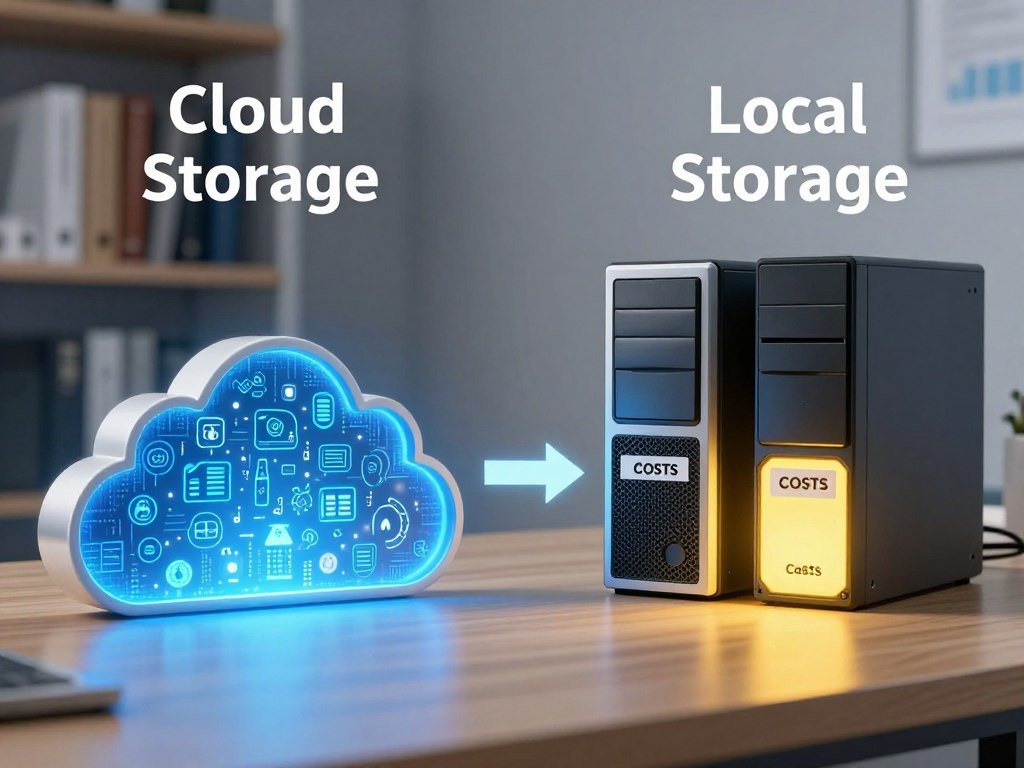
| Factor | Cloud storage | Local storage |
|---|---|---|
| Cost model | Subscription or usage charges | Hardware investment and maintenance |
| Network | Internet or provider network | Local network or direct connection |
| Large transfers | Bandwidth limits and possible extra costs | No cloud transfer for local reads |
| Infrastructure control | Provider operates hardware | Organization operates hardware |
Cloud bills may rise with storage use, data retrieval, and transfers. A team that often downloads large files should estimate those patterns, not just the space it plans to keep.
Local storage needs a hardware budget before the equipment arrives. It also brings ongoing upkeep, such as repairs, power, and staff time. A device that reaches its limit may need an expansion plan or replacement equipment.
Cloud access depends on an internet or provider-network connection. Large transfers can encounter bandwidth limits or added costs, and slow links can delay work. Local reads avoid cloud transfers, though people still need a working device or local network.
Remote access and elastic spending favor cloud storage. Predictable local access and direct control of hardware favor local storage. Those are useful starting points, not guarantees that one option will cost less for every business.
Local hardware gives your organization more direct control over the equipment. Cloud providers manage the underlying infrastructure, while customers still choose how to set up access and use services. That changes who handles daily tasks, not the need to plan them.
Before you compare quotes, estimate how often workers retrieve data and how much they move. Compare the expected retrieval and transfer pattern as well as the storage capacity before estimating total cost.
Which workloads fit cloud, local, or hybrid storage?
A distributed team that edits shared files has a different access pattern from a machine that must keep running through a network outage. Cloud storage suits broad access and changing demand, while local storage can suit work that needs fast or disconnected access.
Hybrid storage places data where each workload can use it best. A business can keep primary data local and hold a second copy in the cloud. It can also keep frequently used, or hot, data local and move warm or cold data to cloud storage.

Cloud storage fits distributed access and changing demand
Cloud storage supports collaboration across offices and remote teams. It can also expand for short periods of high demand, so a business need not build for its busiest day from the start.
Analytics and DevOps pipelines may use extra capacity during a project or test run. Cloud services can help those teams add capacity as demand changes, then reduce use after the work ends.
- Distributed team collaboration across offices and home workspaces.
- Seasonal analytics or AI/ML demand that changes during the year.
- Real-time manufacturing control that needs a nearby system.
- Remote or disconnected operations with limited network access.
Local or hybrid storage fits speed and disconnected work
Local storage can suit low-latency applications, high-throughput computing, and air-gapped environments. It also helps a site keep working when its internet connection is unreliable or unavailable.
Local storage has tradeoffs. Capacity takes procurement and installation planning, physical hardware can be lost or damaged, and remote access needs extra network setup.
Hybrid storage is a planned way to split work across locations, not simply a spare device next to a cloud account. For example, a company may keep its primary data local and an off-site copy in the cloud.
Keep a local-only design off the shortlist when a site cannot protect its hardware or maintain a separate copy.
What do personal cloud storage plans include?
A personal cloud plan can store more than documents because its capacity may be shared across several services. Google One and iCloud+ are two U.S. examples, and their prices and features do not set a universal cloud rate. Check which apps draw from the same storage allowance.
Google One tiers share storage across Google services
A Google account includes 15 GB shared across Google Drive, Gmail, and Google Photos. Google One Basic offers 100 GB for $1.99 per month and can be shared with up to five other people.
Google One Standard offers 200 GB. Google AI Plus offers 2 TB for $9.99 per month, and Google AI Pro offers 5 TB for $19.99 per month. Both AI plans can be shared with up to five other people.
Those shared limits matter if photos, email attachments, and documents all grow at once. A large photo library can use space that you expected to keep free for email or Drive files.
iCloud+ plans add capacity and family sharing
iCloud includes 5 GB of free storage. In the United States, iCloud+ costs $0.99 per month for 50 GB, $2.99 for 200 GB, and $9.99 for 2 TB.
The larger U.S. plans cost $29.99 per month for 6 TB and $59.99 for 12 TB. An iCloud+ plan can be shared with up to five other family members.
If you want to compare features beyond storage size, review cloud storage services and plans across device support, sharing, and recovery options. A personal storage tier is only one part of that choice.
Look at the storage used across connected apps, including photos, email, and files. Compare the storage used across connected apps before selecting a tier.
What happens when iCloud storage is full?
A full iCloud account can interrupt more than photo uploads. Backups, syncing, and email can stop when there is no space left. A device will not back up to iCloud while the account is full.
Backups, photos, and synced apps stop updating
New photos and videos will not upload to iCloud Photos. iCloud Drive and other iCloud apps will not stay up to date across devices, so a recent change may not appear everywhere.
You also cannot send or receive email with your iCloud email address while storage is full. That can affect messages as well as files, so check the account before relying on it for active mail.
iCloud backups remain available for 180 days after iCloud Backup is disabled or stops. The 180-day backup period gives you time to act, but it does not mean a device keeps making new backups.
Recently Deleted and shared albums have limits
Photos and videos deleted from iCloud Photos can usually be recovered from Recently Deleted for 30 days. There is an important exception: when storage is over its limit, deleted items are removed immediately and do not appear there for recovery.
In iOS, iPadOS, macOS, and visionOS version 27 or later, photos added to a shared album count toward the creator’s storage. That rule can affect the person who made the album, even when others add or view photos.
Check the storage limit before deleting photos if you expect to recover them from Recently Deleted.
Which security risks should you compare?
A provider’s security measures do not remove the customer’s responsibility for account access and configuration. Cloud and local storage both carry risks, but the risks arise in different places. No storage location is secure by default.
Cloud security depends on provider and customer controls
Cloud providers operate the underlying infrastructure, while your team manages user identities, permissions, encryption settings, and policies. A stolen password or overly broad account access can expose data even when the provider protects its equipment.
Apple lists two-factor authentication and Advanced Data Protection as iCloud security features. These tools can add protection, but no single feature makes every account or file safe on its own.
Storage software can add complexity, especially when several tools manage access and data movement. NIST’s initial public draft of SP 800-209 Rev. 1 says software-based storage layers can raise the chance of configuration errors and related threats. Its public comment period closed September 8, 2026.
Local control still leaves physical and operational risks
Local storage gives an organization direct control over its hardware, but it also leaves the organization responsible for physical access and upkeep. A failed drive, stolen server, or missed maintenance task can put stored data at risk.
Use these checks when reviewing either setup:
- Restrict user permissions to the access each person needs.
- Protect accounts with strong authentication.
- Verify encryption settings for stored and moving data.
- Test monitoring and recovery procedures on a schedule.
Review who can change access and delete data before treating either location as protected.
How should you protect backups in either setup?
A backup is useful only if a separate copy survives the event that takes out the original. Independent copies reduce reliance on one device, site, or account. The 3-2-1 rule calls for three copies, two media types, and one off-site copy.
Keep independent copies across locations and media
The 3-2-1 rule means keeping three copies of data on two different media types, with one copy off-site. The 3-2-1-1-0 extension adds one immutable backup and zero errors in verified restoration.
An immutable copy cannot be changed or deleted during its set protection period. This can help when an attacker or user tries to alter backup files, but it does not replace copies in other places.
A cloud account alone is not automatically a complete backup plan. Synced files may also reflect deletions or unwanted changes, so a separate backup should have its own copy and recovery path.
iCloud Backup automatically backs up iPhone and iPad data when the device is connected to power and Wi-Fi. The 3-2-1 backup rule still calls for copies across media and locations beyond a single service.
Verify that a restore works before relying on it
Automatic backups save time, but they do not prove that every file can be restored. A backup may miss a folder, depend on a damaged account, or fail to open after recovery.
Use this short checklist to build a plan:
- Maintain three data copies, including the working copy.
- Use two different media types, such as disk and cloud storage.
- Keep one copy off-site, away from the main equipment.
- Add an immutable copy and verify restores for errors.
Choose a sample of important files and restore them to a separate location. Schedule a restore test and confirm that the recovered files open as expected.
How should a business make the final call?
Decide separately for each workload, since a remote collaboration platform and a disconnected production system need different tradeoffs. Cloud storage suits changing capacity and remote work, while local storage suits offline access and predictable low-latency tasks. Hybrid storage fits work that needs local performance and an off-site copy.
Assess each workload against five criteria: performance and capacity, access patterns, total cost, control and security needs, and flexibility. Estimate data growth and retrieval needs before committing to capacity.
| Workload need | Best starting fit | Key tradeoff |
|---|---|---|
| Remote collaboration and rapid growth | Cloud | Network access and ongoing usage costs |
| Offline or latency-sensitive work | Local | Hardware capacity and maintenance |
| Fast recovery plus off-site resilience | Hybrid | Coordination across locations |
Start with the application’s response needs. A database that must react quickly may need local storage, while a growing file library shared across sites may fit cloud services better.
Capacity planning also differs. Cloud storage can scale on demand, while increasing local storage means buying and deploying more hardware. Forecast growth before selecting either option, especially if a workload creates large files or frequent copies.
Access patterns can rule out an otherwise attractive design. A production site with weak internet may need local access to keep equipment running. A team spread across cities may need remote access that a single local server cannot provide by itself.
Choose cloud for changing capacity and distributed access, local for offline or latency-sensitive work, and hybrid when a workload needs both.
Keep security and control requirements tied to the actual workload. Rules or contracts may limit where some data can live, while other files may need rapid access from several locations.
Inventory the workloads, access patterns, and recovery needs before committing to a storage architecture.
Conclusion
The right setup is the one that meets the workload’s access, capacity, and recovery needs. Cloud storage is a strong fit for flexible access and scaling, while local storage supports offline use and direct hardware control.
Hybrid storage can serve work that needs local performance and an off-site copy. Your business may need more than one arrangement, since files and systems do not all share the same access pattern.
Start by listing the files and systems that need remote access, offline availability, or an independent backup copy.
FAQ
What is better, cloud or local storage?
Cloud storage often fits remote access and changing capacity, while local storage often fits offline use and predictable low-latency work. Hybrid storage fits a workload that needs both. For example, a team might keep active files in a cloud service while a production system uses local storage to keep running during a network outage.
What happens when iCloud storage is full?
iCloud backups, new iCloud Photos uploads, app syncing, and iCloud email can stop when storage is full. Deleted photos may also be removed immediately if the account is over its limit. Backups remain available for 180 days after iCloud Backup stops, but that period does not create new backups or restore missing uploads.
What should not be stored on the cloud?
Do not put data in cloud storage when rules or contracts require it to stay on-premises. Avoid a service that cannot provide access and security controls suited to the data. A sensitive file may still be stored in the cloud when the service, account settings, and agreement meet your needs and obligations.
What is the difference between disk storage and cloud storage?
Disk storage keeps data on physical hardware, such as a hard disk drive or solid-state drive. Cloud storage keeps data on provider-operated remote infrastructure that you reach over a network. A disk can sit inside a computer or connect externally, while cloud files depend on the service and a network path.
What is a disadvantage of cloud storage?
Cloud storage depends on network access, and large transfers can hit bandwidth limits or add costs. A slow or broken internet connection may delay access to files, especially when teams move large media or backup sets. Businesses should consider how much data they retrieve and how often they move it.
What are the two biggest concerns about cloud storage?
Account security and privacy controls, along with dependence on network access, are two central concerns. Weak account settings can expose files, while a poor connection can interrupt work. Strong authentication, careful permissions, suitable encryption settings, and a reliable network help reduce these risks.
What are three types of cloud storage?
The three main types are object storage, block storage, and file storage. Object storage identifies items with unique IDs and metadata. Block storage presents individually addressable blocks to applications, while file storage uses folders, names, and paths. Each type fits different ways of finding or changing data.
Is cloud storage really necessary?
No, cloud storage is not necessary for every person or business. Local storage can meet offline access or direct-control needs. Cloud or hybrid storage helps when you need remote access, flexible capacity, or an off-site copy. The best fit depends on how each workload reaches and uses its files.



