
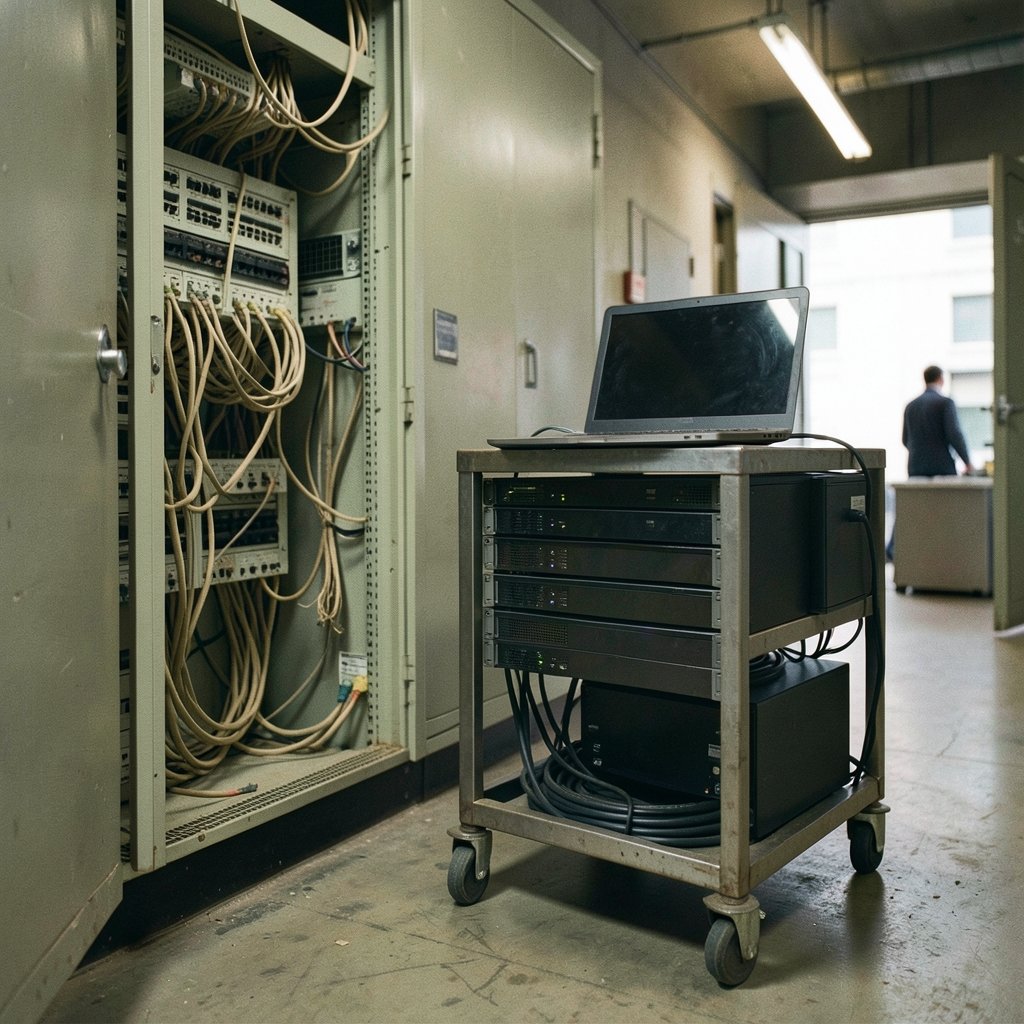
Most legacy systems don’t fail loudly. They quietly become the reason a company can’t ship a feature, can’t hire, and can’t cut a cloud bill. That slow drag is why application modernization tools have moved from IT side project to board-level budget line. The tools promise to turn creaking monoliths into flexible, cloud-ready systems. The reality is messier, and knowing where the mess lives is the difference between a modernization that pays off and one that stalls halfway.
This guide cuts through vendor noise. It covers the main tool categories, where each one fits, the mistakes that sink projects, and how to choose without betting the company on a demo.
What Application Modernization Tools Actually Do
Application modernization is the process of updating legacy software so it runs on modern infrastructure, integrates with current systems, and can be changed quickly. It is not one task. It is a spectrum, and the tools differ sharply depending on where you sit on that spectrum.
At one end is rehosting — lifting an application onto cloud servers with minimal code change. At the other is a full rewrite into cloud-native services. In between sit replatforming, refactoring, and replacing with SaaS.
Modernization tools support these paths in different ways:
- Assessment tools scan codebases and infrastructure to map dependencies and flag risk.
- Migration and replatforming tools move workloads to containers or managed services.
- Automated refactoring tools rewrite code patterns, often with AI assistance.
- Mainframe and legacy conversion tools translate COBOL, RPG, and similar languages.
- Low-code and platform tools rebuild functionality with less hand-written code.
A common mistake is buying a conversion tool before running an assessment. Teams fall in love with an AI refactoring demo, then discover their codebase has undocumented dependencies that no tool can safely untangle. Assessment first, always. It is the least glamorous step and the one that saves the most money.
The Main Categories of Modernization Tooling

Assessment and Discovery Tools
These tools build a map of what you have. They scan source code, configuration, databases, and network traffic to show how applications connect. Good ones surface the hidden couplings that make migration risky — the batch job nobody documented, the hardcoded server address, the shared database that three teams quietly depend on.
Practical tip: run assessment across the whole estate, rather than only the app you plan to move first. Dependencies rarely respect project boundaries. A tool that only sees one application will miss the integrations that break on cutover day.
Replatforming and Containerization Tools
Replatforming means moving to a new runtime — often containers or a managed platform — with modest code changes. Containerization tools package applications so they run consistently across environments. Orchestration platforms then manage them at scale. (Modernize existing .NET apps with Azure containers)
This is often the best value-per-effort path for mid-sized systems. You get portability and easier deployment without the cost of a rewrite. The trap is containerizing a badly structured application and expecting the problems to vanish. Containers make deployment cleaner; they don’t fix architecture. Teams that skip the cleanup phase end up with the same monolith, now harder to debug.
Automated Refactoring and AI Code Conversion
This is the fastest-moving and most hyped category. Tools use pattern matching and machine learning to rewrite code — converting legacy languages, modernizing frameworks, or cleaning up technical debt. The appeal is obvious: manual refactoring is slow and expensive.
What actually works in practice is narrower than the marketing suggests. AI conversion handles well-structured, repetitive code well. It struggles with business logic buried in decades of patches. The reliable approach is to treat AI output as a first draft that engineers review line by line. Teams that ship unreviewed converted code tend to discover the problems in production, which is the worst place to find them.
If your team also leans on AI for documentation and planning during modernization, the same review discipline applies. The best AI writing tools for content creators follow a similar rule: output is a starting point, not a finished product.
Mainframe and Legacy Language Tools
Mainframe modernization deserves its own category because the constraints are different. These tools parse COBOL and similar languages, extract business rules, and either translate code or expose mainframe logic as services. The strongest use case is not wholesale translation but gradual exposure — wrapping mainframe functions as APIs so new systems can call them while the core stays put.
Wholesale mainframe rewrites have a long history of overrunning budgets. Incremental exposure is slower to demo but far more likely to finish.
Low-Code and Platform Tools
Low-code platforms let teams rebuild simpler applications with visual builders and prebuilt components. They shine for internal tools, forms, and workflow apps where hand-coding adds little value. They struggle with complex, high-performance, or highly customized systems.
The mistake here is scope creep in reverse: teams pick low-code for an app it can’t handle, hit a wall, and abandon the platform. Match the tool to the complexity, not the other way around.
How the Tool Categories Compare
| Tool category | Best for | Main risk | Effort level |
|---|---|---|---|
| Assessment and discovery | Every project, first step | Skipping it entirely | Low |
| Replatforming and containers | Mid-sized systems needing portability | Containerizing bad architecture | Medium |
| Automated refactoring / AI conversion | Repetitive, well-structured code | Shipping unreviewed output | Medium to high |
| Mainframe and legacy tools | Exposing core logic as services | Wholesale rewrite overruns | High |
| Low-code platforms | Internal tools and workflows | Using it for complex systems | Low to medium |
A Practical Modernization Workflow
A workflow that holds up across most organizations looks like this:
- Inventory the estate. Use assessment tools to map applications, dependencies, and data flows.
- Score each application. Rate business value against technical risk. High value plus low risk is your first move.
- Pick the path per application. Not every system needs the same treatment. Rehost the stable ones, replatform the mid-sized ones, refactor only where the payoff is clear.
- Modernize in slices. Deliver working increments, not a big-bang cutover.
- Review every automated change. Treat AI and conversion output as drafts.
- Measure before and after. Track deployment frequency, change failure rate, and cost per transaction so you can prove the value.
The sequencing matters more than the tool brand. Teams that run discovery first and modernize in slices finish more often than teams that buy the biggest platform and start converting.
Common Mistakes That Sink Modernization Projects
Buying tools before defining the target state. A tool is only useful relative to a goal. Without a clear picture of where the application needs to end up, every demo looks impressive and none of them help.
Underestimating the data layer. Applications are easy to talk about; databases are where projects die. Schema changes, data migration, and synchronization during cutover are consistently the hardest part. Budget for them explicitly.
Treating modernization as an IT-only project. Business rules live in the heads of people outside IT. If those people aren’t in the room, converted code will be technically correct and functionally wrong.
Chasing a full rewrite by default. Rewrites are the most expensive path and the most likely to overrun. Most systems are better served by incremental modernization.
Ignoring the people side. New tooling means new skills. Teams that plan training and pair experienced staff with newer engineers retain momentum. Those that don’t find the tools sitting unused.
There’s a broader pattern here that shows up across tool categories: automation amplifies good process and magnifies bad process. The same principle applies to operations tooling like the best e discovery tools for litigation, where a disciplined workflow matters more than the software itself.
Build Versus Buy: A Realistic View
The build-versus-buy question comes up on nearly every modernization project. The honest answer is that most organizations should buy assessment, conversion, and platform tooling, and build the integration glue and business logic that make them work.
Custom-built modernization tooling sounds appealing until you factor in maintenance. A homegrown conversion script becomes another legacy asset within a few years. Commercial tools carry licensing costs but also carry vendor support, updates, and a community of users who have hit the same problems.
The exception is highly specialized logic unique to your business. There, building is often the only option — but scope it tightly and document it as carefully as any other system.
The Role of AI in Modernization
AI has genuinely changed what modernization tools can do. Code understanding, pattern detection, and draft conversion have all improved. But AI has not removed the need for engineering judgment, and vendors that imply otherwise are overselling.
The realistic framing: AI compresses the mechanical work — the repetitive translation, the boilerplate, the first-pass documentation. It does not compress the judgment work — deciding what to keep, what to cut, and how the new system should behave. Teams that understand this split get real productivity gains. Teams that expect AI to make modernization effortless end up with faster-generated problems.
For organizations building AI capability alongside modernization, the same discipline applies to research and tooling selection. Resources like the best AI research tools for students and professionals are useful precisely because they speed up the mechanical part while leaving decisions to people.
How to Evaluate a Modernization Tool
When comparing vendors, focus on evidence rather than features:
- Ask for a proof of concept on your own code. Generic demos hide the hard cases.
- Check how the tool handles dependencies. A tool that can’t see cross-application links isn’t ready for a real estate.
- Ask what happens when conversion fails. Every tool fails on some code. The question is whether it flags the failure clearly or hides it.
- Confirm the exit path. Can you extract your converted code and leave? Lock-in is a real cost.
- Talk to reference customers with similar systems. Not the biggest logo on the slide — the one closest to your situation.
Conclusion
Application modernization tools are powerful, but they are not magic. The organizations that succeed treat modernization as a sequenced program: assessment first, incremental delivery, human review of every automated change, and measurement throughout. The tools that earn their place are the ones that make that discipline easier, not the ones that promise to skip it.
If there’s one takeaway worth repeating, it’s this: the tool is never the strategy. Pick your target state, modernize in slices, and let the tools serve the plan. Teams that get that order right finish projects. Teams that reverse it buy software and wonder why nothing changed.
FAQ
What are application modernization tools?
Application modernization tools are software products that help organizations update legacy applications for modern infrastructure and practices. They cover assessment, replatforming, automated code conversion, mainframe modernization, and low-code rebuilding. Most projects need several categories rather than a single tool. (Software modernization)
Do modernization tools replace the need for developers?
No. Tools automate mechanical work like code translation and dependency mapping, but they don’t make architectural or business decisions. Automated output still needs engineering review. Teams that treat tools as a replacement for judgment tend to discover the gaps in production.
What is the difference between rehosting, replatforming, and refactoring?
Rehosting moves an application to new infrastructure with minimal change. Replatforming moves it to a new runtime, often containers, with modest code changes. Refactoring restructures code more deeply to improve maintainability. Each path has different costs and risks, and different systems in the same estate may need different paths.
How long does a typical modernization project take?
It varies enormously with scope. A single mid-sized application replatformed in slices can take months. An estate-wide program runs for years. The more useful question is how to deliver working increments early, so value arrives before the program’s final phase.
Can AI tools fully convert legacy code automatically?
Not reliably. AI conversion handles repetitive, well-structured code well but struggles with business logic buried in decades of patches. The dependable approach is to use AI for a first draft and have engineers review every change before it ships.
How do I choose the right modernization tool?
Start with assessment, define your target state, then evaluate tools against your own codebase through a proof of concept. Check dependency handling, failure reporting, and exit paths. Talk to reference customers whose systems resemble yours rather than the largest logos on the vendor’s slide.



