

Have you ever bought a card stamped with big speed numbers, slid it into your camera, and watched the buffer still choke during a burst of RAW shots? That moment of confusion is almost always about the difference between UHS-I and UHS-II. The two look nearly identical on the shelf, cost wildly different amounts, and promise very different throughput. Yet the card alone never tells the whole story. The slot in your device, the reader on your desk, and the class rating printed in tiny letters all decide what you actually get.
This guide breaks down what separates the two interfaces, where the real bottlenecks hide, and how to spend your money without overbuying. It stays practical: what works in the field, what people get wrong, and how to check compatibility before checkout.
What UHS-I and UHS-II Actually Mean
UHS stands for Ultra High Speed, a bus-interface generation defined within the SD specification family maintained by the SD Association. The Roman numeral is not a quality grade. It describes the electrical pathway between the card and the host device.
UHS-I uses a single row of contact pins. Its bus tops out at 104 MB/s in the fastest transfer mode. In practice, most UHS-I cards land somewhere between 80 and 100 MB/s on reads because of interface overhead and controller design.
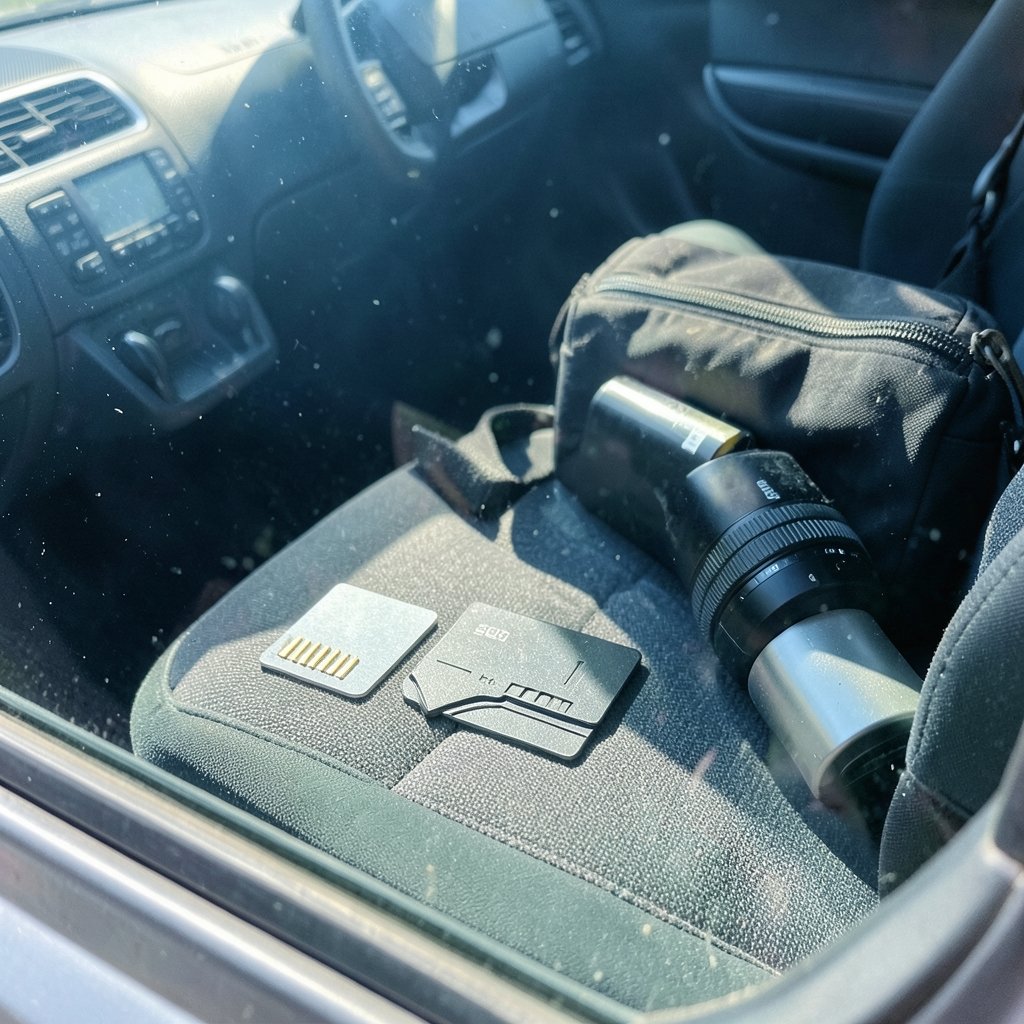
UHS-II adds a second row of pins behind the familiar front row. That extra lane pushes the theoretical bus ceiling to 312 MB/s. Cards are backward compatible: a UHS-II card drops into a UHS-I slot and simply runs at UHS-I speed. The reverse is also true. The slower side of the pairing always governs.
Newer labels complicate the shelf. UHS-III raised the ceiling further, and SD Express moved to a PCIe/NVMe architecture entirely. Marketing copy often blurs these together, so read the fine print rather than the headline badge.
| Feature | UHS-I | UHS-II |
|---|---|---|
| Pin rows | One | Two |
| Theoretical bus ceiling | 104 MB/s | 312 MB/s |
| Typical real-world read | 80–100 MB/s | 150–300 MB/s |
| Backward compatible | Yes | Yes, at UHS-I speed in older slots |
| Price premium | Baseline | Noticeably higher |
| Best for | Stills, 1080p, 4K at moderate bitrates | High-bitrate video, burst RAW, fast offload |
The Speed Label Trap Most Buyers Fall Into
Here is the mistake that costs people the most money: confusing the bus interface with the speed class.
A card can carry a V30 rating and be either UHS-I or UHS-II. The V30 stamp guarantees a minimum sustained write speed of 30 MB/s. It says nothing about peak throughput. So a UHS-I V30 card and a UHS-II V30 card share the same floor for continuous recording, but the UHS-II version finishes offloading footage far faster.
The class markings break down like this:
- Class 10 guarantees 10 MB/s minimum write speed.
- U1 matches Class 10 at 10 MB/s.
- U3 guarantees 30 MB/s minimum.
- V6 through V90 are video speed classes, with the number representing minimum sustained MB/s.
For most photographers shooting stills, a good UHS-I U3 card is plenty. For someone recording high-bitrate 4K or 8K, the sustained write floor matters more than the peak number on the box. And for anyone who offloads hundreds of gigabytes after a shoot, the UHS-II read speed becomes the difference between a coffee break and an afternoon.
Where the Real Bottleneck Lives
Buying a UHS-II card for a UHS-I camera is the single most common waste of money in this category. The camera’s slot is the ceiling. If the host controller only speaks UHS-I, a premium UHS-II card will run at UHS-I speeds, and you paid extra for nothing.
The same logic applies to card readers. A UHS-II card paired with a cheap UHS-I reader offloads at UHS-I speed. Many people blame the card when the reader is the culprit. Before upgrading storage, check three things: the camera spec sheet, the reader spec sheet, and the port you plug the reader into. A slow USB hub can throttle a fast reader just as surely as an old slot throttles a fast card.
Practical tip: when a camera lists “UHS-II compatible” in its specs, that usually refers to the slot, not a guarantee that every mode uses the full bus. Some bodies reserve the fast interface for one slot only. Check which slot is which before relying on it for video.
If you are already planning a broader hardware refresh, the same compatibility-first thinking applies to other components. A careful GPU upgrade install graphics card guide 2026 makes the point well: match the part to the slot, not the marketing.
When UHS-II Is Worth the Extra Money
UHS-II earns its premium in specific situations:
- High-bitrate video. Cameras recording at 400 Mbps and above need sustained write headroom. A V60 or V90 UHS-II card reduces the risk of dropped frames.
- Burst RAW shooting. Faster write speeds clear the buffer sooner, so you can keep shooting instead of waiting.
- Fast offload. A UHS-II reader plus a UHS-II card can cut transfer time dramatically on large shoots.
- Dual-slot workflows. Some professionals record to two cards at once, and matched speed matters for redundancy.
For casual family photos, travel snapshots, and 1080p clips, a solid UHS-I card is the sensible choice. The money saved buys a spare card, which is a better insurance policy than unused bandwidth. The same principle of matching the tool to the job shows up in lighter entertainment too, where a simple deck of cards beats an expensive setup. A look at the zap card game makes the case for fast, uncomplicated fun, and a roundup of the best card games shows how the right pick depends entirely on the crowd. (SD card)
Reading Real-World Benchmarks Instead of Box Claims
Manufacturer figures usually describe sequential reads under ideal conditions. Real cameras write in bursts, and real readers negotiate whatever mode the host supports. Independent testing consistently shows measured throughput landing below the rated ceiling, sometimes by a wide margin.
When comparing cards, look for three numbers:
- Sustained write speed during continuous recording, not peak write.
- Random read/write performance, which affects how quickly a camera indexes files.
- Thermal behavior under long recording sessions, since fast cards heat up.
A card that hits 290 MB/s for ten seconds and then throttles is worse for video than a card that holds 200 MB/s steadily. Reviews that test sustained performance are worth more than spec sheets.
Common Mistakes and How to Avoid Them
Mistake one: buying by badge alone. The UHS-II label tells you about the bus, not the class. Always check both.
Mistake two: ignoring the reader. A fast card with a slow reader is a fast car on a dirt road. Match the reader to the card.
Mistake three: assuming all slots are equal. Many cameras have one fast slot and one slower slot. Know which is which.
Mistake four: overbuying for stills. Unless you shoot continuous bursts or high-bitrate video, UHS-I is fine.
Mistake five: skipping the format step. A card formatted in the camera, not on a computer, avoids compatibility headaches and performs better.
Mistake six: trusting the port. Plugging a UHS-II reader into a slow hub or an older USB port silently caps performance.
A useful habit: before any purchase, write down the exact model of your camera and reader, then look up the interface each supports. Five minutes of checking prevents a costly mismatch.
Capacity, Endurance, and the Specs That Matter Long-Term
Bus speed gets the headlines, but endurance and capacity decide how long a card lasts. High-endurance cards use better flash memory and handle repeated writes more gracefully, which matters for anyone recording video regularly. Cheap cards can fail under sustained load, and a failed card during a shoot is far more expensive than the premium you skipped.
The choice of card also connects to how people use devices day to day. Just as a credit card comparison hinges on rewards and fees rather than the logo on the front, storage decisions hinge on the workload rather than the biggest number on the package. A quick look at a best capital one credit card comparison illustrates the same logic: the right pick depends on how you actually use it.
For games and casual entertainment, the parallel holds. Understanding scoring and rules matters more than flashy equipment, as a guide to the baccarat card game shows. The tool is only as good as the fit.
A Simple Decision Framework
Ask three questions before buying:
- What does my device support? Check the camera and reader spec sheets for UHS-I or UHS-II.
- What am I recording? Stills and moderate video point to UHS-I. High-bitrate video and burst RAW point to UHS-II.
- How much do I offload? Large shoots justify the faster read speeds.
If the answers point to UHS-I, buy a reputable U3 or V30 card and put the savings toward a spare. If they point to UHS-II, buy a matched reader at the same time, because the card alone will not deliver the speed.
Conclusion
The UHS-I versus UHS-II question is really a question about bottlenecks. UHS-II offers a wider road, but the road only matters if your camera, reader, and workflow can use it. For most people, a well-chosen UHS-I card delivers everything needed at a fraction of the cost. For video shooters and burst photographers, UHS-II removes real friction and pays for itself in saved time and fewer dropped frames. Check the host device first, read the class rating second, and treat the badge on the box as the last thing you trust. That order of operations prevents the most expensive mistake in the category: paying for speed the rest of the chain cannot deliver.
Frequently Asked Questions
Can I use a UHS-II card in a UHS-I slot?
Yes. UHS-II cards are backward compatible and will work in a UHS-I slot, but they will run at UHS-I speeds. You get reliability and future-proofing, not the full bus speed.
Is UHS-II always faster than UHS-I?
Only when the host device supports UHS-II. In a UHS-I camera or reader, a UHS-II card performs at UHS-I speed. The slower component in the chain sets the ceiling.
What is the difference between UHS speed class and bus interface?
The bus interface (UHS-I or UHS-II) describes the electrical pathway and peak throughput. The speed class (U1, U3, V30, V60, V90) describes the guaranteed minimum sustained write speed. They are separate ratings and both matter.
Do I need a special reader for UHS-II cards?
Yes, to get full UHS-II speed you need a UHS-II compatible reader. A standard UHS-I reader will still work but will cap transfers at UHS-I rates. (SD Standard Overview)
Is UHS-II worth it for still photography?
It depends on how you shoot. For casual stills, a good UHS-I card is enough. For continuous burst RAW shooting where buffer clearing matters, UHS-II reduces wait times noticeably.
How do I check what my camera supports?
Look up the exact model on the manufacturer’s spec page and check the memory card section. Many cameras list UHS-II support for one slot only, so confirm which slot offers the faster interface before relying on it.
The safest long-term policy is to buy the fastest card your current device can actually use, then spend the difference on a second card and a matching reader. Speed you cannot reach is money you cannot recover, and redundancy you actually carry is insurance that pays out the moment a card fails mid-shoot.



