
A camera that sends images to your phone can make scouting easier, but only when its signal, power and plan fit the property. The right pick depends on your hunting needs, local cellular service, photo or video use, and how often you can visit the camera. A camera’s trigger speed is the time between detecting motion and capturing an image.
Those details matter on a remote ridge, a busy trail, or a property you check only once a month. A camera that misses passing wildlife or cannot send its images may add work instead of saving you a trip. This roundup offers a practical comparison, not one universal winner. The strongest choice is the one that reliably captures the activity you need without creating extra field visits.
Key Takeaways
- Match the camera’s network to the exact mounting site.
- Choose a power setup that fits your visit schedule.
- Compare trigger speed, detection range, and recovery time.
- Check whether you need still photos, video, or both.
- Include the monthly service cost in your buying decision.
- Test the camera before leaving it unattended.
Which Is the Best Cellular Trail Camera for Your Needs?
For most hunters wanting an all-around unit, start with the Moultrie Edge 4 Solar or Browning Defender Pro Scout MAX HD DV. The best cellular trail camera for 2026 is a category choice, not one model for every property. A best game camera for remote scouting matches local coverage and the images you need.
Use this quick comparison to narrow your options. Each pick serves a different goal, from fewer battery visits to clearer photos.
| Category | Recommended model | Best-fit buyer |
|---|---|---|
| Best overall | Moultrie Edge 4 Solar and Browning Defender Pro Scout MAX HD DV | General all-around use |
| Best value | SPYPOINT FLEX-M2 | Buyers prioritizing a lower-cost camera |
| Stealth | Tactacam Reveal Pro 4.0 | Close or wary wildlife |
| Photo quality | Stealth Cam Deceptor Max 3.0 | Users who prioritize clear images |
| Solar convenience | Moultrie Edge 4 Solar | Fewer battery-change trips |
The table gives you a starting point, not a promise that a camera will work at every site. A trail camera that fits an open field may struggle under thick cover or beyond a weak signal.
Compare the camera’s actual mounting spot with the category’s main benefit. Consider the path animals use, your likely visit schedule, and whether still images meet your needs.
Cellular service can change across a property, even between nearby trees. Match the category pick to the conditions at the exact mounting location.
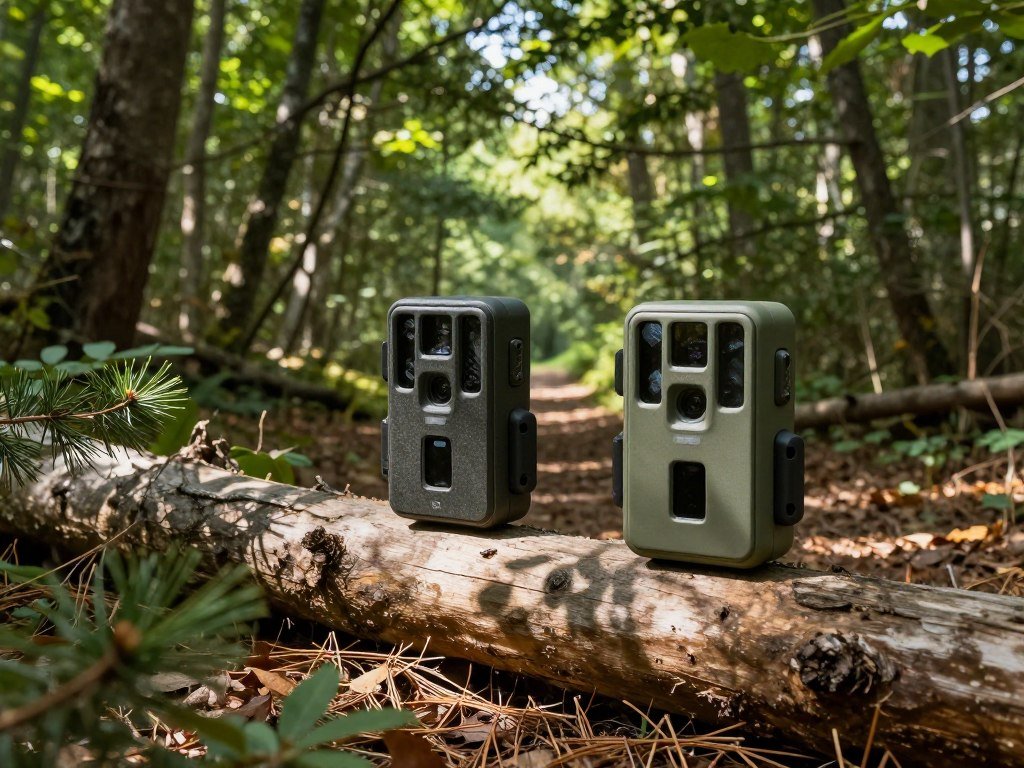
What Specs Matter Most in the Field?
For a busy trail, prioritize a quick trigger and recovery before paying extra for an inflated megapixel count. Speed matters when wildlife crosses the camera’s view quickly, but the setup still needs to cover the path.
For frequently used trails or fast-moving wildlife, look for a trigger speed around 0.3-0.5 seconds or faster and recovery time ideally under 5 seconds. Those figures help you compare cameras, but they do not guarantee a clean image.
Trigger Speed and Recovery Time
Trigger speed measures the time from motion detection to image capture. A quick trigger can help catch a deer moving past a trail camera before it leaves the frame.
Recovery time is how long the camera takes to prepare for another capture. Short recovery matters when animals travel in groups or return to a feeder within seconds.
A fast trigger does not guarantee a centered image if placement or detection coverage is poor. A camera aimed too far across a trail may still catch only a tail.
Some cameras also let you adjust the delay between captures. A long delay can save storage or power, but it may leave gaps in a busy stretch of activity.
Detection Range and Capture Area
Detection range is the distance at which motion is detected. Flash range describes how far the light can reach, while field of view describes the width of the area captured.
These measures answer different questions. A camera may detect movement farther away than its night flash can light an animal clearly.
- Identify the target animal size, from small game to large deer.
- Compare the stated detection range and flash range.
- Test the intended approach path from more than one angle.
Do not judge a camera only by its longest advertised range. A long number may describe motion detection, not a usable nighttime image.
Detection range also depends on the animal’s size, movement, and the area in front of the camera. Brush or uneven ground can create missed spots.
Check whether the detection zone covers the animal’s approach, not just the point where it crosses the frame.
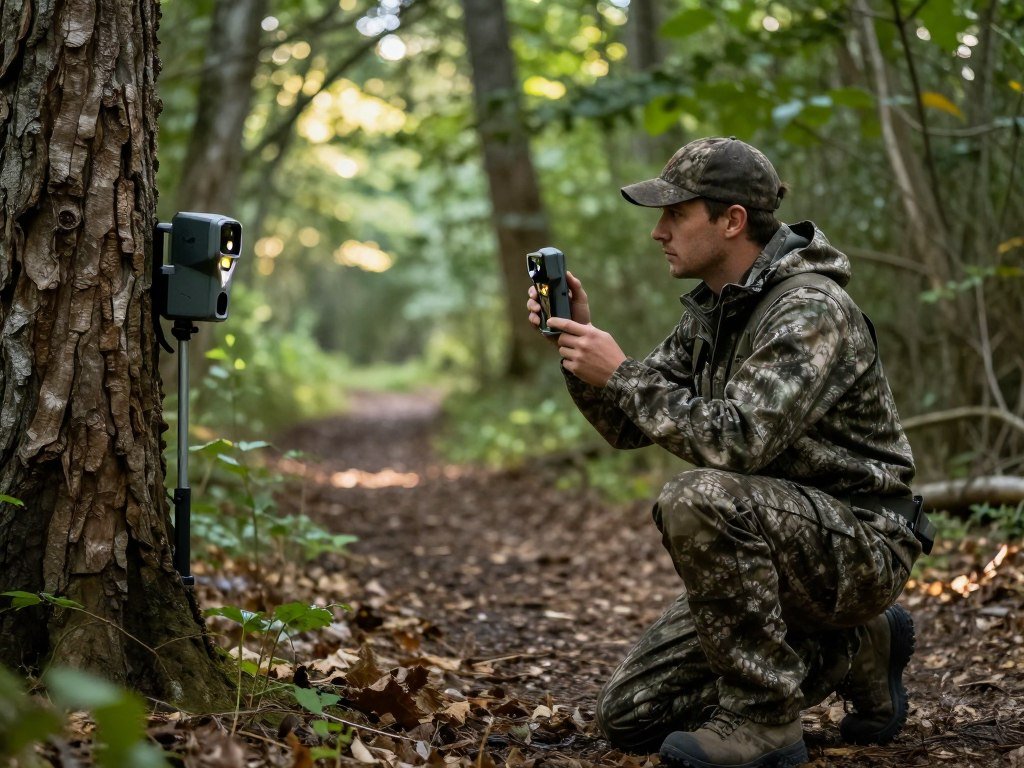
Which Solar-Powered Cameras Cut Battery Changes?
For a remote site where battery visits are costly, compare the panel arrangement as carefully as the camera itself. Solar power can reduce battery changes, but shade and camera activity affect how much energy the panel restores.
A built-in panel is convenient, while an external or corded panel can sit where it gets better sun. Shade, season, and camera activity affect solar recovery, so a panel does not remove every power concern.
| Model | Power setup | Detection or flash range | Listed price |
|---|---|---|---|
| Moultrie Edge 4 Solar | Solar power | 100-foot detection | $169.99 |
| Covert Interceptor Solar | Solar, 8 AA backup | 90-foot detection and flash | $219.99 |
| Bushnell CelluCORE 20 Solar | Solar power | 80-foot Low Glow range | $199.99 |
The Moultrie Edge 4 Solar has a 0.4-second trigger and connects to the strongest available cellular network. That network feature does not ensure a usable signal at every mounting spot.
The Covert Interceptor Solar adds 2K real-time video and a 2-inch screen. Its eight AA batteries provide backup when solar charging cannot keep up.
The Bushnell CelluCORE 20 Solar captures 20 MP images and records HD video up to 20 seconds without audio. Its stated 80-foot range uses Low Glow illumination.
A shaded location may still need a backup power source, even with a solar panel. The best cellular trail camera with a solar panel for one site may not suit another under dense trees.
Before mounting, make sure the panel’s actual position receives enough daylight for the site.
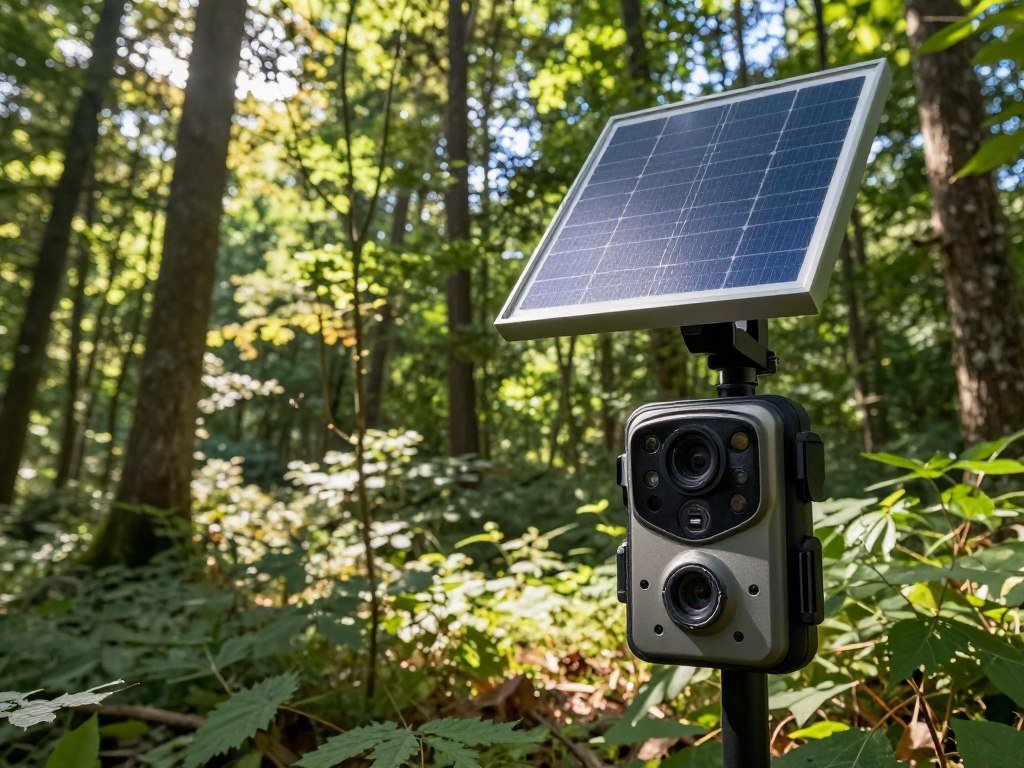
What Does the Moultrie EDGE SOLAR Offer?
The Moultrie EDGE SOLAR pairs an adjustable panel with an included rechargeable battery and built-in storage. It is a separate model from the Moultrie Edge 4 Solar, despite the similar names.
The EDGE SOLAR records 40 MP photos and 1080p video with sound. It has a 0.40-second trigger and 100-foot detection and flash range, which may suit a site with clear approaches.
Its integrated adjustable 2.5W solar panel works with an included rechargeable 2600mAh, 28Wh battery pack. The panel angle can change to face available daylight.
The camera stores photos and videos in built-in memory, so it does not require an SD card. That removes one removable part, though local storage still has limits.
An IP65 durability rating means the enclosure is dust-tight and protected against water jets. It does not mean the camera can be submerged.
Built-in memory can make setup simpler for hunters who do not want to manage a card. Check how the camera and app handle image access before a long trip away.
Sound recording can help capture activity beyond the frame, while video gives more context than a still image. Those options may also increase the amount of data sent.
The adjustable panel gives you some control over its exposure, but nearby branches can still cast shade as the sun moves. A clear view of the sky matters.
The 2600mAh, 28Wh rechargeable battery pack comes with the camera. Check the mounting angle and nearby shade so the adjustable panel can face useful daylight.

Is the SPYPOINT FLEX-M2 the Best Value?
The SPYPOINT FLEX-M2 is a value-minded option with a 90-foot detection range and 0.4-second trigger. Its low listed price may appeal if you want a cellular trail camera without a large upfront cost.
The camera lists at $79.99 and includes a two-year warranty. It captures 32 MP images and 1080p video, giving you both still and motion options.
The FLEX-M2 uses eight AA batteries or a LIT-22 rechargeable lithium battery pack. SPYPOINT states that the camera can run up to 12 months with the LIT-22 or up to six months with AA batteries.
Those runtime figures are not promises for every property. Triggers, video, signal strength, weather, and live viewing can all change actual battery life.
The 90-foot detection range and 0.4-second trigger are practical features for many trail setups. They do not guarantee that every animal will appear centered or sharply lit.
Compare the rechargeable pack’s cost with the cost of replacing AA batteries over time. The pack may make sense if reaching the camera is difficult.
A lower purchase price can leave room in your budget for storage or service. Think about the full setup, rather than judging value by the camera alone.
Still photos may suit a quiet trail, while video can show how animals move through a site. Choose the capture style that answers your scouting question.
Compare the cost of the rechargeable pack with how often you can reach the camera.

How Do the SPYPOINT FLEX-DARK and FLEX-RANGE Differ?
Choose the FLEX-DARK for remote control over LED mode, and consider the FLEX-RANGE for its stated backup-coverage plan. The key difference is flash control versus a planned coverage feature.
Both cameras list 40 MP resolution, 1080p video, 100-foot detection range, and a 0.3-second trigger. That shared spec set leaves the added feature as the main reason to choose between them.
The FLEX-DARK lets you switch between Low Glow and No Glow LEDs in the SPYPOINT app. Low Glow and No Glow are different infrared illumination choices, not guarantees that wildlife will never notice a camera.
Low Glow LEDs emit a faint red glow when they fire. No Glow LEDs avoid that visible flash, though animals may still notice the camera for other reasons.
The FLEX-RANGE was described as having backup satellite coverage coming soon in 2026. That service was not presented as currently available.
So, an SPYPOINT satellite trail camera choice depends on confirming service availability for your purchase and location. A satellite feature cannot help if the service does not cover the field site.
Neither model’s listed detection range guarantees a useful image at every distance. Vegetation, animal size, and the camera’s angle affect what it captures.
Choose the FLEX-DARK when changing illumination from your phone matters most. Consider the FLEX-RANGE only when its coverage feature is available where you plan to use it.
Confirm the actual coverage and service availability before relying on satellite backup in the field.
Is the Tactacam REVEAL Pro 4.0 a Good Stealth Pick?
Yes, the REVEAL Pro 4.0 is a strong stealth-focused option if its 80-foot No Glow range suits the site. Its switchable modes let you choose between Low Glow and No Glow illumination.
The camera lists a 96-foot Low Glow range and an 80-foot No Glow range. Range can change with flash mode and field conditions, so the longer figure does not promise a clear image at every distance.
Low Glow may reach farther, which can help when wildlife passes at a greater distance. No Glow gives you a less visible flash, but its listed range is shorter.
Neither setting proves that animals cannot detect the camera. They may notice movement, the housing, or other signs around a mounting point.
The REVEAL Pro 4.0 lists a 0.35-second trigger. That speed can help with a passing animal, though framing and coverage still matter.
It runs on 12 AA batteries, so plan for the number of cells and the access route. A remote site may make battery changes inconvenient.
For a close, wary animal, No Glow may be the better fit if 80 feet covers the approach. For a longer crossing, Low Glow’s stated reach may suit the frame better.
Choose the flash mode for the animal’s approach and the distance you need illuminated.
How Much Do Cellular Trail Camera Plans Cost?
Covert’s listed plans begin at $4.99 per month for 100 pictures, with higher allowances priced by tier. Shared plans can cover several cameras under one picture allowance.
The best cellular trail camera plans depend on expected monthly picture volume and the number of cameras. A shared allowance can fit a group of cameras, while an individual plan sets a separate limit for each unit.
Shared Picture Allowances
Covert lists 10,000 pictures for $14.99 monthly, with additional cameras on shared plans costing $5 each per month. Its 20,000-picture plan costs $19.99, and its 50,000-picture plan costs $49.99.
| Allowance | Monthly price | Sharing terms |
|---|---|---|
| 10,000 pictures | $14.99 | Additional cameras $5 each |
| 20,000 pictures | $19.99 | Shared plan |
| 50,000 pictures | $49.99 | Shared plan |
| Unlimited pictures | $12.99 per camera | Cannot be shared |
Adding cameras raises the 10,000-picture plan’s monthly total by $5 per added camera. That may still suit you if several sites send images into one shared allowance.
Individual Unlimited Plans
Covert’s unlimited plan costs $12.99 per camera each month and cannot be shared. It may suit a camera that sends many pictures, but each additional camera adds its own fee.
When a camera reaches its picture limit, it stops sending new images until renewal or Replenish Now. There are no overage fees, so the camera does not keep adding charges for extra pictures.
Customers can activate, deactivate, or suspend cameras. Covert lists no initial activation fee and no early termination fee, which allows changes as your scouting needs shift.
Estimate how many images your sites may send during an active month. The best value depends on whether a shared pool or per-camera service fits that total.
Estimate the number of cameras and monthly uploads before choosing a shared or individual plan.
Can a Cellular Trail Camera Send Photos for Free?
Yes, some cellular cameras offer a limited free photo allowance, but free local recording is different from free phone delivery. SPYPOINT FLEX-series cameras include 100 photos per camera per month on a free transmission plan.
That allowance covers 100 photos, not unlimited cellular service. Phone uploads, remote viewing, and alerts generally require an active data plan or an included allowance.
A camera may keep recording to an SD card when a data plan is inactive. That local capture does not send images to your smartphone while cellular transmission is paused.
The best trail camera that sends pictures to your phone needs working service or an included photo allowance. Without it, remote uploads and alerts generally stop.
Video uploads normally use more data than still-photo uploads because video files are larger. Frequent video uploads can use an allowance faster than occasional still images.
Some cameras can keep saving images locally when transmission is paused, depending on their setup. That can preserve a record until you visit the camera, even without phone delivery.
Check whether the camera stores originals locally and how it handles images after a limit. The answer can affect how much activity you keep if service pauses.
A free plan can work for low-volume scouting, such as checking a quiet travel route. A busy feeder may send more images than the monthly limit allows.
Check the plan’s photo limit and video rules before enabling frequent uploads.
What Affects Battery Life in the Woods?
A high trigger count, video-heavy settings and frequent live viewing can drain a camera faster than quiet photo-only use. Battery life depends on several field conditions working together.
Frequent triggers, video uploads, weak cellular signal, cold weather, and live viewing can shorten battery life. A single runtime figure cannot predict every camera’s use across changing conditions.
Try these steps to limit avoidable battery use:
- Reduce unnecessary triggers by avoiding busy spots that do not serve your scouting goal.
- Use still photos when video is not needed.
- Mount where the camera can get a usable signal.
- Limit live viewing to times when you need it.
- Account for cold-weather exposure when planning a visit.
Each setting affects power in a different way. A site with many triggers can keep the camera active, while weak service can add work during each upload.
Cold weather can also change how batteries perform. Live viewing asks the camera to stay active, so frequent checks can add up between visits.
These factors often overlap. A busy trail, cold spell, and video-heavy setup can all affect the same stretch of battery life.
Check the battery indicator after the first active stretch and adjust settings before the next long gap between visits.
How Do You Check Cellular Coverage at a Camera Site?
Test the camera’s own supported network at the mounting point rather than relying on a phone’s signal nearby. The exact spot matters because a camera may use a different carrier or antenna than your phone.
A nearby phone showing bars does not prove that the camera’s carrier will connect there. Use this checklist before leaving a camera in place:
- Check which carriers the camera supports.
- Test the camera at its intended mounting location.
- Confirm connection status in its app or onboard interface.
Some cellular trail cameras support a single network, while others offer more than one option. The camera’s supported network must provide adequate service where it hangs.
The Moultrie EDGE SOLAR automatically connects to the strongest signal across all four major networks. That feature can help, but it does not guarantee service at every location.
A phone nearby may connect through a different carrier or sit in a better position. The camera’s own test gives you a more useful check than the phone’s bars.
Use the camera’s app or onboard display to confirm that it has connected. A saved image alone does not show that the camera transmitted it successfully.
If the camera cannot connect at the intended height and orientation, reposition it or choose a model compatible with a stronger local carrier.
Which Features Matter for Night Photos and Video?
For nighttime images, match the flash style and usable range to how close wildlife passes the camera. Night results depend on more than the resolution printed on a box.
Resolution alone does not guarantee a sharp night image; motion, distance, flash, and placement also matter. Compare the camera’s illumination with the animal’s likely path.
| Model | Trigger speed | Night illumination | Capture details |
|---|---|---|---|
| GardePro X60 Pro Max | 0.1 second | 36 No Glow 940nm LEDs | 90-foot detection |
| Camojojo Trace | 0.2 second | 44 Low Glow LEDs | 3K photos, 1080p video with sound |
| Browning Defender Pro Scout Max Extreme HD | Not listed here | RADIANT6 night illumination | 22 MP photos, 1080p video with sound |
The GardePro X60 Pro Max combines a quick 0.1-second trigger with 36 no-glow 940nm infrared LEDs. Its listed detection range is 90 feet, but that figure does not set the flash’s useful reach.
The Camojojo Trace records 3K photos and 1080p video with sound. Its 44 low-glow infrared LEDs provide another illumination style for nighttime scouting.
The Browning Defender Pro Scout Max Extreme HD has dual AT&T and Verizon SIM cards. It captures 22 MP photos and 1080p video with sound.
For nighttime scouting, check how the camera handles the distances you expect, not just its highest resolution. A moving animal may blur if the timing or light is poor.
Review sample day and night captures at the distances you expect to monitor.
What Are the Best Alternatives at Different Prices?
For a low initial outlay, the GardePro X66 Pro, Tactacam Reveal X Gen 2 and Muddy Trifecta 180 are distinct options to compare. Lower prices can make a camera easier to try, but check which features matter at your site.
Listed prices and specifications do not promise the same performance in every location. Signal, placement, animal movement, and weather can affect what a camera captures.
Lower-Cost Models
The GardePro X66 Pro has an $89.99 MSRP and a 79/100 rating. Treat the rating as one comparison point, not a prediction for your property.
The Tactacam Reveal X Gen 2 lists at $115. That lower listed price may suit a simple setup, though the model’s specific capture details should guide your choice.
The Muddy Trifecta 180 lists at $119.99 and detects movement across 180 degrees. It has a 0.4-second trigger, an 80-foot listed detection range, 16 AA batteries, and 1080p video with audio.
A wide detection angle can help cover a broad area, but it may not frame every approach the way a narrower view would. Consider the path you need to watch.
Higher-Spec Alternatives
The SPYPOINT Flex M lists at $149, with 26 MP images, 1080p video, a 0.4-second trigger, and a 90-foot range. It offers a different feature mix than the lower-priced options.
The Tactacam Reveal X-Pro 3 lists at $250. It has 35 MP images, 1080p video with audio, dual AT&T and Verizon radios, a 0.5-second trigger, and an 80-foot detection range.
The Browning Defender Pro Scout lists at $300, with 32 MP photos and 1440p video with audio. The Moultrie Edge Pro 2 lists at $230 and supports long-range LTE bands.
Higher resolution or a higher price does not guarantee better results at your location. The Tactacam offers named carrier options, while the Moultrie highlights LTE band support.
Named-product prices can change, so check the current price before purchase. Choose the model whose real-world features justify its listed price for your property.
Do Cellular Cameras Need an SD Card or App?
No, not every cellular camera needs an SD card, because some models store images in built-in memory. Storage varies by model, so check how each camera keeps local files.
The Moultrie Mobile EDGE uses built-in memory and multiple nationwide cellular networks. The Tactacam Reveal Ultra has 16GB of internal storage and an optional SD card slot.
The camera’s app receives transmitted images and often lets you change settings from a smartphone. That makes the app part of remote use, while local storage handles files saved at the camera.
Some models use built-in memory, while others allow or require removable storage. The Moultrie Mobile EDGE does not require an SD card, and the Reveal Ultra offers one as an option.
The Reveal Ultra also has Active GPS, which can alert you if a switched-off camera moves more than half a mile. Treat that as an anti-theft alert, not a promise that the camera will be recovered.
App access can depend on the camera’s service and connection. Local files may remain available at the camera even when phone delivery is unavailable.
If you are choosing a phone for camera apps, compare the iPhone 18 and Galaxy S26 alongside the features you use most. The camera’s own app requirements still determine compatibility.
Check whether the camera keeps original files locally and how long its app retains accessible images.
How Should You Place and Test a Camera?
A short test at the final mounting height can reveal missed angles and false triggers before a long unattended run. Test the actual setup, not just the camera’s listed detection range.
Check daytime and nighttime views, the final cellular connection, and a sample of captured images before leaving. A trail can look clear while moving branches trigger the camera or block an animal.
Use this setup checklist at the site:
- Clear moving vegetation from the detection zone.
- Frame the animal’s likely path.
- Test daytime and nighttime illumination.
- Verify the cellular connection at the final mount.
- Review sample images before leaving.
A 52-day field test rotated cameras weekly among a three-way trail intersection, small kill plot, man-made pond, and river crossing. Each camera sat 50 feet from its target area.
That test checked detection with markers at 70, 80, 90, 100, 110, and 120 feet. Those distances show one way to test a camera systematically, not a rule every setup must follow.
A separate 2026 field test ran cameras for two months on a 700-acre property. The 60-day average high was 95.7°F, a reminder that heat can shape a long field run.
Aiming at the trail is not enough if branches move across the detection zone or changing light alters the view. Check the area at different times of day.
Review a small batch of transmitted images before leaving the property for an extended period.
Conclusion
A dependable fit for your property matters more than a long feature list. Reliable service at the mounting spot, suitable power, and the image or video detail you need should guide your choice.
Start by testing the intended carrier at your property, then shortlist models that support it. Choose a power setup that fits expected activity and your visit schedule. A camera that works at the actual site is more useful than one with impressive numbers on paper.
Check the camera’s carrier coverage at your planned mounting site, then choose the model and plan that match your scouting routine.
FAQ
How many photos does SPYPOINT’s free cellular plan include?
SPYPOINT’s free transmission plan includes 100 photos per camera per month for FLEX-series cameras. The allowance applies to cellular photo delivery, not unlimited uploads. A busy camera may reach the cap before the month ends. Check how the camera handles new captures after that point, since local recording and phone delivery are separate functions.
Can a cellular trail camera still take pictures without an active plan?
Yes, a cellular trail camera may keep taking pictures and saving them to an SD card without an active plan. Remote uploads, viewing, and alerts generally need active service or an included allowance. Local storage lets you retrieve images during a visit, but it does not send them to your phone while transmission is paused.
Do videos use more cellular data than photos?
Yes, video uploads usually use more cellular data than still photos because video files are larger. Frequent clips can use a monthly allowance faster than occasional still images. If you want video for a specific reason, set capture times and upload rules to fit your plan. Local recording may still work when cellular transmission is paused, depending on the camera.
Does a phone signal prove a trail camera will connect?
No, a phone signal does not prove that a trail camera will connect. The phone and camera may use different carriers, and a small change in height or position can affect reception. Test the camera’s supported network at the intended mounting spot, then check its app or onboard display for a connection status.
Can SPYPOINT FLEX-RANGE satellite backup be relied on now?
No, do not rely on FLEX-RANGE satellite backup without confirming that the service is available for your purchase and location. Backup satellite coverage was coming soon in 2026, rather than listed as a current service. Check availability and coverage before planning a remote setup around satellite transmission.
What slows a cellular trail camera’s battery life?
Frequent triggers, video uploads, weak cellular signal, cold weather, and live viewing can shorten a cellular trail camera’s battery life. These conditions can overlap, so a quiet photo setup may last longer than a busy camera sending frequent clips. Check the battery indicator after the camera’s first active stretch, then adjust settings if needed.



