
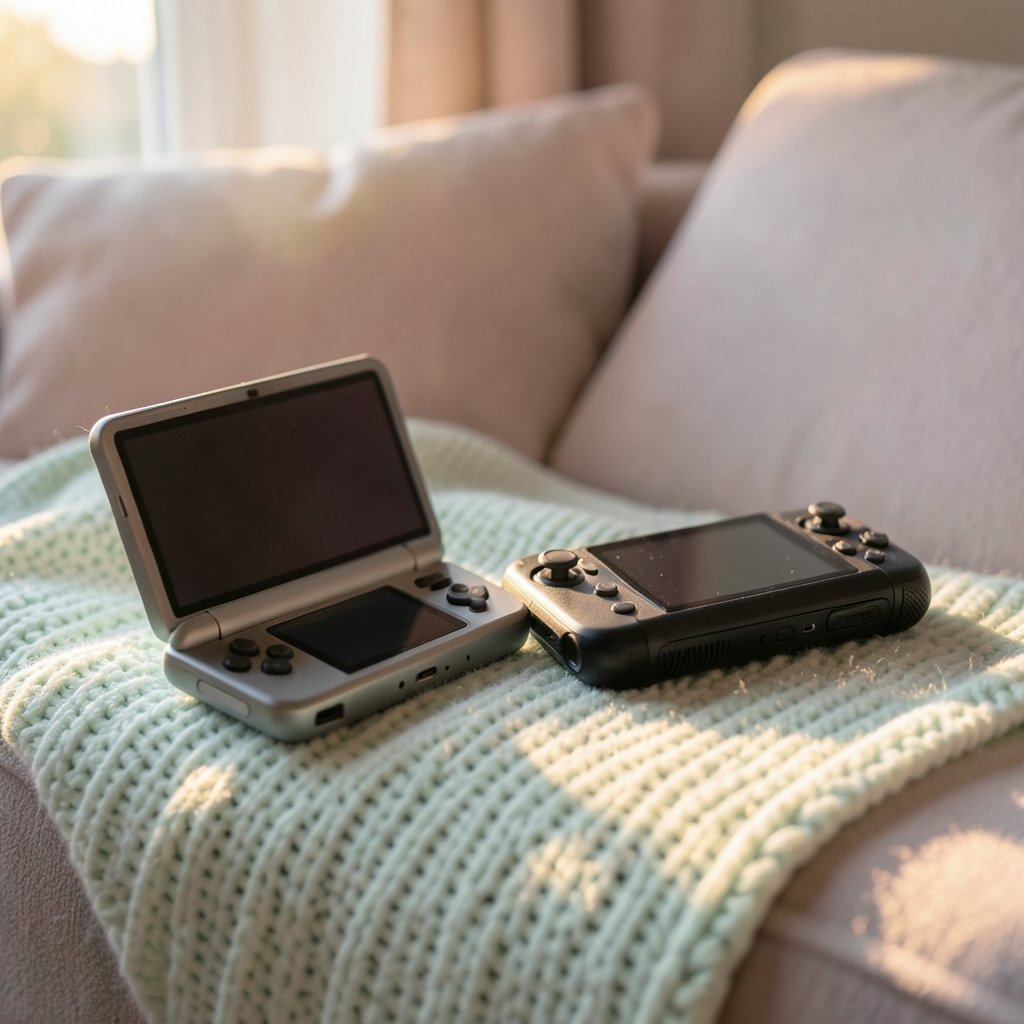
What actually decides whether you enjoy a gaming handheld: the spec sheet, or the way it feels on a Tuesday night after work? That question sits at the center of the Ayn Thor vs Steam Deck debate. One is an Android clamshell with a second screen. The other is Valve’s Linux-based PC handheld that has been shipping since early 2022. On paper they look like rivals. In daily use they solve different problems. (Handheld game console)
This guide skips the launch-day hype and focuses on how to judge both devices for everyday gaming. It covers what each machine runs, how to measure real-world performance, and which trade-offs matter once the novelty wears off.
What each device actually is
The Steam Deck is a handheld PC. Valve opened reservations in July 2021 and shipped the first units in February 2022. The OLED revision arrived in November 2023 with a 7.4-inch 1280×800 HDR screen at 90 Hz, a bigger battery, and 512 GB or 1 TB storage. The original LCD model used a 7-inch 1280×800 panel with 64, 256, or 512 GB options. Both run SteamOS 3, an Arch Linux-based system, and play Windows games through Proton, Valve’s fork of the Wine compatibility layer that translates DirectX calls into Vulkan.
The Ayn Thor comes from Ayn, a company known for Android handhelds such as the Odin and Loki lines. The Thor is a dual-screen clamshell running Android on Snapdragon-class hardware. That means it plays native Android games and emulators, and it can stream PC titles from a desktop over the network. It does not run your Steam library locally the way a Deck does.
| Feature | Steam Deck | Ayn Thor |
|---|---|---|
| Operating system | SteamOS 3 (Linux) | Android |
| Game sources | Steam library via Proton, plus other storefronts | Android games, emulators, game streaming |
| Screen setup | Single 7-inch or 7.4-inch display | Dual-screen clamshell |
| Local PC game support | Yes, with per-game compatibility caveats | No, streaming only |
| Typical strength | Running PC titles offline | Portability, second screen, app flexibility |
The table already hints at the core split. If your library lives on Steam and you want to play it on a train, the Deck is built for that. If you want a pocketable Android device with a clever second screen, the Thor fits a different slot.
Why the operating system decides your library
The single biggest factor in everyday satisfaction is not the chip. It is what software the device can run without help.
Steam Deck owners get access to a catalog that Valve rates through its Deck Verified program. Those ratings are a curated compatibility signal, not a performance guarantee. A game marked Verified launches and controls correctly, but it can still stutter on heavy scenes. The community database at ProtonDB fills the gap with player reports per title. Checking a game there before buying is one of the most practical habits a new owner can build.
Android handhelds like the Thor work differently. The Google Play catalog is enormous, but most of it is mobile-first. Premium PC-style games rarely appear. Emulation is where Android shines, and dual-screen designs lend themselves to DS and 3DS libraries that used two panels. Streaming apps such as Steam Link or Moonlight turn the Thor into a thin client for a gaming PC, which works beautifully on home Wi-Fi and poorly on hotel networks.
The practical test: list the ten games you actually play. Count how many run natively on each platform. That number tells you more than any benchmark chart.
How to measure the everyday experience
Peak frame rates sell devices. Sustained behavior keeps you playing. Reviewers who live with handhelds tend to track four things, and you can track them too.
- Sustained frame rate after 30 minutes. Many games launch strong and settle lower once thermals stabilize. Watch the number at the half-hour mark, not the first minute.
- Fan noise in a quiet room. A handheld that whines during dialogue scenes ruins the mood. Test at the volume you normally use.
- Surface temperature at the grips. Warm is fine. Uncomfortable after 20 minutes is not.
- Battery life under your real settings. Brightness, frame cap, and TDP matter more than the spec sheet’s claim.
For the Deck, tuning these variables is a skill in itself. Capping the frame rate, lowering the TDP, and adjusting the screen refresh can double runtime in lighter titles. A structured approach to set up your Steam Deck for best performance pays off far more than chasing maximum settings.
For the Thor, the same logic applies through Android’s battery saver and per-app settings. Emulators often run better with a frame cap than with unlimited rendering.
The 2027 question: does the hardware still hold up?
A 2027 buying decision has to account for age. The Steam Deck platform has been on the market since 2022, and the OLED revision since 2023. That maturity cuts both ways. The software is polished, spare parts and docks are easy to find, and the community has solved most common problems. But newer, heavier releases push the hardware harder, and Proton coverage for brand-new titles can lag by weeks.
The Ayn Thor is newer, which means fresher silicon and a less settled software story. Android updates on niche handhelds are rarely guaranteed for years. Before buying, check the current firmware status and whether the manufacturer has a track record of updates.
One honest caveat: nobody can predict 2027 prices, firmware states, or which games will ship. Treat any forward-looking claim, including this one, as a framework rather than a forecast. What you can control is how you evaluate.
Practical setup mistakes that ruin the first month
Most disappointment with handhelds comes from avoidable setup errors, not bad hardware.
- Installing everything at once. Storage fills, shaders compile, and the first impression is sluggish. Install three games, play them, then add more.
- Ignoring updates. A skipped system update can break compatibility layers. Learning to update a Steam Deck safely without losing your data is worth an evening.
- Skipping the microSD card. Both device types benefit from expandable storage, but card speed matters for load times.
- Testing only on home Wi-Fi. Streaming handhelds feel magical at home and fragile everywhere else. Test on the network you will actually use.
If something does break, most issues have known fixes. A guide to common Steam Deck problems and the fixes that actually work covers the frequent offenders, from stuck updates to misbehaving plugins.
Ergonomics, screens, and the second-screen gamble
Handhelds are held, not benchmarked. Weight distribution matters more than grams on a scale. The Deck is wide, and its grips suit large hands. The Thor’s clamshell folds into a smaller footprint, which helps on commutes, but dual screens add hinges and complexity.
The second screen is the Thor’s signature feature. It shines in games designed for two panels and in multitasking, such as maps or chat on the lower display. It does little for titles that assume one screen. Ask yourself whether your library actually uses it, or whether it becomes a very expensive status bar.
Screen quality favors the Deck’s OLED model for contrast and motion clarity at 90 Hz. The Thor’s panels depend on the final configuration, so check current reviews rather than early announcements.
Price, value, and the honest comparison
Value depends on what you already own. If you have a gaming PC and a Steam library, the Deck turns that library portable. If you mainly play mobile titles and emulators, the Thor avoids paying for hardware you will not use.
It also helps to look sideways. If the Deck is out of stock or priced above your budget, there are alternatives worth comparing, and a roundup of Steam Deck out-of-stock alternatives for 2026 shows how wide the field has become. Competitors keep closing the gap, and a direct comparison of the Legion Go S vs Steam Deck illustrates how quickly the margins shrink.
For buyers weighing Nintendo’s hybrid, the Switch 2 vs Steam Deck breakdown covers the library and form-factor trade-offs. And if you are new to the category entirely, a plain answer to whether the Steam Deck is worth buying for beginners in everyday use sets realistic expectations.
Software tinkering: feature or trap?
The Deck invites customization. Desktop mode, plugins through Decky Loader, and community launchers extend what the device can do. That flexibility is a genuine advantage, but it is also a support burden. Plugins break after system updates, and debugging them eats play time. When Decky Loader stops working after an update, the fix is usually a plugin reinstall, not a factory reset.
Android offers its own tinkering culture, with sideloaded emulators and frontends. The same rule applies to both devices: change one thing at a time, and note what you changed. Most “broken” handhelds are one unremembered setting away from working.
A decision framework that survives to 2027
Instead of asking which device is better, ask which questions your purchase must answer.
| Question | Points toward Steam Deck | Points toward Ayn Thor |
|---|---|---|
| Where is your game library? | Steam and PC storefronts | Google Play and emulators |
| Do you play offline? | Yes, locally | Rarely; mostly streaming |
| Is a second screen useful to you? | No | Yes, for DS/3DS or multitasking |
| How much tinkering do you enjoy? | Moderate to high | Moderate |
| Do you need long-term software support? | Strong track record | Verify before buying |
Run your own list through this table. If the answers split evenly, prioritize the library question. Software outlasts hardware, and a device that cannot run your games is a paperweight with a nice screen.
Conclusion
The Ayn Thor vs Steam Deck contest has no universal winner, because the two devices answer different questions. The Deck is a mature PC handheld with a deep library, a polished Linux stack, and years of community knowledge behind it. The Thor is a flexible Android clamshell whose dual screen is either essential or irrelevant depending on what you play.
Evaluate the everyday experience, not the launch spec. Count the games that run natively. Measure sustained frame rates, fan noise, and battery life under your real settings. Test the network you will actually stream over. Then buy the device whose compromises you can live with on an ordinary weeknight. That is the only benchmark that matters in 2027 and beyond.
Frequently asked questions
Can the Ayn Thor run Steam games natively?
No. The Thor runs Android, so it plays Android games and emulators locally. Steam titles require streaming from a PC on your network, which works well at home and poorly on weak or public Wi-Fi.
Is the Steam Deck still a good buy in 2027?
It depends on your library and tolerance for older hardware. The platform is mature, well supported, and easy to repair, but newer releases push it harder and Proton compatibility for brand-new games can lag. Check current reviews and ProtonDB reports for the specific titles you play.
Which device has better battery life?
There is no fixed answer, because runtime depends on the game, brightness, frame cap, and thermal settings. The Deck’s OLED model has a larger battery than the original, and capping frame rates extends play time noticeably. Android handhelds vary widely by emulator and app. Measure under your own settings rather than trusting headline claims.
Do I need to tinker with settings to enjoy either device?
Not strictly, but a little tuning goes a long way. Capping frame rates and adjusting power limits on the Deck improves battery and fan noise. On Android, per-app battery settings and emulator frame caps do the same. The mistake is changing many settings at once and losing track of what helped.
What is the second screen on the Thor actually for?
It suits games designed around two panels, such as DS and 3DS titles through emulation, and it helps with multitasking like maps or chat. For single-screen games it adds little, so judge it by whether your library uses it.
How do I check if a specific game runs well on the Steam Deck?
Start with Valve’s Deck Verified rating for basic compatibility, then check community reports on ProtonDB for real-world performance and known issues. Ratings signal whether a game launches and controls correctly, not how smoothly it runs in demanding scenes.



