

Quick Answer: Is steam deck worth buying for beginners and everyday use?
It depends. The Steam Deck is worth buying for beginners who mostly play games from their Steam library and want a console-like, pick-up-and-play experience. It is less appealing if most of your favorite games rely on anti-cheat software or if you expect a full desktop PC replacement.
Alternatives like Windows handhelds from ASUS and Lenovo offer broader game compatibility but generally demand more tinkering. Before buying, weigh the model tier and storage, game compatibility badges, battery expectations, dock and peripheral needs, and whether your multiplayer titles actually run on SteamOS.
Valve’s handheld has been on shelves since early 2022, and it has quietly reshaped what people expect from portable gaming. In that time, a strange thing happened: the Steam Deck stopped being a niche gadget for Linux tinkerers and became a genuine recommendation for people who just want to play games on the couch. But “worth it” is a loaded phrase. It depends heavily on what you play, how much patience you have, and whether you already own a gaming PC.
This guide walks through the practical questions a first-time buyer should ask. No hype, no spec-sheet worship. Just the stuff that actually matters after the honeymoon week is over.
What the Steam Deck Actually Is
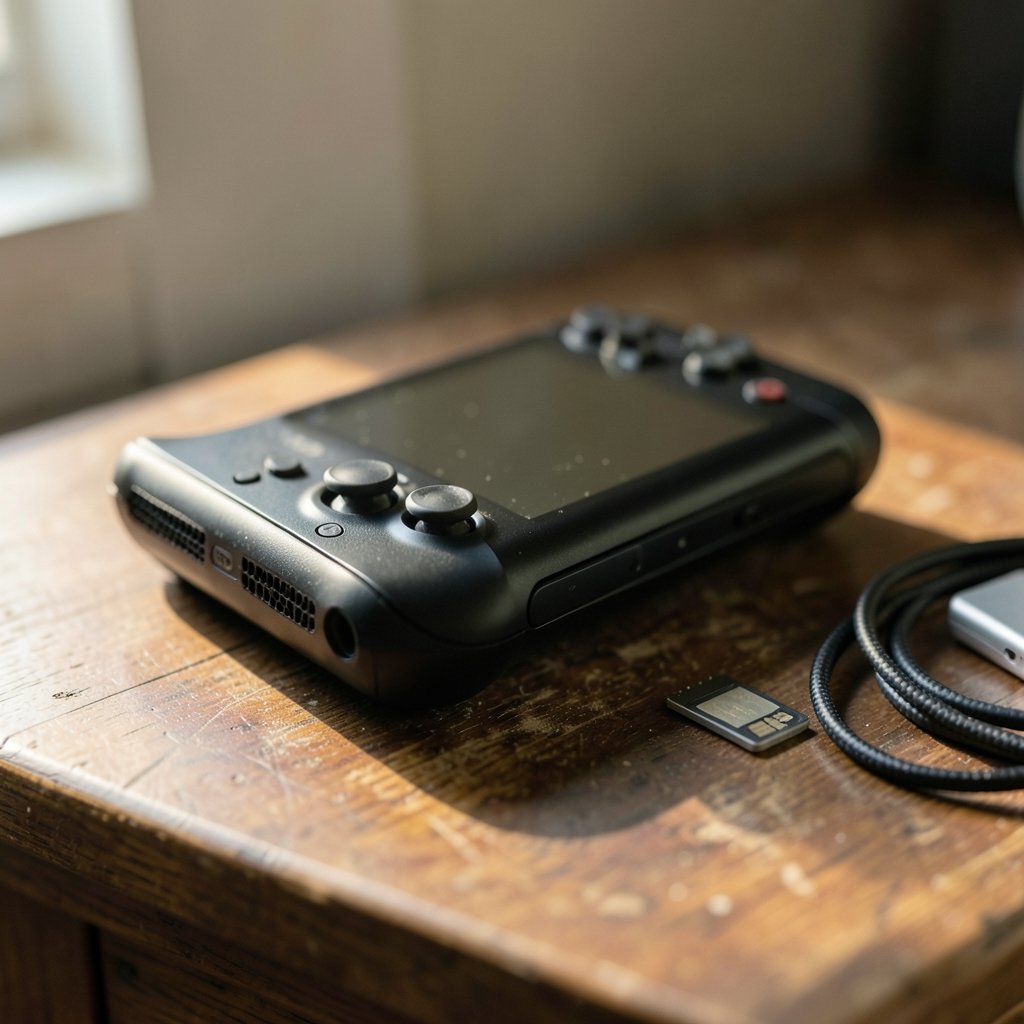
Strip away the marketing and the Steam Deck is a small computer running SteamOS, a Linux-based operating system built around the Steam storefront. That single fact explains almost everything good and bad about it.
Because it runs a real operating system, it can do things a Nintendo Switch cannot: install mods, run emulators, connect to a monitor through a dock, and switch into a full desktop mode. But because it runs Linux, not Windows, some games simply refuse to launch. Valve’s official Steam Deck Verified program is the honest answer to “will this game work?” A green checkmark means it runs well out of the box. “Playable” means it works with caveats. “Unsupported” means don’t count on it.
For beginners, that badge system is the single most useful tool on the store page. Ignore the marketing screenshots and check the badge first.
Where the Steam Deck Shines for Beginners
The console-like experience is the headline feature, and it deserves the praise. The device suspends and resumes mid-game the way a phone does, so you can put it down when someone calls and pick it up ten minutes later without losing progress. The controller layout, with dual trackpads and back buttons, looks intimidating in photos but feels natural within an hour.
A few practical wins stand out:
- No driver hunting. Unlike Windows handhelds, SteamOS updates arrive as a single package. Most users never open a settings menu they don’t recognize.
- microSD expansion is genuinely easy. A card slot lets you add storage without opening the device, which matters because base-model internal storage fills up fast.
- The Verified badge does the homework. You don’t need to research Proton compatibility layers unless you want to.
- Docking works. A USB-C dock turns it into a living-room machine or a light desktop setup.
The catch is that easy is relative. If you’ve only ever used a Switch, the first hour will involve account setup, a system update, and a shader cache download that feels slow. It’s not hard, but it isn’t instant either.
The Real Downsides Nobody Mentions First
Here’s where a balanced view matters. The Steam Deck’s weaknesses aren’t dealbreakers, but they’re the reasons some buyers end up reselling within a month.
Battery life is game-dependent in the extreme. A lightweight indie title might stretch a long session, while a demanding AAA game will drain the battery much faster. Anyone planning long flights should think in terms of “one solid session, then a charger,” not “all-day play.” Measured, dated reviews are the only reliable source for specific figures, and those numbers shift with every SteamOS update.
Anti-cheat is the silent killer. Many competitive multiplayer games use kernel-level anti-cheat that doesn’t run on Linux. This is the number one reason a beginner discovers, after purchase, that their favorite shooter won’t launch. Check your top three multiplayer games before you buy. Not after.
Storage disappears faster than you think. Modern games are enormous. A base model plus a microSD card is the sensible beginner configuration, but it’s an extra cost people forget to budget.
Desktop mode can confuse. It’s optional, but new users sometimes stumble into it and panic. It’s just a Linux desktop. Nothing is broken.
Steam Deck vs. the Alternatives: A Straight Comparison
The handheld market has filled out considerably since 2022, and the honest answer to “should I buy a Steam Deck?” often depends on what else is on the shelf. Here’s how the main options stack up for a beginner.
| Factor | Steam Deck (SteamOS) | Windows handhelds (ROG Ally, Legion Go) | Nintendo Switch 2 |
|---|---|---|---|
| Ease for beginners | High, console-like | Medium, more setup | Very high |
| Game library breadth | Huge Steam library, some gaps | Widest (Windows) | Nintendo exclusives |
| Anti-cheat multiplayer | Limited | Generally better | Platform-specific |
| Tinkering required | Low to moderate | Moderate to high | Almost none |
| Desktop/dock use | Yes, Linux desktop | Yes, full Windows | Limited |
For specific matchups, there are detailed breakdowns of the Legion Go S vs Steam Deck and the ROG Ally X vs Steam Deck OLED that take a closer look at performance and price. Console loyalists may prefer the Switch 2 vs Steam Deck comparison, which weighs Nintendo’s platform against Valve’s openness. (Steam Deck)
The pattern is consistent: Windows handhelds win on compatibility and lose on simplicity. The Steam Deck wins on simplicity and loses on the handful of games that refuse to run. Beginners almost always underestimate how much they’ll value the simplicity.
Cost Reality Check for First-Time Buyers
Price is where enthusiasm meets a spreadsheet. The sticker price of the base model is only the starting point. A realistic beginner budget includes the device itself, a microSD card, possibly a dock, and a case if one isn’t bundled.
Pricing and model availability have shifted repeatedly since launch, so any figure you read needs a current, dated source. It’s worth checking a regularly updated Steam deck price roundup and a broader Steam deck cost breakdown that includes accessories before you commit. The gap between the cheapest and most expensive configurations is wide enough to change the value calculation entirely. (Steam Deck)
One underrated money saver: Steam sales. A beginner who buys during a seasonal sale can build a library of ten excellent games for the price of one new release. That’s a real advantage the console ecosystems don’t match as aggressively.
What Everyday Use Actually Looks Like
The phrase “everyday use” deserves scrutiny. The Steam Deck is not a laptop replacement for most people. It has no built-in keyboard, the screen is small for productivity, and desktop mode is functional rather than comfortable.
But as a secondary device, it’s surprisingly capable. Docked to a monitor with a Bluetooth keyboard, it handles browsing, email, and light document work. It streams video fine. It’s a decent emulation machine for older consoles. What it won’t do is replace a work laptop for anyone with serious software needs.
For pure gaming, everyday use means something simpler: picking it up for twenty minutes during a commute, playing a few rounds before bed, and never thinking about drivers or updates. That’s the experience Valve is selling, and for the right person it delivers.
Practical Tips That Save Beginners Real Grief
A few habits separate happy Steam Deck owners from frustrated ones.
- Check the Verified badge before buying any game. Not after. Before.
- Buy the microSD card on day one. Don’t wait for the “storage full” warning.
- Verify your multiplayer games run on SteamOS. Search community compatibility databases for your specific titles.
- Don’t install custom plugins immediately. Wait until you’re comfortable with the base system. If something breaks, there’s a known Decky loader not working Steam Deck fix 2026 guide, but avoiding the problem is easier.
- Set a frame rate limit for battery-heavy games. Small settings changes add real playtime.
- Keep expectations calibrated. It’s a handheld PC, not a magic box.
The most common beginner mistake isn’t technical. It’s buying the device for a game that doesn’t run on it. A five-minute check prevents a five-hundred-dollar disappointment.
Who Should Skip It
Honesty cuts both ways. The Steam Deck is a poor fit for a few clear groups.
If your gaming diet is dominated by competitive shooters with kernel-level anti-cheat, you’ll be fighting the device constantly. If you want zero setup and never want to see a settings menu, a console is a better match. If you need a single device for both work and play, a laptop wins. And if you’re deeply invested in exclusives tied to a console platform, the Steam Deck won’t replace them.
There’s also the patient-buyer argument. Stock shortages have periodically made the device hard to find, and a look at Steam deck out of stock alternatives 2026 shows the market has matured enough that waiting isn’t always necessary. Sometimes a competitor is the smarter buy.
Conclusion
So, is the Steam Deck worth buying for beginners and everyday use? For most people who mainly play Steam games and want a relaxed, console-like handheld, yes. The Verified badge system, suspend-and-resume, and easy storage expansion make it genuinely approachable, and the library is enormous.
But the device rewards a little homework. Check your multiplayer games, budget for storage, and accept that battery life varies wildly by title. Do that, and the Steam Deck becomes one of the most satisfying gaming purchases a beginner can make. Skip it, and you may join the small crowd reselling theirs within a month.
Frequently Asked Questions
Do I need to know Linux to use a Steam Deck?
No. The default experience is entirely graphical and console-like. Desktop mode exists for tinkerers, but a beginner can use the device for years without ever opening a terminal.
Can a Steam Deck replace a gaming PC?
For many indie and older titles, largely yes. For demanding new releases and competitive multiplayer games with anti-cheat, no. Think of it as a companion device rather than a full replacement.
How much storage should a beginner buy?
More than the base model offers, or a microSD card on day one. Modern games are large, and running out of space in the first week is the most common beginner complaint.
Will my favorite multiplayer game work on Steam Deck?
Maybe. Check the Steam Deck Verified badge and community compatibility databases for your specific titles before purchasing. Anti-cheat support is the most common blocker.
Is the Steam Deck good for kids?
It can be, but parental account controls and the open desktop mode require some supervision. A dedicated console is often simpler for younger children.
How long does the battery last?
It varies enormously by game and settings. Light indie titles last far longer than demanding AAA games. Check dated, measured reviews for current figures rather than relying on marketing claims.
One more practical angle: buy a screen protector and a slim case on day one. The screen scratches more easily than a phone’s, and the included carrying case is bulky for daily commutes. These small extras cost little but protect a device you’ll likely keep for years. Also, register your device promptly — warranty support is straightforward when you have proof of purchase on file. None of this is glamorous advice, but it’s the kind of thing experienced owners wish someone had told them before the first scratch or the first dropped backpack.



