
A VPN can make your connection more private, but the provider you choose becomes an important part of that decision. It routes internet traffic through an encrypted connection and can hide your device’s IP address from websites. It does not make you anonymous everywhere.
A no-logs policy is a provider’s stated commitment not to retain specified records of user activity or identifying connection details. That policy matters because the service handles your connection while the VPN is active. Your choice should reflect the privacy risks you actually want to reduce.
This roundup offers practical distinctions for readers who want an account without a name or email, a free plan, Android protection, or extra security features. You can compare those needs without treating any one feature as a complete answer. Treat privacy promises as claims to verify, not as a substitute for choosing a service that fits your real needs.
Key Takeaways
- Compare the policy, audit scope, and technical controls separately.
- Mullvad lets you create an account without giving a name or email address.
- Proton VPN offers a free plan with unlimited bandwidth and five locations.
- Android test scores reflect specific test conditions, not your own connection.
- Check both the introductory price and the renewal amount.
- A VPN does not replace strong passwords, secure websites, or device protection.
Which services deserve a place on the shortlist?
Windscribe leads CNET’s 2026 overall rating, while Mullvad and Proton VPN stand out for privacy-focused readers. CNET also chose services for value, features, and bundled tools. These distinctions give you a useful starting point when comparing VPN services.
Ratings reflect different strengths, not a universal order for every user. CNET’s scores cover its own 2026 testing. They are not directly comparable with Android-specific scores, which use a different test setup.
| Service | CNET 2026 rating | Category distinction |
|---|---|---|
| Windscribe | 9.2/10 | Best overall |
| Mullvad | 8.2/10 | Best for privacy |
| Proton VPN | 8.0/10 | Best value |
| Surfshark | 8.6/10 | Best innovative features |
| NordVPN | 8.4/10 | Best for bundling |
Use category ratings to find candidates, not to declare one VPN service best for everyone.
Ten notable options cover a range of needs: Windscribe, Mullvad, Proton VPN, ExpressVPN, Surfshark, NordVPN, Private Internet Access, Hotspot Shield, TunnelBear, and CyberGhost. The number of useful features matters less than whether the service fits your routine.
People searching for the top 10 best VPNs in the world can use this needs-based shortlist, rather than treating it as a universal ranking. VPN ratings in 2026 also reflect specific tests and categories, not every device or use case. Use the category that matches your priority as a starting point, not as a promise that one service suits every user.
Best VPN Services for Privacy 2026: How should you choose?
The strongest privacy choice depends on whether you value anonymous signup, independently checked policies, or extra safeguards most. Mullvad fits anonymous account practices, Proton VPN emphasizes audit transparency, and NordVPN adds privacy tools to a broader bundle. The best VPN for privacy is the one that fits your main concern.
Give more weight to a clearly scoped independent audit than to a broad, unverified promise. Privacy and security claims need clear limits, because no single check covers every part of a service.
Check what an audit actually examined
A no-logs audit can examine specified systems and records, not every possible service operation. Read the scope to see which servers, systems, and records the auditor checked. An audit is evidence about that defined review, not a blanket guarantee.
Securitum is an independent security-audit firm. RAM-only servers and open-source apps offer separate forms of technical transparency. Neither measure, on its own, proves that a provider’s full privacy policy matches its practice.
Match the policy to the records that matter
Look for direct wording about browsing activity, DNS queries, connection metadata, and temporary connection logs. These records are not interchangeable. A policy should tell you what the company collects, why it collects it, and how long it keeps it.
A provider may retain brief technical records without keeping a history of websites you visit. Check whether its policy clearly names the record type and purpose. Vague wording can make it hard to judge how much data stays on file.
Weigh jurisdiction alongside technical controls
Legal location and technical safeguards answer different questions. Jurisdiction affects which laws and legal requests may apply, while controls such as server storage and app design affect how data is handled. One does not replace the other.
Use these four checks when you compare a VPN privacy policy:
- Audit scope and the systems or records examined
- Policy language for activity, DNS, metadata, and temporary logs
- Server storage approach, including whether storage uses RAM
- Independent inspection of open-source apps
For an anonymous signup, Mullvad is a direct fit; Proton VPN suits readers who value transparency, and NordVPN suits privacy plus bundled tools. Give more weight to a clearly scoped independent audit than to a provider’s broad, unverified promise.
Is Mullvad the right pick for anonymous signup?
Mullvad is the clearest fit in this lineup for someone who wants an account that does not begin with a name or email address. The signup process uses a random account number instead. That makes the account model unusual among mainstream VPN options.
An account number can reduce identifying details at signup, but it cannot make your web use anonymous. Websites may still recognize you through an account you sign into or other details you share.
What its account model offers
You do not need to give Mullvad your name or email address to create an account. Instead, you use its assigned random number to manage access. That can make registration simpler for readers who want to share fewer personal details.
Mullvad’s apps are fully open source, and the service is regularly audited. Its servers use RAM-only storage. These features give readers ways to inspect the app and assess how the service approaches its infrastructure.
The signup model and your activity online are separate issues. A website can still connect your actions to a profile when you log into that site. Your account number does not change what a website knows about its own users.
Where its focused approach has tradeoffs
Mullvad has a comparatively small server network, which may limit your location options. Its streaming support is weaker than that of services focused on media access. A smaller range of extra tools may also matter if you want a single app for several tasks.
Those limits do not cancel its privacy-focused design. They do mean that a large network, strong streaming access, or many bundled features may point you elsewhere. Choose it for a privacy-first account model, not for a large collection of bundled extras.
What makes Proton VPN a strong privacy option?
Proton VPN is a strong privacy choice for readers who want published audit evidence and a usable free tier. In 2026, it passed its fifth consecutive annual third-party no-logs audit. Its published reports let readers see the audit’s stated scope.
The audit found no technical evidence of specified logs on the examined servers, not proof against every possible risk. The distinction matters when you judge what an audit can establish.
What its audits and transparency establish
Securitum’s 2026 audit found no technical evidence that the examined servers logged browsing activity, DNS queries, destination services, traffic contents, or user-identifiable connection metadata. The finding applies to the servers and systems examined in that audit.
Proton VPN says its no-logs policy has been tested in more than 400 legal cases without user logs to provide. It also says Swiss law does not currently require it to keep logs. Those statements add context, but they do not expand the audit’s technical scope.
Proton VPN makes its apps open source and publishes full no-logs audit reports. That gives you more material to inspect than a short policy statement alone. The audit remains a record of a defined review, not a promise about every future condition.
How its free and paid options differ
The free plan is a legitimate option if you want to try a VPN without a subscription. In CNET’s 2026 testing, speed performance was uneven. That may affect video calls, large downloads, or other tasks that need steady throughput.
Paid plans add access and features, so the right plan depends on how often you connect and what tools you need. A free VPN can be enough for light use, but its limits may become noticeable in a daily routine.
Readers comparing VPN plans and privacy picks should weigh published evidence against the features they will use. Read the audit scope and the free-plan limits before deciding whether the no-cost option is enough for your routine.
What does NordVPN add beyond a basic VPN?
NordVPN is a fit for readers who want a VPN plus optional tools such as multi-hop routing and account-security utilities. Its Double VPN feature routes traffic through two VPN servers. That route is a form of multi-hop, rather than a separate internet service.
Bundled tools are separate from the encrypted VPN tunnel. A password manager or malware protection utility does not change what the VPN connection encrypts.
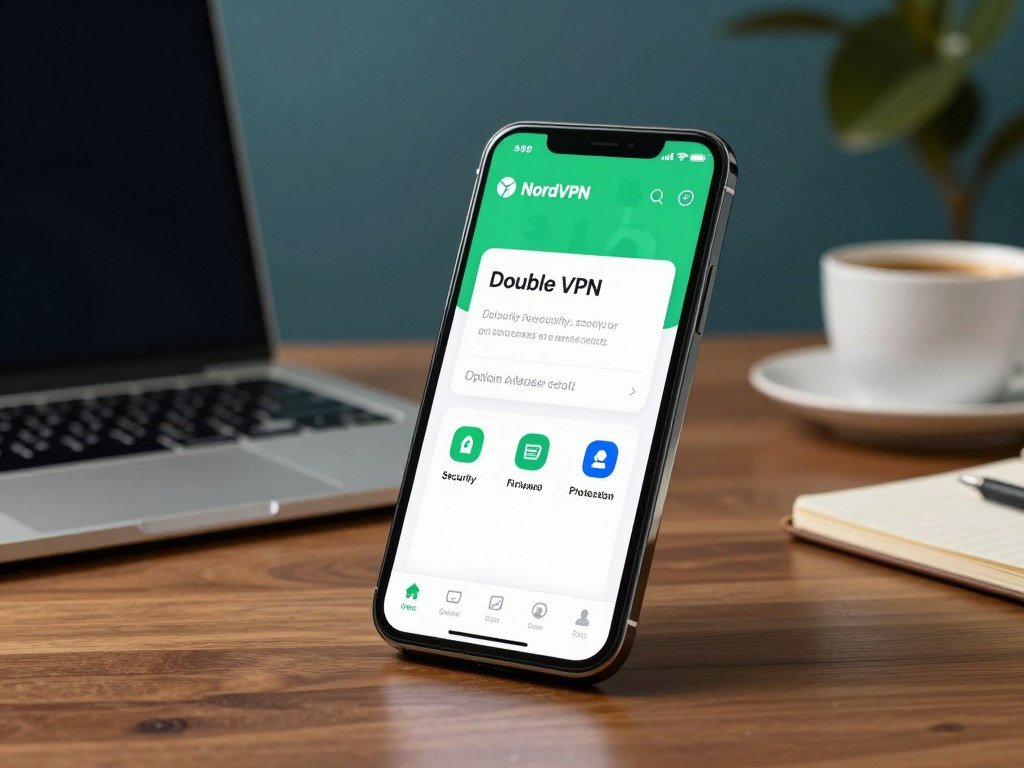
NordVPN’s named Threat Protection tools and optional password-manager and encrypted-storage bundles can extend beyond a basic VPN connection. Check the plan description for each item, since not every subscription includes every tool.
Before you subscribe, compare these four features in the plan details:
- VPN access and available connection tools
- Password manager access
- Malware or ad protection
- Encrypted cloud storage
The word “bundle” can cover tools with different jobs and access rules. Confirm which plan includes each feature before you add it to your account. Compare the included tools against what you already use so you do not pay for a bundle you will not use.
Is Surfshark a good fit for multiple devices?
Surfshark’s clearest practical advantage for a household is that one subscription can cover unlimited simultaneous device connections. Phones, laptops, and tablets can stay connected at the same time. That flexibility may suit a home with many devices.
Unlimited connections do not mean the policy keeps no connection records. Surfshark uses RAM-only servers and keeps temporary connection logs, so the policy language still matters.
Temporary connection logs are not the same as browsing-activity logs. They may record connection details for a stated purpose, while browsing logs would describe a user’s online activity. Read the policy to understand what the temporary records include.
Check the stated purpose and retention scope for those records. A clear explanation helps you decide whether that collection fits your privacy needs. Read the temporary-log language closely if minimizing retained connection data is a priority.
What should you know before choosing Windscribe?
Windscribe combines open-source transparency with an independently owned company, though its server network is relatively small. Those are separate points to weigh when choosing a service. Its open-source apps let people inspect the app code.
Network size alone does not prove privacy quality or predict the speed you will get. Your location, network, and chosen server can shape your own experience.
Windscribe is audited, which gives readers another way to assess its privacy claims. Open-source apps and audits offer different kinds of visibility: one exposes code for review, while the other examines a defined scope.
Independent ownership is also distinct from the network’s size. A company’s ownership structure may matter to you, while its available servers affect where you can connect. The service may not suit someone who needs a large choice of locations.
Use the listed countries and server locations to judge whether the network fits your plans. Check whether the available server locations fit the places you actually need to connect from.
Is ExpressVPN worth considering for streaming and speed?
ExpressVPN is the streaming-oriented pick in CNET’s 2026 results and was the fastest service in that testing. Its named Lightway protocol is one feature to consider. The test result is comparative, not a promise of the same speed on your device.
A lab’s fastest result cannot guarantee identical performance on your internet connection. Your device and network may produce a different result.
Streaming access, steady connections, and Lightway may matter if you watch video while traveling or switching networks. A VPN can change the apparent location of your connection, but streaming services control their own access rules.
Do not assume a VPN will open a particular streaming catalog from every location. Services can block VPN connections or change how they handle them. The monthly price and plan term may also shape whether the service fits your budget.
Compare the streaming services and locations you actually use. Check the streaming services and locations you need rather than assuming a speed result guarantees access.
What does a VPN actually protect?
A VPN protects the connection between your device and its VPN server, not every step your data takes afterward. It encrypts traffic on that first leg, then the server decrypts traffic before it reaches its destination. That boundary matters.
A VPN can mask your device’s IP address from websites, but it does not remove cookies or hide activity from accounts you use. The provider also handles the connection.
A VPN can reduce exposure on an untrusted Wi-Fi network. It does not replace secure websites, careful account habits, or device security. A helpful way to understand its limits is to check four parts of the connection:
- The device-to-server connection, which the VPN encrypts
- The VPN provider’s visibility while handling your connection
- The destination website’s own data collection
- Malware or phishing risks on your device
HTTPS still helps protect data between your browser and a secure website. A VPN does not make a weak password safer or prevent you from clicking a harmful link. PCMag’s VPN protection overview also explains these limits. Keep using HTTPS websites and strong account security even when the VPN is connected.
Which free VPNs are worth considering?
Proton VPN is the strongest general free choice, while Hotspot Shield is a specific option for a free U.S. virtual location. Proton VPN’s free plan offers unlimited bandwidth and access to five server locations. Unlimited data does not mean you can choose any server.
Free plans differ in location choice, device limits, and speed rules. Compare the restrictions that affect your everyday use, not just the data allowance.
Proton VPN for unlimited data
Proton VPN gives free users unlimited bandwidth and five locations. That helps if a data cap would interrupt regular browsing or streaming. A location count does not promise selection of a specific server within each location.
PCMag named Proton VPN its top tested free VPN for 2026, citing no data restrictions and multiple server locations. Its free plan is a strong general option, though speed and available locations may shape how it works for you.
Hotspot Shield and TunnelBear for specific needs
Hotspot Shield’s free plan offers unlimited data and one U.S. virtual location. Its free mobile plan has a 2 Mbps speed limit and displays ads. The free desktop plan has no speed limit, and the plan includes a kill switch and an independently audited no-logs policy.
TunnelBear’s free plan is named best for location spoofing among free VPNs in 2026. It has no server selection, so you cannot pick a specific location through the plan. The table compares distinct plan limits, not identical features.
| Provider | Free-plan data or location detail | Key restriction |
|---|---|---|
| Proton VPN | Unlimited bandwidth and 5 locations | No additional restriction claim |
| Hotspot Shield | Unlimited data and 1 U.S. virtual location | 2 Mbps mobile cap and mobile ads |
| TunnelBear | Free location spoofing | No server selection |
For more options, compare free VPN plans and limits against the devices you use. Check the free plan’s location and device restrictions before relying on it for a regular routine.
Which VPN performs best on Android?
NordVPN leads this Android comparison on score, Surfshark on app performance, and Proton VPN on free access. The test results show close download speeds, with upload results also varying by service. Test conditions matter when reading those averages.
The Android scores came from an Android 11 phone on a 250 Mbps fiber connection, averaging five speed tests per result. Your own speed can differ.
Security.org tested more than 50 popular VPN apps on Android and recommended six. Its test setup offers a point of comparison, not a prediction for every phone, server, or network.
| Service | Android score | Average download | Average upload |
|---|---|---|---|
| NordVPN | 9.7/10 | 219 Mbps | 201 Mbps |
| Surfshark | 9.5/10 | 216 Mbps | 187 Mbps |
| Proton VPN | 9.3/10 | 213 Mbps | 204 Mbps |
NordVPN for security features
NordVPN scored 9.7/10, averaging 219 Mbps download and 201 Mbps upload. Its Android app highlights Double VPN and malware protection. That makes it the security-feature pick in this comparison.
Surfshark for app performance
Surfshark scored 9.5/10, averaging 216 Mbps download and 187 Mbps upload. It was named best for app performance. The score and app distinction offer more context than speed alone.
Proton VPN for a free Android option
Proton VPN scored 9.3/10, averaging 213 Mbps download and 204 Mbps upload. It was named best free Android VPN. That makes it the choice to consider if you want a free mobile option.
Choose the feature that matters most on your own phone, since speed averages alone do not describe the whole app experience.
How much do VPN plans cost?
Compare the renewal amount as carefully as the introductory rate, because a low first-term price can rise substantially afterward. The table lists monthly plans and introductory terms where stated. Introductory totals are not monthly prices.
Check the full term and renewal amount before comparing the price per month. A lower first-year total can change at renewal.
| Service | Monthly plan | Introductory term and total | Renewal price where specified |
|---|---|---|---|
| Mullvad | $5.90/month | Not specified | Not specified |
| Proton VPN | $10/month | $54 for the first year; $84 for the first two years | Not specified |
| Surfshark | $19/month | $45 for the first year; $67 for the first two years | $79/year after either introductory term |
| NordVPN | $15/month | $66 for the first year; $94 for the first 27 months | $139/year after either introductory term |
| ExpressVPN | $15/month | $75 for the first year; $84 for the first two years | $100/year after either introductory term |
Proton VPN also has a free plan, while its paid prices include a monthly option and longer introductory terms. Windscribe costs $9/month or $69/year, with Build a Plan starting at $3/month.
For Surfshark, NordVPN, and ExpressVPN, renewal rates rise from the introductory totals shown above. A total for a full term is not the same as its per-month equivalent, and the bill arrives on the schedule stated by the plan.
Confirm the checkout total, billing term, and renewal amount before you commit.
Which security features matter in everyday use?
A kill switch is the everyday safeguard to check first if you want traffic to stop when a VPN connection fails. It cuts internet access if the VPN drops. That safeguard can help prevent a brief, unprotected connection.
Check that the kill switch is enabled and behaves as intended on your device. The app’s settings and behavior can differ across operating systems.
A kill switch for interrupted connections
A kill switch aims to stop internet access when the VPN connection drops. Without it, your device may reconnect through the regular network connection. Check how the feature works before relying on it for sensitive tasks.
Protocols and connection controls
WireGuard and OpenVPN are VPN protocols, or sets of rules for how the connection works. Choosing a protocol is different from choosing multi-hop routing. Multi-hop sends traffic through two VPN servers, which can trade speed for another layer of separation.
A RAM-only server stores operating data in memory rather than on a conventional hard drive. Open-source apps let people inspect their code. These terms describe technical choices, not automatic proof that a service is secure.
Leak checks and app safeguards
A DNS leak check can show whether DNS requests escape the VPN connection. An IP leak check can show whether websites may see your regular IP address. These tests help you spot problems on the device you use.
App updates can fix errors and address security issues. Keep the app current, and check its guidance when a setting behaves differently on Windows or another system.
The VPN feature comparison can help you weigh common controls against your needs. Test the kill switch and leak protection on the device you actually plan to use.
What U.S. legal rules affect VPN records?
U.S. law does not impose a blanket data-retention duty on VPN providers, but existing records can still be subject to preservation orders. Under 18 U.S.C. 2703(f), a provider can be ordered to preserve existing records for 90 days, with one renewal allowed. Existing records are the key limit.
A preservation order does not require a provider to produce records it never retained. The law’s effect depends in part on what information the company already holds.
Retention duties and preservation orders
The United States has no blanket rule requiring VPN providers to keep user records for a set period. A preservation order is different: it can require a provider to save records that already exist. It does not create a record of activity that the provider never stored.
That distinction makes the provider’s policy relevant to legal questions. A company that retains fewer records may have fewer existing records to preserve. The policy still needs to explain what it collects and how long it keeps it.
Legal requests and gag orders
U.S. providers can receive subpoenas, warrants, and national security letters. Some requests may carry gag orders that limit what a company can disclose. The type of request and the records held both matter.
When reviewing a provider’s policy, check three questions:
- What records does the provider keep?
- What does its policy say about legal requests?
- Which jurisdiction applies to the company and its services?
Read the provider’s policy alongside the applicable law rather than treating jurisdiction alone as proof of privacy.
When is a VPN not enough for privacy?
A VPN cannot hide activity from a website where you are signed in or erase tracking data already stored in your browser. Cookies and browser fingerprinting can still link activity to you. Network privacy does not cover every way a site identifies visitors.
A VPN tunnel alone does not prevent malware or phishing. Those threats target your device or decisions, rather than only the network connection.
Cookies can hold details that help a site recognize a browser between visits. Browser fingerprinting uses device and browser traits to help identify it. A logged-in account can connect activity to your profile even when your IP address changes.
Use other protections for identity theft, phishing, and harmful software. These four steps address risks that hiding an IP address does not solve:
- Use unique passwords for your accounts.
- Turn on multifactor authentication where available.
- Keep your devices and apps updated.
- Use reputable anti-malware protection.
A password manager can help you keep unique passwords without memorizing each one. Updates can fix known software problems, while anti-malware tools can help catch harmful files. Add account and device protections when your concern is identity theft, phishing, or malware rather than network privacy alone.
How should you set up and check a VPN?
Start by checking that the service supports every device you intend to protect. Proton VPN supports Windows, macOS, Android, and iOS. Its paid plan allows up to 10 simultaneous device connections, one example rather than a universal limit.
Use the official app and test its connection before relying on the VPN. Settings can behave differently across operating systems.
Follow these five steps to check the setup:
- Check which of your devices the service supports.
- Install the official app for each device.
- Choose a nearby server for ordinary use.
- Enable the kill switch in the app settings.
- Verify the VPN connection and the IP address websites can see.
A nearby server is a practical starting point for everyday use. Your best choice may change when you travel or need a different location. Keep the app’s support guidance handy if a setting acts differently on Windows, Android, or another system.
Run a connection and IP check again after changing networks or reinstalling the app.
Conclusion
The right choice is the one whose privacy evidence and practical limits match the way you plan to use it. Match the service to the privacy need that matters most. Treat audits, policies, and features as separate checks, since each answers a different question.
Select one or two candidates, then check their current plan and renewal terms. Test the app on a real device before relying on it for everyday privacy. Choose a candidate, confirm its current terms, and test its protections on the device you use most.
FAQ
Is a free VPN safe to use?
A free VPN can be a reasonable choice if its privacy policy, ads, data allowance, and server limits suit your needs. Proton VPN offers unlimited bandwidth, but free plans differ in location choices and other restrictions. Read the policy and understand how the provider supports its service. A free plan is not automatically unsafe, but free access does not remove the need to check its terms.
Can I use a VPN for free in the United States?
Yes, Hotspot Shield’s free plan offers one U.S. virtual location and unlimited data. Its free mobile plan displays ads and limits speed to 2 Mbps. The free desktop plan has no speed limit. A virtual location is not the same as choosing from many physical server sites, so check whether one location meets your needs.
Does a VPN hide my activity from my internet provider?
A VPN encrypts traffic between your device and the VPN server, which limits what your internet provider can see about that connection. The VPN provider becomes the service handling it instead. Websites and apps may still collect information about your activity, especially when you sign into an account. A VPN changes who can observe parts of the connection; it does not erase all activity records.
Do I need a kill switch?
A kill switch is useful if you want internet access to stop when the VPN disconnects. It can help prevent your device from sending traffic over its regular connection after a drop. Check that the setting is enabled and works on your specific device. The behavior may differ by operating system, so test it before relying on it.
What is the difference between a no-logs policy and an audit?
A no-logs policy states what records a provider says it retains, while an audit checks a defined scope at a particular time. The audit can offer evidence about the systems or records examined. It does not guarantee every future condition or operation. Read the policy and audit scope together, since they answer related but different questions about a service.
Can I use one VPN subscription on multiple devices?
Yes, you can use one subscription on multiple devices when its plan allows enough simultaneous connections. Surfshark allows unlimited simultaneous connections, while Proton VPN’s paid plan supports up to 10. Other services set their own limits. Check the plan’s connection allowance against your phones, computers, and tablets before subscribing.



