

What if the biggest difference between two handheld PCs has nothing to do with frame rates, and everything to do with the lamp beside your couch? That is the strange, practical truth of the Xbox Ally X versus Steam Deck OLED debate. Both machines can run demanding games. Both fit in a backpack. But put them side by side in a sunlit living room or under a harsh ceiling light, and they stop looking like cousins and start looking like two different philosophies of screen design.
This comparison looks at how room lighting shapes what you actually see on each device. It also frames 2027 as a scenario, not a promise. No official roadmap for either handheld in 2027 is publicly known, so any long-range claim here is a projection built on how display technology and lighting standards behave today. Treat the future talk as informed guesswork, and the lighting science as the solid part.
Why room lighting matters more than raw specs on a handheld
A handheld screen is never viewed in a lab. It lives in bedrooms with warm lamps, trains with flickering overheads, kitchens with windows behind you, and hotel rooms with one brutal downlight. Every one of those environments changes how the panel looks, because your eye adapts to the brightness around it.
That adaptation is the whole ballgame. A display that looks vivid and punchy in a dim room can look flat and gray when the ceiling light is on, even though nothing about the screen changed. The International Commission on Illumination, known as the CIE, publishes the standard framework for photometry and how human vision adapts to light levels, which is the science sitting underneath every “it looks washed out” complaint you have ever read on a forum. The screen did not get worse. Your pupils and your visual system simply reset their reference point.
There is also a hard number for “normal room lighting.” The European standard EN 12464-1 sets maintained illuminance targets for indoor spaces, and it puts ordinary office lighting at around 500 lux. A bright living room with a window can easily beat that. So when people say a handheld “looks fine indoors,” the useful question is: which indoors, at how many lux, with what behind your head?
The panel gap: OLED brightness versus LCD reflections
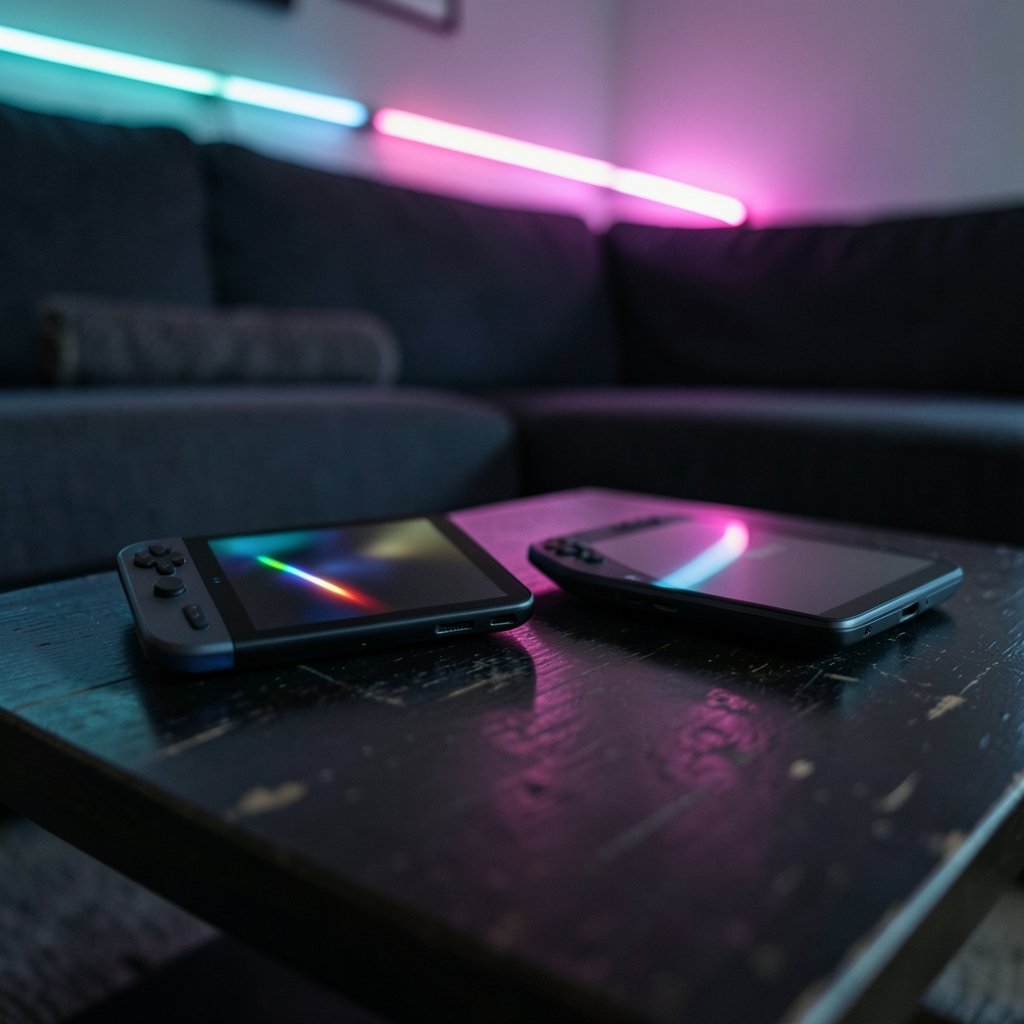
The Steam Deck OLED carries a 7.4-inch HDR OLED panel rated at 1,000 nits peak in HDR and roughly 600 nits typical in SDR, according to Valve’s official Steam Deck technical specifications. Those are vendor figures, and peak versus typical numbers are not directly comparable across brands. Still, the order of magnitude matters.
The original ROG Ally from 2023 used a 7-inch IPS LCD at around 500 nits. If the Ally X line stays in that panel class, its brightness sits near half the Steam Deck OLED’s typical SDR figure. That is not confirmed for the Ally X specifically, so treat it as a working assumption rather than a spec sheet fact.
Brightness is only half of it. The other half is reflectance, the percentage of light bouncing off the screen back into your eyes. Display ergonomics standards have long treated screen reflectance as a measurable quality, and lower reflectance means less glare. A glossy OLED reflects room light like a dark mirror. A matte or anti-glare LCD scatters it. In a dark room, the glossy panel wins on contrast. In a bright room with a window behind you, the matte panel can be the easier thing to actually play on.
Here is the practical split in plain terms:
| Lighting condition | OLED advantage | LCD advantage |
|---|---|---|
| Dark room, lights off | Deep blacks, high contrast, HDR pop | Backlight bleed can show in corners |
| Dim lamp nearby | Strong color saturation | Minimal glare from the lamp |
| Bright overhead light | Needs high brightness to hold up | Matte finish hides reflections |
| Window behind the player | Glare is the main enemy | Diffused reflection is less distracting |
| Outdoor shade | Peak brightness helps | Often easier to read at angles |
The takeaway is not “OLED wins” or “LCD wins.” It is that the winner flips depending on where the light is coming from.
HDR, glare, and the standards that explain the “pop”
HDR is where the marketing gets loud and the physics gets interesting. HDR content is mastered to specific peak-luminance targets, and the international standard ITU-R BT.2100 defines the transfer functions, PQ and HLG, that make HDR work. In a dark room, a display that can hit high peak brightness while keeping blacks deep produces the contrast range HDR was designed for. That is the “pop” people describe. (WCAG minimum contrast standard)
In a bright room, that advantage compresses. Your eye is already adapted to a high ambient level, so the display’s highlights have less relative room to shine. A 600-nit SDR image under 500 lux of overhead light can look muted next to the same image at night. This is why two people can argue endlessly about the same handheld and both be right. They are playing in different rooms.
Glare compounds it. Reflections sit on top of the image and reduce perceived contrast, especially on glossy panels. The fix is rarely a new device. It is usually moving a lamp, closing a curtain, or tilting the screen a few degrees. Boring, but effective.
Ambient light sensors and adaptive brightness in practice
Phones and laptops have used ambient light sensors for years to nudge screen brightness up and down as rooms change. Whether either handheld implements true adaptive brightness is unconfirmed, and that is a real gap in the experience. A handheld that quietly raised its own luminance when you walked into a bright kitchen would solve half of this article’s complaints.
Until then, manual brightness is your friend, and most people set it wrong. They crank it once in a dark bedroom, then wonder why the screen looks dim at noon. The habit that actually works is to adjust brightness every time you change rooms, the same way you would with a phone. It takes two seconds and it preserves both your eyes and your battery.
Battery is the hidden cost of brightness. Pushing a panel to its peak drains power fast, which is why long-session planning matters as much as panel choice. If you are weighing endurance and setup friction across devices, this breakdown of Steam Deck versus ROG Ally battery life and setup friction in 2026 is a useful companion read, since the same trade-offs carry into any 2027 projection.
What actually changes by 2027
The 2027 framing is where honesty matters most. No official 2027 product information for either handheld is publicly known. What can be projected is the direction of the technology, not the specs of unannounced hardware.
Three trends are reasonable to expect. First, OLED panels keep getting brighter, which steadily erodes the LCD advantage in lit rooms. Second, anti-reflective coatings improve, which attacks glare from the other side. Third, adaptive brightness and ambient sensing should become standard rather than optional, because they are cheap to add and easy to market.
The Xbox Ally X itself was announced in June 2025 as a Microsoft and ASUS collaboration under the ROG Ally brand, with a holiday 2025 launch window. Whether it shipped on schedule, its final specs, and its price all need checking against current official documentation before anyone treats them as settled. For a broader look at how these two families of handhelds compare on the fundamentals, this breakdown of the Steam Deck versus the ROG Ally covers the groundwork that lighting sits on top of.
One more 2027 factor deserves a mention: pricing pressure. Handheld prices have been drifting upward, and a comparison of the Switch 2 price increase against the Steam Deck OLED and Legion Go S in 2026 shows how volatile the market has been. If panels get brighter and coatings get better, expect some of that cost to land on the buyer.
Common mistakes people make when judging a handheld screen
Most bad screen judgments come from a handful of repeatable errors.
- Judging brightness in the wrong room. A dark bedroom flatters every panel. Test in the room where you actually play, at the time of day you actually play.
- Confusing peak and typical brightness. A 1,000-nit peak HDR figure is not the same as sustained SDR brightness. Compare like with like.
- Ignoring what is behind you. A window or a lamp behind your head creates glare that no panel can fully defeat. Move first, judge second.
- Forgetting screen protectors. A glossy protector on a matte panel can undo the anti-glare benefit entirely. This is one of the most common self-inflicted wounds.
- Never cleaning the screen. Fingerprints scatter light and add haze. A microfiber cloth once a day makes a visible difference in bright rooms.
If you hit odd behavior beyond glare, like flicker or dimming that will not hold, it is worth checking a list of common Steam Deck problems and fixes that actually work before blaming the panel.
OLED care in bright, long-session rooms
OLED panels can show temporary image retention and, after very long use, permanent burn-in. RTINGS has run a long-term OLED burn-in test since 2018 with ongoing updates, and the pattern is consistent: static elements left on screen for many hours at high brightness are the main risk. Bright rooms push people to raise brightness, which nudges that risk upward.
The practical rules are simple. Avoid leaving a static HUD on screen for hours at maximum brightness. Let the screen dim or sleep when you set the device down. Vary your content. None of this is exotic, and it keeps an OLED healthy for years.
If you are curious how far handheld emulation has come and what it demands from a screen, this look at how realistic Steam Deck PS5 emulation actually is gives a sense of the workload. Emulation scenes tend to have static overlays, which makes the brightness and burn-in advice more relevant, not less.
Which one fits your room?
The honest answer is that the right pick depends on your lighting more than your game library. Someone who plays at night in a dim bedroom will see the OLED’s contrast advantage every session. Someone who plays on a bright commuter train or a sunlit balcony will appreciate a matte panel that refuses to become a mirror.
If you want the deeper head-to-head on ergonomics and feel, this comparison of the ROG Ally X versus the Steam Deck OLED and this guide to which handheld PC fits how you play both dig into the parts lighting cannot answer. And if you are still deciding between panel types within one family, the Steam Deck OLED versus LCD comparison explains what the upgrade actually buys you. (OLED display technology overview)
The 2027 version of this question will likely be easier. Brighter OLEDs, better coatings, and smarter sensors should shrink the gap until room lighting stops being the deciding factor. Until then, walk into your usual playing spot, look up at the light, and let that answer the question before the spec sheet does.
Conclusion
Room lighting is the invisible third competitor in every Xbox Ally X versus Steam Deck OLED matchup. The OLED panel’s brightness and contrast shine in dim rooms and lose some of their edge under harsh overheads. An LCD’s matte finish gives up some punch but wins the glare fight in bright spaces. Neither device is simply better. They are better in different rooms.
The 2027 angle should be read as a projection, not a product leak. No official roadmap exists, and anyone claiming otherwise is guessing. What is certain is the physics: ambient light changes perceived contrast, glare steals detail, and brightness costs battery. Adjust for the room, clean the screen, move the lamp, and both handhelds will look better than any review screenshot ever suggested.
FAQ
Is the Steam Deck OLED brighter than the Xbox Ally X?
On paper, the Steam Deck OLED’s 1,000-nit HDR peak and roughly 600-nit typical SDR rating are high for a handheld. The Ally X panel specs are not confirmed here, and the original ROG Ally used a 500-nit LCD. Compare typical SDR figures, not peak HDR numbers, before drawing conclusions.
Does room lighting really change how a game looks on a handheld?
Yes, substantially. Your eyes adapt to ambient brightness, so the same screen looks vivid in a dark room and flatter under bright overheads. Glare from windows and lamps adds reflections that reduce perceived contrast. The screen is unchanged; your reference point is not.
What is a normal brightness level for a living room?
EN 12464-1 puts ordinary office lighting at around 500 lux, which is a reasonable stand-in for a well-lit indoor room. A living room with a bright window can exceed that. If your room feels bright enough to read a paper book comfortably, it is bright enough to challenge a handheld screen.
Will OLED handhelds solve glare by 2027?
Probably not entirely, but expect progress. Brighter OLED panels and improved anti-reflective coatings both reduce the problem, and adaptive brightness could help automatically. No official 2027 specs exist, so treat these as reasonable projections based on current trends.
Should I avoid OLED if I mostly play in a bright room?
Not necessarily. OLED still offers excellent color and contrast, and higher brightness settings help. But a glossy OLED reflects more than a matte LCD, so if glare is your main frustration, a matte panel or a screen with a good anti-glare coating may suit you better.
Does higher brightness drain the battery faster?
Yes. Pushing a panel toward its peak output draws noticeably more power, which shortens play time. Adjusting brightness to match each room, rather than leaving it maxed out, is the simplest way to protect both your eyes and your battery life.



