
A useful app starts with one task someone needs to complete, not with a particular AI tool. If you have a concept but little development experience, you can describe the goal in natural language and use a no-code builder to create a first draft. A code-first route gives you more control when your app needs custom features or data rules.
AI can speed up drafts and routine code, but you still need to make sound choices about features, data, safety, and testing. The AI-assisted development cycle is build, preview, refine, and test. That process can help you shape an idea into an app people can try, whether you work with a builder or write code.
In this guide, you will set a clear goal, make a first version, choose how it handles information, and prepare it for release. You will also see how to check costs and learn from real users. Treat the first release as a way to learn what users actually need, not as proof that the first draft is finished.
Key Takeaways
- Start with one user and one task.
- Choose a builder or code route based on your skills and app needs.
- Connect the app to the data and rules it needs.
- Test the main task, access rules, and AI responses.
- Use feedback after launch to guide small changes.
Define the User, Job, and First Version
A support team app becomes easier to scope when its first job is simply to flag tickets that may need a human response. The user might be a support lead who reviews a queue each morning. Start with that one job, then identify the data and result the team needs.
Keep the first release focused on two to four AI features. AI app development combines a user interface, data, an AI model, prompts, and a deployment path. The first version might flag urgent tickets, explain why, and let a person review the result. Later enhancements can include team reports or automatic routing.

Pin down the task and the people who do it
Answer these four questions before you build an application:
- Who is the user, and what role do they have?
- What task must the user finish?
- What data does that task require?
- What will success look like at launch and after 90 days?
For the ticket example, the app may need ticket text, age, status, and a flag for human review. Decide whether the app only suggests a response or also changes ticket status. That difference affects its data needs and access rules.
Choose a small first release and a way to measure it
Separate must-have functionality from later ideas. A support team may need a ticket list and a clear reason for each flag, while charts can wait. Name a measure you can check at launch and again after 90 days, such as time saved or fewer missed tickets.
Build only the features needed to test the first job, then let real results earn the next feature.
Success measures can include minutes saved, reduced errors, or the share of queries handled automatically. Pick one launch metric that a real user can recognize, such as minutes saved per task.
How to Build an AI App From Idea to First Prototype
For a beginner building a no-code web prototype, start by comparing the free plan’s limits on both creation and sharing. Base44 is a practical first option for testing a no-code web app. The right app builder still depends on the output, integrations, data controls, and your comfort with code.
A free tier can help you prototype and test, but its sharing limits may block a real release. As of October 19, 2026, Base44 allows up to five apps, 25 message credits per month with a five-per-day limit, and 100 monthly integration credits. Its app and credit limits may suit a small prototype.
Match the builder to your skills and app needs
Some builders create apps from natural language, while others give you more control over code or data. If you want to build apps without coding, test a simple flow before choosing a platform. A free website builder comparison can also help you check what a free plan allows you to publish.
As of October 19, 2026, these five applications have different creation and publishing limits:
| Builder | Free build allowance | Other free capacity | Publishing |
|---|---|---|---|
| Taskade Genesis | 3 apps | 1 AI agent; 10 automation runs/month; no starting AI credits | Shareable URL with badge |
| Bolt.new | 1M tokens/month; 300K daily cap | Hosting for 333K web requests; unlimited databases | Hosted site with Bolt branding |
| Softr | Unlimited apps | 3 builders; 5 app users; 5,000 records; 500 workflow actions; 5 AI credits/month | Badged subdomain |
| Lovable | 5 build credits/day, up to 30/month | 20 Cloud credits; workspace-private projects | 5 lovable.app domains with badge |
| Zite | Unlimited apps | Unlimited users; 50 credits/month; 10 messages/day; 5,000 records; 1,000 workflow runs | App with Zite branding |
Compare free limits before you commit
“Unlimited apps” or “unlimited databases” does not mean unlimited AI use or an unbadged custom domain. As of October 19, 2026, no free AI app builder in this comparison offers a custom domain. That matters if users need a clean web address for a public release.
To build an AI app for free, use a free tier to prototype and test, then check whether its publishing and usage limits fit your intended release. Builder plans can change, so compare the exact features your app needs. Before entering real user data, confirm what the selected platform stores and who can access it.
What Should Your First AI Builder Prompt Say?
A prompt that names the user and the action they need is more useful than “make me a cool app.” Be specific about the task and the screens that support it. A builder can then draft an interface from natural language, which you refine through a preview-and-feedback loop.
Ask for one clear workflow, not a pile of vague features. For a study-session tracker, describe a student who logs a subject, start time, end time, and short note. Ask the app to show a session list and weekly total, with a calm color scheme and readable text.

Use this prompt template, replacing each bracketed item with your own details:
- User: [who will use the app]
- Problem and main action: [what the user needs to do]
- Screens: [the pages needed for that action]
- Data fields and access: [what to save and who can see it]
- Visual preferences: [colors, layout, and reading needs]
This kind of prompt engineering supports rapid prototyping, not a finished product. If a builder exposes code, HTML gives a page its structure, CSS controls its style, and TypeScript handles application logic. A guide to choosing a programming language can help if you want to learn code for later changes.
Use this four-step refinement loop:
- Preview the draft on the screen size your users will use.
- Test the main action from start to finish.
- Describe one specific change at a time.
- Check the result again with the same task.
A prompt that asks for scheduling, chat, reports, payments, and team roles at once can produce parts that do not work together. Keep each change small enough that you can tell whether the new version fixed the problem.
Design the Interface, Data, and Backend Logic
A screen is only functional when its buttons and forms cause the right data change. Connect each action to a clear rule, then check what the user sees after the app responds. A visual prototype can look finished even when its buttons and data operations remain placeholders.
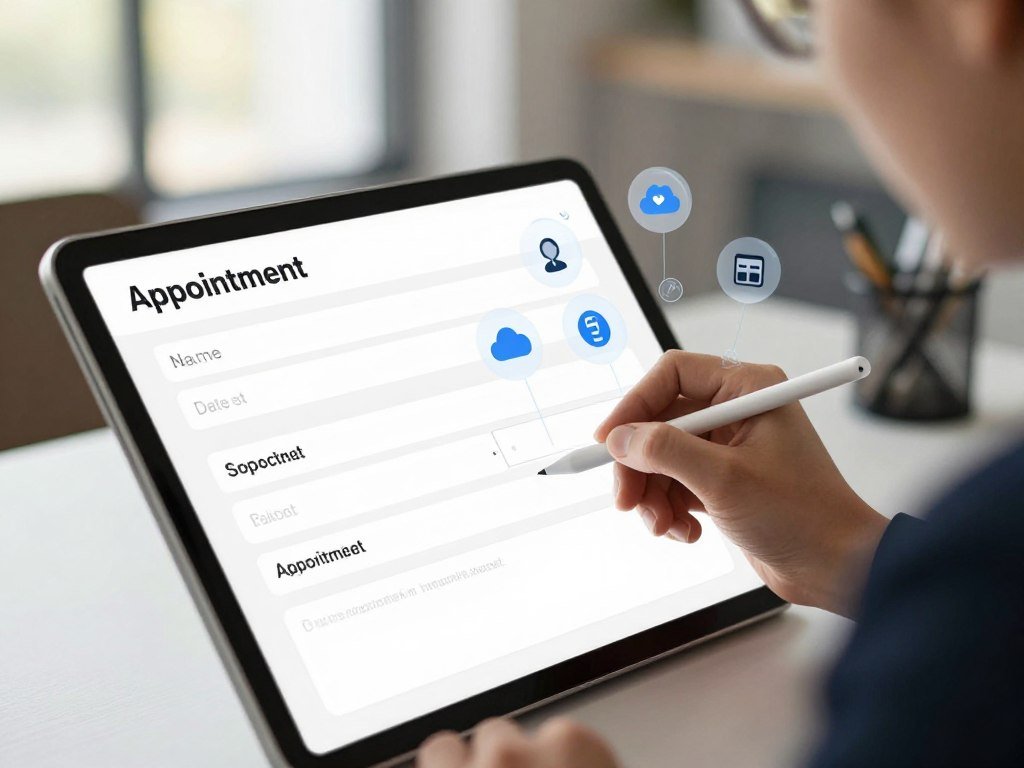
Displayed sample data is not the same as records the app reads or updates. An appointment-request app, for example, needs a form, a place to store each request, and backend logic that checks required fields. After a valid request, the app can show a confirmation.
Sketch the screens around the main user action
Map the steps a user takes, from opening the app to finishing the task. In the appointment example, the user enters a date, contact details, and a reason. The app checks for missing fields before saving the request.
Backend logic is the set of rules that runs behind the interface. A relational database can store linked records, while a spreadsheet may suit a small workflow. File storage can hold documents, and third-party APIs can bring in outside services.
Decide what records the app needs to store
For each field, know who owns the data and how often it changes. Decide whether users need authentication, meaning a sign-in step, and set permissions for who can view or edit records. Store only the minimum user data needed for the task.
Structured data makes records easier for app logic to sort and check. SQL can help retrieve and organize information in a relational database. The MDN web standards model explains how browser code and server-side code handle different parts of a web app.
Connect each screen to the records and rules it needs, rather than trusting a polished preview. Test each user role against the records it is allowed to view or change.
Choose the Model and Make Its Responses Reliable
A model that must answer questions about changing records needs current retrieved context, not just a clever prompt. Retrieval-augmented generation (RAG) is a method that retrieves relevant information from a knowledge base and gives it to a model as context for its response.
Use retrieval for current or private information, and use fine-tuning to adjust model behavior. A RAG pipeline prepares and stores knowledge, retrieves relevant material, then generates a response grounded in that material. Fine-tuning does not teach a model a database that keeps changing.
Match the technique to the information the app needs
A prompt can set the task, tone, and limits, but prompt engineering alone cannot ensure a consistent output format. For simple requests, a direct model call may be enough. When an answer needs company policies or fresh records, retrieval can provide the needed context.
Model choice also depends on the type of output, speed, privacy needs, and cost. If you are comparing tools for image output, try the same prompt with a few AI image generator tools and compare results and usage limits. For local use, model size and computer memory also matter.
Constrain outputs that drive app behavior
Use a JSON schema or another structured format when later code depends on fields such as “priority” or “reason.” A schema sets the expected field names and types. Your app can reject a response with missing or invalid fields instead of treating free-form text as a command.
IBM groups AI by capability into narrow AI, general AI, and super AI. It also groups AI by functionality into reactive machine, limited memory, theory of mind, and self-aware AI. IBM describes narrow AI as the only capability type that exists today, and identifies ChatGPT as narrow AI because it is limited to text-based chat.
You can also run AI models locally for offline processing after downloading model files, though app features may still contact online services. If the app will act on a model response, validate the expected fields before running the action.
Add an Agent Only When a Single Model Call Falls Short
A model call is usually enough when one input needs one answer, while a workflow with several dependent actions may justify an agent. An agent uses tools to carry out steps, such as retrieving a record, checking a rule, and drafting a recommended action.
Limit the agent to the data and actions its task needs. An agent combines instructions, tools, and guardrails to handle a multi-step workflow. A one-step request, such as summarizing a record, usually does not need that added control and complexity.
Start with the simplest workflow that can do the job. Anthropic’s guide to effective agents advises teams to define and test tools, use guardrails, and limit errors that can build across steps. Give an agent only the tool permissions it needs, such as read access instead of permission to edit every record.
The 30% rule is a non-regulatory guideline, not a law or technical standard. It suggests that AI handle roughly 70% of repetitive, data-heavy tasks, while people retain roughly 30% for oversight, judgment, and creative decisions. Treat that split as a judgment aid, not a fixed allocation for every app.
Ask a person to review consequential changes, such as canceling an appointment or sending a sensitive message. Human roles should be clear, including who checks agent performance and when a person must step in. Require human approval before an agent takes an action that is difficult to reverse.
Test the App and Protect User Data
A prototype can pass its demonstration and still fail on a missing field or a user with the wrong permissions. Test more than the happy path by trying incomplete inputs, confusing requests, and likely failure cases. Those checks help show whether ordinary app logic and AI responses hold up.
A successful demo does not prove that an app is secure. Build a small set of repeatable test cases, then review these four checks before release:
- The main user flow works from start to finish.
- Permissions block unauthorized access to records.
- Model responses meet an accuracy or quality rubric.
- Unsafe inputs and outputs receive the right handling.
Check real tasks and model behavior
Evals are tests that measure model quality. They can compare responses with known answers or score them against a defined rubric. Run the same cases after a change to see whether the model improved or slipped.
Manual user testing catches problems that a score may miss, such as confusing labels or a form that is hard to finish. Watch someone try the main task without explaining the interface. Note where they pause or choose the wrong control.
Add security checks before release
Minimize the data you store, protect credentials, and review each third-party integration. TLS encrypts data in transit between the app and its services. Input and output guardrails are separate protection points: one checks what enters the model, and the other checks what the model returns.
NIST’s AI Risk Management Framework guidance calls for clear human roles and oversight. Its guidance also notes that bias and lost context can affect AI decisions, so include difficult or unusual cases in testing.
Keep test data separate from real user records when possible. Fix any issue that exposes another user’s data before inviting real users.
Publish a Web App or Native Android App
A link to a mobile-friendly website is not the same release as a native Android app in Google Play. A web app opens in a browser, while a native app is distributed through an app store. Choose the route that fits how users need to install and use the software.
Free plans may let you test an app without letting you publish it for public use. As of October 19, 2026, these platforms offer the following free build or test options:
Check what a free plan actually lets you publish
| Builder | Free build or test allowance | Publishing route | Publication limit |
|---|---|---|---|
| v0 | One-time $5 credit; 7 messages/day | Deploy to Vercel | Hosted deployment |
| Google AI Studio | Free Build mode | Google Cloud Starter Tier | Up to 2 apps |
| Replit | Free plan | Published app | 1 app; goes offline after 30 days; “Made with Replit” badge |
| FlutterFlow | 2 projects; 5 lifetime AI requests | Web publishing to subdomains | 2 subdomains |
| Glide | 10 projects; 2 team members | Paid plan required to publish | 0 published apps on free plan |
As of October 19, 2026, AppSheet’s free tier supports testing with up to 10 users, but deployment requires a paid plan. Bubble’s free plan is limited to a development version, 50K workload units, and 500 AI credits per month; going live requires a paid plan.
Account for app-store release requirements
A mobile-responsive web app can work well on an Android phone, but it is not a native app. To make an AI app for Android, choose a native development path when users need an install from Google Play. Emergent supports mobile apps built with React Native and Expo, with publishing to Google Play and the App Store.
Google Play developer registration costs a one-time $25, with no recurring annual account fee. Its U.S. service-fee rollout took effect June 30, 2026. For transactions other than auto-renewing subscriptions, the standard fee is 20% plus a 5% billing fee when the user’s first install or first update occurred on or after that date. It is 25% plus a 5% billing fee when the first install or update occurred earlier, or 20% for external web links.
For U.S. Google Play auto-renewing subscriptions, the listed service fee is 10% plus a 5% billing fee for new and existing installs. Google Play’s U.S. fee rules depend on transaction type and install or update timing. Verify the current platform rules and your app’s release settings before accepting paid transactions.
Estimate Costs and Choose a Revenue Model
A free prototype can still lead to recurring costs once real users, model calls, and support enter the picture. Budget for use, not just setup, because a growing app may need more hosting, AI capacity, or help maintaining its features.
Free development does not mean free production service. As of October 19, 2026, Taskade Genesis Pro costs $10 per month when billed annually. Softr Basic costs $19 per month when billed annually or $25 monthly, and Base44 starts at $16 per month when billed annually.
Lovable starts at $25 per month, or $21 per month when billed annually. v0 Plus costs $30 per user per month, while Replit Core costs $20 monthly or $18 monthly when billed annually. FlutterFlow Basic costs $39 per month, Google AppSheet Starter costs $5 per user per month, Bubble Starter costs $32 monthly when billed annually, and Glide Basic costs $25 per month.
Emergent’s free plan includes 10 credits. Its paid plans start at $20 per month for 100 credits, and it offers a $200-per-month plan with 750 credits. Infrastructure, AI use, payment processing, and ongoing maintenance can add to your budget.
| Revenue model | Who pays | What the app must provide | Early validation signal |
|---|---|---|---|
| Subscriptions | Repeat users | Ongoing value | Users renew |
| One-time sales | Individual buyers | A complete paid tool | Buyers pay once |
| Business clients | Companies or teams | A work problem solved | A team agrees to a pilot |
| In-app purchases | App users | Useful paid features | Users buy an added feature |
| Advertising | Advertisers | Regular user attention | Advertisers show interest |
An LLC is not universally required just to start an app. Formation, tax, and liability choices depend on your business and state, so check with an appropriate professional. AI offers no dependable shortcut to $10,000 a month or $1,000 a day; validate paying demand and costs before making revenue projections.
Validate one customer’s willingness to pay before building a revenue plan around a large audience.
Improve the App After Launch
The first useful post-launch signal is whether users complete the main task without workarounds. Look for repeated friction, not a single unusual complaint. Usage and feedback can show which parts of the app help and which parts need attention.
More features are not the right fix when users cannot complete the main task. Review these four signals:
- Task completion, including where users stop.
- User-reported friction, such as confusing steps.
- Model errors, including wrong or unsupported answers.
- Latency and AI usage costs.
Keep a change only when it improves the target behavior without breaking a flow users already rely on.
Collect feedback, group repeated problems, make one focused change, and check that other behavior has not regressed. For example, turn a recurring failure into a small test case, then adjust the prompt, retrieved context, or model and rerun the evals.
Evals can track quality over time and reveal regressions after a change. Prompt wording, retrieved context, and model choice are three levers for improving an AI application’s performance. Record which test case you changed and what result improved.
Review costs beside quality, since a slower response or extra model use can affect the user experience. Keep the feedback tied to a task people need to finish, rather than adding features just to make the app seem larger.
Conclusion
A strong first app is one that helps a specific user finish a specific task reliably. A small app with tested behavior is a better start than a long list of ambitious, untested features. Your first release should give you evidence about what users need, not a reason to assume every early idea worked.
Choose one user, one problem, and a result you can observe. Then test the app with real tasks and improve the parts that block users. Write the problem statement today and use it to create the first testable draft.
FAQ
What is the 30% rule in AI?
The 30% rule is a non-regulatory guideline that leaves roughly 30% of work for people. It suggests AI handle about 70% of repetitive, data-heavy tasks, while people provide oversight, judgment, and creative decisions. It is not a law or technical standard. Use the split as a prompt to plan human review, not as a fixed target for every team.
Do I need an LLC to start an app?
No, starting an app does not universally require an LLC. Your state, tax situation, liability concerns, and business plans affect whether forming one makes sense. You can test an idea before choosing a business structure, but money, contracts, or sensitive data can change the risks. Ask an appropriate professional about your own legal and tax needs.
What are 7 types of AI?
There is no single universal list of seven AI types. One classification uses three capability labels: narrow AI, general AI, and super AI. Another uses four functionality labels: reactive machine, limited memory, theory of mind, and self-aware AI. Several of these labels describe theoretical systems, not tools you can use today.
How to use AI to make $10,000 a month?
There is no dependable formula for using AI to earn $10,000 a month. Start by finding a real customer problem, then test whether people will pay for your app or service. Track model use, hosting, payment fees, and support costs alongside sales. A revenue goal is a projection, not a promise from any tool.
Can I make $1,000 a day using AI?
You can build a business that earns money with AI, but no tool guarantees $1,000 a day. Daily income depends on paying customers, pricing, costs, and how often people need the product. Test a small offer with potential buyers before spending heavily on development. A strong demo alone does not show that customers will pay.
Can I build an AI app without coding?
Yes, no-code builders can create some web apps from natural-language prompts without requiring you to write code. Free plans may limit AI use, publishing, or app features, and advanced changes can still need technical skills. A mobile-friendly web app is also different from a native app distributed through an app store.
How much does it cost to build an AI app?
A basic prototype may fit a free builder tier, while a production app can bring monthly costs. Builder plans, model use, hosting, integrations, payment processing, and maintenance all affect the budget. Costs also change with the number of users and how often they make model calls. Estimate those needs before promising a price to customers.



