

Quick Answer: What are the best gaming phones for beginners?
The best gaming phone for a beginner is usually a mainstream upper-mid-range or flagship model with a 120 Hz screen, a large battery, and stable cooling, rather than the most expensive dedicated gaming device. Buyers can act on this by shortlisting two or three phones in their budget, checking sustained performance reviews, and trying the software in a store.
Dedicated gaming phones from brands like ASUS ROG, RedMagic, and similar lines add shoulder triggers, built-in fans, and aggressive game modes, but they cost more and often run heavier software. A standard flagship handles most mobile games well and feels more familiar on day one.
Before buying, compare refresh rate, touch sampling rate, battery capacity, charging speed, cooling design, software simplicity, and price.
Why most beginners overbuy on their first gaming phone
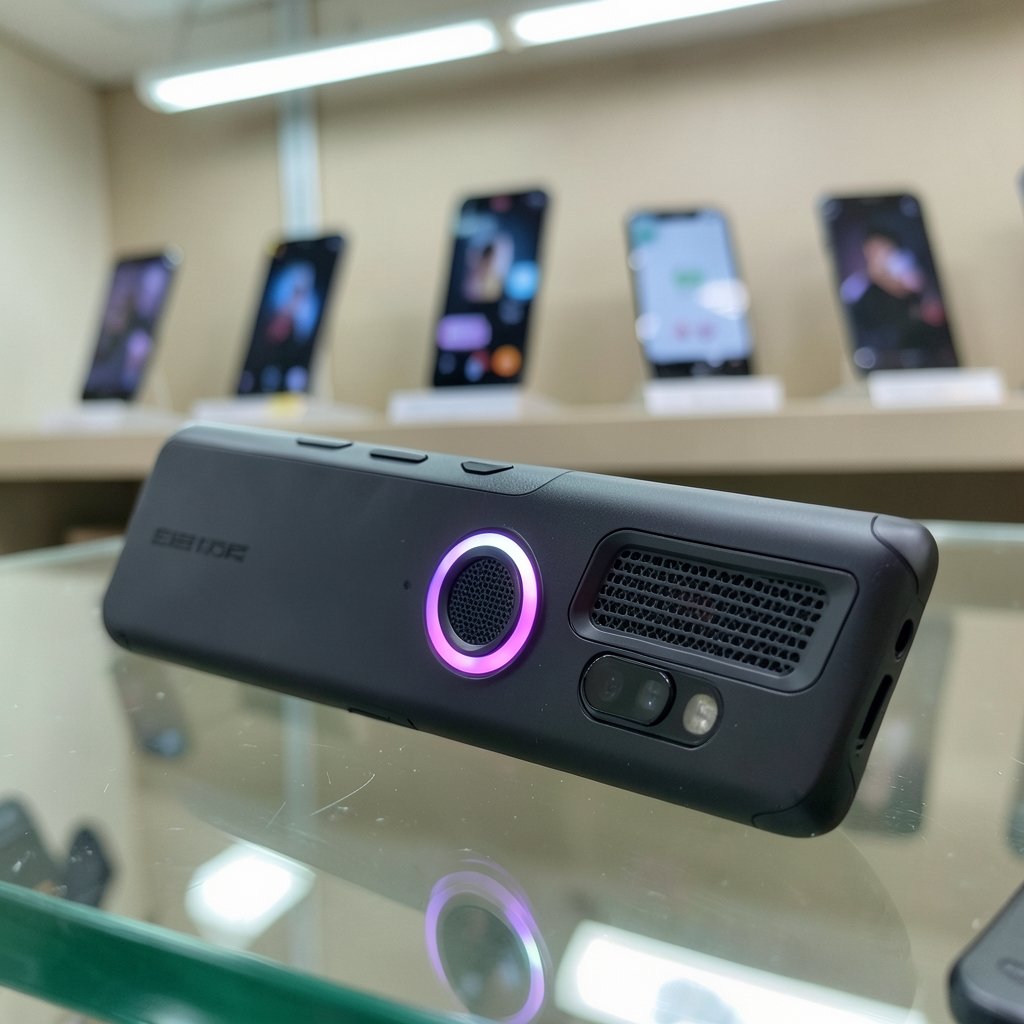
Walk into any phone store and the marketing almost shouts at you. RGB lights. “165 Hz.” A fan spinning inside the chassis. It is easy to walk out convinced you need all of it.
Here is the honest truth: most people asking about gaming phones play a handful of titles, maybe an hour or two a day. For that, the gap between a good mainstream flagship and a dedicated gaming phone is smaller than the spec sheets suggest. What actually changes your experience is sustained performance (does the phone keep its frame rate after 20 minutes?), screen responsiveness, and battery life. Peak benchmark numbers sell phones. Sustained frame rates keep you playing.
A useful mindset shift: you are not shopping for the fastest phone. You are shopping for the phone that stays fast the longest while staying comfortable in your hand.
The specs that actually change how games feel
Refresh rate and touch sampling rate
Refresh rate is how many times per second the screen redraws. Most gaming phones since 2021 offer 120 Hz or 144 Hz, and 165 Hz panels appeared on some 2022–2023 models. Higher refresh rates make fast-paced games look smoother, but they drain battery faster. Many phones let you drop to 60 Hz for everyday apps, which is a smart habit.
Touch sampling rate is how often the screen registers your finger. Gaming phones from roughly 2020–2024 commonly quote 240–720 Hz. In practice, touch sampling often affects how “instant” a tap feels more than refresh rate does. If a spec sheet lists only one number, look for both.
Cooling and sustained performance
This is the spec beginners overlook most. Thin phones throttle. Gaming phones typically add vapor chambers or active cooling fans, and reviews consistently show sustained frame rates drop less on cooled phones. That matters in long sessions of demanding titles.
What works in practice: read or watch a 30-minute stress test, not a two-minute benchmark. If a reviewer shows frame rate over time, that graph tells you more than any marketing slide.
Battery and charging
Gaming phones from 2020–2024 commonly ship with 5,000–6,000 mAh batteries and 65 W to 120 W fast charging. Big batteries mean longer sessions; fast charging means shorter downtime. One caution: charging while playing generates heat, which can drag performance down. Some gaming phones offer bypass charging, which runs the phone from the charger without charging the battery, reducing heat during long sessions.
Shoulder triggers and extra buttons
Shoulder triggers are genuinely useful in shooters and racing games, and they are one of the few gaming-phone features with no real mainstream equivalent. If you mainly play casual or puzzle games, they will sit unused.
Dedicated gaming phone vs mainstream flagship
| Feature | Dedicated gaming phone | Mainstream flagship |
|---|---|---|
| Refresh rate | Often 144–165 Hz | Often 120 Hz |
| Cooling | Vapor chamber, sometimes a fan | Vapor chamber, passive |
| Shoulder triggers | Common | Rare or none |
| Software | Game-mode overlay, more tuning options | Simpler, more familiar |
| Battery | Often 5,000–6,000 mAh | Typically 4,500–5,000 mAh |
| Price | Roughly $400–$500 mid-range to $1,000+ | Varies widely by brand |
| Everyday feel | Heavier, more “gamer” styling | Lighter, more neutral |
Neither column wins outright. A dedicated gaming phone gives you tools a flagship cannot match. A flagship gives you a simpler experience and often better cameras and software support. For a first gaming phone, the simpler option is frequently the smarter one.
If you are still working out where a phone fits into a wider setup, it helps to think about the whole picture. A phone is one piece; pairing it with the right screen and gear changes the experience. Our guide on whether a gaming monitor is worth buying for beginners covers that decision in plain language.
How to choose your first gaming phone in five steps
- Set a hard budget first. Decide the number before you browse. Gaming phones ranged roughly from $400–$500 for mid-range options to $1,000+ for flagships as of early 2025, and prices move constantly. Verify current pricing before you commit.
- List the games you actually play. Shooters and racing games reward high refresh rates and triggers. Card games and puzzles do not. Be honest here.
- Check sustained performance, not peak scores. Look for long-run tests and heat measurements.
- Confirm the basics. Battery capacity, charging speed, 5G support, and Wi-Fi 6 or 6E (the 6 GHz band needs a compatible router).
- Try the software. Game-mode overlays are helpful for some and annoying for others. If you can, handle a demo unit before buying.
That last step is where many buyers get surprised. A phone can be fast and still feel wrong because notifications behave oddly or the interface buries simple settings.
Practical tips that save beginners money and regret
Do not chase the highest refresh number. The jump from 60 Hz to 120 Hz is dramatic. The jump from 120 Hz to 165 Hz is subtle. You will notice the first one far more than the second.
Buy last year’s gaming phone. Gaming phones depreciate quickly because the audience is small. A one-generation-old model often delivers most of the experience for much less.
Watch for heat during charging. Fast charging is great between sessions and less great during them. Charge during breaks, not mid-match, unless the phone supports bypass charging.
Check the weight. Gaming phones with big batteries and cooling hardware are heavy. If you play lying down or for long stretches, hold one first.
Do not ignore the everyday phone duties. Your gaming phone is also your camera, your map, and your messaging app. A phone that games brilliantly but takes mediocre photos may not be the right daily driver.
If you are considering a phone built specifically around gaming, our breakdown of when a gaming phone actually matters during play walks through the real-world differences. And if you are weighing a more general purchase, this practical Android phone buying guide for beginners covers the wider decision.
Common mistakes beginners make
Mistake one: buying for benchmarks. A phone that tops a synthetic test can still throttle in a real match. Sustained performance is the number that matters.
Mistake two: assuming more money equals more fun. A $500 phone that fits your hands and games will beat a $1,000 phone you are afraid to drop.
Mistake three: skipping the accessories budget. A controller grip, a case, and maybe a cooler can transform a mid-range phone’s gaming feel for a fraction of the cost of an upgrade.
Mistake four: forgetting about audio. Built-in speakers are fine, but latency matters in competitive games. Wired buds or low-latency wireless options are worth considering, and our guide to Bluetooth headphones worth buying for everyday use explains what to look for.
Mistake five: ignoring software updates. A gaming phone with two years of updates will feel old faster than one with five. Check the update policy before buying.
Where the phone fits in a bigger setup
A gaming phone rarely lives alone. Many beginners eventually pair it with a desktop setup, a controller, or a headset. If you are building toward that, it helps to understand the pieces. Our step-by-step guide on how to build a gaming PC as a beginner covers the desktop side, and the piece on whether a gaming monitor is worth it for everyday use helps you judge a screen beyond the spec sheet.
There is also a security angle people rarely consider. If you play online, log into accounts, and install game-related apps, your data travels through networks you do not control. A web application firewall explained for beginners is a useful primer on how the services behind your games protect themselves, which is a small but real part of the online gaming picture.
Conclusion
The best gaming phone for a beginner is not the one with the biggest number on the box. It is the one that stays cool under pressure, feels comfortable in your hand, and fits the games you actually play. Start with a clear budget, shortlist two or three phones, and read long-run performance tests instead of launch-day hype. Dedicated gaming phones earn their place if you want shoulder triggers, active cooling, and deep tuning. Mainstream flagships earn theirs by being simpler, lighter, and easier to live with every day. Either path works. What matters is matching the phone to your habits rather than to a spec sheet.
FAQ
Do I need a dedicated gaming phone to play mobile games well?
No. Most modern upper-mid-range phones and flagships handle popular mobile games comfortably. Dedicated gaming phones mainly add cooling hardware, shoulder triggers, and tuning software. If you play casually, a standard phone is usually enough.
Is a 120 Hz screen enough for gaming?
For most beginners, yes. The jump from 60 Hz to 120 Hz is the one you feel immediately. Going beyond 120 Hz offers diminishing returns for casual play and costs battery life.
How much should a beginner spend on a gaming phone?
There is no single right number, but a sensible approach is to set a budget you are comfortable with and buy one generation behind the newest model. Gaming phones depreciate quickly, so last year’s device often offers strong value.
What is bypass charging and do I need it?
Bypass charging lets the phone run directly from the charger without charging the battery, which reduces heat during long sessions. It is a nice feature for marathon players but not essential for short daily sessions.
Are gaming phones good everyday phones?
They can be, but they tend to be heavier and run more complex software than mainstream phones. If you want one device for everything, check camera quality, weight, and software update policy before committing.
Does 5G matter for mobile gaming?
5G can reduce lag on the move, but a stable Wi-Fi connection is usually better for long sessions at home. Wi-Fi 6 or 6E support is worth checking, though the 6 GHz band requires a compatible router.
Can I use a controller or grip instead of buying a gaming phone? Yes, and for many beginners this is the smarter first move. A clip-on controller or grip adds triggers and better ergonomics to the phone you already own for far less than an upgrade. Try that route before spending on dedicated hardware; if the controller solves your comfort and control problems, you may not need a gaming phone at all.
Should I wait for a newer model? Usually not. Gaming phones depreciate quickly and each generation brings modest gains. Buying one generation behind the newest model is a reliable way to save money without losing much of the experience.
With those questions answered, you have everything needed to shortlist confidently, compare honestly, and buy the phone that fits your hands and your games rather than the one with the loudest marketing.



