
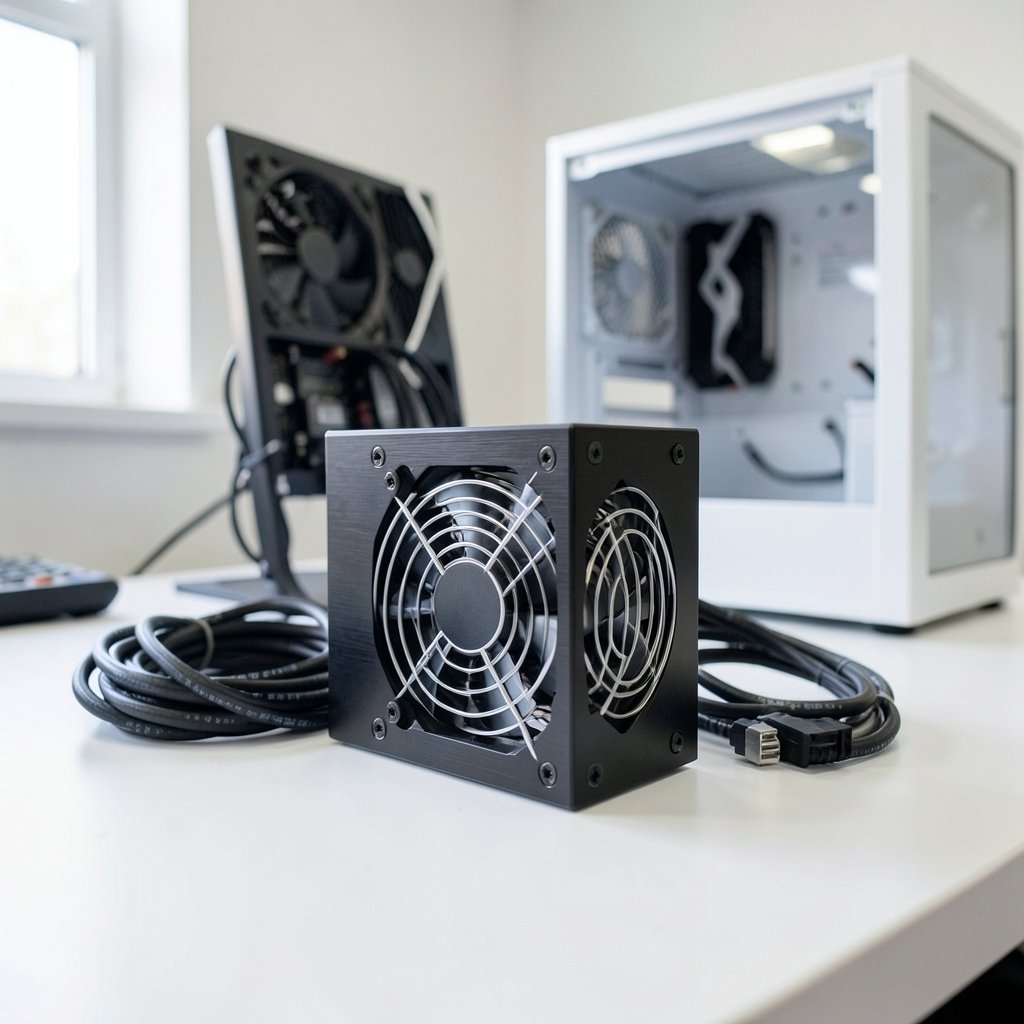
Quick Answer: What are the best gaming power supplies for beginners?
The best gaming power supplies for beginners are 80 PLUS Gold-rated units from established brands, sized at 550–750 W for mid-range builds and carrying ATX 3.x certification for modern graphics cards. Beginners can act on this by checking the GPU’s official wattage recommendation first, then buying a unit with a five-year-plus warranty and proper safety marks on the label.
Budget alternatives exist: a solid Bronze-rated unit from a reputable brand is a reasonable choice for a low-power build, though it usually runs hotter and carries a shorter warranty. Fully modular designs cost more than non-modular ones but make cable management easier for first-time builders.
Before buying, compare wattage headroom, 80 PLUS tier, ATX version, connector types, warranty length, safety certifications, and whether the unit is modular.
Why the Power Supply Deserves More Attention Than Beginners Give It
What component gets picked last, researched least, and blamed first when a new build randomly shuts down? If the answer “the power supply” came to mind, the reader already understands the problem.
The PSU is the one part of a gaming PC that touches everything else. It converts wall power into the voltages every other component needs, and when it does that job badly, the symptoms show up elsewhere: crashes under load, strange coil whine, USB devices dropping out, or a machine that refuses to wake from sleep. Beginners often spend hours tuning a graphics card while the real culprit sits in the bottom of the case.
There is also a hard truth about the market. Two units with the same wattage on the box can be wildly different inside. One may use quality Japanese capacitors, tight ripple control, and a full set of protections. The other may cut corners and still print a big number on the front. Wattage alone tells a shopper almost nothing.
This guide cuts through that. It explains what actually matters, where beginners overspend, where they shouldn’t skimp, and how to judge a unit without an electrical engineering degree.
What Actually Matters When Choosing a PSU
Wattage: Start With the GPU, Not the Calculator
Every graphics card has an official recommended power supply wattage. That recommendation is the correct starting point, not a forum guess or a random online calculator. A mid-range build typically lands in the 550–750 W range, while high-end cards push requirements higher.
The practical trick is headroom. A unit running at roughly half its rated load tends to run cooler, quieter, and more efficiently than one pinned near its maximum. Leaving 20–30 percent spare capacity also covers future upgrades and transient power spikes, which modern GPUs produce in short bursts.
80 PLUS Ratings: Useful, Not the Whole Story
The 80 PLUS program is a voluntary efficiency certification with tiers running from Bronze through Silver, Gold, Platinum, and Titanium. It measures efficiency at 20, 50, and 100 percent load.
Here’s the catch beginners miss: 80 PLUS certifies efficiency, not build quality or safety. A Gold-rated unit can still have mediocre capacitors. The rating is a useful filter, not a guarantee, and newer competing schemes have argued that its testing is less rigorous than theirs. Treat the badge as one data point among several.
ATX 3.x and the New GPU Connectors
ATX 3.0 arrived in 2022 and ATX 3.1 was finalized in 2024, both adding stricter power-delivery requirements for high-power graphics cards and introducing the 12VHPWR connector, later revised as 12V-2×6. That revision matters: the original connector had documented melting and overheating reports in 2022 and 2023, and the redesign addresses those weaknesses.
For anyone building with a current-generation GPU, an ATX 3.x unit is the sensible default. It ships with the right connector and handles the power spikes these cards produce.
Protections, Warranty, and Safety Marks
A quality unit includes over-voltage, over-current, over-power, and short-circuit protections. These are listed on the spec sheet, and their absence is a red flag.
Warranty length is a rough but reliable quality signal. Quality units commonly carry 5–10 year warranties; budget units often stop at 2–3 years. A manufacturer that trusts its own product for a decade usually has reason to.
Finally, look for recognized safety marks such as UL, CE, or UKCA on the label. These indicate the unit has passed electrical safety testing, which is a different question from efficiency or performance.
Modular, Semi-Modular, or Non-Modular
| Type | What It Means | Best For |
|---|---|---|
| Non-modular | All cables permanently attached | Tight budgets, basic builds |
| Semi-modular | Required cables fixed, rest detachable | Most beginners |
| Fully modular | Every cable detachable | Clean builds, airflow, upgrades |
Modular cables make building easier and improve airflow, but they cost more. For a first build on a budget, semi-modular or even non-modular is perfectly fine. Nobody sees the spare cable bundle once the side panel is on.
Common Beginner Mistakes That Cost Real Money
The single most common mistake is buying on wattage alone. A 750 W unit from an unknown brand can be worse than a 550 W unit from a respected one.
The second is overspending out of fear. A beginner building a modest system does not need a 1000 W Titanium unit. That money buys more frames elsewhere.
The third is ignoring the GPU’s connector requirements until the parts arrive. Buying a card that needs a 12V-2×6 connector and pairing it with an older PSU means using adapters, which adds risk and clutter.
The fourth is trusting the box art. Marketing language like “gaming edition” or “ultra silent” means nothing without a teardown review behind it. Reviewers who load-test units and open them up are the practical way to judge quality before buying.
One more: skipping the case-fit check. Long modular units can collide with drive cages or shroud covers in compact cases. Measure before ordering.
How to Match a PSU to a Beginner Build
- Look up the graphics card’s official recommended PSU wattage.
- Add 20–30 percent headroom for spikes and future upgrades.
- Choose at least 80 PLUS Gold unless the budget is genuinely tight.
- Confirm ATX 3.x support if the GPU uses a modern 12V-2×6 connector.
- Check the warranty length and protections list.
- Verify physical dimensions against the case.
For readers planning a full system, a step-by-step walkthrough of the build gaming pc beginners step by step first build helps sequence the parts correctly, and a guide to the power supply unit worth buying beginners practical buying covers the buying decision in more depth.
It is also worth remembering where the PSU sits in the overall budget. A monitor choice affects daily experience just as much, and a breakdown of a gaming monitor worth buying beginners everyday use shows how to balance spending across the whole setup rather than pouring everything into one part.
Budget, Mid-Range, and Premium: What Each Tier Buys
At the budget end, expect Bronze or Gold efficiency, a 2–3 year warranty, and non-modular cables. These units are fine for low-power builds and office-style systems, but they leave little room for a hungry GPU.
The mid-range is where most beginners should land. Gold efficiency, a 5–7 year warranty, semi-modular or fully modular cables, and ATX 3.x support are typical. This tier balances price against the things that actually matter.
Premium units add Platinum or Titanium efficiency, 10-year warranties, quieter fans, and tighter voltage regulation. They make sense for high-end builds where the PSU is a small fraction of total cost, and for anyone who wants a unit to survive two or three upgrade cycles.
The honest advice: buy the best unit in the mid-range that the budget allows, and only climb higher when the graphics card genuinely demands it.
Quiet Operation, Cable Management, and Other Practical Concerns
Noise is a factor beginners underestimate. A PSU fan that spins up under load can be the loudest thing in an otherwise quiet build. Units with a zero-RPM mode keep the fan off at low loads, which matters for anyone gaming with speakers or working late.
Cable management is the other practical concern. Flat, flexible cables route more easily behind the motherboard tray than stiff, sleeved ones. In a small case, this can be the difference between a clean build and a fight. Readers weighing display choices alongside the build may also find a comparison of a gaming monitor vs tv room lighting changes viewing useful, since room setup affects the whole desk experience.
Airflow deserves a mention too. A PSU with its intake fan facing a solid panel will run hot. Most modern cases solve this with a bottom vent and filter, but it pays to check before installing.
When to Replace an Existing PSU
An old unit does not automatically need replacing, but certain signs warrant it. Age beyond the warranty period, a move to a much more power-hungry GPU, missing modern connectors, or any history of instability under load all point toward a swap.
Physical symptoms matter as well: a fan that rattles, a case that smells faintly of hot electronics, or cables with damaged insulation. None of these are worth gambling on when a failed PSU can take other components with it.
For anyone also thinking about security and network gear in the same setup, a plain-language explanation of a web application firewall explained beginners it blocks it rounds out the picture of a complete, sensible home setup.
Conclusion
The best gaming power supply for a beginner is not the biggest or the flashiest one. It is a Gold-rated unit from a brand with a track record, sized with sensible headroom above the GPU’s official recommendation, built to ATX 3.x if the graphics card is modern, and backed by a warranty measured in years rather than months.
Everything else is detail. Modular cables are convenient. Zero-RPM modes are pleasant. Efficiency tiers beyond Gold are nice to have. But the fundamentals, correct wattage, real certifications, honest protections, and a manufacturer willing to stand behind the product, are what keep a build stable for years.
Buy once, buy sensibly, and the PSU becomes the part nobody thinks about again. That is exactly what a good one should do.
Frequently Asked Questions
Is 650 W enough for a modern gaming PC?
For most mid-range builds, yes. A 650 W Gold-rated unit comfortably handles a mid-tier graphics card and a mainstream processor, especially with 20–30 percent headroom factored in. High-end cards with higher official recommendations need more, so always check the GPU spec first.
Does an 80 PLUS Gold rating guarantee a good power supply?
No. The rating certifies efficiency at specific load points, not capacitor quality, ripple control, or protections. A Gold badge is a helpful filter, but teardown reviews and warranty length tell a buyer more about real build quality.
Should beginners buy a modular or non-modular PSU?
Semi-modular suits most first builds: the required cables stay fixed while the rest detach, so the case stays tidier without the full price premium. Non-modular units work on a tight budget, and fully modular makes sense when clean cable routing matters most.
What is the difference between ATX 3.0 and ATX 3.1?
ATX 3.1, finalized in 2024, revised the 12VHPWR connector as 12V-2×6 after documented melting and overheating reports on the original design. Both versions add stricter power-delivery requirements for high-power GPUs, but ATX 3.1 units carry the safer connector revision.
How long should a gaming power supply last?
Quality units with 5–10 year warranties are typically expected to serve through several upgrade cycles. Budget units with 2–3 year warranties are the first candidates for replacement, especially when paired with a newer, more demanding graphics card.
Can a cheap power supply damage other components?
It can. A unit without proper over-voltage, over-current, and short-circuit protections may pass unstable power to the motherboard and drives during a fault. That risk is why safety marks and a credible warranty matter more than a big wattage number on the box.



