A modest PC can still deliver a great gaming session with the best PC games for low end PCs when you match the pick to your hardware. “Low-end” might mean an older computer with 2GB RAM or a newer budget laptop with integrated graphics. Those systems do not offer the same gaming experience, so check your system requirements before downloading.
Frame rate is the number of images a game displays each second, measured in frames per second (FPS). A steady rate can make controls feel smoother, but your preferred genre matters just as much. This list includes strategy, RPGs, action, shooters, survival games, racing, and casual play. Some games are free, while others are paid picks with different play styles and demands.
Key Takeaways
- OpenTTD and The Battle for Wesnoth are strong starting points for strategy fans.
- Stardew Valley offers relaxed progression, while Team Fortress 2 brings online team matches.
- Integrated graphics can handle many lightweight games, though older chips may struggle with 3D effects.
- Check RAM, processor, graphics hardware, storage, and Windows support before installing.
- Listed minimum requirements do not promise a steady frame rate on every PC.
Keep your PC’s RAM, processor and graphics model handy while you compare the picks.
Best PC Games for Low End PCs at a Glance
OpenTTD is the safest first try for a weak PC, while Team Fortress 2 is a better fit if you want online action. Choose the game style first, then compare its listed requirements with your computer.
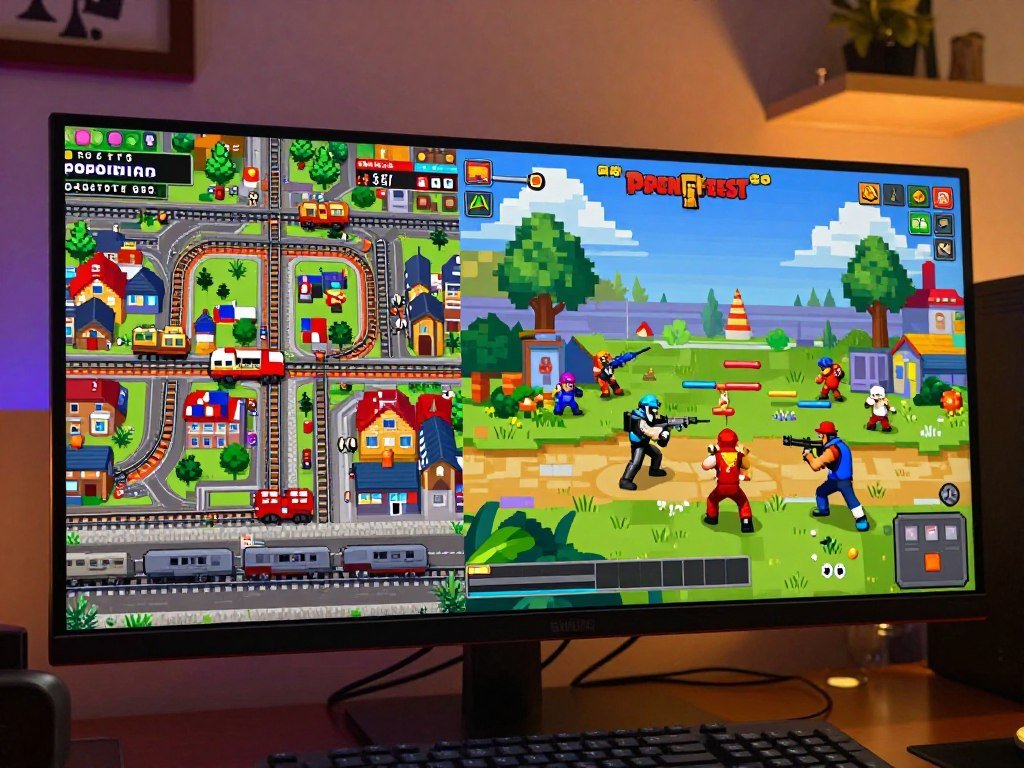
The picks include strategy, farming, tactical combat, and shooting, so low-end PC games can suit very different moods. The featured shortlist includes The Battle for Wesnoth, OpenTTD, Team Fortress 2, Hades, and Stardew Valley. Free options include both free-to-play games and completely free games; paid picks appear elsewhere in the list.
| Game | Genre | Best suited to |
|---|---|---|
| OpenTTD | Management strategy | Players who like building networks |
| The Battle for Wesnoth | Turn-based fantasy strategy | Tactical campaign fans |
| Team Fortress 2 | Class-based shooter | Team-match players |
Reliable starting points for a very weak PC
OpenTTD and The Battle for Wesnoth are best games to try when a PC has limited graphics power. OpenTTD lets you build rail, road, air, and sea networks, while Wesnoth focuses on fantasy battles played one turn at a time. Their simple presentation gives you a clear view of the action.
Stardew Valley is another friendly option if you want farming, friendships, and slow progress. Its routine gives you room to play in short sessions or spend an evening improving your farm. Among games low-end PCs can run, it offers a rewarding path without demanding constant quick reactions.
Choices for strategy and slower-paced play
For planning, start with OpenTTD or Wesnoth. Into the Breach offers another compact strategy game, built around short mech battles and careful choices. These options suit game players who would rather think through a move than chase a high frame rate in every scene.
Stable 30+ FPS is the verification threshold used by the low-end games hub for its stated minimum specifications. That threshold is not a promise that every computer will reach it in every scene. Game updates, background tasks, and busy scenes can affect play.
Stable 30+ FPS is a useful verification threshold, not a guarantee for every computer or scene.
Picks for action and competitive matches
Team Fortress 2 is the best fit here for online shooting, with distinct classes and team goals. Hades is a fast action game, while Stardew Valley suits a quieter session. These games run in different ways, so check each title rather than assuming every low-spec game has the same demands.
Free-to-play games may offer optional purchases, while completely free games do not use that same model. Check whether a free-to-play game’s optional purchases matter to you before treating it as a fully free experience.
What Counts as a Low-End PC for Gaming?
A PC with 4GB RAM and an older integrated chip needs a different shortlist from a newer 8GB laptop. These tiers are practical guideposts, not official categories. Your processor, memory, graphics, and game choice all shape the gaming experience.
For general low-end gaming, 8GB RAM is the baseline, and 16GB is recommended. The baseline processor is an Intel Core i3 or AMD Ryzen 3, 8th generation or newer. An Intel Core i5 or Ryzen 5 is recommended, with 1080p as the low-end baseline display.
| Tier | RAM | Processor | Graphics or typical play level |
|---|---|---|---|
| Very weak | 4GB or less | Older dual-core | Old Intel HD or similarly weak integrated graphics |
| Basic low-end | 4GB to 8GB | Older quad-core or quick dual-core | Intel HD 4000, newer UHD, or comparable integrated graphics |
| Stronger low-end | At least 8GB | Relatively modern quad-core | Newer integrated graphics or older DirectX 11-compatible card |
Very weak hardware
A PC with 4GB RAM or less can still handle older and simple games. A low-end PC with 4GB RAM and no graphics card should favor 2D games, turn-based play, and older titles with modest effects. A very weak processor can limit games even when the graphics look simple.
That older low-end PC system may need more patience during loading and busy scenes. Older hardware can also have trouble with newer operating systems or game updates. The age of the computer alone does not tell you what it can play.
Basic low-end hardware
An 8GB computer has more room for a game and its background tasks than a 4GB system. For a low-end PC with 8GB RAM and no graphics card, try a wider range of 2D games and lighter 3D titles. Newer integrated graphics can also handle more effects than old Intel HD chips.
Even so, modest hardware can vary a lot between laptops. Some systems share memory with integrated graphics, leaving less RAM available to the game. Check the exact model instead of relying on the label “budget PC.”
The stronger end of low-end
A relatively modern quad-core processor, at least 8GB RAM, and newer integrated graphics can make low-end gaming more flexible. An older dedicated card may also help, especially when it supports DirectX 11. The processor and graphics still need to work well together.
A budget gaming PC under $1,000 can offer a step up from a basic laptop, but the listed parts matter more than the price alone. Match your actual processor and RAM to the tier instead of judging a PC by its age alone.
Can You Play Without a Dedicated Graphics Card?
You can play many low-spec games without a dedicated graphics card if the processor’s integrated graphics are supported. A separate GPU is not essential for lightweight and 2D games. Older integrated chips may struggle with 3D effects, crowded scenes, and detailed graphics.
Intel UHD and AMD Vega graphics meet the low-end gaming baseline. Iris Xe or better is recommended for a broader range of games. These are general guideposts, not a promise that every game will run well on any PC using those names.
For example, A Short Hike lists Intel HD Graphics 4400 as its minimum graphics hardware. A game’s listed minimum shows the lowest hardware the maker names, but a busy scene can still feel uneven. A 2GB RAM PC with no graphics card should focus on older or simple 2D games, not assume every newer game will launch smoothly.
- Intel UHD
- AMD Vega
- Iris Xe or better
Integrated graphics may share system memory, so the amount available to a game can be lower than the installed RAM. A lightweight game may still work well, while a 3D game with many effects can feel slow. The words “no graphics card” do not reveal which graphics chip the PC uses.
A motherboard for gaming rarely changes frame rates when the processor, graphics, and memory stay the same. Check the exact graphics chip rather than relying on the phrase “no graphics card.”
Which System Requirements Matter Most?
A game can meet your graphics needs and still fail to install if the PC has too little free storage or an unsupported operating system. Check memory, processor, graphics compatibility, free space, and Windows support before downloading.
Game requirements are a starting point, not a guarantee of stable performance. A large game can exceed the space left on your drive even when its total capacity sounds generous. GTA V, for example, lists 72GB of free disk space as a minimum.
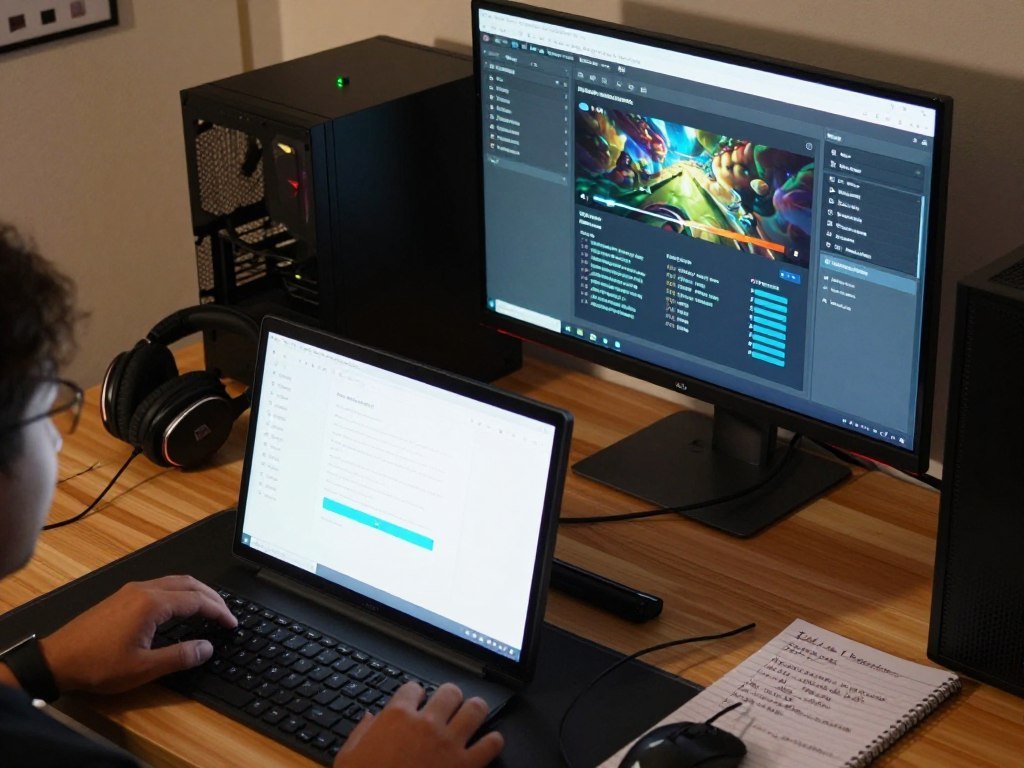
- Compare installed RAM with the game’s listed minimum.
- Check the processor model and speed against the requirement.
- Confirm the graphics hardware and supported graphics features.
- Check available storage and the supported Windows version.
| Check | Low-end baseline | Recommended |
|---|---|---|
| SSD storage | 256GB | 512GB |
| Windows | Windows 10 or 11 | Windows 11 |
| Free space | Compare game minimum with available space | Retain room for updates and other games |
The operating system matters for launch support as well as security updates. A game may list older Windows versions, while its current store or launcher needs a newer one. Check both the game and the app that installs it.
Storage capacity and available space are different measures. A 256GB SSD can already hold Windows, work files, and other games, leaving much less room for a large download. Check free space on the drive where the game will actually be installed.
Best Strategy Games for Low-End PCs
OpenTTD is the clearest pick for management fans, while The Battle for Wesnoth suits players who want tactical fantasy campaigns. Turn-based strategy is forgiving when frame rates vary, because decisions do not depend on split-second inputs.
These strategy games reward planning in different ways. Wesnoth centers on units and campaigns, OpenTTD asks you to manage a growing transport network, and Into the Breach turns each battle into a compact tactical puzzle.
| Game | Strategy style | Why it suits this player |
|---|---|---|
| The Battle for Wesnoth | Turn-based fantasy campaigns | Tactical unit placement |
| OpenTTD | Transport and management simulation | Long-term network building |
| Into the Breach | Turn-based mech tactics | Compact, puzzle-like battles |
Turn-based fantasy and tactical choices
The Battle for Wesnoth is a strategy game about moving units, using terrain, and choosing when to attack. Its fantasy campaigns give you clear goals, though each battle can call for a different plan. Players who enjoy careful tactical choices can take time between turns.
Wesnoth lists a 2GHz dual-core processor, 2GB RAM, and about 800MB of storage as minimum requirements. Those figures do not guarantee smooth performance on every current system. A PC can meet the listed minimum and still vary by operating system or background load.
Build a transport network at your own pace
OpenTTD lets you connect towns and industries with trains, trucks, ships, and planes. The fun comes from building a network that carries people and goods efficiently. You can start small, then add routes as your plans grow.
OpenTTD lists 256MB RAM as its minimum and recommends 512MB. Those low memory figures make it a natural first try on an older computer, though they do not promise a specific frame rate. Into the Breach takes a different route, using small mech battles where each move can change the next turn.
For a first session, avoid a crowded map and learn one transport type or campaign unit at a time. Start with a small map or beginner campaign before adding complexity.
Best Action and Platform Games for Low-End PCs
A Short Hike is the gentlest starting point here, while Cuphead is the choice for players who want demanding boss fights. Exploration, precise combat, and atmospheric platforming each feel distinct, even when all three games use two-dimensional play.
A Short Hike lets you roam a small island, meet its residents, and climb toward a mountain peak. Cuphead asks for precise jumps and attacks during fast boss battles. Hollow Knight mixes combat and exploration in a larger underground world.
Short, precise platforming sessions
A Short Hike has a warm art style and an open, easy-to-read world. It is a good choice when you want movement and discovery without a constant fight. The game lists a 2GHz dual-core processor, 2GB RAM, and Intel HD Graphics 4400 as minimum requirements.
Cuphead uses hand-drawn art that recalls old cartoons, but the battles need focus. The clear shape of a boss or projectile can matter as much as raw graphics detail. Its listed minimums include a 3.0GHz Intel Core 2 Duo E8400 or AMD Athlon 64 X2 6000+, 3GB RAM, and an NVIDIA GeForce 9600 GT or ATI Radeon HD 3870.
Challenging combat and exploration
Cuphead suits players who like repeating a boss fight until each move feels familiar. Hollow Knight offers a quieter pace between its combat, with paths to explore and new skills to find. Both games build a mood through art and sound instead of realistic visual detail.
A game’s art style can keep scenes readable, but that alone does not make its graphics easy to run. Effects, screen size, and the number of things moving at once still matter. Hollow Knight’s large map can also make exploration feel more open-ended than a short platforming session.
Try the gentler game first if you want to test controls on your system. If action feels uneven, reduce resolution and effects before giving up on a game’s distinctive art style.
Best RPGs and Exploration Games for Low-End PCs
Stardew Valley is the relaxed choice, while Fallout 3 and Fallout: New Vegas suit players who want post-apocalyptic quests. These RPGs offer several kinds of progress, from tending a farm to finishing missions in a dangerous wasteland.
Older games can be attractive on modest hardware, but their listed requirements do not prove current compatibility. Operating-system changes, launch apps, and older game files can affect whether an installation works as expected.
Relaxed progression and open worlds
Each game has a different kind of appeal:
- Stardew Valley centers on farming, friendships, and life simulation.
- Fallout 3 offers post-apocalyptic exploration and missions.
- Fallout: New Vegas puts more weight on quest-led role-playing.
- Grand Theft Auto: San Andreas focuses on open-world missions.
Stardew Valley lists a 2GHz processor, 2GB RAM, and 500MB storage as minimum requirements. Its daily routine gives you a steady way to make progress, whether you play briefly or stay for several in-game days. You can work on crops, improve your home, or get to know the town.
Fallout 3 and Fallout: New Vegas suit players who want dialogue, quests, and a large world to explore. Their role-playing systems give you choices about skills and gear. Grand Theft Auto: San Andreas takes a more direct approach, with driving, missions, and an open city to cross.
Older worlds with room to roam
Grand Theft Auto: San Andreas is a 2005 PC game with listed minimums of 256MB RAM and 4.7GB storage. Those old figures do not confirm that the game will work smoothly on a current version of Windows. Older games may need compatibility checks before they launch.
Fallout’s wasteland can offer long sessions, while Stardew Valley works well when you have only a little time. Their settings also create different demands: open areas, characters, and effects may behave differently from a small farm. Check compatibility for an older game before spending time troubleshooting an installation.
Best Shooters for Low-End PCs
Team Fortress 2 is the pick for class-based online battles, while Half-Life and Portal 2 are better for solo play. Multiplayer action adds busy scenes and other players, while single-player games let you move through each encounter at your own pace.
These shooters cover different kinds of first-person play. Team Fortress 2 is built around classes and team goals, Half-Life focuses on solo combat, and Portal 2 uses puzzles as its main challenge.
Team-based online matches
Team Fortress 2 gives players class roles with different weapons and jobs. A match can feel very different depending on which class you choose and how your team works together. The game lists 512MB RAM and about 15GB storage as minimum requirements.
The modern Steam client requires Windows 10 or later, even though an old game requirement may suggest support for an older Windows version. Your PC needs to run both the game and the app that opens it. Team Fortress 2 can also look calm in a menu and much busier during a real match.
Classic single-player shooting and puzzles
Half-Life is a classic single-player shooter, with combat and puzzles placed along a story. Portal 2 keeps the first-person view but makes spatial puzzles its main attraction. Players use portals to move objects, solve rooms, and reach the next area.
Portal 2 offers a slower pace than a team battle, while Half-Life asks you to react during fights. Both can suit a player who prefers a set path over online competition. Their scenes still vary, so an empty room may not show how a later section feels.
For multiplayer, try a real match with other players and effects on screen. For solo play, a quiet early area can be useful, but later fights may add more movement and activity. For multiplayer, test performance in a busy match rather than judging it from a quiet menu.
Best Survival and Roguelike Games for Low-End PCs
Hades is a strong action pick for a modest PC, but the weakest integrated-graphics systems may need lower resolution. The busiest moments are the real test for action roguelikes, where enemies and effects fill the screen.
Hades and Vampire Survivors build progress through repeated runs. Don’t Starve and Terraria focus more on survival, crafting, and sandbox play. These survival games ask you to manage resources, while roguelikes reward learning from one run to the next.
Fast runs and escalating effects
Hades combines fast combat with story and upgrades that carry between attempts. It can be a strong fit for players who want a clear goal and short runs. The lowest-spec integrated-graphics computers may need 720p resolution and reduced settings to run it smoothly.
Vampire Survivors keeps its controls simple as enemies gather around the player. Its late-game visual effects can strain the weakest hardware, so an early run may not show the toughest moments. That change in screen activity can make the game feel quite different later.
Survival and crafting at your own pace
Don’t Starve asks you to gather supplies and stay alive in a strange world. It lists 1GB RAM and 500MB storage as minimum requirements. The hand-drawn look helps give it a clear identity, while its survival choices create pressure without a first-person view.
Terraria gives you a sandbox for mining, building, and fighting. You can focus on crafting a base or explore deeper areas for new materials. The game’s world can grow more demanding when many enemies or effects appear together.
Roguelike runs suit a focused session, while survival games can keep you busy with a longer plan. A quiet start may hide the effects of a crowded fight or a late-game wave. Judge a survival game by its busiest scenes, not just by its first quiet minutes.
Best Casual and Racing Games for Low-End PCs
Asphalt 8: Airborne is the racing pick, while Super Auto Pets and FTL suit players who prefer decisions over fast reflexes. “Casual” describes a broad range of play, not one fixed game style.
Asphalt 8: Airborne is arcade racing with quick turns and short events. Super Auto Pets is an auto-battler, where you build a team and watch it fight. FTL: Faster Than Light is space-route strategy, with crew and ship choices along the way.
Racing without a large hardware footprint
Asphalt 8: Airborne brings fast races and arcade-style action. It lists 4GB RAM and an Intel Core i3-3110M processor as minimum requirements. Racing depends on quick steering, so a steady frame rate can matter more than it does in a slow turn-based game.
The title’s minimums give you a useful first check, not a guarantee of play on every PC. A race can look busier than the menus, especially when effects appear on screen. If racing is your main interest, judge the game by a full event rather than its start screen.
Relaxed decisions and short sessions
Super Auto Pets lets you form a team and watch its fights play out. It lists 1GB RAM and about 512MB storage as minimums. The rounds suit players who like building a plan but do not want to steer through real-time combat.
FTL: Faster Than Light lists 1GB RAM and 175MB storage as minimums. You guide a ship between space locations, manage its crew, and decide how to handle trouble. Its tension comes from choices and limited resources, not quick aiming.
These games all fit short sessions, but they use your attention differently. Asphalt 8 needs quick reactions, while the other two leave more time to plan. Choose based on the session you want, not only on a game’s low listed RAM.
Is GTA 5 a Low-End PC Game?
GTA V is a borderline choice for an older PC: its listed minimum is modest by modern standards, but it still requires a dedicated graphics card. Some older PCs that meet the minimum can run it, but it is not a safe pick for every low-end PC or integrated-graphics setup.
Minimum requirements describe the lowest hardware listed for the game. Recommended requirements give a stronger target, but neither set promises a fixed frame rate. GTA V’s results depend on the complete PC and the chosen settings.
| Component | Minimum | Recommended |
|---|---|---|
| RAM | 4GB | 8GB |
| Graphics card | GeForce 9800 GT 1GB or Radeon HD 4870 1GB | GTX 660 2GB or HD 7870 2GB |
| Processor | Core 2 Quad Q6600 at 2.40GHz or Phenom 9850 Quad-Core at 2.5GHz | No recommended CPU specified |
| Free disk space | 72GB minimum | No recommended figure specified |
What the minimum and recommended requirements mean
The minimum lists 4GB RAM, a GeForce 9800 GT with 1GB video memory or Radeon HD 4870 with 1GB, and a Core 2 Quad Q6600 at 2.40GHz or Phenom 9850 Quad-Core at 2.5GHz. It also requires 72GB of free disk space.
The recommended graphics cards are a GTX 660 with 2GB video memory or an HD 7870 with 2GB. Recommended RAM is 8GB. No recommended CPU or disk-space figure is specified here, so do not treat an invented number as part of the requirement.
What a very weak PC should expect
A PC with 2GB RAM falls below GTA V’s listed minimum. Its dedicated-GPU requirement also rules out many very weak integrated-graphics systems. That makes GTA V a poor first bet when the computer has little memory or an older graphics chip.
Meeting the minimum does not promise 30 or 60 FPS. The expected frame rate depends on the whole system and settings, including the graphics card and processor. Compare every listed minimum component with your PC before installing GTA V.
How Can You Improve Performance on a Low-End PC?
Lowering resolution and effects is usually the quickest way to improve play on a weak PC. A stable frame rate matters more than a high, fluctuating number. Change a small set of options first, then see how the game responds.
Some basic low-end PCs may benefit from 720p or 900p resolution and the lowest practical graphics settings. A high frame rate can feel smooth, but only when the game keeps delivering frames steadily. 100 FPS is useful when your display supports a high refresh rate and the game holds that pace.
- Lower resolution to 720p or 900p.
- Reduce shadows and visual effects.
- Close memory-heavy apps running in the background.
- Cap FPS at a rate the PC can sustain.
Online gaming usually uses tens to a few hundred megabytes per hour, not several gigabytes. The game, voice chat, and updates can change that amount. A download or patch may use far more data than normal online play.
Godot is a practical lightweight engine for many 2D projects. The game’s optimization matters more than the engine name alone, since a complex project can still demand more from a PC.
A portable monitor with a high refresh rate only helps when the PC and game can support that rate. A faster screen does not create extra game frames. Change one setting at a time so you can tell which adjustment helped.
Which Games Need a High-End PC?
Games built around ray tracing, dense open worlds or high-resolution textures are more likely to need stronger hardware than 2D and turn-based games. Check the specific game’s minimum and recommended requirements before treating a new release as a low-end option.
Modern visual effects can ask more from a GPU and system memory. Large worlds may also load more detail, characters, and effects at once. A 2D game or turn-based battle often has less visual work to manage, though individual games still differ.
Watch for these clues in a game’s requirements:
- A dedicated modern graphics card
- High recommended RAM
- A large storage requirement
- Features such as ray tracing
These are warning signs to inspect, not proof that every game with one feature needs a high-end PC. A game may use a demanding feature only as an option, while its basic settings work on weaker hardware. The listed requirements are the best first check for a specific system.
When a game’s minimum requirements already exceed your PC, its recommended requirements are a safer target.
High-resolution textures can use more graphics memory, while ray tracing can add extra work for the GPU. An open world may be demanding for other reasons, such as how many objects appear together. Treat the game’s recommended requirements as a safer target when its minimum already exceeds your PC.
Conclusion
The best first choice is the one that fits both your hardware and the kind of play you enjoy. OpenTTD and The Battle for Wesnoth are sensible low-demand starts for strategy players. A Short Hike, Stardew Valley, and Team Fortress 2 offer different ways to explore, relax, or play with others.
Do not judge a game’s demands by its visual style alone. Its processor, RAM, graphics, storage, and operating-system needs all matter. A simple-looking game can still have requirements that do not suit your computer.
Compare the minimum requirements with your actual PC before you download. Pick one game, check its requirements, and try it before filling your drive with a long queue of downloads.
FAQ
What games need a high-end PC?
Recent visually intensive games with ray tracing, large open worlds, or high-resolution textures are more likely to need stronger graphics hardware. Those features can add work for the GPU and memory, especially when many effects appear at once. Check the game’s recommended requirements against your PC before buying or downloading it. A demanding feature may be optional, so inspect its settings too.
How many GB is 1 hour of gaming?
One hour of online gaming usually uses tens to a few hundred megabytes, not several gigabytes. The exact amount changes with the game and whether you use voice chat. Updates and downloads can use much more data than normal play, so avoid counting a large patch as part of a typical gaming hour. Check your data meter after a session if you have a strict limit.
What is the best game engine for a low-end PC?
Godot is a practical lightweight engine for many 2D projects. It can suit a small game that uses simple scenes and assets, but the engine name alone does not decide performance. Complex effects, large levels, and poor optimization can raise hardware demands. For a low-end PC, keep the project modest and test it on hardware like the one you want to support.
Is GTA 5 low end PC?
GTA V can run on some older PCs that meet its listed minimum, but it is not a safe choice for every low-end computer. Its minimum calls for a dedicated graphics card, which rules out many very weak integrated-graphics systems. Check the processor, RAM, graphics card, and free storage together. Meeting one requirement does not mean the whole PC meets the minimum.
Is 2GB RAM enough for GTA 5?
No, 2GB RAM is below GTA V’s listed 4GB minimum. A PC with 2GB may have trouble launching the game or keeping enough memory free during play. RAM is only one part of the check, since GTA V also lists dedicated graphics hardware, a supported processor, and 72GB of free disk space. A memory upgrade alone cannot meet every requirement.
Is GTA 5 30 or 60 FPS?
Neither 30 nor 60 FPS is guaranteed by GTA V’s minimum requirements. The result depends on the complete PC, including its processor, graphics card, memory, and graphics settings. A system that only meets the minimum may perform differently from another system with the same listed parts. Test a busy area, not just the opening screen, to judge how steady play feels.
Is 100 FPS good for gaming?
Yes, 100 FPS can feel smooth when your display supports a high refresh rate and the game delivers frames steadily. A screen with a lower refresh rate cannot show every frame in the same way. A fluctuating frame rate may feel less smooth than a lower but stable rate. Match the display’s refresh rate to what your PC can sustain in the game.
Is GTA 5 a heavy game?
GTA V is demanding for very weak PCs because it lists 72GB of free space and requires a dedicated graphics card at minimum. Its requirements are older, but that does not make every integrated-graphics PC suitable. The processor and RAM matter too, and the minimum does not promise a fixed frame rate. Compare every listed component with your computer before installing.



