

What happens when you install an Android system on a PC and the project behind it quietly stops shipping updates? That is not a hypothetical. It is the exact situation anyone comparing Bliss OS, PrimeOS, and Phoenix OS walks into. Two of the three names still get recommended in forum threads every week, yet only one of them shows real, visible development activity. Picking wrong costs you an evening of installation and, worse, months of running an Android build that no longer receives security patches. (Haley lu richardson dancer from phoenix became critics)
This comparison puts all three side by side on the criteria that actually matter: development status, Android base, gaming controls, Play Store support, and hardware compatibility. Then it gives a straight verdict per use case, so you can stop reading forum arguments and start installing.
The Short Answer: A Side-by-Side Comparison
| Criterion | Bliss OS | PrimeOS | Phoenix OS |
|---|---|---|---|
| Development status | Active, public GitHub activity and roadmap | Uncertain; no confirmed official release since a 2023 mirror listing | Effectively discontinued |
| Android base | Android 13 broadly available; Android 14 and 15 source branches exist | Lags well behind current Google releases | No verifiable current base |
| Download availability | Public PC ISO downloads currently paused | Depends on unofficial mirrors | 2026-dated downloads should be treated with skepticism |
| Gaming controls | Works, but not the core focus | Built-in keyboard and mouse mapping, gaming layer | Had key mapping in its active years |
| Play Store | Build-dependent | Build-dependent | Build-dependent |
| Open source | Yes, free and open source | No | No |
| Best for | Newer hardware, long-term use | Gamers who want desktop-style controls out of the box | Very old hardware, tinkering only |
The table tells most of the story. Bliss OS is the only one of the three with a public roadmap and ongoing commits. PrimeOS still has the friendliest gaming setup. Phoenix OS is the name people remember from years ago, and that memory is doing most of the work in recommendations.
Why These Three Names Keep Showing Up Together
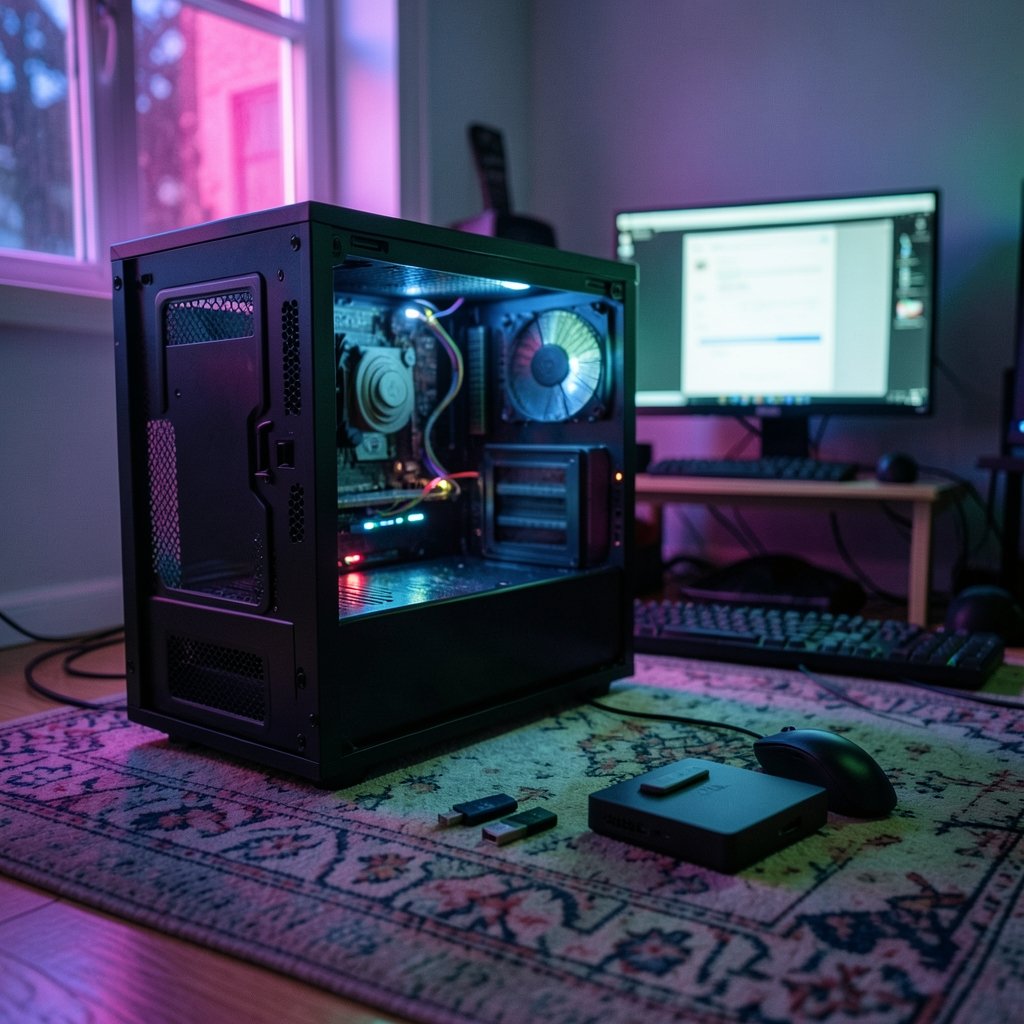
All three grew out of the same root: Android-x86, the open-source project that ports Android to standard PC hardware. That shared ancestry is why they get compared at all. They install the same way (usually dual boot or a dedicated partition), they boot into a desktop-style launcher, and they promise to run Android apps natively rather than through a virtualization layer like BlueStacks.
The differences are in what each team built on top of that base. PrimeOS added a keyboard-and-mouse gaming layer, a desktop launcher, and a multi-window mode that genuinely works. Bliss OS added broad device support, frequent updates, and windowed multitasking. Phoenix OS added a Windows-like interface and solid multitasking, back when it was still being developed.
One thing worth understanding before you go further: none of these are the same category as an emulator. If your goal is running one mobile game on a laptop you also use for work, an emulator is often the lower-risk path. If you want a dedicated Android machine, a native install makes more sense. The workflow trade-offs between cloud phones, emulators, and native systems are bigger than most people expect, and a closer look at Redfinger vs smartgaga vs primeos workflow differences is a useful reality check before committing a partition.
Bliss OS: The Actively Maintained Option
Bliss OS is the one project of the three that a reader can verify is alive. Its GitHub activity is visible, it maintains documentation for gaming-adjacent work, and Android 14 and 15 source branches already exist. It is free and open source with an actual public roadmap, which matters more than any feature list when you are trusting an operating system with your hardware.
The catch is timing. Public PC ISO downloads are currently paused, and the newest broadly available build is Android 13-based. Anyone installing today should plan for a mandatory clean reinstall whenever the next image ships, with no confirmed date for that image. That is not a dealbreaker, but it changes how you should set the machine up: keep your data on a separate partition or external drive so a reinstall does not cost you your files.
What Bliss OS does well in practice
- It supports a wide range of hardware: tablets, some Chromebooks, and desktops.
- Windowed mode and a taskbar make it feel closer to a desktop OS than the alternatives.
- It offers advanced battery management and customization options.
- Updates, when they come, are frequent relative to the other two.
Where Bliss OS frustrates people
Hardware quirks are the recurring theme. Users on older convertible tablets have reported losing touchscreen input after a reboot on certain Bliss OS versions, which is fatal on a device with no keyboard. Some builds are unstable on specific hardware, and installation is trickier than a Windows installer. The practical fix is to test from a live USB before installing, and to check whether your exact model appears in community reports.
PrimeOS: Still the Gaming Pick, With Caveats
PrimeOS is the Android-on-PC distribution most people met first, and for good reason. It was built on Android-x86 with a keyboard-and-mouse gaming layer, a desktop launcher, and working multi-window mode, and it is free. For someone who wants to run a mobile shooter on a gaming laptop without the overhead of an emulator, it remains the most plug-and-play of the three.
The friction shows up everywhere else. PrimeOS sometimes fails to boot on the latest hardware. The Android version it tracks lags well behind current Google releases. And most modern apps with strong anti-cheat refuse to run inside it, which is a hard wall no configuration fixes. PrimeOS also ships in three editions: Classic for older systems, Standard for newer hardware and AMD or NVIDIA GPUs, and Mainline for the latest CPUs. Choosing the wrong edition is one of the most common mistakes people make, and it produces exactly the stuttering that fills complaint threads. A user on modest hardware blamed PrimeOS for lag until another pointed out the RAM allocation was the real problem, not the OS.
There is also a support question. Updates are less frequent than Bliss OS, and the project’s release status is unclear enough that any download should be traced to a source you can verify.
Phoenix OS: The One That Stopped Moving
Phoenix OS earned its reputation honestly. In its active years it offered a Windows-like Android experience with good multitasking and built-in keyboard-and-mouse game mapping, and it was easy to install. That is why it still gets recommended in threads where nobody checked the date.
The current picture is stark. There has been no confirmed official release since a 2023 mirror listing, there is no verifiable current Android base, and there is no official support channel. Any 2026-dated download should be treated with skepticism absent a verifiable source. Community-modified forks exist and circulate, but a fork maintained by anonymous strangers is a different risk profile than an official build.
The security angle deserves emphasis. Running an Android build that has not seen a security patch in years is not a neutral choice if that machine touches banking apps, email, or any account you care about. Forum users who moved away from Phoenix OS and PrimeOS often cite the same pair of problems: frequent freezing and no path forward.
Play Store, Anti-Cheat, and Modern Apps
Google Play Store availability is build-dependent across all three projects rather than a fixed feature. Some builds ship with it, some require sideloading, and some variants never get it working cleanly. Do not assume the store is there until you see it on your install.
Anti-cheat is the bigger wall. Modern competitive games increasingly refuse to run on any of these systems, and no amount of key mapping changes that. If your main game is one of them, none of the three is the right answer, and you should look at a cloud phone or an emulator instead.
There is a quieter compatibility issue too. Only some Android apps natively support x86, so the app you most want to run may simply not work, regardless of which of the three you pick. Checking that specific app before installing is the single highest-value five minutes you can spend.
Hardware Reality Check
The most common mistake across all three systems is installing on hardware that cannot carry them. A user with an AMD A8-6410 APU and 8 GB of RAM, with only about 3.3 GB actually available, found PrimeOS stuttering badly and concluded the OS was at fault. Another commenter pointed out the RAM was the real bottleneck. The lesson generalizes: these systems are lighter than a full Windows install, but they are not magic.
Practical guidance that holds up:
- Test from a live USB first. It costs nothing and reveals touchscreen, Wi-Fi, and GPU problems before you touch your drive.
- Put Android on its own partition or drive. Bliss OS users face a mandatory clean reinstall when the next image lands, and dual-boot setups that share a bootloader with Windows are where most disasters happen.
- Back up APKs, game saves, and personal data before any migration. Moving from Phoenix OS or an old Remix OS install to Bliss OS takes roughly 30 to 45 minutes plus an 8 GB USB stick, and the backup is the step people skip.
- Match the edition to the hardware. On PrimeOS, Classic for old machines, Standard for newer GPUs, Mainline for current CPUs.
- Pick 64-bit builds for 64-bit hardware. For testing newer apps, a recent 64-bit build is the only sensible choice.
If you enjoy the technical side of these projects, the same instinct for understanding how systems behave is worth applying elsewhere. A plain-English guide to prime number concepts with real examples is a surprisingly good warm-up for the kind of reasoning that debugging a bootloader demands.
Verdict by Use Case
Choose Bliss OS if you have reasonably modern 64-bit hardware, you want an actively developed system with a public roadmap, and you can live with a clean reinstall when the next image ships. It is the most prudent of the three, less for any single feature than for the smaller attack surface compared with a system that has gone years without a patch.
Choose PrimeOS if gaming controls are your top priority, your hardware is a generation or two old, and you accept that updates are infrequent and anti-cheat titles will not run. Pick the edition carefully.
Choose Phoenix OS only if you are deliberately tinkering on very old hardware and understand that you are running an unmaintained system. It is not a daily driver in any current sense.
Choose none of them if your main goal is one or two mobile games on a machine you also use for work. An emulator or cloud phone is the lower-risk path.
Conclusion
The honest summary of Bliss OS vs PrimeOS vs Phoenix OS is that this stopped being a three-way contest some time ago. Bliss OS is the only one with visible development, a current-enough Android base, and an open roadmap. PrimeOS keeps a real edge for gamers who want keyboard mapping without setup work, at the cost of infrequent updates and an uncertain release channel. Phoenix OS is a memory: a good one, from a project that no longer moves.
The decision comes down to what you are optimizing for. Stability and security favor Bliss OS. Out-of-the-box gaming convenience favors PrimeOS. Nostalgia favors Phoenix OS, and that is not a good enough reason to install an operating system. Test from a live USB, back up your data, and check that your must-have app actually supports x86 before you commit a partition. Do that, and whichever of the three you land on will at least be a choice you made on purpose.
Frequently Asked Questions
Is Phoenix OS still being developed?
No confirmed official release has appeared since a 2023 mirror listing, and there is no verifiable current Android base or official support channel. Any download carrying a 2026 date should be treated with skepticism unless you can trace it to a source you trust.
Which of the three is best for gaming on a PC?
PrimeOS is the most gaming-focused of the three, with built-in keyboard and mouse mapping and a desktop-style interface. Bliss OS can also work well for gaming on compatible 64-bit hardware, especially if you want a more actively maintained system. Phoenix OS had good key mapping in its active years but is no longer a safe pick.
Does Bliss OS have Google Play Store?
It depends on the build. Play Store availability is build-dependent across all three projects rather than a fixed feature, so verify it on the specific image you download instead of assuming.
Why do my games refuse to run on these systems?
Most modern apps with strong anti-cheat protection refuse to run inside Android-on-PC systems, and that applies to all three. Separately, only some Android apps natively support x86, so compatibility varies by app regardless of which system you install.
Can I install these alongside Windows?
Yes, dual boot or a dedicated partition is the usual approach. Keep Android on its own partition or drive and back up APKs, game saves, and personal data first. Bliss OS users should expect a mandatory clean reinstall when the next image ships, so store important files somewhere a reinstall cannot touch.
Which Android OS for PC is best for a 64-bit computer?
Bliss OS is the strongest all-rounder for newer hardware, PrimeOS is popular for gaming-style desktop controls, and Android-x86 suits anyone who wants a cleaner, more open build. The right answer depends on whether you care more about gaming, stability, hardware support, or a desktop-like interface.



