What if the heaviest thing in your work bag could shrink to a sheet of glass and a magnetic keyboard? That is the promise tablets keep making, and every year they get closer to keeping it. The 2027 crop looks like the most serious yet, with desktop-style multitasking modes, bigger memory configurations and faster chips trickling down to mid-range models. But “best” depends entirely on what your workday looks like, so this roundup names specific tablets, explains who each one suits, and calls out the one real drawback you should know before you pay.
The Shortlist at a Glance
| Tablet | Best for | OS / chip | Standout work feature | Main limitation |
|---|---|---|---|---|
| iPad Pro (M5 generation) | Power users who want polish | iPadOS 19 / Apple M5 | Stage Manager 2.0, Thunderbolt 4 | Premium price, app-centric workflow |
| Galaxy Tab S12 Ultra | Multitaskers who want a desktop feel | Android 17, One UI 10 / Snapdragon-class chip | DeX mode, 14.6-inch AMOLED 2X display | Huge footprint for travel |
| Galaxy Tab S12+ | Samsung fans who want a smaller sibling | Android 17, One UI 10 | Galaxy AI tools, S Pen workflow | Less screen room for split view |
| iPad Mini 8 | Commuters and field workers | iPadOS | Compact size, Wi-Fi 7, 12MP ultrawide front camera | Small canvas for heavy documents |
| Lenovo Tab (NXTPAPER line) | Note-takers and readers | Android / MediaTek Helio G99 | Paper-like matte display, T-Pen stylus | Modest chip for heavy multitasking |
| iPad (10th generation) | Budget buyers | iPadOS / A14 | Magic Keyboard Folio support | Older chip, mid-tier tier overall |
| Galaxy Tab S9 FE | Value-seeking Android users | Android / Exynos 1380 | DeX plus included S Pen | Previous-generation hardware |
Several of these are leaked or unannounced, so treat specs as directional until official pages confirm them. The table is a map, not a receipt.
iPad Pro M5: The Polished All-Rounder
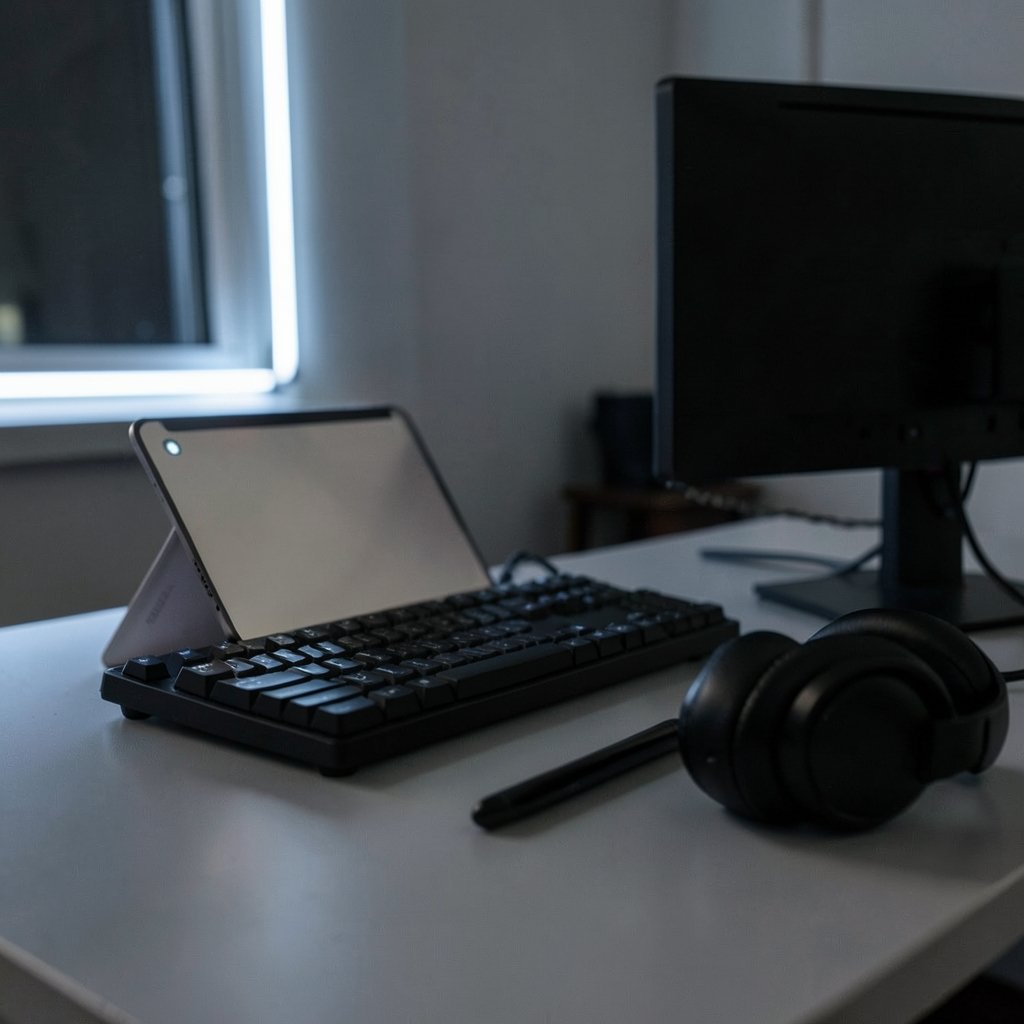
If your work lives in apps rather than files, this is the tablet to beat. Apple has not published official M5 iPad specs, but the pattern across past generations is clear: each Apple Silicon jump has meant faster app launches, smoother multitasking with Stage Manager and external monitors, and less heat on long video calls. That last point matters more than benchmark bragging. A tablet that stays cool on a two-hour Teams call keeps its battery estimate honest.
Leaked comparisons point to 12GB of unified memory and iPadOS 19 with Stage Manager 2.0, including a rumored macOS-style menu bar and freer window placement. If that lands, the gap between tablet and laptop narrows for people who juggle a browser with dozens of tabs, email, a CRM and a task manager at once.
The limitation is Apple’s control over how you work: you use the software Apple approves, and professional apps arrive on Apple’s schedule. Budget for the keyboard too, because a tablet without one is a consumption device.
Galaxy Tab S12 Ultra: The Desktop Replacement for Window Junkies
Samsung’s biggest tablet is less a slate and more a laptop that lost its hinge. The S12 Ultra carries a 14.6-inch Dynamic AMOLED 2X panel at 2960×1848 pixels (239 ppi), which is genuinely comfortable for side-by-side windows, image editing and long reading sessions. DeX mode adds a Windows-style taskbar and desktop, plus wired and wireless desktop extension, so you can plug into a monitor and keep working.
The catch is physical. A 14.6-inch tablet plus keyboard case is a bag-filling combo, and holding it in one hand on a train is a non-starter. It is a desk-to-sofa device, not a commuting one. If your job is mostly anchored in one place, that trade is easy to make.
Galaxy Tab S12+: The Smaller Samsung Sibling
The S12+ pairs the same 120Hz display treatment and Galaxy AI toolkit in a more portable body. It suits people who want DeX and the S Pen workflow without hauling a near-laptop-sized panel to every meeting.
The honest limitation: split-screen work gets cramped fast. Once you put a document, a chat window and a reference browser side by side, the extra inches on the Ultra stop looking like luxury and start looking like breathing room. Choose the S12+ if portability wins; choose the Ultra if windows win.
iPad Mini 8: Small Enough to Actually Carry
Compact tablets are having a moment, and the Mini is the easiest recommendation for field work, site visits, sales calls and anyone who takes notes standing up. Reported details include Wi-Fi 7, Bluetooth 6.0, USB-C with DisplayPort, a 12MP ultrawide front camera with a 122-degree field of view, and a 4900mAh battery. That camera spec is the quiet hero for remote workers: a wide front lens keeps you framed in video calls without propping the tablet against a coffee cup.
The limitation is the canvas. Editing a dense spreadsheet or marking up a long contract on a small screen gets old by mid-afternoon. The Mini is a companion device for most people, not the whole office.
Lenovo’s NXTPAPER Tablets: For People Who Stare at Words All Day
Lenovo’s NXTPAPER line targets a specific kind of worker: the one who reads, annotates and takes handwritten notes for hours. The matte, paper-like display with anti-glare coating, blue light reduction and DC dimming is designed to cut eye strain, and a dedicated NXTPAPER key switches between Regular, Ink Paper and Color Paper modes instantly. The included T-Pen stylus offers 4096 pressure levels, and the 10,000mAh battery with 33W charging refills in roughly two hours.
The limitation is raw power. A MediaTek Helio G99 with 8GB of physical and 8GB of virtual memory handles split-screen productivity apps fine, but it is not a video-editing or heavy-browser machine. Buy it for reading and writing, not rendering.
iPad (10th Generation): The Sensible Entry Point
Not every job needs a flagship. The 10th-generation iPad with the A14 chip and Magic Keyboard Folio support covers email, documents, presentations, video calls and note-taking at the lowest cost of entry into Apple’s product family. For a student, a teacher or a freelancer who mostly writes and schedules, that tablet is sufficient.
Its limitation is age. The A14 is a mid-tier chip at this point, and heavy multitasking will show it. If your work involves large files or many simultaneous apps, step up.
Galaxy Tab S9 FE: The Value Android Pick
The Tab S9 FE with an Exynos 1380, DeX mode and an S Pen in the box is the pragmatic Android choice. Getting the stylus included matters, because pen support is often an upsell elsewhere. Students and meeting-heavy workers get a full desktop-style mode on an external display and a decent note-taking setup without flagship pricing.
The honest drawback: it is previous-generation hardware, so it will feel its age sooner than the S12 family.
How to Choose Without Overthinking It
Start with the one task you do most, not the spec sheet. Then run this quick sequence:
- Count your heavy apps. If you regularly run three or more windows at once, weight screen size and memory heavily and lean toward the Tab S12 Ultra or iPad Pro.
- Decide your keyboard budget. A tablet without a real keyboard is a media player. Factor the case into the total price before comparing.
- Check the stylus situation. Included pens (Samsung’s S Pen, Lenovo’s T-Pen) change the math versus buying one separately.
- Test the camera angle. For remote work, front camera field of view matters more than rear megapixels.
- Confirm the desktop mode. DeX and Stage Manager behave differently, and your muscle memory will pick a favorite within a day.
One practical tip from the field: buy the keyboard case at the same time as the tablet. People who “wait and see” tend to end up using the tablet for streaming and nothing else. Another common mistake is overbuying storage while underspending on memory, which is the spec that actually governs multitasking.
If your workflow leans on AI assistants that draft, schedule and act on your behalf, the tablet you pick should also be judged on how well it runs them. That shift is worth reading about in this look at agentic AI chatbots in 2027, because a chatty assistant on a slow chip is a frustrating assistant. And if you manage your own business from the device, pairing it with affordable search tooling covered in this roundup of low-cost SEO tools that cover real work keeps your tablet from becoming a very expensive browser tab. (10 best ai 3d model generators 2027 game print work)
Conclusion
The best tablet for work in 2027 is the one that matches your heaviest daily task, not the one with the longest spec sheet. Choose the iPad Pro M5 for polished app-centric work, the Galaxy Tab S12 Ultra for genuine desktop-style multitasking, the S12+ or Tab S9 FE for Samsung value, the iPad Mini 8 for portability, Lenovo’s NXTPAPER for reading and handwriting, and the 10th-gen iPad for a sensible first step. Confirm leaked specs on official pages before you buy, budget for the keyboard, and let your actual workday make the final call.
Frequently Asked Questions
Can a tablet really replace a laptop for work in 2027?
For many jobs, yes. Desktop-style modes like DeX and Stage Manager, external monitor support over USB-C or Thunderbolt, and keyboard cases cover writing, email, meetings, spreadsheets and browser-based tools. Specialized desktop software and heavy local processing are where a laptop still wins.
Which tablet is best for remote work and video calls?
Look at the front camera first. The iPad Mini 8’s 12MP ultrawide front camera with a 122-degree field of view is designed to keep you framed without repositioning. The iPad Pro and Galaxy Tab S12 line also handle long calls well, with the M5 generation expected to run cooler during extended video use.
Is the Galaxy Tab S12 Ultra too big for daily commuting?
It depends on your route. The 14.6-inch display is excellent for split-screen work, but the tablet plus keyboard case is bulky. Commuters who work on the move usually prefer a compact model like the iPad Mini 8, while desk-anchored workers get more value from the Ultra’s screen space.
Do I need a stylus for work?
Only if you take handwritten notes, sketch, or annotate documents. Samsung includes the S Pen with models like the Tab S9 FE, and Lenovo includes the T-Pen with its NXTPAPER tablets, which makes those options cheaper for note-heavy work. Otherwise, put the money toward the keyboard case.
How much memory should a work tablet have?
Enough to keep your multitasking smooth. Leaked specs for the iPad Pro M5 and Galaxy Tab S12 Ultra both point to 12GB of memory, with a 16GB option on the Ultra’s 1TB model. If you routinely run several apps in split view, prioritize memory over extra storage.
Are the 2027 tablet specs official yet?
Some are, some are not. The Galaxy Tab S12 Ultra, S12+ and iPad Pro M5 details circulating are largely leaked or rumored, including display and memory figures. Treat them as directional and confirm final specifications, pricing and availability on the manufacturer’s official product page before ordering.
One more habit worth building: revisit your choice after the first month. Track which apps you actually open, whether the keyboard case stays attached, and how often you reach for the stylus. Those three signals tell you more than any benchmark. If the keyboard lives in a drawer, you bought a media player; if the stylus never leaves its slot, you overpaid for note-taking you do not do. A tablet that fits your real routine beats a flagship that flatters your intentions. Buy for the work you do on an ordinary Tuesday, and the extraordinary days will take care of themselves.