What if the one gadget standing between a dorm room and a real streaming channel costs less than a textbook? That is the situation many college students face in 2027. Consoles like the PS5, Xbox Series X|S, and Switch 2 can push beautiful footage, and free software like OBS can broadcast it, but without a capture card the whole setup stalls. The catch is that campus life adds its own rules: shared Wi-Fi, a desk the size of a chessboard, a roommate who sleeps at 1 a.m., and a budget measured in meal swipes. (Best ai finance apps families 2027 allowances college funds)
This roundup focuses on specific cards that fit those constraints. Each pick gets a clear “who it suits,” one honest limitation, and a price only where a published source states it. Prices shift with sales and region, so treat every figure as a starting point and confirm it on the product page before buying.
Quick Comparison: Capture Cards for Dorm Life
| Card | Best for | Capture | Passthrough | Rough price | Main trade-off |
|---|---|---|---|---|---|
| AVerMedia GC311G2 | PS5 owners with a tight budget | 1080p60 | 4K60 HDR | Under USD$100 | Smaller brand |
| Elgato HD60 S+ | First-time YouTube streamers | 1080p60 | HDR passthrough | Around €100 | Older model by 2027 |
| Elgato HD60 X | Students who want headroom | 1080p60 HDR | 4K60 | Around €150 | Costs more than most dorm budgets |
| AVerMedia Live Gamer Ultra 2.1 | Serious 4K creators | 4K60 HDR | 8K | Around €200 | Overkill for most freshmen |
| Elgato Cam Link 4K | DSLR and mirrorless webcams | Camera feed | None needed | Not stated | No console passthrough |
| UGREEN HDMI Capture Card | 2K capture on a budget | Up to 2K | Varies | Not stated | Fewer confirmed specs |
| Redragon VC321 | Competitive players | 1080p | Zero-latency | Not stated | Fewer software extras |
1. AVerMedia GC311G2: Best Overall for PS5 on a Student Budget
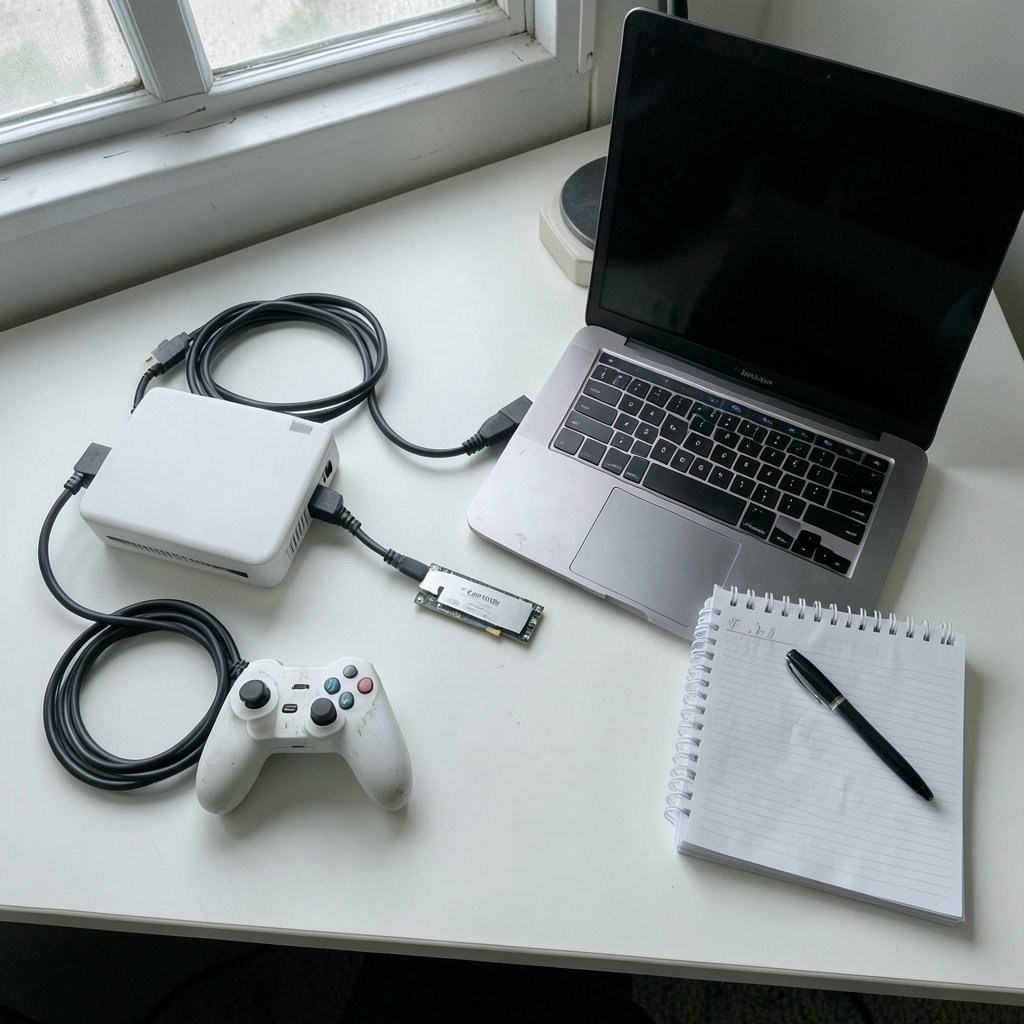
Who it suits: a student with a PS5, a laptop, and less than USD$100 to spend.
AVerMedia positions this card as its budget pick for PS5 setups, and the spec sheet explains why it keeps showing up in dorm rooms. It captures at 1080p60 while passing a 4K60 HDR signal through to the TV or monitor. That split matters more than any marketing number. The student plays on the passthrough screen with no added delay, while viewers watch the captured feed. Action games and rhythm titles stay playable because the eyes never wait on the laptop.
What it does well: it is small, it is plug-and-play, and it handles the resolution Twitch and YouTube viewers actually expect. A 1080p60 stream looks smooth, and the file sizes stay manageable for a laptop with limited storage.
The limitation: it is a budget card from a smaller brand. Students who later want 4K recording will need to upgrade, and the compact body means fewer ports to fiddle with. Buy it as a first card, not a forever card.
2. Elgato HD60 S+: The Safest First Card for YouTube Beginners
Who it suits: the student who has never streamed before and wants the setup to work on the first try.
The HD60 S+ sits at the budget tier in a published 2027 comparison, listed at roughly €100 and described as enough for most people at 1080p60. That framing is fair. Elgato’s software is friendly, the card is well documented, and troubleshooting guides are everywhere, which matters when the campus IT desk cannot help with a capture problem.
What it does well: it removes guesswork. Plug in HDMI from the console, USB to the laptop, open OBS, add a video capture source, and the picture appears. For a freshman balancing three papers and a streaming hobby, that reliability is worth more than a spec bump.
The limitation: by 2027 it is an older model. The same comparison places the HD60 X above it for 4K30 or 1080p60 HDR capture with 4K60 passthrough, so anyone planning to keep streaming for four years should weigh the step up. If you are still deciding between form factors, a practical buyers guide on whether to choose a capture card walks through the trade-offs before you spend.
3. Elgato HD60 X: The Four-Year Card
Who it suits: the student who wants one purchase to last through graduation.
The HD60 X is the middle-class pick in the same 2027 breakdown, listed around €150 with 4K60 passthrough and 1080p60 HDR capture. Think of it as insurance. The passthrough keeps a 4K monitor looking sharp, HDR capture keeps colors from washing out, and the headroom means the card will not be the weak link when the student upgrades a laptop or buys a 1440p display. (Do i choose capture card practical buyers guide)
What it does well: it balances price and longevity better than almost anything else in this list. It also handles DSLR and mirrorless cameras as a source, which helps media students who already own a camera for coursework.
The limitation: €150 is real money for someone living on a meal plan. Students who only stream Switch games at 1080p will never use the extra passthrough, and the AVerMedia GC311G2 covers that job for less.
4. AVerMedia Live Gamer Ultra 2.1: For the Serious 4K Creator
Who it suits: the upperclassman with a portfolio, a 4K monitor, and freelance clients.
This is the premium tier in the 2027 comparison, around €200, with 4K60 HDR capture and 8K passthrough. That is more than most students need. It is also exactly right for someone editing a thesis film, recording a podcast with video, or building a reel for job applications.
What it does well: it future-proofs a setup. The 8K passthrough means the display chain stays clean even as monitors improve, and 4K60 capture gives editors room to crop and reframe in post.
The limitation: the price and the file sizes. A 4K60 recording fills a laptop drive fast, so budget for external storage. For a first streaming card, this is spending money on problems the student does not have yet.
5. Elgato Cam Link 4K: The DSLR Trick for Media Students
Who it suits: anyone who already owns a DSLR or mirrorless camera and wants webcam-quality video for lectures, interviews, or a channel.
A 2027 ten-card roundup names the Cam Link 4K as the camera-focused option, distinct from console cards. The logic is simple. A camera with clean HDMI output becomes a high-end webcam, and the footage looks far better than any built-in laptop camera.
What it does well: it turns gear the student already owns into a studio tool. Journalism and film students get professional-looking remote interviews without buying a second camera.
The limitation: it is not a console capture card. There is no passthrough, so it cannot sit between a PS5 and a monitor. Buy it for camera work, not gameplay.
6. UGREEN HDMI Capture Card: The 2K Middle Ground
Who it suits: the student who wants better-than-1080p capture without premium pricing.
The same 2027 roundup lists UGREEN as an option for 2K capture. That middle ground appeals to students recording Switch or Steam Deck footage who want a bit more detail than 1080p but cannot justify 4K hardware.
What it does well: it covers a gap. Many budget cards cap at 1080p30, which looks choppy for gameplay, while 4K cards cost double. A 2K option keeps recordings crisp without the sticker shock.
The limitation: published specs are thinner than for the Elgato and AVerMedia picks, so verify the exact capture resolution and passthrough support on the listing before buying. A card that accepts a 4K signal is not the same as one that records 4K, and that distinction trips up plenty of first-time buyers.
7. Redragon VC321: Zero-Latency Passthrough for Competitive Players
Who it suits: the student who plays ranked shooters and refuses to accept input delay.
A budget roundup highlights the VC321 for zero-latency passthrough, meaning no measurable delay reaches the monitor. For competitive play, that is the whole ballgame. A capture card that adds even a few frames of lag turns a good player into a frustrated one.
What it does well: it prioritizes the thing competitive players feel most. The metal body also survives being tossed in a backpack between the dorm and the gaming lounge.
The limitation: fewer software extras and less documentation than the big brands. Students who want hand-holding should look at Elgato first. Compatibility is the other wild card. A practical guide to which capture cards work well with OBS is worth reading before checkout, because a card that fights the software wastes a weekend.
How to Choose a Capture Card When You Live in a Dorm
Ignore the 4K badge on the box until you answer three questions.
- What does the card actually record? Many cheap cards accept a 4K input but capture only 1080p30. Check the capture spec, not the input spec.
- Does it have passthrough? Without it, gameplay routes through the laptop and feels laggy. With it, the console feeds the monitor directly and the laptop only records.
- What ports does the laptop have? USB 3.0 is the baseline for smooth 1080p60. A USB 2.0 card caps at 1080p30 and will disappoint.
Two more dorm-specific checks save real headaches. First, noise. Capture cards run cool, but a laptop encoding video does not, and a whirring fan at midnight earns roommate complaints. Second, storage. An hour of 1080p60 footage eats gigabytes, so plan for an external drive. Students mapping out a semester budget can pair hardware costs with a realistic college money management plan, and families comparing tools can look at the best AI finance apps for allowances and college funds to keep the purchase from wrecking the monthly plan.
Conclusion
The right capture card for a college student in 2027 is the cheapest one that matches the actual setup. A PS5 owner with a tight budget should start with the AVerMedia GC311G2, which captures 1080p60 while passing 4K60 HDR through to the TV. A first-time streamer who wants zero friction should pay a little more for the Elgato HD60 S+, and anyone planning to stream for four years should stretch to the HD60 X. Camera-focused media students have a separate answer in the Cam Link 4K, while competitive players should put passthrough latency first and look at the Redragon VC321.
The pattern across every pick is the same: spend on the feature you will use weekly, not the number that looks best on a box. A dorm desk has no room for hardware that solves problems the student does not have.
Frequently Asked Questions
Do college students really need a capture card?
Only if the goal is streaming or recording console gameplay, or turning a camera into a high-end webcam. A student who plays on a PC can capture with free software alone. Console players need a card because the console has no way to send video to a laptop otherwise.
Is 1080p60 enough for Twitch and YouTube in 2027?
For most student streamers, yes. A 1080p60 stream looks smooth on both platforms, keeps file sizes manageable, and runs on modest laptops. Higher resolutions help editors who crop footage, but they are not required to build an audience.
What is the difference between passthrough and capture resolution?
Passthrough is the signal sent to the monitor or TV. Capture resolution is what the card records to the computer. A card can pass 4K60 to a display while recording 1080p60, and many budget models do exactly that. Always check both numbers separately.
Will a capture card work with a laptop that is not a gaming machine?
Usually, if the laptop has USB 3.0 and a modern processor. The card does the video capture, but the laptop still encodes the stream. A machine already struggling during games will struggle more while streaming, so close background apps and lower the encoder settings in OBS.
Can I use a capture card with a Nintendo Switch?
Yes. Any card with an HDMI input works with the Switch, which outputs 1080p. Look for one with passthrough so the dock can feed a TV directly while the laptop records. A budget 1080p60 card is plenty for Switch content.
How much should a student budget for a capture card?
Published 2027 comparisons place budget cards under USD$100, mid-range options around €150, and premium 4K cards around €200. Add the cost of an external drive for recordings. Prices vary by region and sales, so confirm the current figure on the product page before buying.