
Quick Answer: What is a riser desk?
A riser desk is a platform that sits on top of an existing desk and raises either the whole work surface or just the screen and keyboard tier. You can use one to lift a low desk to a comfortable height, to bring a monitor closer to eye level, or to add sit-stand flexibility without buying new furniture. The two main types are fixed risers, which simply add height or storage space, and adjustable desk converters, which lift the monitor and keyboard together so you can switch between sitting and standing. Before buying, compare the height range, weight capacity, footprint, keyboard tray design, assembly effort, and how stable the frame feels at full lift.
Walk into any home office and you will spot the same problem: a desk that was never quite the right height. Maybe the screen sits too low, maybe the chair is cranked up so far that your feet dangle, or maybe you have read one too many articles about how sitting all day wrecks your back. A riser desk looks like a simple answer, and in many ways it is. But the term covers a surprising range of products, from a small shelf that lifts a monitor a few inches to a gas-spring workstation that turns any table into a sit-stand setup. Knowing which one you actually need saves money and a lot of frustration.
The Simple Definition Most People Are Looking For
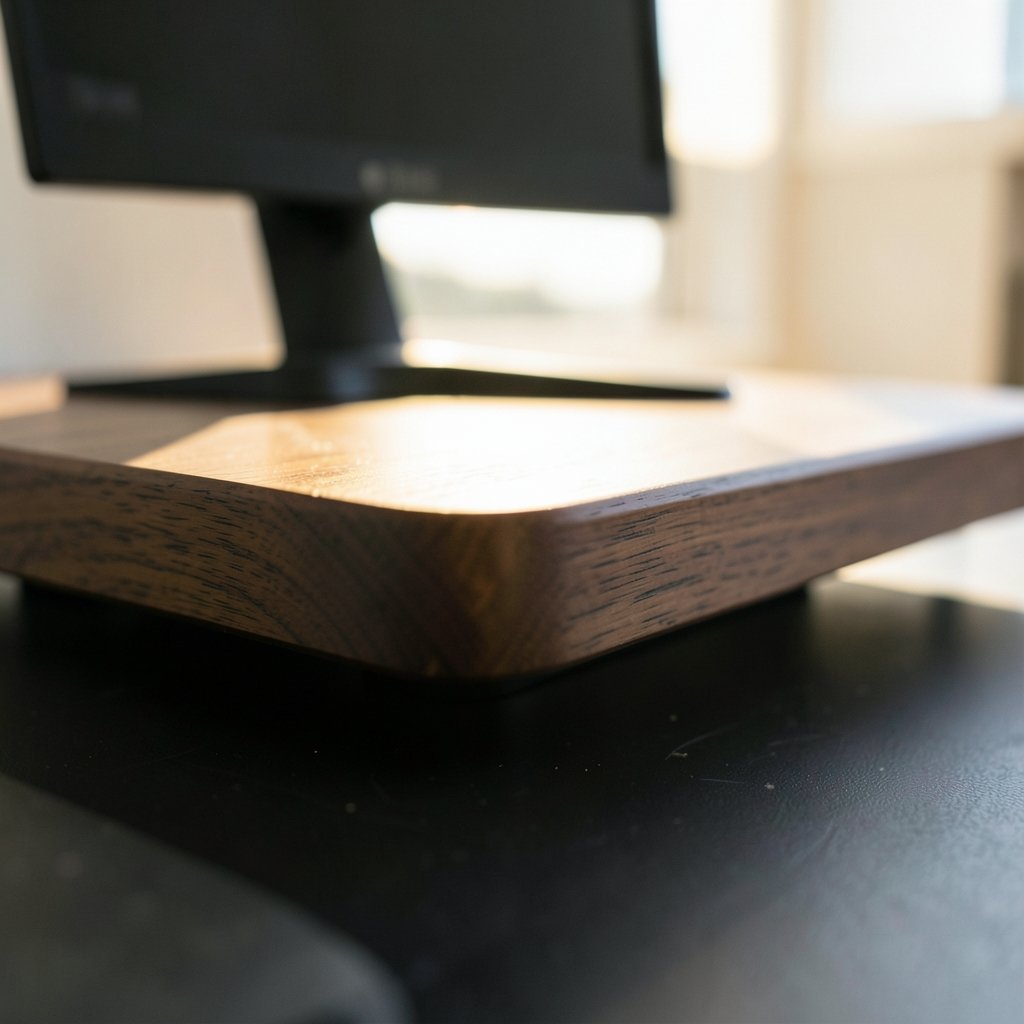
A riser desk is any raised platform that increases the height of your working surface or the equipment on it. A product listing for desk risers describes them plainly: they are used to increase the height of a desk that is too low, improving your ergonomic position by getting the work surface to the right height, and they suit tall people whose desks are not height-adjustable.
That definition splits neatly into two families. The first is a fixed riser: a shelf, hutch, or two-tier desktop that adds height and storage but does not move. The second is an adjustable riser, usually called a standing desk converter, which lifts the monitor and keyboard tier so you can alternate between sitting and standing during the day.
Both solve real problems. They just solve different ones.
Fixed Risers vs. Standing Desk Converters
The clearest way to understand the category is to compare the two types side by side.
| Feature | Fixed riser | Standing desk converter |
|---|---|---|
| What it lifts | Monitor, laptop, or the whole desktop surface | Monitor and keyboard tiers together |
| Adjustability | None, set height only | Stepless or locking range, often 6 to 17 inches |
| Best for | Raising a low desk, adding storage, eye-level screens | Adding sit-stand movement to an existing desk |
| Assembly | Minimal to none | Minimal, usually ready to use quickly |
| Cost | Lower | Higher, but far less than a full standing desk |
| Footprint | Small, sits where you place it | Larger, needs a clear desk area |
A fixed riser is the quiet workhorse. A two-tier desk like the Dorel Haven Retro Desk with Riser builds the riser into the furniture itself, giving a small footprint with two levels of desk space, where the upper tier keeps items close by but out of the way. That is a great fit for apartments, dens, and bedrooms where floor space is tight.
A converter is the more active choice. It sits on the desk you already own and lifts just the screen and keyboard, which makes it a cheaper entry point into sit-stand working than replacing your entire worktop. That matters if you rent, if your desk is built in, or if you simply cannot justify a new piece of furniture.
How Standing Desk Converters Actually Work
Most adjustable risers rely on one of two lifting mechanisms: gas springs or a manual handle. A gas-spring model like the VIVO 42-inch converter moves from sitting to standing in one smooth motion using dual pneumatic springs, with a touch height-locking mechanism and an adjustment range of roughly 6 to 17 inches. Its desktop holds up to 33 pounds while the keyboard tray holds about 4 pounds.
Smaller models follow the same logic. A compact riser with a gas spring and a single-handle control lets you switch positions quickly, and a full-width keyboard tray with an integrated gel wrist pad keeps typing comfortable during longer sessions.
One design detail deserves more attention than it usually gets. Some risers raise and lower straight up and down, while others swing outward as they rise. The vertical-lift design saves space and offers better stabilization, whereas outward-extending models take up more room and increase the chance of tipping forward. If your desk sits close to a wall or you work in a tight corner, vertical lift is the safer bet.
Why People Buy Them: Posture, Screens, and Space
The most common reason is screen height. Raising a monitor or laptop closer to eye level helps keep you from slouching and straining your neck, and it gives a more flattering angle for video calls. If you have ever finished a long day with a stiff neck and blamed your chair, the monitor was probably just as guilty.
The second reason is desk height itself. Standard desks are built for average bodies, which means tall users often end up hunched over a surface that sits too low. A riser raises the work surface to a better position without anyone needing to buy an adjustable frame.
The third reason is space. A riser adds usable area to a desk by creating a second level, which is exactly how two-tier designs earn their keep in small rooms. If you are already squeezing every inch out of your setup, it pairs well with smart desk accessories that actually earn their space.
Where a Riser Desk Fits in a Wider Setup
A riser is rarely the only upgrade people make. It usually lands in the middle of a broader effort to make a workstation comfortable and tidy.
Start with the screen. If you are pairing a compact computer with a riser, it helps to think about how the display and the platform work together, which is the same logic behind choosing monitors for a Mac mini that match your desk workflow. A riser can close the gap between a low screen and a comfortable viewing angle, but only if the monitor is the right size and height to begin with.
Then think about power. Lifting a workstation does not change how many devices need charging, and a crowded power strip under a raised desk gets messy fast. A well-chosen surge protector for freelancers with six desk-friendly picks can keep the cable situation under control while everything sits higher.
Finally, plan the cables. A converter moves up and down dozens of times a day, and slack that looks fine when seated can yank tight when standing. Good cable management ideas for your desk that actually stay put make the difference between a smooth transition and a daily tug-of-war.
Practical Tips and Common Mistakes
Measure before you buy. Sit in your chair, relax your shoulders, and note where your elbows and eyes naturally land. Then check the riser’s height range against those numbers. A converter with a 6-to-17-inch range is generous, but only if the top of that range suits your body.
Check the weight limits. Converters publish separate capacities for the desktop and the keyboard tray. A dual-monitor setup plus a laptop can approach the ceiling quickly, and an overloaded gas spring sags or refuses to rise.
Do not forget the keyboard tray. A tray that is too small forces your mouse onto the upper surface, which defeats the purpose. Look for a full-width tray, and consider whether a removable tray suits your habits better.
Expect a stabilization period. A converter on a wobbly desk amplifies the wobble. If your desk already shakes at height, deal with that first, because the fixes for standing desk wobble at full height apply just as much to a riser sitting on top.
Do not go from zero to eight hours. The point of a converter is variety. Start with short standing blocks and build up.
Watch the monitor distance. Raising a screen often pushes it slightly farther away. Nudge it forward so your viewing distance stays comfortable.
Who Should Skip a Riser Desk
A riser is not automatically the right answer. If your desk is already at the correct height and your monitor sits at eye level, a converter adds cost and clutter for little gain. If you want to stand for most of the day rather than alternate, a full standing desk that replaces the entire worktop is the more direct solution. And if your desk is unstable or too small to host a converter’s footprint, fixing the desk itself comes first.
The honest summary is that risers are a targeted fix. They shine when one specific thing is wrong: the desk is too low, the screen is too low, or you want movement without new furniture.
How to Choose in Five Steps
- Decide what you want to raise. A monitor or laptop points to a fixed riser; a full sit-stand switch points to a converter.
- Measure your seated eye and elbow height, then compare against the product’s height range.
- Check weight capacity for both the top surface and the keyboard tray.
- Confirm the lift path. Vertical is more stable and space-friendly than outward-swinging.
- Clear the footprint. Measure your desk depth and leave room for the keyboard tray to extend.
Conclusion
A riser desk is a simple idea with a useful split personality. As a fixed platform, it lifts a low desk or a low screen to a healthier height and adds a second level of storage in the process. As an adjustable converter, it brings sit-stand movement to furniture you already own, at a fraction of the cost of a new desk. Neither type is magic. Both work when the height range, weight limits, and footprint match your body and your room. Measure first, buy second, and the riser will quietly do its job for years.
What is the difference between a desk riser and a desk converter?
A desk riser is the broad term for any platform that raises your work surface or equipment, including fixed shelves and two-tier desktops. A desk converter is a specific type of adjustable riser that lifts the monitor and keyboard tiers so you can switch between sitting and standing.
Can a riser desk hold two monitors?
Many converters can, but it depends on the published weight capacity and surface size. Some models offer a 42-inch-wide desktop rated for around 33 pounds, which comfortably handles a dual-monitor setup. Always add up the weight of your monitors, stand, and laptop before buying.
Do riser desks work on any desk?
Most do, provided your desk has enough depth and a stable top. Converters need clear space for the keyboard tray to extend, and outward-swinging models need extra room behind them. Very small or wobbly desks are poor hosts, so check dimensions first.
Is a riser desk good for tall people?
Yes, this is one of their strongest use cases. Standard desks are built for average heights, so taller users often work at a surface that sits too low. A fixed riser raises the desk to a better ergonomic position without requiring a height-adjustable frame.
How much weight can a standing desk converter support?
Capacities vary by model, and manufacturers usually list the desktop and keyboard tray separately. One common example is a 33-pound desktop limit with a 4-pound tray limit. Exceeding those figures can make a gas-spring riser sag or fail to hold its height.
Do I need to assemble a riser desk?
Usually very little. Many converters arrive almost ready to use, and two-tier desks typically need only minimal assembly on delivery. Fixed monitor risers often require no assembly at all, which makes them an easy first upgrade.