The best tablets for reading in 2027 are led by the Kindle Paperwhite, which remains the best choice for most readers thanks to its glare-free screen, weeks of battery life and enormous book store, while the Kobo Libra Colour is the best option for anyone who reads comics, magazines or colour illustrated books. If you want a straight answer, buy the Kindle Paperwhite for pure reading, the Kobo Libra Colour for colour content, and the iPad mini if you want one device that does everything. The rest of this guide explains the trade-offs, because the right choice depends on what you read and where you read it.
Key takeaways
- Best overall: Kindle Paperwhite — the most comfortable, longest-lasting e-reader for most people.
- Best for colour: Kobo Libra Colour — colour e-ink for comics, magazines and illustrated books.
- Best colour Kindle: Kindle Colorsoft — Amazon’s colour e-reader, ideal if your library is already on Kindle.
- Best all-rounder: iPad mini — a superb small tablet that reads books, PDFs and the web with equal ease.
- Best budget tablet: Samsung Galaxy Tab A9 — an affordable Android tablet that handles reading apps well.
- What matters most: screen comfort in bright light, weight in the hand, battery life and access to the books you actually want.
How we chose these tablets
Reading is a different job from drawing or working, and it rewards different qualities. The most important is the screen: an e-ink display is easier on the eyes, readable in direct sunlight and gentle on battery life, while a bright LCD or OLED tablet is more versatile but more tiring over long sessions. Weight matters too, because a reading device is held one-handed for hours. We also weighed book access — whether a device locks you into one store or lets you borrow library books and load your own files — and practical features such as waterproofing, warm front lighting and storage for large libraries.
The best tablets for reading in 2027
1. Kindle Paperwhite
Best for: most readers — the best all-round e-reader you can buy.
The Kindle Paperwhite is the default recommendation for a reason. Its glare-free e-ink screen reads like paper, even in bright sunlight, and its adjustable warm light makes night reading comfortable without disturbing anyone else in the room. Battery life is measured in weeks rather than hours, it is waterproof enough for the bath or a poolside read, and it is light enough to hold one-handed for a full chapter without strain. The Kindle store is the largest ebook catalogue available, and features such as Whispersync and X-Ray are genuinely useful. The trade-offs are real but narrow: the Paperwhite is tied to Amazon’s store, it handles PDFs and colour content poorly, and it is a single-purpose device. For anyone whose main habit is reading novels, non-fiction and the occasional bestseller, it is the best choice and the best value.
2. Kobo Libra Colour
Best for: readers who want colour comics, magazines and library borrowing without Amazon’s walled garden.
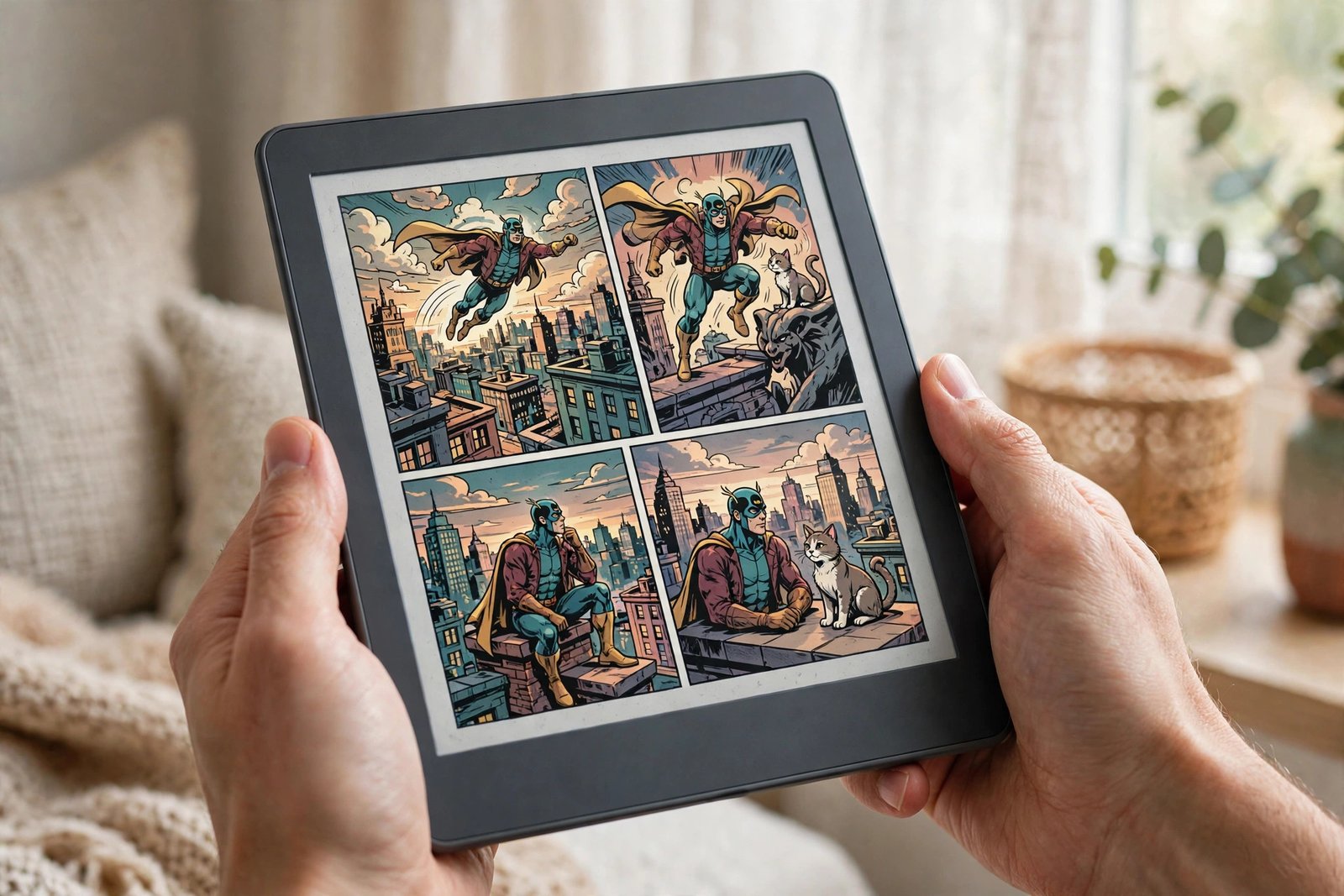
The Kobo Libra Colour is the most interesting e-reader of recent years. Its colour e-ink display brings comics, graphic novels, cookbooks and magazine covers to life in a way black-and-white e-ink never could, while keeping the paper-like readability and long battery life that make e-readers so pleasant. It supports a wide range of open book formats, works directly with public library borrowing through OverDrive, and lets you load your own files without fuss. The physical page-turn buttons and the comfortable asymmetrical grip make it a joy to hold, and it is waterproof too. Colour e-ink is still softer and less vivid than a phone or tablet screen, so do not expect magazine-perfect colour. But for readers who want freedom from one store and a screen that handles illustrated books properly, this is the pick.
3. Kindle Colorsoft
Best for: committed Kindle readers who want colour without leaving Amazon’s ecosystem.
The Kindle Colorsoft is Amazon’s answer to colour e-reading, and it makes sense for one specific reader: someone whose library is already on Kindle and who reads comics, cookbooks or illustrated non-fiction. It keeps everything that makes the Paperwhite good — the glare-free screen, the warm light, the waterproofing and the weeks-long battery — and adds colour for covers, highlights and illustrated pages. Colour on e-ink remains muted compared with a tablet, and the Colorsoft costs noticeably more than the Paperwhite, so it is hard to justify if you mostly read plain text novels. But if you are deep into Kindle and want your graphic novels and travel guides to look the way their authors intended, it is a polished and capable upgrade.
4. iPad mini
Best for: readers who want one small device for books, PDFs, the web and everything else.
The iPad mini is not an e-reader, and it does not pretend to be one — but it is the best small tablet for reading, and for many people it is the better buy. Its sharp, bright display makes PDFs, magazines, web articles and illustrated books look superb, and the Kindle, Kobo and Apple Books apps all run well on it. It is small enough to hold one-handed and to slip into a jacket pocket, yet large enough that a page of text feels comfortable. The trade-offs are the ones every tablet shares: the screen is tiring over very long sessions, it is unreadable in bright direct sunlight, and the battery lasts days rather than weeks. It also costs several times more than a dedicated e-reader. But if you read a mix of books, documents and web articles, and you want one device that does it all, the iPad mini is the most versatile reader on this list.
5. Samsung Galaxy Tab A9
Best for: budget-conscious readers who want a proper tablet for reading apps, comics and the web.
The Samsung Galaxy Tab A9 is the affordable option that still feels like a real tablet. It runs the Kindle, Kobo, Libby and Google Play Books apps smoothly, its display is bright and clear enough for comics and magazines, and it is light and cheap enough to be a genuine everyday reader. It is not an e-ink device, so it shares the iPad mini’s weaknesses — glare in sunlight, shorter battery life and more eye strain on long sessions — and its screen is not as sharp as the iPad mini’s. But it costs a fraction of the price, which leaves plenty of budget for books, and it is a capable general tablet for browsing, video and email too. For students, commuters and anyone who wants a cheap, capable reading tablet, it is the sensible choice.
Comparison table
| Tablet | Screen | Battery | Book access | Best for |
|---|---|---|---|---|
| Kindle Paperwhite | Glare-free black-and-white e-ink | Weeks | Kindle store | Most readers |
| Kobo Libra Colour | Colour e-ink | Weeks | Open formats, library borrowing | Colour books, library users |
| Kindle Colorsoft | Colour e-ink | Weeks | Kindle store | Kindle readers who want colour |
| iPad mini | Sharp, bright LCD | Days | Every reading app | Books, PDFs and everything else |
| Samsung Galaxy Tab A9 | Bright LCD | Days | Every reading app | Budget tablet reading |
Table: the five best tablets for reading in 2027 at a glance, from dedicated e-readers to versatile small tablets.
Which reading tablet should you buy?
Start with what you read. Novels and plain non-fiction belong on an e-ink device, and the Paperwhite is the best of those. Comics, graphic novels, cookbooks and magazines need colour, which points to the Kobo Libra Colour or the Kindle Colorsoft. PDFs, research papers and web articles need a bright, sharp tablet screen, which points to the iPad mini or the Galaxy Tab A9. Next, think about where your books live. If you already own hundreds of Kindle books, switching to Kobo means managing two libraries; if you borrow from a public library, Kobo’s direct OverDrive support is a genuine advantage. Finally, be honest about how you read. If you read for an hour or more every night, the comfort and battery of e-ink will matter far more than any app. If you read in short bursts between other tasks, a versatile tablet may serve you better.
Before you buy: a quick checklist
- Choose e-ink for long sessions. It is easier on the eyes, readable in sunlight and lasts weeks per charge.
- Choose a tablet for mixed content. PDFs, magazines and web articles look far better on an LCD or OLED screen.
- Check your book store. Kindle locks you into Amazon; Kobo supports open formats and library borrowing.
- Hold it first if you can. Weight and grip matter more than specifications when a device is in your hand for hours.
- Check waterproofing. It matters if you read in the bath, by the pool or on the beach.
- Look at storage. A large library of comics and audiobooks fills storage quickly; 32GB is a sensible minimum.
- Consider warm lighting. An adjustable warm front light makes a real difference to comfort during night reading.
Frequently asked questions
Is a Kindle or a Kobo better for reading?
It depends on your library. Kindle has the largest store and the most polished reading features, and it suits readers who buy most of their books from Amazon. Kobo suits readers who borrow from libraries, load their own files or read open formats, and the Libra Colour adds colour. Both are excellent; the store you already use should decide it.
Is an e-reader better than a tablet for reading?
For long reading sessions, yes. E-ink screens cause less eye strain, work in direct sunlight and last weeks on a charge. A tablet is better for PDFs, colour magazines, web articles and anything that needs a bright screen. Many keen readers own both: an e-reader for novels and a tablet for everything else.
Can I read PDFs on a Kindle?
You can, but it is not a good experience. PDFs are fixed-layout documents, so they display small and awkward on a six- or seven-inch e-ink screen. For regular PDF reading, a tablet such as the iPad mini is far better. Our guide on how to use AI to summarise long PDFs and research papers shows another way to get through long documents on any device.
Is the iPad mini too small for reading?
No — its size is one of its strengths. It is large enough for a comfortable page of text and small enough to hold one-handed or carry anywhere. Readers who prefer a larger page can use a full-size iPad, but the mini is the sweet spot for portability.
Do e-readers work for audiobooks?
Most modern e-readers support audiobooks over Bluetooth headphones, and the Kindle range pairs with Audible. The experience is basic compared with a phone, though, and many readers prefer to keep audiobooks on their phone and use the e-reader purely for text.
Conclusion
The best tablet for reading in 2027 is the one that matches what you read and how you read it. For most people that is the Kindle Paperwhite: comfortable, long-lasting and simple. For colour comics and library borrowing, the Kobo Libra Colour is the smarter buy, and for readers who want one device for books, PDFs and everything else, the iPad mini is unmatched. Choose the screen and store that fit your habits, then get reading — the device matters far less than the next book. Students weighing a tablet for coursework as well as reading should also see how students can use AI to study without cheating. If you also sketch, take notes or draw, our guide to the best tablets for drawing covers the tablets whose pens and screens suit creative work as well.