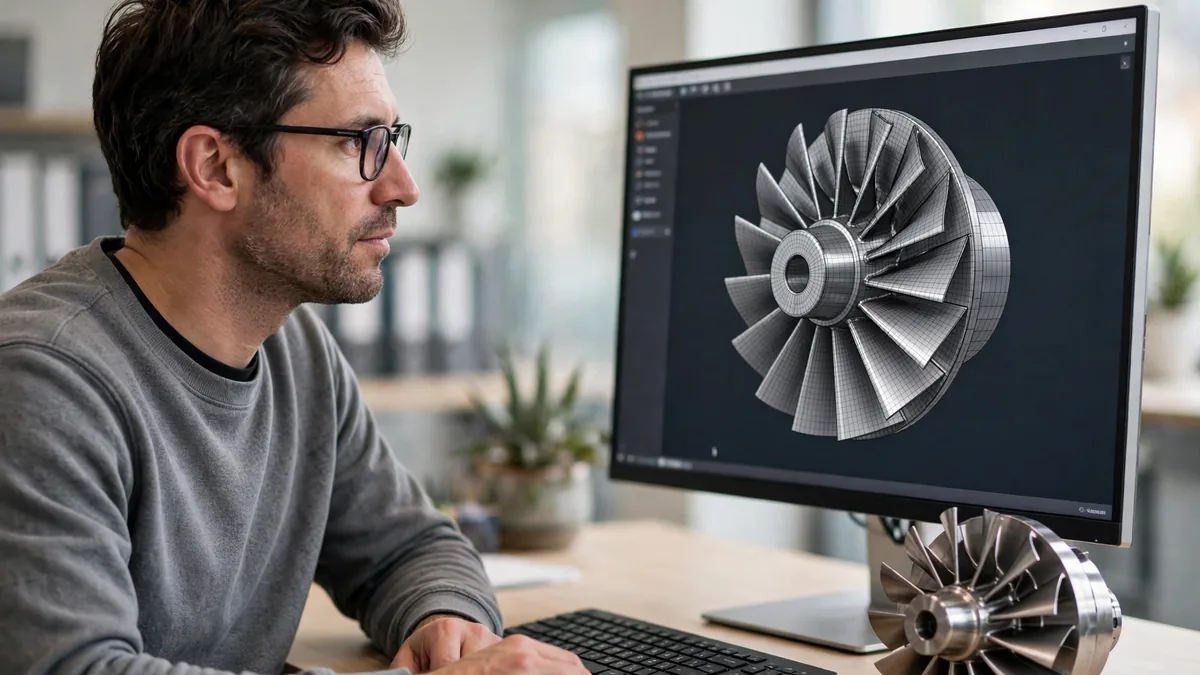
Best AI tools for mechanical engineers in 2027 are no longer a curiosity for early adopters. They are the working layer inside the CAD, simulation and manufacturing software that engineers already open every morning, and they are changing how fast a part moves from a sketch to a tested, manufacturable design. The best tools do not replace engineering judgement. They remove the repetitive work around it: generating design variants, running early simulation checks, cleaning up drawings, searching old project files and flagging manufacturability problems before a prototype is cut.
What matters most in 2027 is not which tool has the longest list of AI features. It is which tool fits the way you already work, which file formats it handles without friction, how much its AI output can be trusted, and what it costs once the trial ends.
This guide covers eight tools that mechanical engineers actually use for design, simulation, optimisation and manufacturing preparation in 2027. The shortlist at a glance comes first, then a detailed look at each product, followed by a buying guide, a pre-purchase checklist and answers to the questions engineers ask most often.
Key takeaways
- Autodesk Fusion is the best overall choice for most mechanical engineers, because it combines CAD, CAM, simulation and generative design in one cloud-connected package at a price small teams can justify.
- Ansys is the strongest option when simulation accuracy matters most, with AI-accelerated solvers that return results in minutes instead of hours for many common analyses.
- nTop is the best tool for complex lattice, lightweighting and additive manufacturing work that traditional CAD handles poorly.
- Most AI features are sold as add-ons or higher-tier plans, so check the renewal price and the AI usage limits before committing to a tool.
- No AI tool should be trusted blindly: every generated design, simulation result and drawing still needs a qualified engineer to check it before it reaches production.

At a glance: the shortlist
| Product | Best for | Starting price | Standout limit |
|---|---|---|---|
| Autodesk Fusion | Overall design, CAM and generative design | About $85 per month, paid annually | Generative design uses paid cloud credits |
| SOLIDWORKS with AI | Established CAD teams and drawing work | About $4,000 per year for a standard licence | AI features vary by licence and add-on |
| Siemens NX | Large assemblies and advanced manufacturing | Quote-based, typically several thousand dollars per year | Steep learning curve for new users |
| Ansys | AI-accelerated simulation and validation | Quote-based; student and startup options exist | Needs strong hardware or cloud credits |
| Altair Inspire | Topology optimisation and early concept work | Quote-based, with units-based licensing | Less suited to detailed drawing production |
| PTC Creo | Generative design and model-based definition | Quote-based, typically several thousand dollars per year | Generative tools need the right extension |
| nTop | Lattices, lightweighting and additive parts | About $7,000 per year and up | Not a general-purpose CAD replacement |
| SimScale | Cloud simulation without local hardware | Free community plan; paid plans from about $300 per month | Free plan is public and limited |
Autodesk Fusion — Best overall
Autodesk Fusion is the most complete AI-assisted package for a typical mechanical engineer in 2027. It brings parametric modelling, sheet metal, assemblies, rendering, simulation, electronics and CAM into a single application, and its AI features sit inside that workflow rather than in a separate tool. The generative design workspace remains its headline feature: define the loads, constraints, materials and manufacturing methods, and Fusion explores hundreds of shape options that a human designer would not have time to sketch.
The practical strength of Fusion is speed from idea to machined part. A small team can model a bracket in the morning, run a generative study over lunch, check the strongest candidates with built-in simulation, and post toolpaths to a CNC mill in the afternoon without exporting files between five programs. Cloud collaboration is built in, so a colleague can review the same model from another office without a file transfer. The same pattern shows up in software, where AI tools for code review follow the same pattern, using automation to catch routine problems early
Fusion is not perfect. Generative design consumes cloud credits, and a heavy study can use them quickly, so the real cost depends on how often the feature is used. Large assemblies with thousands of parts can feel slower than in a dedicated high-end CAD system, and engineers who need deep surfacing or complex drawing automation may find Fusion lighter than SOLIDWORKS or NX.
Pros: Integrated CAD, CAM, simulation and generative design in one tool; affordable subscription; strong cloud collaboration; good for small teams and freelancers.
Cons: Generative design uses paid cloud credits; large assemblies can be slower than high-end CAD; cloud storage may not suit restricted projects.
SOLIDWORKS with AI — Best for established CAD teams
SOLIDWORKS remains the default CAD system in thousands of engineering departments, and its AI additions focus on removing the small frictions that slow experienced users down. AI-assisted sketching can infer intent from rough geometry, automate mates in assemblies and help clean up imported geometry from other systems. The desktop application keeps the precise parametric modelling that SOLIDWORKS users rely on for production drawings.
The strongest reason to stay with SOLIDWORKS is the ecosystem around it. Suppliers, customers and contract manufacturers already accept its files, its drawing tools are mature, and most mechanical engineers entering the workforce already know it. AI features that speed up drawing creation are especially valuable here, because drawing packages remain the contract document for most manufactured parts.
The weakness is cost and complexity of licensing. AI capability is spread across the core product, add-ons and the 3DEXPERIENCE platform, so two teams on different licence levels may have very different AI features. That makes it important to confirm exactly which AI tools are included in the quoted licence before signing.
Pros: Industry-standard files and drawings; mature parametric modelling; large user community and training resources; AI drawing and assembly help saves real time.
Cons: High licence cost; AI features split across licences and add-ons; Windows and desktop focused.
Siemens NX — Best for large assemblies and advanced manufacturing
Siemens NX is the heavyweight option on this list, built for aerospace, automotive and industrial equipment teams that manage enormous assemblies and tight manufacturing tolerances. Its AI features focus on the problems large teams actually face: predicting design intent, automating repetitive modelling tasks, optimising toolpaths and checking designs against manufacturing rules.
Where NX earns its price is scale. It handles assemblies with tens of thousands of components, supports advanced surfacing and synchronous modelling, and gives manufacturing engineers deep control over multi-axis machining, robotics and inspection. For a company building aircraft components or production machinery, that combination of design, simulation and manufacturing in one platform reduces errors at the handoffs where expensive mistakes usually happen.
NX is not a sensible choice for a small team or a solo engineer. The price is quote-based and high, the learning curve is steep, and it demands powerful hardware and proper training to use well.
Pros: Handles very large assemblies; deep manufacturing and CAM capability; strong simulation integration; proven in aerospace and automotive work.
Cons: Expensive and quote-based; steep learning curve; needs powerful hardware and training.
Ansys — Best for AI-accelerated simulation
Ansys is the simulation specialist on this list, and its AI tools attack the oldest complaint in engineering analysis: simulation takes too long. Ansys SimAI can learn from past simulation results and predict outcomes for new design variants in minutes, while AI features inside its solvers help with meshing, setup and result interpretation.
The value for a mechanical engineer is earlier and more frequent simulation. Instead of running one detailed analysis at the end of a design, a team can screen dozens of variants quickly, discard the weak ones, and spend full simulation time only on the strongest candidates. That changes the design conversation: simulation stops being a final check and becomes a design tool.
Ansys is expensive, and its AI tools work best when a team already has a library of simulation data to learn from. A company starting from zero will see less benefit from SimAI until it has built that history. For teams where simulation accuracy decides whether a product ships, though, Ansys is the benchmark, and its AI features make that benchmark faster.
Pros: Industry-leading simulation accuracy; AI-accelerated results for design screening; broad physics coverage; trusted results for certification work.
Cons: High cost; needs computing power and training; AI prediction quality depends on past simulation data.
Altair Inspire — Best for topology optimisation and early concepts
Altair Inspire is built for the earliest stage of design, when the shape of a part is still open and the engineer wants to know where material is needed and where it can be removed. Its topology optimisation tools, guided by AI-assisted setup and interpretation, generate efficient structures from a defined design space, loads and constraints. The result is often an organic-looking form that is far lighter than a traditionally designed part.
Inspire suits engineers who work on brackets, mounts, frames and housings where weight directly affects cost, fuel use or performance. The interface is deliberately simpler than a full CAD system, which means a design engineer can run an optimisation study without becoming a simulation specialist. That accessibility is the point: optimisation moves from a specialist task to a normal step in concept design.
The limit is scope. Inspire is not a replacement for a full CAD package, and its optimised shapes usually need rebuilding and detailing in another tool before they can be manufactured by conventional methods.
Pros: Fast topology optimisation; accessible to non-specialists; excellent for lightweighting; good fit for additive manufacturing.
Cons: Not a full CAD replacement; optimised shapes need rebuilding; units-based licensing can be hard to predict.
PTC Creo — Best for generative design and model-based definition
PTC Creo combines traditional parametric CAD with a strong generative design extension, and it suits engineers who want AI-driven shape exploration without leaving a familiar CAD environment. Creo Generative Design explores design options based on loads, constraints, materials and manufacturing methods, then returns editable parametric geometry rather than a mesh that needs rebuilding.
Creo is also strong on model-based definition, which is increasingly important for teams that want to replace 2D drawings with annotated 3D models. AI-assisted tools help with model checking, drawing automation and design reuse, while integration with PTC’s product lifecycle platforms suits larger manufacturers that track a product from design through service.
The main drawback is that the best AI features sit in extensions that cost extra, so the headline licence price is not the full picture. Its generative design is genuinely useful, but it rewards engineers who take time to define the problem well: vague loads and constraints produce vague results.
Pros: Generative design returns editable parametric geometry; strong model-based definition; good integration with PTC lifecycle tools; mature CAD core.
Cons: Key AI features need paid extensions; complex and heavy for small teams; quote-based pricing.
nTop — Best for lattices, lightweighting and additive manufacturing
nTop is a specialist tool, and it is the best choice on this list for engineers designing parts that traditional CAD cannot describe well. Its implicit modelling engine handles lattices, complex internal structures, variable wall thickness and organic shapes without the file bloat and rebuild failures that plague conventional modellers.
The practical use cases are clear: medical implants, aerospace brackets, heat exchangers, cushioning structures and any part where additive manufacturing opens up shapes that machining cannot produce. That workflow, from simulation to lattice to printed part, is difficult or impossible in a standard CAD package, and it is the reason specialist teams adopt nTop even when they already own a full CAD licence.
nTop is not a general-purpose design tool. It is not the place to build a full assembly, produce a drawing package or manage a product structure, and its price puts it out of reach for casual use.
Pros: Unmatched for lattices and complex lightweight structures; field-driven design from simulation data; built for additive manufacturing; stable with very complex geometry.
Cons: Expensive; not a general CAD replacement; needs additive manufacturing knowledge to use well.
SimScale — Best for cloud simulation without local hardware
SimScale runs simulation in the cloud, through a browser, so an engineer does not need a workstation or a local solver licence to test a design. Its AI features help with setup, meshing and result interpretation, and the platform covers structural, fluid, thermal and particle analysis. A mechanical engineer can upload a CAD model, set up a study and review results from a laptop.
The appeal is accessibility. Small teams, startups and freelancers can run credible simulation without buying hardware or a full simulation licence, and the free community plan lets an engineer learn the workflow before paying. For early-stage screening, where the question is which of five concepts is worth pursuing, SimScale is fast and cheap enough to use routinely.
The limits are real and should be understood before relying on it. The free plan makes projects public, so it cannot be used for confidential work, and paid plans are needed for private projects and higher computing limits. Within those limits, though, it is the easiest way for a mechanical engineer to start using AI-assisted simulation, and for many small teams it is all the simulation they need.
Pros: No local hardware needed; browser-based and collaborative; free plan for learning; good for early-stage screening.
Cons: Free plan is public; paid plans needed for private work; not a replacement for the most demanding certified analyses.
How to choose
Start with the work you actually do, not the feature list. If most of your time goes to modelling parts and preparing them for machining, a CAD-centred tool such as Fusion or SOLIDWORKS will give you more value than a simulation specialist. If your bottleneck is analysis, and designs wait days for simulation results, Ansys or SimScale will change your week more than a new CAD feature.
Next, check the practical constraints that decide whether a tool survives contact with your team. Confirm which file formats it imports and exports cleanly, because a tool that mangles STEP files will waste more time than its AI saves. Look at the hardware you already own, since a tool that needs a workstation upgrade is not really the price on the quote.
Finally, compare the total cost, not the starting price. Many AI features are add-ons, higher tiers or credit-based, so ask for the renewal price, the AI usage limits and what happens when those limits are reached. The right choice is usually the tool that fits your existing workflow, your file formats and your budget for three years, not the one with the most impressive demonstration. Engineers weighing a move between modelling systems can also compare the wider landscape of 3D modeling tools alternatives that actually fit your workflow before committing to a new platform.
Checklist: before you pay
- Run a trial on a real project from your own work, with your own files and tolerances, not a vendor demo.
- Confirm exactly which AI features are included in the quoted licence and which need an add-on or credits.
- Check the renewal price, the AI usage limits and what happens when those limits are reached.
- Test file exchange with your suppliers and customers, including STEP, IGES and native CAD formats.
- Confirm where your design data is stored and whether that meets your client and industry requirements.
- Check that the tool exports clean, editable geometry for your CAM, simulation and drawing workflows.
Frequently asked questions
Will AI replace mechanical engineers?
No. AI tools generate options, run routine checks and speed up repetitive tasks, but they do not understand the full context of a product: its cost targets, its manufacturing constraints, its safety requirements or its user. A qualified engineer still defines the problem, judges the results and takes responsibility for the design.
Which AI tool is best for a beginner mechanical engineer?
Autodesk Fusion is the best starting point for most beginners, because it is affordable, widely taught and combines CAD, simulation and CAM in one place. Its AI features are approachable, and there is a large library of tutorials and community help for new users. A beginner can learn the fundamentals of modelling in Fusion, then move to a specialist tool later if their work demands it.
Do I need a powerful computer to use AI design tools?
It depends on the tool. Cloud-based options such as Fusion, SimScale and parts of the Ansys and Siemens platforms run heavy work on remote servers, so a capable laptop is enough. Desktop tools such as SOLIDWORKS, NX and Creo still benefit from a strong workstation, especially for large assemblies and detailed simulation.
Are AI-generated designs safe to manufacture?
Only after a qualified engineer has checked them. Generative design and topology optimisation produce shapes that meet the loads and constraints they were given, but they cannot know about requirements that were not included: a mounting face that must stay flat, a surface that needs a specific finish, or a feature that must be accessible for assembly.
How much should a small team budget for AI engineering tools?
A small team should budget roughly $1,000 to $5,000 per engineer per year for a capable CAD and AI package, with more if simulation or generative design is used heavily. Cloud credits, add-ons and training can add to that figure, so get a written quote that includes the AI features you plan to use.
How do AI agents fit into engineering work?
AI agents are starting to handle multi-step engineering tasks, such as searching project files, preparing a simulation setup, summarising results and drafting a report, with a human reviewing each step. The broader shift is explained in our look at the rise of AI agents and what happens when software starts doing the work, and the lesson for engineers is the same: use agents to clear routine work, and keep judgement and sign-off with a person.
The bottom line
For most mechanical engineers in 2027, Autodesk Fusion is the best overall AI tool: it covers design, simulation and manufacturing in one affordable package, and its generative design features are genuinely useful rather than decorative. Engineers who need the deepest simulation should look at Ansys, those working on lightweight or additive parts should evaluate nTop and Altair Inspire, and large teams with complex assemblies will get the most from Siemens NX or SOLIDWORKS.
Whichever tool you choose, treat its AI as a capable assistant, not a replacement for engineering judgement. Test it on your own projects, check its outputs, understand its costs, and keep the final decisions with a qualified engineer.