A good tablet should fit your everyday routine as well as your budget, whether that means watching shows, taking notes, or replacing a laptop for light work. Screen size, price, app access, pen needs, and portability all shape the right choice. The best tablet for you depends on which jobs matter most, not the longest feature list.
Refresh rate is the number of times a display updates each second, measured in hertz (Hz). A higher rate can make scrolling and supported games look smoother, but it is only one part of the experience. You will also want to think about how much time you spend away from a charger and whether your favorite apps work well on a tablet.
This roundup compares tablets for entertainment, note-taking, productivity, gaming, and travel. You will see where a low price calls for trade-offs and when a larger screen or pen may help. The aim is a clear choice that suits your routine, whether you plan to work, play, or carry one device on trips.
Decide first whether your priority is portability, a larger screen, or a tool for focused work.
Key Takeaways
- Choose a screen size that suits your usual setting and how you hold the device.
- Check app access before choosing between iPadOS, Android, and Fire OS.
- Look for a pen in the box if you plan to write or draw by hand.
- Consider microSD storage if you keep many movies, games, or files offline.
- Match performance to your apps instead of paying for power you will not use.
- Check the current price and included accessories for the exact configuration.
Best Tablet for Most People
For most people who want one device for browsing, streaming, and everyday apps, start with the Apple iPad (11th Gen, 2025). Its 11-inch display and broad app support make it a straightforward general-purpose tablet, and it lists at $399.
The standard iPad is the default choice when you want one tablet for a wide mix of common tasks. A PCMag review records its everyday performance and battery test results, which can help you compare how it handles daily use.
| Model | Listed price | Display |
|---|---|---|
| Apple iPad (11th Gen, 2025) | $399.00 | 11-inch |
| Amazon Fire HD 10 | $99.99 | 10-inch, 1,920 by 1,200 pixels |
| Lenovo Idea Tab | Around $200 | 11-inch, 2.5K, 90Hz |
| Xiaomi Redmi Pad 2 | $180 | 11-inch, 90Hz |
The Xiaomi Redmi Pad 2 gives you a lower listed price and a large display, while the Lenovo Idea Tab suits buyers considering a stylus. The Fire HD 10 costs less, with Fire OS shaping which apps you can get.
For broad everyday use, choose the standard iPad; for a tighter budget, weigh the lower price against app access and features.
A search for the best tablet in 2023, 2022, or 2021 points to a model-year snapshot, not a current buying rule. For used or older-stock tablets, check remaining software support and battery condition.
Students comparing note-taking and study needs can also review these tablet picks for students. PCMag reports hands-on results in its Apple iPad (11th Gen, 2025) review.
Before committing, compare the device’s app access with the phone and computer you already use.
Which Android Tablets Work Under $200?
The Xiaomi Redmi Pad 2 is the clearest under-$200 pick if you want a full-size screen and room to add storage. Its 128GB base storage and microSD storage make it a flexible budget choice.
The Redmi Pad 2 is the best tablet for under $200 when expandable storage and a full-size screen matter. The Amazon Fire HD 8 (2024) is the more compact alternative, with Fire OS and a smaller display.
| Model | Display | Base storage | Expansion |
|---|---|---|---|
| Amazon Fire HD 8 (2024) | 8-inch, 1,280 by 800 pixels | 32GB or 64GB | Up to 1TB |
| Xiaomi Redmi Pad 2 | 11-inch | 128GB | microSD card slot |
| Samsung Galaxy Tab A9+ | Not specified | 64GB, 128GB, or 256GB | microSD storage |
The Redmi Pad 2 also has 4GB of RAM, enough for common browsing and video tasks. Its microSD slot lets you add space for offline files without starting with a larger built-in storage option.
Xiaomi Redmi Pad 2 for Expandable Everyday Storage
Choose the Redmi Pad 2 if you want a roomy screen for web pages, shows, and reading. The combination of 128GB and microSD storage offers useful flexibility for a budget Android tablet.
That extra room can help if you download videos before a trip or keep a growing set of photos. Keep in mind that a memory card adds storage, not faster app performance.
Amazon Fire HD 8 for a Smaller Screen
The Fire HD 8 suits you better if a compact tablet feels easier to carry and Amazon’s app ecosystem already fits your habits. Its 32GB or 64GB starting options can expand to 1TB.
The best tablet for the money is the Redmi Pad 2 for storage flexibility, while the Fire HD 8 suits buyers who prefer Amazon’s app ecosystem. Check that the apps you rely on are available in the chosen device’s store before buying.
Is the Amazon Fire HD 10 the Right Low-Cost Pick?
Choose the Fire HD 10 when low-cost video, reading, and basic browsing matter more than demanding performance. Its simple entertainment focus fits everyday use better than heavy app work.
The 2023 Fire HD 10 has 3GB of RAM and a MediaTek Helio P60T processor, so plan around basic tasks. Those parts point toward browsing and video rather than intensive multitasking or demanding creative apps.
The Fire HD 10 supports active pen input, which may help with notes or simple sketches. Check that the pen and apps you plan to use work with your model before relying on that feature.
A PCMag battery test measured 10 hours and 18 minutes of runtime. Your own battery life will change with brightness, apps, network use, and other settings.
It is a good fit for a few clear situations:
- Streaming shows at home on a budget.
- Basic web browsing, email, and reading.
- A simple shared family device for common apps.
If you need a tablet for work that involves many open apps, more demanding tools, or frequent multitasking, consider a stronger model. The Fire HD 10 can still cover simple daily needs without asking you to pay for high-end hardware.
Treat the battery-test runtime as a comparison point, not a promise of identical hours in every app or brightness setting.
Which Tablet Is Easiest to Carry?
For a genuinely compact carry, the Lenovo Tab One combines an 8.7-inch screen with a 320g weight. That light, small build suits one-handed reading and quick trips.
Choose the Lenovo Tab One when low weight matters more than a wide workspace. It can slip into a small bag and take up less room than a larger screen.
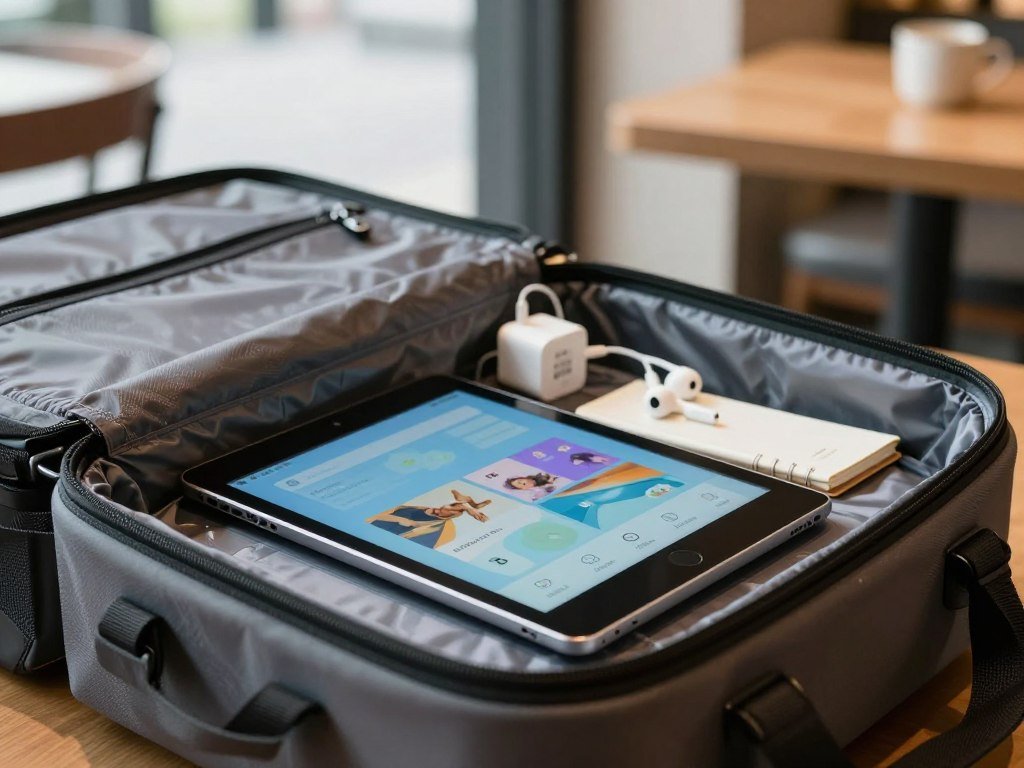
Video playback measured 12.4 hours, a useful result if you watch shows away from home. Lenovo also supports 20W charging and promises an Android 15 update, which are separate details from that playback test.
Battery life on a trip depends on the apps you use, screen brightness, and time away from an outlet. A compact screen can be a good trade for reading on a train, but it may feel cramped for long documents or split-screen work.
Before leaving home, check these travel details:
- Does the display feel comfortable for reading?
- Does the device fit your usual bag or seat pocket?
- Will you have reliable charging access during the trip?
A tablet that fits your bag may still feel too small once you start using it. Try holding a small tablet for a few minutes before choosing it over a larger screen.
Which Tablet Is Best With a Pen?
For handwritten notes without paying for a separately purchased pen, the Galaxy Tab S6 Lite 2024 is the value-first choice. It includes an S Pen and has a 10.2-inch display with 1200p resolution.
Choose the S6 Lite 2024 for lower-cost note-taking, or consider the S10 Lite for its longer update promise. The better fit depends on whether price or support matters more.
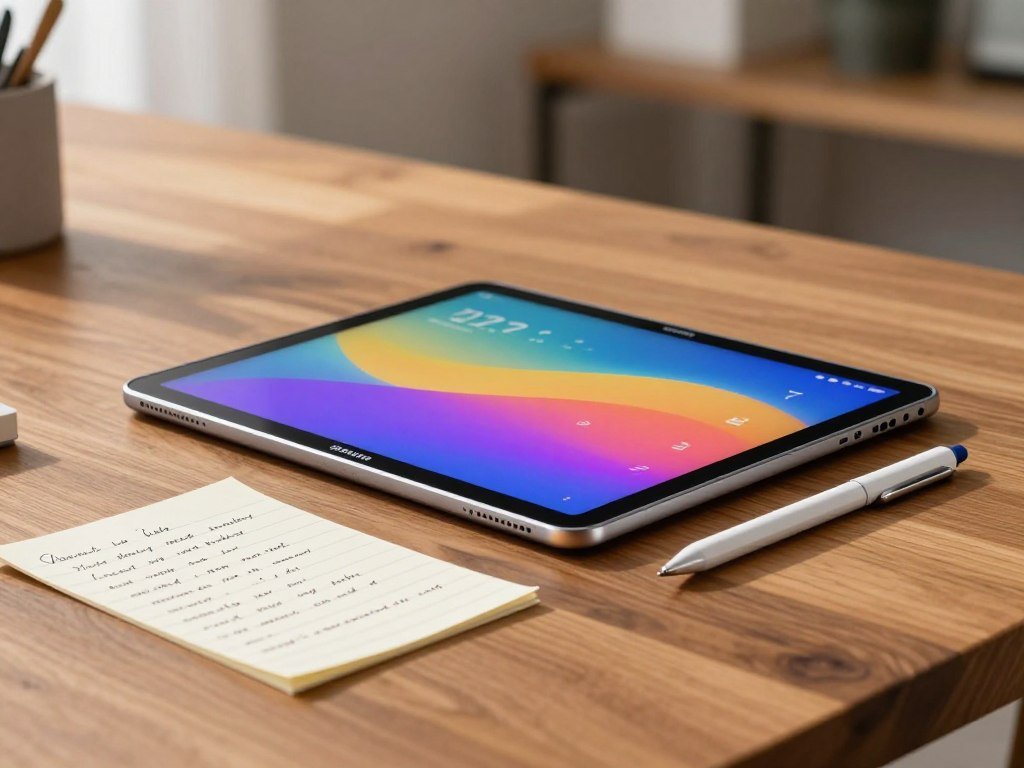
| Model | Pen included | Standout use |
|---|---|---|
| Samsung Galaxy Tab S6 Lite 2024 | S Pen | Value-oriented note-taking |
| Samsung Galaxy Tab S10 Lite | S Pen | Longer update promise |
| Samsung Galaxy Tab S10 FE+ | S Pen | Water- and dust-resistance |
Samsung Galaxy Tab S6 Lite 2024 for Handwritten Notes
The S6 Lite 2024 starts with 64GB of storage, has 4GB of RAM, and supports microSD storage. It lists at around $180, making the included pen a useful part of its value.
It is a practical fit for class notes, lists, and marking up documents. The 10.2-inch display offers room to write without making the tablet too large for a desk or bag.
Samsung Galaxy Tab S10 Lite for Longer Support
The Galaxy Tab S10 Lite has a 10.9-inch 90Hz LCD and includes an S Pen. Samsung promises seven years of software and security updates, a longer stated support period for buyers who keep devices for years.
The Galaxy Tab S10 FE+ is another pen-ready choice, with an IP68 dust- and water-resistance rating. That protection can matter if your tablet may face splashes or dusty work areas.
Check whether the note-taking app you prefer supports the pen functions you plan to use.
Which Budget Tablet Fits Movies and Reading?
For watching videos without reaching for headphones, the Galaxy Tab A9+ stands out for its quad Dolby Atmos speakers. Its built-in audio makes shared viewing easier in a quiet room.
The Galaxy Tab A9+ has a 90Hz TFT display and quad speakers, while the TCL NXTPAPER 11 Gen 2 focuses on reading comfort features. Each suits a different kind of screen time.
Samsung Galaxy Tab A9+ for Shared Listening
The Galaxy Tab A9+ combines a Snapdragon 695 processor with quad Dolby Atmos speakers. The 90Hz display can make scrolling feel smoother, and the speaker layout helps when more than one person watches.
The Snapdragon 695 is not a reason to expect flagship gaming performance. It is better to choose this tablet for everyday media, browsing, and shared listening than for the newest demanding games.
It supports microSDXC storage expansion, which can help if you save shows for offline viewing. That feature is handy for family trips where each person wants something different to watch.
TCL NXTPAPER 11 Gen 2 for Reading Comfort
The TCL NXTPAPER 11 Gen 2 uses NXTPAPER 4.0 technology to cut blue-light output by 61% compared with standard LCD panels. That is a panel comparison, not a promise that every reader will feel more comfortable.
Your experience can depend on room lighting, brightness, and how long you read. A screen that looks comfortable in a bright store may feel different beside a lamp at night.
For long reading sessions, test the screen in the lighting where you expect to use it.
What Does the Galaxy Tab S10 Lite Add?
The Galaxy Tab S10 Lite adds desktop-style multitasking and storage expansion to a pen-ready Samsung device. Samsung DeX gives you a desktop-style interface option when you want a work-like layout.
The Exynos 1380 model offers configurations with up to 8GB of RAM and 256GB of storage. It also supports microSD cards, so you can add space for documents and media.
Samsung DeX can make it easier to arrange apps and work across a larger view. It does not turn every tablet app into desktop software, so check whether your key tools support the tasks you need.
The device ran for eight hours in a MyNextTablet battery test. That result describes one test, not an all-day battery guarantee for every mix of apps.
MicroSD support can help if you keep large files on the tablet, while DeX can suit document work and browser-based tasks. The two features solve different problems, so think about whether you need more local space or a desktop-like layout more often.
If you often work away from an outlet, compare the battery-test conditions with your own mix of apps.
Is the Galaxy Tab S10 FE+ Worth It for a Large Screen?
Choose the Galaxy Tab S10 FE+ when a broad screen for reading, video, and side-by-side apps is worth carrying a larger device. Its 13.1-inch display gives separate apps more room.
The 2,880-by-1,800-pixel display runs at 90Hz, and the tablet supports microSD cards up to 2TB. That mix suits document work and media libraries.
A large display can make split-screen reading and document work easier. You can keep a reference page open beside notes, or watch video without crowding the controls.
The 10,090mAh battery supports 45W fast charging. Charging time depends on the charger and conditions, so supported speed does not promise one fixed refill time.
Samsung promises seven years of Android OS updates and security patches. That long stated support can matter if you plan to keep the device through several years of regular use.
Check these practical details before picking a large-screen tablet:
- Will the tablet fit your usual bag?
- Does the viewing distance suit your room or desk?
- Do you have a desk or stand for longer sessions?
A wide screen can feel less handy when you carry it all day. The review from Pokde.Net covers the Galaxy Tab S10 FE+ display and endurance test.
Check the tablet’s footprint against the stand, case, or bag you already use.
Can the Lenovo Idea Tab Pro Handle Laptop-Style Work?
The Lenovo Idea Tab Pro has the screen space and processing hardware for demanding tablet tasks, but work compatibility still matters. Its large display can support split-screen work and more comfortable document viewing.
The 12.7-inch LCD has a 2,944-by-1,840-pixel resolution and refresh rates up to 144Hz. The MediaTek Dimensity 8300 processor and 8GB of RAM support demanding tablet apps.
A Large, Fast Display for Split-Screen Tasks
High resolution keeps text and images crisp, while the fast refresh rate can make scrolling and motion look smoother. Those features help with documents, video, and moving between open apps.
The MediaTek Dimensity 8300 and 8GB of RAM give the Idea Tab Pro room for multitasking. Still, a tablet app may not offer the same tools as its desktop version.
Think about your actual workday: browser tabs, shared files, calls, and document edits may fit well. Specialized desktop software can still require a laptop.
Pen and Charging Accessories in the Box
The Idea Tab Pro includes a Tab Pen Plus and a 45W charging brick. Having both in the box can save you from buying those accessories separately.
A keyboard may still be needed for long writing sessions, and desktop software needs can change the choice. If a portable second screen would help your work setup, compare portable monitors for remote work as another option.
Before treating any tablet as a laptop replacement, check that your essential desktop apps have usable tablet versions.
Is the Galaxy Tab S11 the Best Android All-Rounder?
The Galaxy Tab S11 is the balanced high-end Android pick for someone who wants a vivid screen, pen support, and expandable storage. Its Dynamic AMOLED 2X display suits media, notes, and creative work.
The 256GB configuration pairs 12GB of memory with microSD expansion up to 2TB. That gives you built-in space and a way to add more later.
The S Pen adds a direct way to write, mark up pages, or sketch ideas. For movies and photos, the high-end screen makes the S11 a stronger choice than a basic budget Android tablet.
Its flexible storage can also help if you keep many files on the tablet. Check the exact configuration, since the 12GB memory figure belongs to the 256GB version.
A smaller budget model can cover browsing and video for less, while a larger productivity tablet gives more room for side-by-side work. The S11 sits between those needs, with a premium screen and pen tools in a more everyday format.
Confirm the memory and storage configuration you need before choosing a specific version.
Which Tablet Balances Performance and Battery Capacity?
For buyers who value strong hardware and a high-capacity battery, the OnePlus Pad 3 is the performance-oriented choice. Its large display and generous memory support heavier app use.
The U.S. configuration pairs 12GB of RAM with 256GB of UFS 4.0 storage and a 12,140mAh battery. It supports up to 80W SUPERVOOC charging with a compatible official OnePlus adapter.
The 13.2-inch display has a 3,392-by-2,400-pixel resolution, giving documents and video plenty of space. The memory and storage also suit heavier app use, though they do not guarantee a specific battery runtime.
Plan for battery use before a long day away from home:
- Check whether you have the compatible official adapter.
- Estimate how long you will be away from an outlet.
- Consider your screen brightness during long sessions.
Battery capacity is only one part of how long a tablet lasts between charges. App load and screen brightness affect power use, so a demanding workday can differ from light reading.
Verify adapter compatibility before relying on the tablet’s maximum supported charging speed.
When Should You Choose an iPad Air?
Choose the 2026 iPad Air if you want Apple’s app ecosystem with hardware suited to demanding everyday and creative tasks. The M4 chip and 12GB of RAM give it a strong base for heavier apps.
The 2026 iPad Air supports Wi-Fi 7 and Bluetooth 6. Those connections can help you pair compatible wireless gear and use newer Wi-Fi networks.
The iPad Air can make sense for creative apps, demanding work, and a household already using Apple devices. Its hardware gives you room for tasks that may feel slow on entry-level tablets.
An iPad Pro is not automatically necessary. Compare the current display and accessory features against your actual workflow, rather than assuming the Pro label brings a benefit you need.
The Notebookcheck iPad Air M4 review details include its performance, display, and connectivity. Consider the apps you use most, since software fit can matter more than extra power.
List the apps and accessories you already own before deciding whether switching platforms is worth it.
What Screen Size Works for Travel, Media, and Work?
A tablet around 8-9 inches is easier to carry, while a 12-13-inch screen gives more room for side-by-side work. Standard models around 10-11 inches balance common home and travel tasks.
Weight, bezels, and keyboard use affect comfort as much as screen size. A wide panel may help at a desk but feel awkward to hold during a long commute.
The Google Pixel Tablet is a home-oriented option with a 10.95-inch LCD and 128GB or 256GB storage choices. It includes a Charging Speaker Dock, which also serves a smart-display role at home.
Compact tablets can suit one-handed reading and small bags. Standard sizes work well for video calls, browsing, and reading, while large productivity models fit desk work better.
The best tablets for adults are the ones that fit your balance of reading, video calls, home use, and portability. There is no separate adult-only tablet category.
A device used mostly on a kitchen counter has different needs from one carried through airports. Hold a device at your usual reading distance before deciding that a larger screen will be more comfortable.
Which Operating System and Storage Setup Fits?
Choose the operating system by checking your must-have apps before comparing processor speeds or screen finishes. App access can matter more than a small hardware edge.
iPadOS and Android are safer choices when broad app selection matters. Fire OS can suit buyers who already use Amazon content and services, but its app store may not include every app you expect.
| Operating system | App access | Storage approach |
|---|---|---|
| iPadOS | Apple’s app ecosystem | Built-in storage |
| Android | Google Play | Built-in storage, microSD on some models |
| Fire OS | Amazon’s curated app store | Built-in storage, microSD on some models |
Choose the App Ecosystem First
iPadOS is Apple’s tablet operating system, while Android tablets provide access to Google Play. Fire OS uses an app store curated by Amazon, so app availability can differ from what you find on Android.
Make a short list of the apps you need for work, school, or home. Then check that list against the specific tablet rather than assuming every phone app has a full tablet version.
Plan Storage Around Offline Use
Streaming users often need less local storage than people who download movies, games, or large creative files. Offline use can fill built-in space quickly, especially when you keep several downloads on the device.
Some Android and Fire tablets support microSD storage, while iPads rely on built-in storage. Check the exact model’s expansion options before paying for more internal storage.
What Is the Best Tablet for Gaming?
For demanding Android gaming in a compact form, the RedMagic Astra 2 is the specialist pick in this group. Its 9.06-inch OLED display has a 185Hz refresh rate.
The base model pairs a Snapdragon 8 Elite Gen 5 processor with 12GB of RAM and 256GB of storage. At a listed $749, it is aimed at gamers who will use that hardware.
RedMagic Astra 2 for High-Refresh-Rate Play
The RedMagic Astra 2 is the best tablet for gaming when you want demanding play and a high-refresh-rate screen. Its OLED display and strong processor target games that can use fast motion and high performance.
Casual games and cloud gaming can work well on less expensive tablets. If your game streams from another device or a service, a costly gaming processor may not improve the part you notice most.
For other ways to play when handheld gaming devices are hard to find, compare handheld gaming alternatives and their game libraries.
Match Performance to the Games You Play
Before paying for gaming hardware, check three things:
- Verify that your games work on the tablet.
- Consider comfort and device temperature during longer sessions.
- Compare the storage needed for downloaded games.
A high-refresh-rate display can look smoother when a game supports it, but not every game uses the screen’s full capability. Your favorite titles and play habits should guide the price you pay.
Choose the RedMagic Astra 2 for demanding Android games and a fast OLED screen; casual play rarely needs the same hardware.
Match the screen and processor to the games you actually play instead of paying for performance you will not use.
Conclusion
The right choice is the model that fits your everyday tasks without charging you for hardware you will rarely use. Start with the main job the tablet must do, such as reading, notes, or video.
Pay for a larger screen, pen, or high-end processor only when it improves that job. A focused choice can save money and make daily use simpler.
Before you buy, check the preferred model’s current configuration, compatibility, and price. Write down your two must-have features, then compare the current configurations that meet both.
FAQ
How much RAM does a tablet need for everyday use?
Four gigabytes of RAM can cover basic browsing and streaming on many tablets. More memory helps when you keep several apps open or use heavier creative tools. The operating system and apps matter, too: a light video session asks less than editing files while keeping a browser and chat app open. Match memory to your actual workload.
Can a tablet replace a laptop for work?
Yes, a tablet can replace a laptop for many browser, email, and document tasks. Desktop-only software may not have a full tablet version, so check your work tools first. A keyboard and trackpad can make longer writing easier, but they may be separate purchases. If your job needs specific desktop apps, keep a laptop in the plan.
Do tablet pens work across different brands?
No, tablet pens are not universally interchangeable across brands or models. A stylus may need a screen digitizer or software features that another tablet does not support. Even pens from one brand may work only with certain devices. Check compatibility with the exact tablet model and the pen functions you want, such as pressure sensitivity or palm rejection.
Can I add storage to any tablet?
No, some tablets have no way to add storage after purchase. Some Android and Fire models accept microSD cards, while iPads rely on built-in storage. A memory card can hold downloads and files, but it does not increase the tablet’s RAM. Check the exact model’s expansion support and card limits before choosing a smaller built-in storage option.
Is a Wi-Fi-only tablet enough for travel?
Yes, a Wi-Fi-only tablet can work for travel when you have Wi-Fi or can connect through a phone hotspot. A cellular model is useful when regular hotspot access is impractical, such as on long trips or in places without reliable Wi-Fi. Think about how often you need a connection away from your phone before paying for cellular service.
Are tablet keyboards usually included?
No, many tablet keyboards are optional accessories rather than part of the standard box. Some sellers offer bundles, so check the exact package and confirm whether it includes both a keyboard and trackpad. A keyboard made for one model may not fit another, even within the same brand. Include accessory costs when comparing the total price.



