
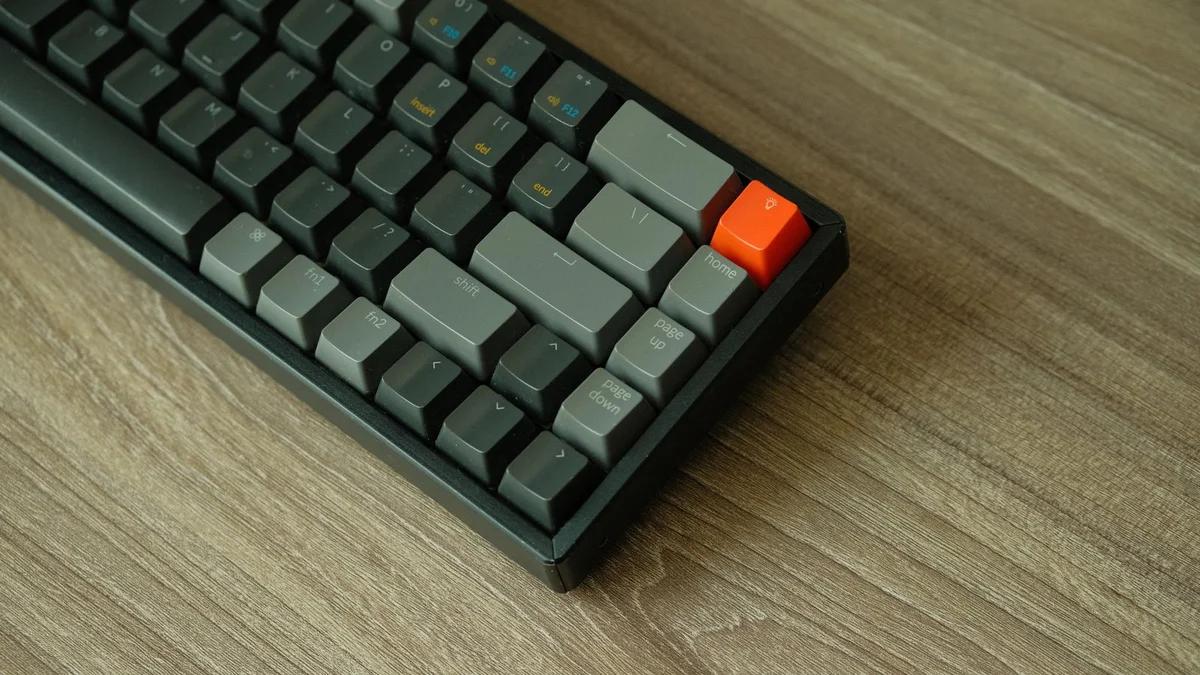
A keyboard is the main way most people put words and commands into a computer. Every email, every line of code, every game move, and every search starts as a press of a key.
Underneath the familiar rows of letters sits a small machine for turning a finger press into a signal. Each key is a switch, and when you press it, the switch closes a circuit or changes a magnetic field, and the keyboard’s controller sends a code to the computer telling it which key went down and which came back up.
This guide explains what a keyboard is, how it works, the switches and layouts you will meet when shopping, and how to choose one that fits the way you type.
Key takeaways
- A keyboard turns each key press into a digital code, using a switch under every key and a controller that reports presses to the computer.
- Mechanical switches use a physical spring and metal contacts, while membrane keyboards use a rubber dome sheet; the two feel, sound, and last very differently.
- Layouts differ by size and region: full-size, tenkeyless, and compact boards drop different keys, and QWERTY is only one of several letter arrangements.
- Key rollover and polling rate matter for gaming, while key travel, actuation force, and stabilisers matter more for comfortable typing.
- The best keyboard is the one that matches your hands, your desk, and your daily work, not the one with the most features on the box.
What a keyboard actually is
A keyboard is an input device made of a grid of keys, each one assigned to a character, a number, a function, or a command. Pressing a key does not print a letter directly; it sends a signal, and the computer’s operating system turns that signal into text, a shortcut, or an action.
The standard computer keyboard has around 100 keys, though the count varies by layout. The main block holds letters, numbers, and punctuation. Around it sit modifier keys such as Shift, Ctrl, and Alt, function keys from F1 to F12, arrow keys, and a number pad on full-size boards.
How a keyboard turns a press into a signal
When you press a key, a switch underneath it changes state. In most switches, that means two metal contacts meet or a beam of light is interrupted, and the keyboard’s controller notices the change.

The controller then sends a code, called a scan code, to the computer over USB, Bluetooth, or a wireless dongle. The operating system translates that code into a character or a command, depending on the language setting and the application in focus.
Two details decide how reliable this feels. Key rollover is the number of keys the keyboard can report at once: a board with N-key rollover reports every key, while a cheap board may drop keys when several are pressed together, a problem gamers call ghosting.
Keyboards at a glance
| Detail | What is known |
|---|---|
| Core job | Turn key presses into digital codes the computer can act on |
| Main switch types | Mechanical, membrane, scissor, optical, hall-effect |
| Common layouts | Full-size, tenkeyless (TKL), 75%, 65%, 60%, laptop, ergonomic split |
| Letter arrangements | QWERTY (most common), AZERTY, QWERTZ, Dvorak, Colemak |
| Connections | USB wired, Bluetooth, 2.4 GHz wireless dongle; many boards offer two or three |
| Key lifespan | Mechanical switches often rated for 50 to 100 million presses; membrane domes far less |
| Gaming specs | Anti-ghosting, N-key rollover, 1,000 Hz polling rate, adjustable actuation on some boards |
| What affects comfort most | Key travel, actuation force, keycap shape, board height, and wrist angle |
Switches: the part that decides how a keyboard feels
Mechanical switches are the best-known type. Each key has its own switch: a housing, a spring, a stem, and two metal contacts. Pressing the key pushes the stem down, the contacts meet, and the press registers. When you let go, the spring pushes the key back up.
Mechanical switches come in three broad feels. Linear switches press down smoothly with no bump and no click, and they are popular for gaming because the press is fast and predictable. Tactile switches have a small bump partway down that tells your finger the press registered, and they are popular for typing.
Membrane keyboards use a different design: a sheet of rubber domes sits under the keys, and pressing a key collapses a dome, pushing a conductive pad onto a circuit layer. They are cheap, quiet, and spill-resistant, which is why they dominate offices and budget laptops.
Layouts and sizes
Full-size keyboards have everything: letters, a number pad, arrow keys, and a function row, usually 104 or 105 keys.
Tenkeyless boards, often called TKL, drop the number pad and keep everything else. They are about 80 percent of full width, which brings the mouse closer and leaves more room on the desk.
Compact boards go further. A 75 percent board keeps the function row and arrow keys in a tighter grid; a 65 percent board drops the function row but keeps arrows; a 60 percent board drops the function row, arrows, and navigation keys, leaving about 61 keys.
Regional layouts change which characters sit where. The UK and US both use QWERTY, but the symbols on the number row differ, France uses AZERTY, and Germany uses QWERTZ. Ergonomic keyboards split the board into two halves angled to match the natural position of the hands, and some curve the keys into a tent shape.
Benefits and risks of each type
Mechanical keyboards offer durability, consistent feel, and repairability. A board with hot-swappable switches can be repaired one key at a time, and the keycaps can be replaced to change the look or the feel.
Laptop keyboards are thin and quiet, and they travel with the computer, which is their whole point. Their risk is a short key travel, sometimes under a millimetre, which gives less feedback and can tire fingers during long writing sessions. Many laptop users plug in an external keyboard at a desk, which is also where a good mouse and a comfortable desk setup pay off: the best standing desks matter as much as the keyboard for long days at a desk.
Wireless keyboards remove a cable and tidy the desk, and modern 2.4 GHz models are fast enough for gaming. Their risks are batteries or charging, occasional interference, and a small amount of extra latency on Bluetooth, which is why competitive gamers usually still plug in. A board that offers both wired and wireless modes avoids the dilemma.
Where keyboards are used
In gaming, the keyboard is a controller. Movement keys, ability keys, and shortcuts all sit under the left hand, and the right hand holds the mouse. Gamers care about fast actuation, reliable rollover, and a compact layout that leaves room for wide mouse movements. The best gaming keyboards are built around those priorities, with fast switches, high polling rates, and software for macros.
At home, keyboards serve everything from homework to streaming controls to smart-home shortcuts. A wireless keyboard with a trackpad can control a television from the sofa, and a compact board fits a small desk in a bedroom. The mouse is the keyboard’s constant partner, and a good pairing matters: the best wireless mice share the same priorities of comfort, reliability, and a clean desk.
Mechanical vs membrane: the comparison that matters
Feel is the biggest difference. A mechanical switch gives a clear, consistent press with a defined point where it registers, and the key travels two to four millimetres. A membrane key feels softer, with less travel and a less distinct actuation point, and the resistance changes as the dome ages.
Sound follows feel. Mechanical boards are louder, especially clicky ones, though linear switches with dampened keycaps can be nearly as quiet as a membrane board. Membrane boards are quiet by nature, which is why they remain the default in offices.
Durability and cost pull in opposite directions. A mechanical board often costs three to five times as much as a membrane board, but its switches are rated for several times as many presses, and its parts can be replaced. A membrane board is disposable by design: when the domes wear out, the whole board is replaced.
Checklist: choosing a keyboard
- Try the switch type first: linear for smooth and fast, tactile for typing feedback, clicky only if the noise is acceptable where you work.
- Pick the size by desk space and number-pad use: full-size for number-heavy work, tenkeyless for most desks, compact only if you accept the function layer.
- Check the key travel and actuation force; lighter switches around 45 grams suit long typing sessions, heavier ones suit people who press hard.
- Look for N-key rollover and anti-ghosting if you play games or press several keys at once.
- Decide on wired, Bluetooth, or 2.4 GHz wireless, and prefer a board with more than one connection option if you switch between devices.
- Consider keycap material: ABS keycaps are smooth and common, PBT keycaps resist shine and wear better over years of use.
Frequently asked questions
What is the difference between a mechanical and a membrane keyboard?
A mechanical keyboard has a separate physical switch under each key, with a spring and metal contacts, while a membrane keyboard uses a rubber dome sheet that presses onto a circuit layer. Mechanical boards feel more consistent, last longer, and cost more; membrane boards are cheaper, quieter, and lighter.
How many keys does a keyboard have?
A full-size keyboard usually has 104 keys in the US layout or 105 in the UK layout, including the number pad. Tenkeyless boards have about 87 keys, 75 percent boards have about 84, 65 percent boards have about 68, and 60 percent boards have about 61. Laptops vary widely.
What is key rollover and why does it matter?
Key rollover is how many keys a keyboard can report at the same time. N-key rollover means every key pressed is reported, which matters for gaming and for fast typists who overlap keys.
Are wireless keyboards good for gaming?
Modern 2.4 GHz wireless keyboards are fast enough for most gaming, with latency close to wired boards and polling rates up to 1,000 Hz. Bluetooth has slightly more latency and is better suited to typing and general use. Competitive players usually still choose wired for the lowest possible delay.
Can I replace the keycaps or switches on my keyboard?
Keycaps can be replaced on most mechanical keyboards, and many boards also support hot-swappable switches, which can be pulled out and replaced without soldering.
How do I clean a keyboard?
Turn it off or unplug it first, shake out loose debris, and use compressed air between the keys. Wipe the keycaps with a slightly damp cloth, and for a deep clean, remove the keycaps on a mechanical board and wash them in warm soapy water, letting them dry fully before refitting.
The bottom line
A keyboard is a grid of switches, a controller, and a cable or radio, but the experience of using one comes down to feel: the travel of the key, the weight of the press, and the confidence that each press registered. Switch type, layout, and size are the three decisions that matter most, and they are all personal.
Before buying, try the switch type if you can, measure your desk, and be honest about how you will use the board.



