A sketch-to-image tool works best when its controls match the kind of drawing you need to preserve. Firefly is a strong start for structure-guided variations, while ChatGPT Images 2.5 lets you draw and revise in chat. The other picks serve distinct creative and specialist workflows.
The right choice depends on whether you need fidelity, fast exploration, mobile access, or support for a specific design field. Your user needs shape the choice, too: one creative project may need a quick concept, while another calls for careful control. These tools can save time, but a generated image still needs review.
A simple doodle for an early concept and a floor plan for a client review call for different levels of control.
Key Takeaways
- Firefly offers a direct way to guide layout and structure.
- ChatGPT Images 2.5 supports drawing and revision in chat.
- Midjourney can turn sketch inputs into creative variations.
- Canva and Krea suit quick, visual design workflows.
- Vizcom and Render a House target product and architecture work.
- Check a result against the drawing before using it as a reference.
What does sketch-to-image AI actually do?
A sketch supplies a visual guide, while a prompt tells the model what to add or change. A structure reference is an image that guides the layout and proportions of a generated result. The model uses that input to build an image, rather than starting from text alone.
The drawing guides composition, but the model fills in details you have not drawn. It can interpret the sketch in ways that look plausible without matching measured geometry. Diffusion models start with noise and refine it in steps toward a prompt; autoregressive models generate image sections in sequence. Stanford HAI explains the steps in its overview of diffusion models.
- Line placement shows where major edges or objects sit.
- Proportions show how large parts are compared with each other.
- A text prompt names the subject or requested changes.
- Style direction describes the desired look, such as ink or watercolor.
An output is an interpretation, not a measured drawing, so use another method when exact dimensions matter.
A prompt can add context the drawing leaves out, such as the setting or intended use. A workflow may also let you edit an image through a series of focused changes. For beginner steps on creating and reviewing outputs, see how to create AI images.
Add a short description of materials, lighting or mood when those details are missing from the drawing.
How should you compare sketch-to-image tools?
Compare tools on how well they follow your drawing and how easily you can correct the first result. Drawing fidelity matters most when a layout, silhouette or perspective must stay recognizable. CNET rated Nano Banana 2 highest overall in its 2026 comparison, but that score did not test sketch fidelity alone.
A broad image score cannot tell you whether a tool will preserve your specific sketch. CNET scored Nano Banana 2 at 8.5, Adobe Firefly at 8.0, Canva at 7.5 and OpenAI ChatGPT Images 2.5 at 7.0. Midjourney V8.2 scored 6.5, and Stable Diffusion 3.5 scored 7.0. Its real-world prompts and 10-point scale covered prompt matching, creativity and response speed.
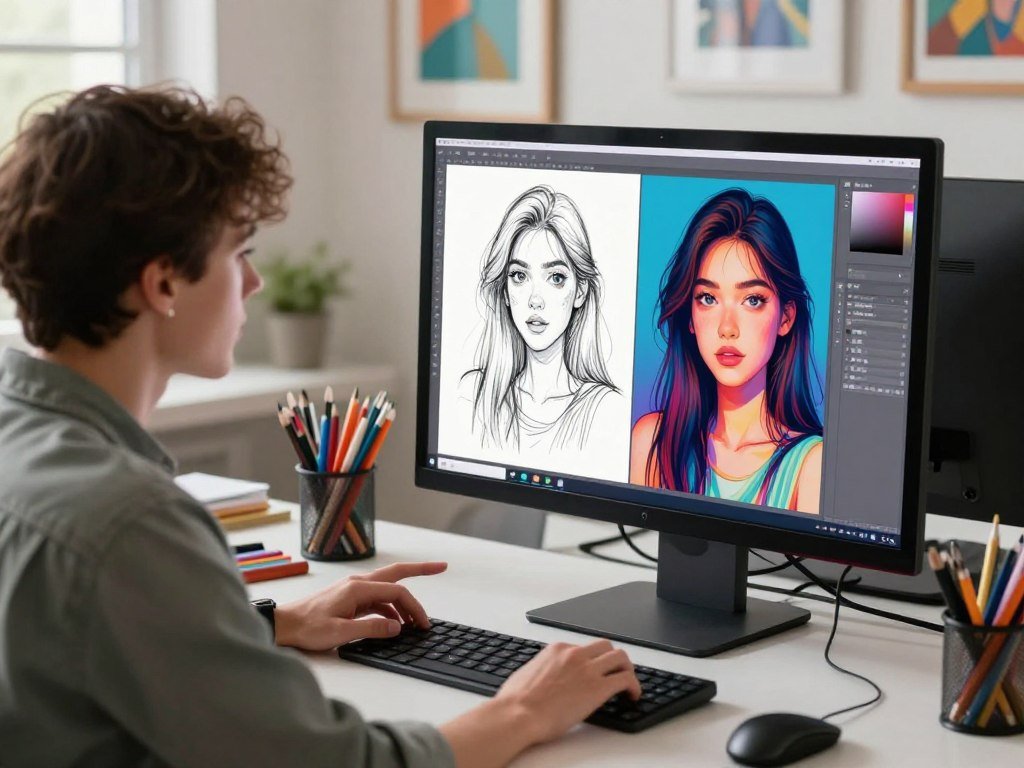
Structure fidelity and editing controls
Check whether outlines, proportions and the main composition survive generation. Then see if the tool can edit one region or make a variation without rebuilding the whole image. These features shape how much correction each result needs.
Use this checklist to compare image generators with the same drawing and prompt:
- Drawing fidelity: Do the main lines and proportions remain?
- Editing and iteration: Can you change one part at a time?
- Access and device: Does the tool work where you plan to draw?
- Quota per usable result: How many tries produce one helpful image?
Access, speed and output needs
Ease of access, latency, file support and output size all affect a daily workflow. Check whether a tool fits the design software you already use, rather than adding extra steps. A clear comparison of free text-to-image tools can also help you assess prompts, editing and access.
Test the same drawing and prompt in each candidate before paying, since a broad image-quality score cannot establish sketch accuracy.
Best AI Sketch to Image Generators
Firefly, ChatGPT Images 2.5 and Midjourney are good starting points when a sketch needs to steer a generated composition. The options below include general creative platforms and one specialist architecture tool. Each works online, so you can start in a browser without setting up a local model.
Adobe Firefly for structure-guided concepts
Firefly suits a creative project where the layout needs to stay close to a supplied drawing. Its Structure Reference uses an image or sketch as a structural guide, and you can pair it with Style Reference for a chosen visual direction. That gives you separate controls for composition and look, rather than asking one prompt to do both jobs.
It is a strong fit for concept variations that need a recognizable arrangement. Firefly also connects with Adobe’s creative software. A trade-off is that a structure guide does not guarantee exact proportions or geometry, so review key details yourself.
ChatGPT Images 2.5 for drawing and editing in chat
ChatGPT Images 2.5 fits users who want to draw, describe an idea and revise the result in one conversation. OpenAI introduced @Sketch in ChatGPT in September 2026, adding a drawing input for image creation. You can then ask for changes using chat, which makes iteration feel like a back-and-forth instead of a fresh start.
OpenAI says Images 2.5 reduced generation latency by up to 50% compared with Images 2.0. That can help when you want to explore several prompt changes in a session. The trade-off is that conversational control may not suit a workflow that needs a dedicated design canvas or measured geometry.
Midjourney for image-prompt variations
Midjourney can accept a sketch as an image prompt and use it to steer a new image. That makes it useful for creative variations when you have a clear visual idea but want to explore different looks. You can adjust how strongly an image prompt affects the result, then use Remix mode to change the prompt for a variation.
Its controls can help you explore rather than lock down a design. The trade-off is that Midjourney has no free tier, and its image-led workflow may take more effort when your goal is a strict match. It suits users who want to shape a visual direction through repeated changes.
Canva Sketch to Life for quick design assets
Canva Sketch to Life lets you draw, describe the idea and generate an image. It fits users who want to turn a rough concept into an asset for a poster, presentation or other design. The draw-and-describe flow keeps the sketch and the text prompt in one place, while Canva offers a path into a larger design.
That makes it handy when you need to place a generated result into a design rather than stop at an image. A trade-off is that its AI uses have limits, and the quick workflow may not provide the detailed controls needed for technical drawings. It is best for lightweight visual assets and early concepts.
Krea for live drawing feedback
Krea suits people who want to see a generated result change as they draw. Its real-time mode updates the image while the user adds marks, creating a quick loop between a sketch and the output. That can make early exploration feel more direct than submitting a drawing, waiting, then writing another prompt.
The live feedback is useful when you are still shaping a concept on the page. It can also help you spot which marks have the strongest effect on the result. A trade-off is that live generation supports rapid exploration better than exact drafting, so check critical proportions before using an image as a design guide.
Vizcom for product-design sketches
Vizcom is built around sketching, rendering and iteration on one canvas. That makes it a good fit for product-design work, where you may draw an object, render it and revise its appearance without leaving the workspace. A sketch can guide the object’s shape while a prompt adds visual details such as materials or color.
The canvas supports a connected sketch-render-redraw process, which suits concept development. A trade-off is that a specialist design workspace may be more than you need for a poster or casual image. It is a focused choice when you want to keep object sketches and generated versions together.
Render a House for architectural drawings
Render a House accepts architectural sketches, elevations and floor plans in a browser. It is the most focused pick here for someone turning a building drawing into a visual concept. The browser workflow means you can submit a drawing without installing a desktop design program, then use the generated image to explore a look.
That focus makes it a practical fit for architecture and interiors. A trade-off is that a generated rendering does not replace a measured plan or guarantee that openings and dimensions match. Use it to explore visual direction, then compare important features with the source drawing.
Choose the profile that matches both the drawing you make and where you plan to finish the image. For a broader look at AI image generator tools, compare how different platforms handle editing and style.
Which tools follow a sketch most closely?
Firefly and Midjourney expose direct ways to guide a result with a reference image, while ChatGPT supports iterative image editing in a conversation. Direct controls can help you steer a result, but no reference image promises exact dimensions. The best fit depends on the drawing and the kind of edit you need.
High-resolution output does not, by itself, mean high fidelity to a sketch. Midjourney’s image weight control sets how strongly a sketch influences generation. Its Edit Model accepts up to four reference images and supports inpainting, which changes a selected area, and outpainting, which extends an image. V8.1 and V8.2 HD mode renders at 2048 pixels.
ChatGPT’s Responses API supports image inputs and multi-turn editing, including edits to an image already in the conversation. Its gpt-image-2.5-sunburst model targets precision-focused editing, while gpt-image-2.5-flare targets fast everyday generation. Use a table to match the input with a useful control and a clear review point.
| Input | Useful control | What to check |
|---|---|---|
| Hand-drawn outline | Firefly Structure Reference | Outline and proportions |
| Architectural perspective | Reference image guidance | Wall angles and openings |
| Product silhouette | Image weight or region edit | Outer shape and key parts |
| Photographed paper sketch | Image input with prompt | Paper marks and line clarity |
| Existing generated image | Conversational image editing | Whether the requested area changed |
If exact openings or product proportions matter, compare the result with the original drawing before using it as a design reference.
Which sketch-to-image tools are free?
Firefly, Canva, Krea and Vizcom offer free ways to try image generation, while Midjourney does not have a free tier. Free access is useful for a small test, though each service limits features or use in a different way. A true free tier is not the same as a time-limited trial.
Check what the free allowance lets you test, not just whether the price says zero. Firefly offers limited free daily generations, and Canva has a free plan with limited AI uses. Krea’s free plan costs $0 per month; Vizcom Starter costs $0 per user per month and includes 800 credits monthly.
| Tool | Free access | Stated limit | Sensible test use |
|---|---|---|---|
| Firefly | Free access | Limited daily generations | Try a structure-guided concept |
| Canva | Free plan | Limited AI uses | Make one simple design asset |
| Krea | $0/month plan | Free-plan features | Try a live drawing loop |
| Vizcom | $0/user/month Starter | 800 credits/month | Render a product sketch |
| Midjourney | No free tier | Paid access required | Compare a paid plan first |
Canva Sketch to Life has a separate daily allowance: 7 credits, 20 credits with a business email, or 100 credits with a subscription. Render a House offers 3 free credits per day, and a standard render costs 1 credit, giving architecture users a focused test.
Free plans can limit quotas or features, while a trial may end after a set period. For more free image options, compare free AI image generators by their access rules. Run one representative drawing through the free allowance before deciding whether a paid plan is worth it.
What do sketch-to-image tools cost?
The listed paid entry points range from $9.99 a month for Firefly Standard to $49 per user a month for Vizcom Professional. Plan units differ: a credit, GPU hour and compute unit do not measure the same thing. Compare the allowance with the output you actually need.
A credit count is not automatically a count of finished images. One generation may use a different number of units based on the tool or task. The table lists the paid tiers and included allowances for five tools.
| Tool | Paid tier | Price | Included allowance |
|---|---|---|---|
| Adobe Firefly | Standard | US$9.99/month | 2,000 generative credits |
| Adobe Firefly | Pro | US$19.99/month | 4,000 generative credits |
| Midjourney | Basic | $10/month | 3.3 hours of Fast GPU time |
| Midjourney | Standard | $30/month | Unlimited Relax image generations |
| Krea | Pro | $35/month or $21/month billed yearly | 20,000 compute units/month |
| Vizcom | Professional | $49/user/month or $480/user/year | 20,000 credits/month |
| Render a House | Pro | $39/month or $312/year | 240 credits/month |
Generative credits, GPU time and compute units are different measures, so readers should compare the cost of the output they actually need. A plan with more units may not create more usable images if each result takes several attempts or edits.
Check the billing period and the unit a plan uses before comparing two monthly quotas.
Which tool fits your kind of design work?
Start with the subject you draw most often, because a building plan and a product silhouette need different kinds of guidance. Your main subject points toward the right workflow, whether you need a building view, an object concept or a graphic. For a wider comparison of tools, see free drawing software for preparing sketches.
Choose controls that match the details your field cannot lose. A good-looking image can still miss a doorway, alter a product shape or put text in the wrong place. Decide what needs to stay fixed before you choose a style.
- Openings and perspective in a building drawing.
- Object silhouette in a product concept.
- Material or fabric in a fashion sketch.
- Text placement in a poster or merch design.
Architecture and interiors
Render a House is a practical fit for building sketches, elevations and floor plans because its workflow focuses on architecture. A general image generator can also help explore room finishes or exterior styles, but it may change doors, windows or wall angles. Treat the result as a visual idea, not a measured plan.
A sketch does not hold dependable dimensions just because the output looks realistic. Keep a technical drawing or model for scale, then use generated views to discuss mood and materials. This split helps you avoid treating a polished image as construction guidance.
Product and fashion concepts
Vizcom suits object design because its canvas joins sketching, rendering and iteration. It can help you explore a product’s surface, color or finish while the drawing guides its shape. Fashion sketches need attention to fabric and garment outline, since generated styles can alter both.
Stable Diffusion with ControlNet is a technical local route for users who want more control and can manage setup. Stable Doodle is another quick, sketch-oriented alternative, though it is not one of the seven tools compared here. Pick the workflow that fits your time and comfort with software.
Posters, merch and visual exploration
ChatGPT Images 2.5 includes Poster and Merch templates for graphic concepts. Krea offers live drawing feedback, while Firefly is a useful starting point for realistic photo-style results from a sketch. The prompt and drawing still affect the result, so the same subject can look different with new words or marks.
For a poster, check whether the model keeps your main shapes clear and leaves space for copy. AI-made lettering may need a separate pass in a design tool. For a client-facing image, prioritize fidelity to the brief over a surprising visual style.
Can you use a sketch-to-image app on a phone?
Firefly Structure Reference works on web and mobile, and Leonardo.Ai offers image generation and editing in mobile apps. Mobile access can help when you want to sketch or revise away from a desktop. The apps do not all offer the same reference controls.
Firefly supports Structure Reference on mobile, while Leonardo.Ai offers other image editing features. Leonardo.Ai’s app supports background removal, image expansion and style changes, but it does not claim a dedicated sketch-reference feature here. Its U.S. App Store listing has a 4.8 out of 5 rating from 11K ratings, which reflects the app overall, not sketch accuracy.
Firefly’s stated requirements include iOS 17.4 or later and Android 9.0 or later. Leonardo.Ai requires iOS 16.0 or later on iPhone and iPadOS 16.0 or later on iPad. Those operating-system versions can affect whether an older device can run the app.
Check the app’s operating-system requirements before moving a workflow onto an older phone or tablet.
How can you get a stronger result from a rough drawing?
A clean, well-framed sketch gives the model fewer stray marks to interpret. Clear lines help keep the main shapes visible, while a short prompt adds details the drawing leaves out. Start with the selected tool’s file rules before you upload.
Firefly accepts JPG, PNG and WebP files up to 100 MB, with a minimum size of 512 by 512 pixels. Firefly image downloads can reach 2000 by 2000 pixels. Other tools may have different input limits, so check their file support before preparing a batch of sketches.
Prepare the reference image
Use clear, high-contrast lines and crop away unrelated marks around the subject. A phone photo can work when the page is evenly lit and the drawing stays in focus. Keep the original file nearby so you can compare later versions with the same starting point.
If you are still choosing a way to draw, the right tool depends on your device and how you prefer to sketch. A basic paper drawing can be enough; the input does not need to look like finished artwork.
Write a prompt that adds useful detail
Name the subject, materials, lighting, color and intended style. Then say which proportions or features the model should preserve. A prompt such as “keep the low, wide body; add brushed steel and soft studio light” gives a clear direction without asking for a new design.
Use this four-step routine for each attempt:
- Clean the drawing and crop out unrelated marks.
- Upload it in a format the tool accepts.
- State what to preserve and what to add.
- Iterate on one change at a time.
For more ways to shape an image prompt, use a formula that names the subject, setting, style and light. A focused instruction also helps when you want to change one region rather than the whole image.
Change one instruction at a time so you can tell which edit improved the result.
What should you check before using generated images commercially?
Before putting a generated image into a paid campaign, check both the plan’s usage terms and the rights attached to the reference image. Permission matters for the uploaded sketch, photo or other input, as well as the final output. Privacy terms also affect how a platform handles your files.
A commercial-use label does not guarantee copyright ownership or legal clearance. Midjourney’s Basic plan includes commercial usage rights, and Adobe Firefly integrates with Creative Cloud and can export to other Adobe programs. Firefly also works with Photoshop, Illustrator and After Effects; those product links do not settle legal questions.
In the United States, copyright protection for AI-assisted work depends on human authorship. A polished result can still raise authorship or permission questions if you contributed little beyond a prompt. Keep a record of edits and decisions that shaped the final image.
Keep the original drawing and your edits so you can document how the final image was developed.
Conclusion
Choose the tool that matches the drawing and the kind of control you need. Firefly is a clear first choice for a structure-guided concept, while ChatGPT suits drawing and revising in chat. Choose a specialist when the sketch focuses on architecture or product design.
Check the output against the original drawing, especially where a change could affect the brief. A result that looks polished may still shift a shape or detail you meant to keep.
Upload one real project sketch, test a single prompt and judge the output against the details you cannot afford to lose.
FAQ
Can AI turn a photo of a paper sketch into an image?
Yes, many tools can use a photo as an image input if they accept its file format. A clear, evenly lit photo makes the pencil or ink lines easier to read. Avoid glare, deep shadows and curled pages that distort the drawing. Crop close enough to show the sketch, while leaving its important edges intact.
Can a sketch-to-image generator preserve exact dimensions?
No, a generated image is a visual interpretation and cannot promise exact dimensions. A model may shift an opening, curve or object even when the sketch guides its layout. Use a measured drawing or 3D model when dimensions must be dependable. You can still use generated images to explore colors, materials or mood before making technical plans.
Do you need to write a prompt as well as upload a sketch?
Many workflows use both a sketch and a prompt. The sketch guides the layout, while a short prompt can name materials, lighting, color or style. You can also state which parts should stay unchanged. Keep the first instruction simple, then add detail if the result needs a clearer direction.
Can sketch-to-image tools work offline?
Most browser-based services need an internet connection to generate images. A local Stable Diffusion setup is an alternative if you can manage the software and hardware. Local use can take setup and a suitable computer, so it may not be the quickest choice for a one-time sketch. Check what your device can run before installing a model.
How can you stop AI from changing important parts of a drawing?
Choose a structure or image-weight control when the tool offers one, then state which features must remain. Name a specific detail, such as a wide base or a centered window, rather than asking the model to preserve everything. Revise one instruction at a time. Compare each result with the original sketch before choosing a version.
Can you use AI-generated sketch images in a commercial project?
Yes, some plans allow commercial use, but check the specific terms before using an output in paid work. You also need rights to the reference image and should review the platform’s privacy terms. In the United States, copyright protection for AI-assisted work depends on human authorship. A plan label alone does not settle ownership or legal clearance.



