A creative workflow can stall when a tool runs out of daily allowance or cannot deliver the kind of control a project needs. Choosing a replacement can save time, reduce cost, or make a repeatable workflow easier to manage. A compute unit is a platform-specific measure used to track generation or editing activity; its value depends on the tool and operation.
Leonardo AI Alternatives for Image Generation can include free options, specialist generators, and platforms that connect several creative steps. The right fit depends on what you make, how often you make it, and what you need to do with each image. This comparison helps you weigh those choices without treating every tool as a full replacement.
Key Takeaways
- Choose a tool around your main workflow problem, not a long feature list.
- Free access can help with early tests, but does not grant commercial rights by itself.
- Midjourney suits stylized art, while FLUX and ComfyUI offer more control.
- Ideogram and Recraft focus on text-heavy graphics and editable vector assets.
- Firefly, Krea, and workflow platforms serve different production needs.
- Test likely candidates on real briefs before paying or moving team work.
The first useful choice is the tool that removes the biggest obstacle in your current workflow.
Why Consider Leonardo AI Alternatives for Image Generation?
The clearest reasons to compare alternatives are the free plan’s daily token limit, public generations, and limits on certain video and training workflows. For some users, that combination makes a private or more open-ended process worth considering.
Leonardo’s Free plan provides 150 tokens every 24 hours, and unused tokens expire instead of rolling over. Free-plan generations are public, and ownership of free-user outputs vests in Leonardo. Paid subscribers own outputs upon creation, while Essential, Premium, and Ultimate add private generation.
- Tokens expire daily, so a quiet day does not build a larger balance.
- Free generations are public, and ownership of free-user outputs vests in Leonardo.
- Some video actions require paid access, though some video models remain available on Free.
- Free users cannot train custom Elements or upload an image as a video start frame.
- Custom Elements and model-specific habits may not transfer directly to another tool.
Check the feature you rely on before switching: a free-plan limit may not affect the part of Leonardo you use most.
Leonardo also includes Phoenix on every plan, including Free. Its Canvas Editor supports inpainting and image extension, while Realtime Canvas regenerates images as you sketch. Image guidance can use references for style and structure, and the platform also offers 3D generation.
Elements training uses datasets supplied by the user, which can make a familiar style harder to reproduce elsewhere. Leonardo users must be at least 13, or meet the local age of digital consent if that age is higher.
Check whether the feature you rely on is actually restricted before switching, since Phoenix and several editing tools are available on every plan.
Which Free Image Tools Are Worth Trying First?
ChatGPT and Microsoft Designer are straightforward first trials, while Google Gemini’s image allowance depends on the account. For a quick test, all three can create images without a paid plan, but their limits and terms differ.
A free tier helps with early experiments, but it does not grant commercial-use rights by itself. Apps like Leonardo AI for free can help test prompts and ideas before you settle on a tool. Check each product’s license for the exact use you have in mind.
Which AI Is Best for Image Generation for Free?
ChatGPT and Designer are easy places to start because their image features are part of familiar apps. ChatGPT shows when you reach its usage limit. Gemini’s allowance depends on the account, so it is not a dependable fixed daily quota.
| Tool | Free access | Limit or requirement | Use condition |
|---|---|---|---|
| ChatGPT | Image creation included | Usage limits; app shows when reached | Check the account’s current terms |
| Google Gemini | Image generation available | Allowance depends on account | Not a fixed daily quota |
| Microsoft Designer | Free with usage limits | Microsoft account required | Personal, non-commercial use |
What to Check Before Building a Free Workflow
A free image generator may suit sketches, classroom work, or a first look at a campaign idea. A free tier can still limit how many images you make, what you can export, or where you may use the result.
For more comparisons of access and use cases, see this guide to free AI text-to-image generators. Treat the result as a draft until you know whether its terms fit the job.
Before using a free result in paid work, read the tool’s license for that exact use.
How Does Midjourney Compare for Artistic Image Quality?
Choose Midjourney when a distinctive, polished visual style matters more than a scriptable production pipeline. It is a strong fit for stylized art and concept work, where mood and visual character can matter more than literal control.
That artistic focus comes with a paid subscription and a specific generation model. Midjourney has no free trial. Its plans cost $10, $30, $60, and $120 per month, with fast GPU time ranging from 3.3 to 60 hours.

Basic costs $10 monthly and includes 3.3 fast GPU hours. Standard costs $30 and includes 15 hours, while Pro costs $60 and includes 30. Mega costs $120 and includes 60 fast GPU hours.
Annual billing reduces the subscription price by 20%. Unlimited Relax image generation starts on Standard, giving frequent users another way to create images after fast time runs out. Relax access begins with Standard, not Basic.
Midjourney’s web app has replaced Discord as the main interface for most users. Discord remains part of its community, but the web app is now the central place to work. The lack of an official public API makes automated production less practical.
That distinction matters if your team needs the same image steps to run on a schedule or connect to other tools. Midjourney can still suit a hands-on art process where a person reviews each result and guides the next prompt.
Compare the amount of fast generation and Relax access you will actually use, rather than choosing a tier by name alone.
Which Options Give You More Control Over Image Generation?
FLUX and ComfyUI are stronger candidates than a closed web interface when you want to control the model or the steps around generation. FLUX offers routes for hosted or local image creation, while ComfyUI lays out a diffusion process as connected nodes.
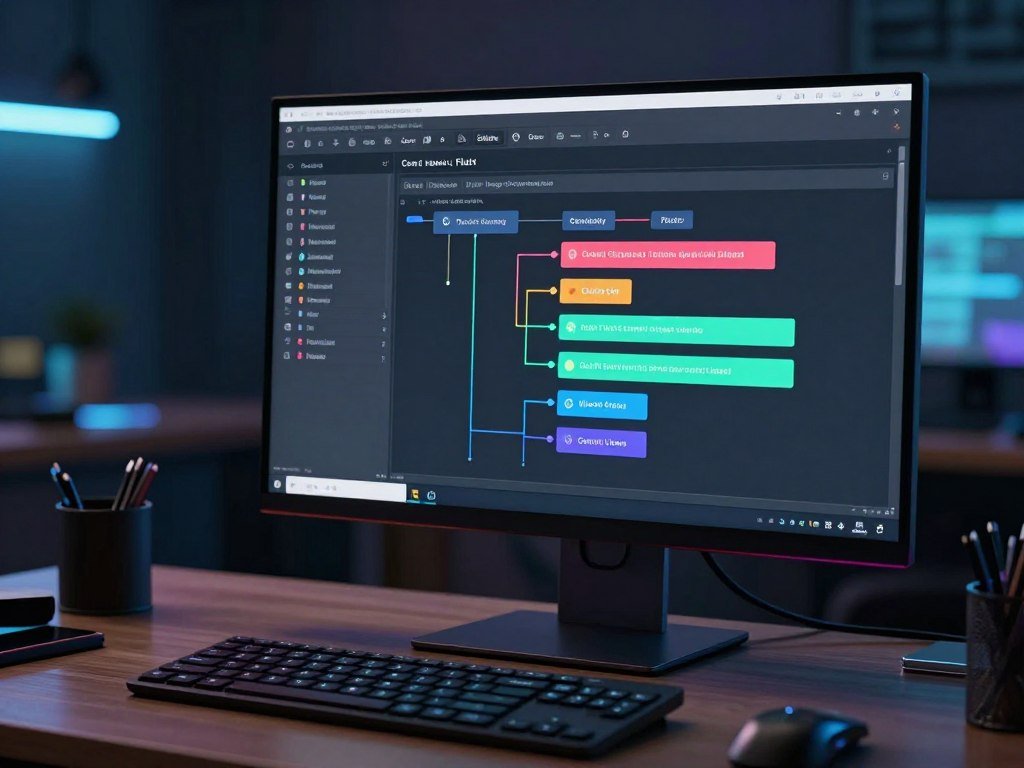
Open-weight FLUX models can run on local hardware, while hosted providers charge per image. ComfyUI is a free, open-source node-graph tool for diffusion workflows. Its node-based workflow exposes controls such as samplers, LoRAs, and masks.
FLUX for Hosted or Local Generation
FLUX is a model family from Black Forest Labs. Hosted services can save you from setting up a local system, while open-weight versions let you manage more of the generation process yourself.
FLUX.2 [klein] 4B is available under the Apache 2.0 open-weights license. The license allows broad use, but you remain responsible for following its terms and the rules that apply to your project.
ComfyUI for Hands-On Diffusion Control
ComfyUI connects model steps, image inputs, masks, and other settings in a visual graph. You can change one stage without rebuilding the whole workflow. It suits users who want to see how a diffusion model makes an image.
A less restrictive AI image generator can mean more control over the model and workflow when you run open weights locally. It does not remove legal duties or guarantee that every prompt is allowed.
Before local setup, consider these three points:
- Model license: check the use rules for the exact model version.
- GPU memory: confirm your hardware can hold the model while it runs.
- Dependency maintenance: plan to keep software and related packages working.
For more model and workflow options, compare AI image generator tools by the kind of control you need.
For FLUX.2 [klein] 4B, treat roughly 13 GB of VRAM as the reference setup rather than assuming any laptop will run it comfortably.
Which Tools Handle Text and Vector Assets Best?
Ideogram is the clearest specialist for readable words in an image, while Recraft is the better fit when the asset needs to remain an editable vector. The right output depends on whether you need text, scalable shapes, or editing inside design software.
Readable generated text and exact final copy are different requirements. Proofread any generated words, even when the first result looks correct.
| Tool | Output or workflow | Best-fit task |
|---|---|---|
| Ideogram | Readable text in generated images | Headlines, logos, packaging, and signs |
| Recraft | Editable SVG and custom style sets | Scalable, consistent design assets |
| Adobe Firefly | Generation and editing in Adobe apps | Work inside Photoshop, Illustrator, or Express |
Ideogram focuses on text-bearing images and graphic layouts. It can help with a sign mockup or a headline concept, where the placement of words is part of the image.
Recraft creates SVG files, which are vector images that can be resized without losing sharpness. You can also adjust their colors, making them useful for logos, icons, and other assets that need edits later.
Adobe Firefly fits people who already work in Photoshop, Illustrator, or Express. It can generate or edit images within those apps, which keeps creative work near the tools used for final layout.
For a wider look at these image-generation tools compared, match each output to the next step in your design process.
For legally or commercially sensitive copy, proofread every generated word before sending the asset to print.
Can Adobe Firefly Help With Commercial Licensing and Provenance?
Firefly is relevant to commercial workflows because it combines a range of models with Content Credentials, but neither feature replaces checking the terms for the chosen model and use. Commercial fit depends on the license, output, and project rules.
A safe AI image generator is not a blanket category. Firefly hosts third-party image models as well as its own, including models from OpenAI, Google, Black Forest Labs, Ideogram, Luma AI, Pika, and Runway. Check the relevant model’s terms and the output-use license for your project.
What Content Credentials Show
Content Credentials are metadata that record information about an image’s origin. Firefly adds them to generated content, including content made with third-party models.
Firefly adds Content Credentials metadata, but that record does not grant commercial permission or settle a copyright question. Treat provenance as useful context, not legal protection.
- Check the selected model’s terms for the type of work you plan to make.
- Review the output-use license for your intended use.
- Confirm that the project’s rules allow the image and its recorded origin.
Which Firefly Plan Fits Your Generation Volume?
Firefly has a limited-credit Free plan, but its allowance is not stated here as a fixed number. Paid plans offer clear monthly credit amounts for users who need more generation capacity.
Standard costs $10 per month and includes 2,000 monthly generative credits. Pro costs $30 and includes 7,000 credits, while Premium costs $200 and includes 50,000 credits. Choose by expected monthly use, not the plan name alone.
Those credits cover activity across Firefly, so a plan’s value depends on the work you expect to create. Check which models and actions your chosen plan covers before making it part of a paid workflow.
Match the plan’s monthly credit allowance to expected use, then verify the rights terms for each model in the workflow.
How Does Krea Support Fast Visual Iteration?
Krea is a good candidate when you want to steer an image continuously on a canvas instead of waiting through isolated prompt attempts. Live iteration lets you adjust a sketch or prompt and see the image change as you explore.
Krea measures usage in compute units, a platform-specific measure for generation or editing activity. The Free plan provides 100 compute units per day.
The Free plan includes Krea 3 image generation and editing, Krea 2, basic upscaling to 2K, and limited LoRA training. That mix can support image exploration, touch-ups, and modest resolution increases.
Free access does not include video models or Krea’s full third-party model library. It also excludes a commercial license, so the plan does not cover paid client work by itself.
A moving canvas can help when the goal is to test a look through quick visual changes. For step-by-step guidance on prompts and edits, use simple AI image creation steps alongside your experiments.
Treat the free plan as a way to explore image iteration, not as a commercial-use license.
Which Tools Support Repeatable Creative Workflows?
A repeatable production pipeline calls for a workflow platform when assets need to pass through several models or editing steps. These platforms connect tasks, but their access, pricing, and team features differ.
Wireflow, Morphic, and Layer each take a different approach to connected work. Compare the plan-level access you will use, not just the features a platform lists.
| Platform | Workflow capability | Pricing or team condition |
|---|---|---|
| Wireflow | Node canvas; callable as an API endpoint | Build free; generation uses paid credits |
| Morphic | Canvas, workflows, Copilot, timeline editor | Free plan has up to 20 credits for one user |
| Layer | 500+ models, plugins, API, and enterprise controls | Usage-based pricing; no per-seat fees |
Wireflow for Chained Model Steps
Wireflow lets you build a node-based workflow on a canvas, then call that canvas as an API endpoint. This can connect generation steps to a larger process or another app.
Workflow construction is free, but ongoing generation requires paid credits. The difference matters if you can design a process at no cost but expect to run it often.
Morphic for Canvas and Video Assembly
Morphic brings together a visual Canvas, workflows, Copilot, and a timeline editor. Those parts can help when a project moves from image exploration into video assembly.
The Free plan provides up to 20 credits for one user. Live Canvas collaboration is available on Pro and above, so a team should check its plan before relying on shared edits.
Layer for Multi-Model Team Production
Layer offers access to more than 500 models across image, video, 3D, audio, and playables. Its usage-based pricing has no per-seat fees, with a $10 one-time purchase to start and 10% credit rollover.
Layer also offers Photoshop, Premiere, and Figma plugins, a Chrome extension, a public API, and an MCP server. Enterprise features include SOC 2 Type II, SSO, SCIM, nested workspaces, spend controls, and model allow-listing.
Before adopting a team platform, check which collaboration, security, and spend controls are included at the plan level you will use.
Can ChatGPT, Gemini or Microsoft Designer Replace a Dedicated Image Tool?
These built-in image tools can be convenient for occasional creation, but they offer less predictable or more limited access than a workflow planned around a dedicated tool. For one-off ideas, ChatGPT and Gemini can suit prompt-led creation, while Designer can fit personal projects.
ChatGPT Free includes image creation with usage limits and displays when you reach them. Gemini’s image-generation limits depend on the account. None of these tools has a guaranteed fixed daily allowance based on these details.
Microsoft Designer requires a Microsoft account and has usage limits. Its consumer license allows personal, non-commercial use, so it does not fit paid client work under that license.
These tools may be enough when you need a quick visual and do not need a long production chain. A dedicated creative platform may suit a project that needs more editing steps, repeatable settings, or a planned volume of images.
For a broader view of free AI image generator options, compare each tool’s limits with how often you expect to create.
If image creation is central to paid work, confirm the current limit and license inside the account before building a schedule around it.
How Should You Compare Your Final Shortlist?
A ten-brief pilot can reveal differences in consistency and editing effort that a single impressive sample will not show. Use real tasks, not a perfect showcase prompt, to judge which tool fits your work.
Websites similar to Leonardo AI can include general image generators and specialist tools. Start with a general generator, then add a specialist only when the project needs its specific output.
Run the same ten representative briefs through each candidate. Include the kinds of photos, product images, concept art, or graphic assets you expect to make in a typical week.
Use this four-part checklist while reviewing each result:
- Prompt accuracy on a real task, including small details that matter.
- Consistency across related images, such as a set of product views.
- Editing or export needs, including formats and later color changes.
- Full workflow terms for license, privacy, and cost.
Record how much manual correction each image needs. A tool may make a strong first result but require extra work to fix text, shape, or style from one image to the next.
Keep the tool that meets the brief with the fewest manual corrections, not simply the one that produces the most striking first image.
Include one brief with a difficult detail, such as exact packaging text or a repeated visual style. That test can show whether a specialist tool earns a place beside your general generator.
Keep the tool that meets the brief with the fewest manual corrections, not simply the one that produces the most striking first image.
Conclusion
The right replacement depends on whether your main need is a particular image style, more control, or a repeatable production process. One alternative will not replace every part of Leonardo’s creative suite.
Choose two candidates that address your main bottleneck, then test them on a small set of real briefs. That gives you a clearer view of output quality, editing time, and team fit than a feature list alone.
Pick two candidates, test them on work you actually need to deliver, and choose the one that fits your rights and workflow requirements.
FAQ
Can I use AI-generated images commercially if the tool has a free plan?
Sometimes, but a free plan does not automatically grant commercial rights. Check the license for the exact plan and model, then match it to your intended use. Microsoft Designer’s consumer license is for personal, non-commercial use. A tool may allow image creation without a fee while still limiting how you can use its results in business or paid projects.
Can Leonardo AI free tokens roll over to the next day?
No, Leonardo Free tokens expire and do not carry over. The plan provides 150 tokens every 24 hours, so unused tokens from one period do not build a larger balance for the next. If you create in batches, plan around that daily limit rather than saving tokens for a later project.
Can a regular laptop run FLUX.2 [klein] 4B locally?
It depends on the laptop’s graphics memory, but Black Forest Labs lists roughly 13 GB of VRAM for its reference setup. Many regular laptops do not have that much VRAM available. A hosted provider can run the model for you, though hosted providers charge per image. Local use also means managing the model and its software dependencies.
Can I transfer Leonardo custom Elements to another image generator?
Do not assume custom Elements transfer directly to another image generator. Elements are trained workflows tied to the system where you created them. Another tool may use different models, settings, or reference methods. To get a similar result, you may need to rebuild the style with new reference images, prompts, or training steps.
Do Content Credentials give an AI image copyright protection?
No, Content Credentials add provenance metadata, not copyright protection or a commercial-use license. They can record information about an image’s origin, but they do not decide who owns copyright or whether a use is allowed. Check the model’s terms and the output license separately, especially when a project has strict rights or client rules.
Can I build a Wireflow workflow for free and generate images with it?
You can build a Wireflow workflow for free, but ongoing generation uses paid credits. The canvas can also be called as an API endpoint, which can connect it to other steps in a production process. Plan the cost of repeated runs separately from the cost of setting up the workflow itself.



