You can choose an image generator for its free access, its editing controls, or the kind of images it handles best. These tools read text prompts and turn them into pictures. Many use diffusion-denoising, a process that gradually turns a noisy image into a finished image guided by a prompt.
This comparison covers seven alternatives for different needs, from quick free trials to local control. Some focus on readable words inside an image, while others fit into creative apps you may already use. Your choice can affect how you make images, revise them, and manage your files.
Key Takeaways
- Leonardo AI is a flexible hosted starting point with model choices and editing.
- Ideogram is the focused pick for words inside images.
- Adobe Firefly fits design work built around Adobe tools.
- ChatGPT lets you create and refine images through conversation.
- Stable Diffusion and FLUX 2 offer paths to local model control.
- Magic Hour offers a quick trial without an account.
Decide first whether your priority is a no-cost trial, a particular visual style, or control over where your files are created.
Best Midjourney Alternatives for AI Art by Use Case
For most creators who want one flexible hosted starting point, Leonardo AI is the broad-purpose pick; choose Ideogram for text, Firefly for Adobe workflows, ChatGPT for conversation, or Stable Diffusion for local control. Your best fit depends on the image, art style, and editing work you need.
Free Midjourney alternatives exist, but each service sets different free-tier limits. Compare basic scenes, complex actions, text, and whether an edit stays within the selected area. A useful AI image generator comparison can help you build a shortlist, but your own prompts should guide the final choice.
| Tool | Best fit | Free access | Standout feature |
|---|---|---|---|
| Leonardo AI | Broad-purpose creation | Yes | Model choices and editing |
| Ideogram | Images with text | Yes | Typography-focused generation |
| Adobe Firefly | Adobe workflows | Yes | Creative app integration |
| ChatGPT | Conversational prompting | Yes | Follow-up instructions |
| Stable Diffusion | Local control | Yes, with setup | Local model use |
Free access can mean a daily allowance, credits, or limited use that varies by account. A hosted tool may be easier to start, while local models give technical users more control over setup and files.
Compare the same prompt and editing task across finalists rather than judging a tool from its showcase examples.
For the fairest comparison, keep the subject, style, and output size consistent. Then note which tool follows your instructions with the fewest unwanted changes.
What does Midjourney cost, and why switch?
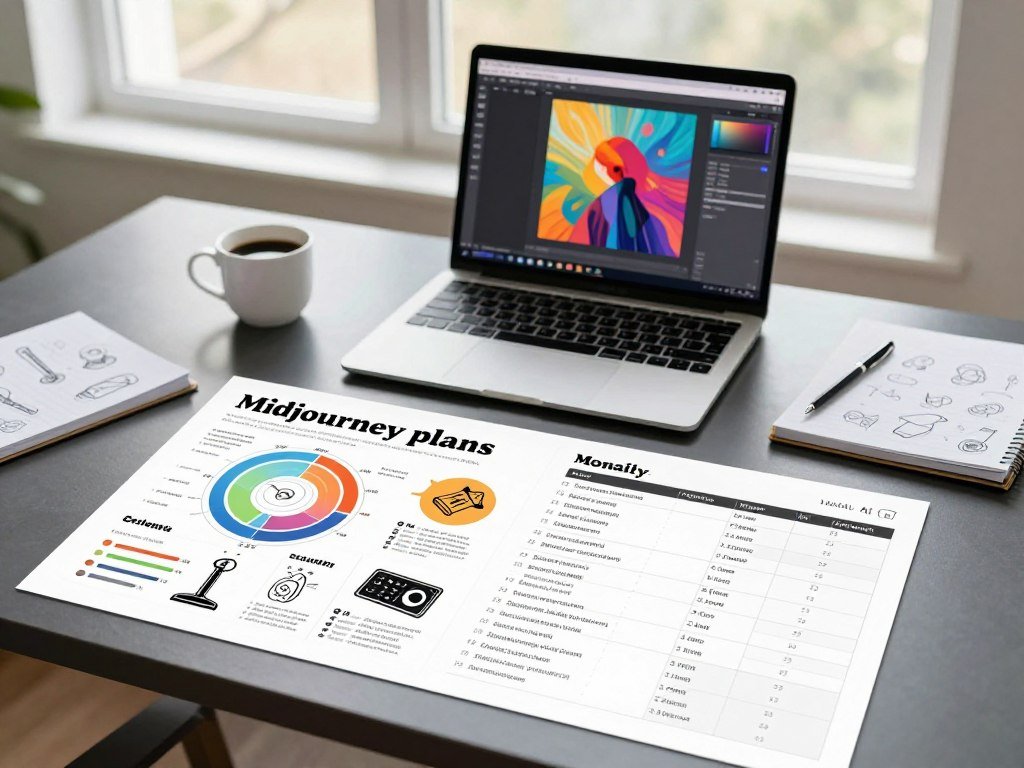
Midjourney has no listed free tier, and its 2026 subscriptions range from $10 to $120 per month. Basic starts at $10, while the highest level, Mega, costs $120 monthly. You can use Midjourney on its website or through Discord.
The 2026 Midjourney plan prices pair each monthly fee with a Fast allowance. Standard also offers unlimited Relax-mode images, while Pro includes Stealth Mode. Annual billing lists a 20% discount, so compare the billing term as well as the monthly price.
| Midjourney plan | Monthly price | Fast allowance | Relevant feature |
|---|---|---|---|
| Basic | $10 | About 200 Fast minutes | No Relax mode |
| Standard | $30 | 15 Fast hours | Unlimited Relax-mode images |
| Pro | $60 | 30 Fast hours | Stealth Mode |
| Mega | $120 | 60 Fast hours | Higher Fast allowance |
Fast time matters most when you need images quickly or make many rounds of changes. Relax mode provides a different pace, so your work habits matter as much as the headline cost.
People compare other tools for practical reasons beyond price. A different interface, local model access, or a built-in editing path can change how smoothly a project moves from draft to final.
- Avoiding a recurring subscription for occasional image work.
- Choosing an interface that feels easier to navigate.
- Using a specialized workflow for text or design edits.
- Gaining more technical control over model settings.
Midjourney works on its website as well as through Discord, so you do not need the Discord route. Compare a plan’s Fast allowance with how often you expect to generate, not just its headline monthly price.
Can Leonardo AI handle game assets and mobile creation?
Leonardo AI is a strong option for game and concept artists who want model choices, editing tools, and a mobile app. Its broad toolset can support character concepts, scene studies, and asset drafts. The best fit depends on the models and settings your work needs.
Leonardo uses tokens, and model and generation settings change how many tokens each image costs. Its free plan provides 150 tokens per day in 2026, but unused daily tokens do not accumulate. That allowance does not promise a fixed number of images.
Model choices and token budgeting
Paid plans add monthly Fast Tokens and rollover banks. The table shows the listed plan amounts, so you can compare recurring tokens with stored rollover capacity.
| Plan | Monthly price | Monthly Fast Tokens | Rollover bank |
|---|---|---|---|
| Essential | $12 | 8,500 | 25,500 tokens |
| Premium | $30 | 25,000 | 75,000 tokens |
| Ultimate | $60 | 60,000 | 180,000 tokens |
Premium includes unlimited relaxed image generation on selected first-party models. Those models include Lucid Origin, Lucid Realism, Phoenix 1.0 and 0.9, FLUX Dev, and FLUX Schnell. This feature applies to those selected models, not every model or setting.
Editing assets from an iPhone or iPad
The iOS app supports image generation, video generation, image editing, and Blueprint templates. An iPhone needs iOS 16.0 or later, while an iPad needs iPadOS 16.0 or later. That makes mobile creation possible when you want to sketch or revise away from your desk.
Artists can use the app to explore an idea, make a variation, or prepare a concept before returning to a larger screen. The smaller display may feel less suited to careful review of many fine details.
Leonardo AI’s free token allowance resets daily, and unused tokens do not carry forward. Check the token cost of your chosen model and settings before planning a daily image quota.
Is Adobe Firefly worth it for design and video?
Firefly makes most sense for designers who will use its image tools alongside their existing creative workflow, but its credits need budgeting. Images and video draw on a monthly credit system, though some paid image features work differently.
Free users get daily generations, but Adobe does not state a fixed daily count here. Paid plans include monthly generative credits. Standard, Pro, and Pro Plus pause premium features after credits run out until the monthly reset on the billing date.
Plans and monthly credit budgets
These US prices and credit totals show the monthly budgets for Firefly’s paid plans. The key implication is whether the plan gives enough credits for your expected premium work.
| US plan | Monthly price | Generative credits | Key budget implication |
|---|---|---|---|
| Standard | $9.99 | 2,000 | Lower monthly credit pool |
| Pro | $19.99 | 4,000 | Twice Standard’s credits |
| Pro Plus | $49.99 | 10,000 | Larger pool for premium use |
| Premium | $199.99 | 50,000 | Largest listed monthly pool |
Credit costs for images and clips
Firefly Image 5 costs 10 generative credits per generation. On a paid Firefly plan, Generate Image and Generative Fill are unlimited, except in Firefly Graph. That exception matters if you expect to use the Graph feature.
Video uses credits by clip length and resolution. A five-second 1080p clip costs 500 credits, a 720p clip costs 250, and a 540p clip costs 100. Lower resolution uses fewer credits for the same five-second duration.
Credits reset on your billing date each month. Standard, Pro, and Pro Plus stop premium features when their credits run out, then restore access at that reset. Firefly’s plan and credit rules can help you map the budget to your work.
Separate planned image generations from video clips when estimating use. Estimate image and clip credits separately before choosing a monthly plan.
How does ChatGPT compare for prompt-led image creation?
ChatGPT is the easiest fit for creators who would rather describe an image in plain language than adjust a stack of settings. Conversation is the control: request an image, then give follow-up instructions to change its look or details.
The free plan includes image creation with usage limits, and the app tells you when you reach a limit. Free access does not mean unlimited generations, so repeated drafts may be interrupted by usage caps.
This interface can suit users who find model menus distracting. You can describe a change in everyday terms, such as moving an object or changing the background, then judge the next result.
Prompt-led generation still takes iteration. A first image may miss a detail, and revisions can shift parts you wanted to keep. Clear follow-up instructions help, but they cannot promise a perfect result in one try.
Keep the core idea steady as you refine the image. Change one detail at a time when possible, so you can see which instruction helped and which one caused a new problem.
A Cybernews review of GPT Image 1.5 reports that larger English text rendered well in its tests, while small print was hard to read. That finding is a reminder to inspect output, not assume every prompt works the same way.
Keep a short record of the prompt changes that improved the result so you can reproduce the direction.
Which generator renders readable text best?
Ideogram is the clearest choice in this group when the words in the image matter as much as the visual. Typography is its focus, making it a natural pick for posters, logos, signage, and social graphics.
In 2026, Ideogram’s free access uses credits, and your account shows the available allowance and reset. There is no universal free image count to plan around because the credit details appear in each user’s account.
Text inside generated images can still contain errors. Long phrases, small lettering, and complex layouts are more likely to need close review. A letter can look plausible at a glance while spelling the wrong word.
For a clean result, keep the wording short and give the image a clear layout. A poster with one headline and a simple background is easier to inspect than a crowded menu or dense label.
Ideogram can help with concept drafts for signs, logos, and posts, but review the graphic as carefully as you would proofread a caption. Check both the spelling and the letter shapes before sharing it.
For more options, this guide to image generators for different creative needs compares tools with text-focused uses. Keep the exact wording short and inspect every character before using a finished graphic.
Can Stable Diffusion give you local control?
Stable Diffusion is the strongest pick here for users prepared to manage a local model and its supporting software. Local control can give you more say over the generation setup, but the model is separate from any hosted app that uses it.
Hosted services can set their own terms and charges even when they offer Stable Diffusion models. Stable Diffusion v1 was trained on 512×512 images, and its reference setup calls for a GPU with at least 10GB of VRAM.
What local generation requires
Those hardware details apply to the Stable Diffusion v1 model, not every newer model or software setup. Local use also means choosing an interface, installing supporting tools, and managing the files your process creates.
The work can suit users who want direct access to model settings. It can be less convenient if you prefer a browser service that handles the computing and software setup for you.
Model licensing and editing options
Stable Diffusion v1 weights use the CreativeML OpenRAIL M license. The license permits commercial use, subject to restrictions based on how the model is used. Commercial permission does not remove those use-based limits, so the exact version matters.
Stable Diffusion can also change an existing image through image-to-image translation. Its diffusion-denoising process can guide edits from an input image, and it can support upscaling.
That editing path can help when a draft needs a new look rather than a fresh start. The results still depend on the chosen model and settings, so keep the original file available as you work.
The Stable Diffusion v1-4 model card describes its training size and CreativeML OpenRAIL M license. Check the license for the exact model version and the GPU requirements of the specific setup you intend to run.
What makes FLUX.2 [klein] different?
FLUX.2 [klein] 4B is the clearest FLUX option in this comparison for readers who want open weights under Apache 2.0. Open weights let you work with the model files, but they do not make every FLUX service free.
FLUX 2 is a model family, not one universal hosted generator. Different variants have different licenses, so a license that fits one version may not fit another.
The reference setup for FLUX.2 [klein] 4B lists roughly 13GB of VRAM. That figure describes this model’s reference setup; it should not be treated as a hardware rule for every FLUX 2 variant.
A hosted platform may wrap a model in its own interface, fees, and terms. A local setup gives you another path, but you still need to match the files and software to the model you select.
Open weights can appeal to developers, artists, and technical users who want to explore a model directly. They do not guarantee that every app provides the same controls or access.
Before building a workflow, identify the exact variant and interface you plan to use. Match the model variant to your hardware before choosing a local workflow.
Can Magic Hour cover casual free generations?
Magic Hour is the most straightforward pick here for trying a few images without first creating an account. The quick start is useful when you want to test an idea before choosing a more involved workflow.
In 2026, Magic Hour offers 10 free images per day without an account. That makes it a low-friction way to try image generation, especially for a casual sketch or a quick visual idea.
A simple trial has a different role from a tool built around model choices or fine control. It may be less suited to detailed editing, repeatable art direction, or a project that needs the same look across many images.
Use a quick generation to see whether an idea has promise. If the work needs steady characters, carefully placed text, or several rounds of precise edits, you may want a more controllable tool.
For a broader look at free text-to-image generator options, compare how each service handles access and editing. Use it for a low-friction experiment, then move to a more controllable tool if the project needs repeatable results.
How should you test alternatives before choosing?
Run the same four-task test on each finalist before paying or moving a real project into its workflow. A shared test makes differences easier to spot than comparing unrelated sample images.
Image quality can take several generations and prompt changes to reach the result you want. Some projects may need a higher-tier service before you can get the output quality or volume they require.
Compare prompt following
Start with the same basic scene, then request a complex action. Check whether each generator keeps the key objects, setting, and action in line with your words.
- Render the same basic scene with the same core prompt.
- Request a complex action involving people or objects.
- Generate a graphic that contains exact text.
- Edit one selected area without changing the rest.
Test text and localized edits
Look for correct wording and clear letter shapes in the text test. For the edit test, note whether the selected area changes while nearby details remain intact.
These checks reflect common image-generation tests: basic scenes, complex actions, text, and localized edits. A review of tools that compares image generators by task can help you think through those test types.
Check limits against your workflow
Record the time and number of revisions each task takes. A result that looks strong after many attempts may fit a different workflow than one that works with fewer adjustments.
Google Gemini limits depend on your account and usage, so a fixed promise of 20 free images every day is not a dependable planning assumption. Treat account limits as part of the test, especially when you need repeat work.
Save the prompt, settings, and output you prefer so comparisons stay consistent.
How do privacy and commercial-use terms change the choice?
Check visibility and usage terms before entering confidential briefs or preparing an image for commercial publication. Public visibility can matter even when a tool makes image creation easy.
Midjourney images made on Basic and Standard plans appear in the public gallery, while Pro includes Stealth Mode for private generations. Leonardo AI creations are public on the free plan, while Essential includes private creations. Check the plan’s privacy feature before generating sensitive content.
Microsoft Designer has a separate limit to consider: it requires a Microsoft account, and its consumer license is for personal, non-commercial use. That rule may not fit work intended for a client or a business.
- Confirm the service’s visibility defaults.
- Confirm whether your plan includes a privacy feature.
- Read the exact model or service license.
- Check whether the intended use is allowed before publishing.
A service’s permission to use an image does not establish copyright ownership or settle every rights question. Terms can also differ between a model and the app that hosts it.
Keep a copy of the applicable terms and the model name alongside project files.
Which of the seven alternatives fits your needs?
Choose Leonardo AI for a flexible hosted starting point, then switch the shortlist if text rendering, Adobe editing, or local control matters more. Your main task should decide which option gets your first test.
Midjourney remains a reasonable choice if you already like its style and subscription setup. The alternatives solve different problems rather than winning on every measure, so a tool’s fit matters more than a single ranking.
- For broad hosted use, start with Leonardo AI.
- For words inside an image, try Ideogram.
- For an Adobe-centered workflow, choose Firefly.
- For conversational prompting, try ChatGPT.
- For local control, choose Stable Diffusion.
- For open weights, consider FLUX.2 [klein] 4B.
- For a quick account-free trial, try Magic Hour.
Pick the tools that match your real task, not the ones with the most impressive sample images.
A hosted service can save you setup time, while local models may suit a user who wants hands-on control. Design work may favor integration, and poster work may depend more on accurate text.
Think about how often you revise, how much control you want, and where you prefer to create. Those choices can matter more than small differences in style between tools.
Pick the two options that match your main task and compare them using the same prompt before committing to a workflow.
Conclusion
The right alternative is the one that fits the image task and the way you want to work. A tool’s reputation cannot tell you how well it will follow your own prompts or handle your edits.
A simple side-by-side test can show which images need less repair and which interface feels easier to use. Try a real prompt from your project, not just a sample idea made for a demo.
Choose two finalists, test the same prompt in each, and keep the one that gives you the better usable result.
FAQ
Can free image generators give the same number of images every day?
No, free image generators do not always give the same number of images each day. Token costs can change by model and settings, while account limits can affect access. Some services show credits instead of a fixed image count. Check the allowance shown in your account and treat it as a budget, not a guaranteed daily output.
What should I do if an image generator misspells a sign or label?
Use short, exact wording, then inspect every character in the generated image. Image models can distort letters, especially in small text or busy layouts. Revise the prompt or generate another version if the words are wrong. For final artwork, add or correct the wording with an editing tool that gives you direct text control.
Can I use an AI-generated image in a commercial project?
Sometimes, but you need to check the current terms for the specific service and model. A hosted app may set rules that differ from the model’s license. Commercial-use permission does not settle every copyright question or prove that an image is free of other rights issues. Keep the terms that apply to your project.
Do I need a powerful computer for every Midjourney alternative?
No, hosted tools can run in a browser or app without you managing a local model. Local image generation has hardware needs that depend on the model, settings, and software setup. A local model may need a suitable graphics card, while a hosted service handles the computing for you. Check the specific setup before installing.
Are image-generation tools useful for editing an existing picture?
Yes, some tools can edit an existing image through image-to-image changes, inpainting, or localized edits. The exact features depend on the service and model. A key test is whether the tool can change the selected area without altering nearby details. Save a copy of the original before trying edits on important work.
Can I use the same prompt in different image generators?
Yes, you can use the same core prompt to compare different generators. Keep the main subject and request consistent so the results are easier to judge. Then adjust wording or settings to match each model’s controls. Record those changes, since a prompt that works well in one tool may need a different form in another.



