
A model can follow a clear request and still give the wrong answer if it never saw the facts needed to answer it. Imagine asking an AI agent whether a refund is allowed, but the agent cannot access the current refund policy or an earlier decision on your account. It might give a confident answer based on general patterns, not the rule that applies to you. That gap can affect customers, staff, and anyone who relies on AI for a task. This guide explains the idea in plain language, with practical examples of how people give models useful information and tools. You will see why the wording of a request is only part of the job. Reliable AI starts with giving the model the information and tools its task actually needs.
Key Takeaways
- AI answers depend on the information available during the task.
- Context engineering organizes facts, instructions, and tools for a model.
- More text does not always produce a better answer.
- Retrieval helps models use outside documents and records.
- Memory can help agents carry useful details across tasks.
- Testing shows whether the context supports accurate answers.
What Is Context Engineering in AI?
Context engineering is the practice of arranging the information an AI model can use so it has what it needs for a particular task. In simple words, you prepare the right notes, rules, and resources before asking the model to work. That matters because an LLM, or large language model, can only use information made available during its current work. Useful context helps it answer with facts that fit the task, rather than relying on broad patterns alone.
The system selects, organizes, and updates information as the model takes each step. That can include a company document, a database record, or a prior decision. The goal is a reliable answer, not the largest possible bundle of text. Extra details can distract the model or crowd out evidence that matters more.

Give the model the information its task needs, and leave out material that does not help it do that task.
For example, a support agent answering a return question may need the current return rule and the customer’s purchase date. A general answer about common store policies would not be enough. Context engineering is an iterative process in multi-turn agent workflows: the system may review and adjust the information as new facts or needs arise.
In a business, useful context can come from documents, databases, activity logs, and institutional knowledge. Teams need to decide which details are trustworthy and relevant to the task. A clear request still matters, but changing its wording cannot supply facts that the model never received.
For an agent working across several steps, that arrangement needs to be reviewed and refined as the task changes.
Prompt Engineering vs. Context Engineering
A prompt tells the model what to do, while context engineering determines what information and resources it can use to do it. The prompt shapes the instructions; the wider setup can include evidence, history, tools, and task state. Prompt engineering remains one part of a broader context setup.
For example, a prompt might say, “Answer the customer’s question about our refund policy in two sentences.” Context engineering supplies the current policy, the customer’s purchase record, and relevant past messages. The prompt sets the job; the supplied material lets the model answer this customer’s case.
| Approach | Main focus | What it changes | Example |
|---|---|---|---|
| Prompt engineering | Instructions for the model | Task, limits, and answer format | Ask for a two-sentence policy answer |
| Context engineering | The wider information state | Evidence, history, tools, and task details | Supply policy and customer record |
| RAG | External knowledge retrieval | Documents brought into context | Find a refund rule in a policy file |

Retrieval-augmented generation, or RAG, finds outside information and brings it into the model’s context. RAG does not, by itself, manage the full system prompt, conversation history, or tool results. It handles one important part of the wider information setup.
A prompt can be clear but still fail if it points to a policy the model cannot see. Context can also be poorly arranged even when the instructions make sense. For a broader look at instructions and model use, read this beginner’s guide to using AI models.
Prompt engineering is useful when the task, tone, or format needs clearer direction. Context engineering is useful when the model also needs selected facts, tools, or task state. A practical guide to writing clear AI prompts can help you improve the instruction itself.
Use prompt engineering to sharpen instructions, and use context engineering when the model also needs selected facts, tools, or task state.
What Information Goes Into an AI Agent’s Context?
An agent’s context can combine instructions, the current request, evidence, history, tools, and state. The exact mix depends on the task: a short rewrite needs less than an agent that checks records and takes action. Give each run the details needed to do its assigned work safely.
A context system may include sources such as company documents, databases, logs, and past decisions. It can also state what the agent may or may not do. A real estate task, for example, may need verified property facts and signed transaction records, not guesses from an old listing.
Instructions and task state
Instructions set the agent’s role, goal, and limits. The user’s request describes what they want now. Task state tells the system where the work stands, such as whether an approval is still needed or a customer has already been identified.
A useful context can include these six ingredients:
- System instructions that set the agent’s role and limits.
- The user’s current request and requested answer format.
- Retrieved evidence from trusted documents or records.
- Conversation history that still affects the task.
- Tool definitions and results from prior actions.
- Task or permission state, such as an approval status.

Evidence, tools, and interaction history
Evidence supports the answer, while tool definitions explain how the agent can reach outside information or perform an action. Tool results then add facts from that action. Conversation history can preserve details that the user already shared, so the agent does not ask the same question again.
Not every run needs every ingredient. A one-step writing task may need only instructions and a request, while an account change may need identity, permission state, and a live record. Teams that coordinate models and connected tools can learn more about AI orchestration across multi-step workflows.
Before each run, check that the context includes the permissions and identifiers the agent needs to stay within scope.
How Does a Context Window Limit What a Model Can Use?
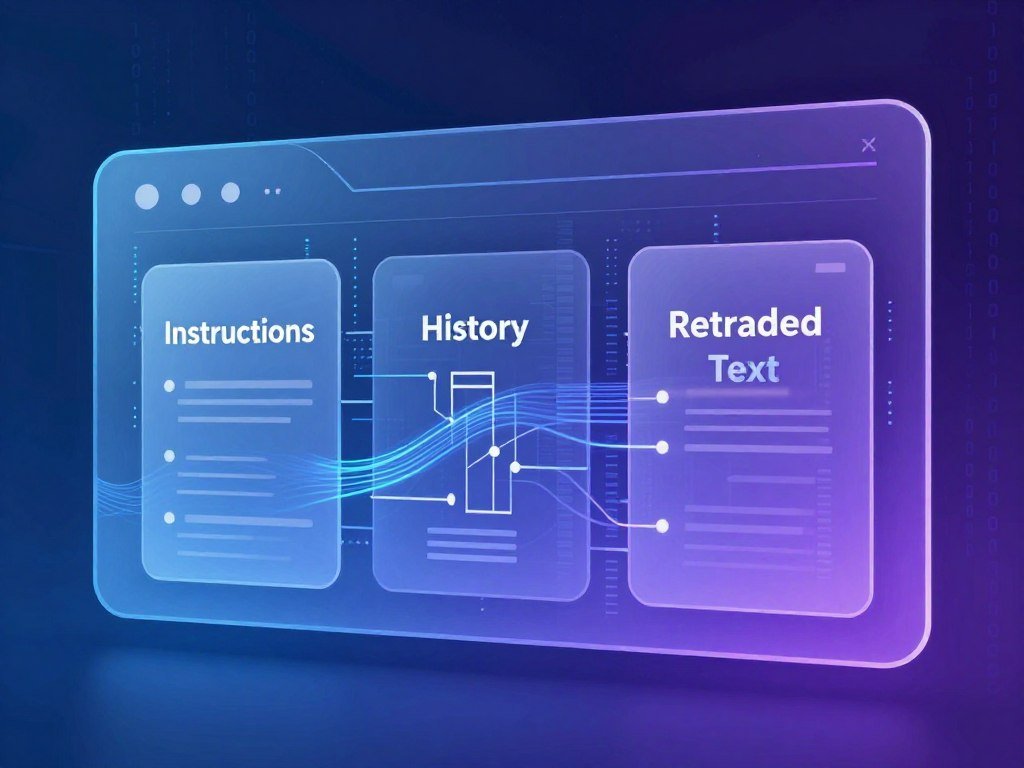
A context window is the maximum number of tokens a model can consider in one request, including both the information it receives and the space needed for its output. Tokens are small text units, and the window must fit instructions, history, retrieved documents, tool details, tool results, and the answer. The input limit and the maximum output-token limit are separate specifications.
A token averages roughly three-quarters of an English word, though the exact count varies by tokenizer. Names, punctuation, and less common words can split into different numbers of tokens. So a page’s word count does not tell you exactly how much space it will use.
Model limits have grown over time. Google announced a 2,000,000-token window for Gemini 1.5 Pro in May 2024, then made it generally available on Vertex AI in September 2024. In April 2025, OpenAI GPT-4.1 and Amazon Nova Premier joined the one-million-token class, and Anthropic Claude Sonnet 4 did so in August 2025.
As of October 15, 2026, DeepSeek-V4 Preview is also listed in the one-million-token class after its April 2026 announcement. Meta Llama 4 Scout has the largest published window in this timeline, at 10,000,000 tokens, announced in April 2025. The Claude context-window documentation also explains which request parts take up space.
A large window does not guarantee that the model will find every useful detail. As input grows, distracting material can make accurate recall harder, a problem called context rot. Research on context rot across 18 LLMs found that performance generally declined as input length increased, even when task complexity stayed the same.
Use the space with care: a long window may help when many records matter, but repeated or unrelated text can lower focus. Reserve room for the answer itself instead of filling the entire input window with background material.
How Do Retrieval Systems Find the Right Information?
Retrieval systems search available data and select evidence that matches the task, rather than asking the model to rely only on what it learned during training. Different methods find different signals, such as exact words, meaning, or database fields. Choose the method that matches how people ask for the information.
A search for ticket number 84291 needs an exact match. A question like “Which rule covers late delivery?” may need a meaning-based search across documents. Many systems combine methods to find useful evidence more reliably.
Lexical and structured retrieval
Lexical retrieval looks for words or phrases, while structured retrieval searches specific fields and values. A database query can find every order marked “delayed,” or a text search can locate an exact policy term. These methods work well when the query contains a known ID, name, or field.
| Method | How it finds information | Useful for |
|---|---|---|
| Lexical | Matches words or phrases | Policy terms and exact ticket IDs |
| Semantic | Matches meaning, often with vectors | Questions phrased unlike the document |
| Hybrid | Combines word and meaning matches | Queries with topics and exact terms |
| Structured | Queries fields, rows, or relationships | Order status and customer account data |
Semantic and hybrid retrieval
Semantic retrieval searches for related meaning, often with a vector store. A vector is a numeric representation of text that helps a system compare ideas. Hybrid retrieval combines semantic search with keyword search or structured queries, such as SQL searches of a customer database.
Source types should match the data: document stores hold files, vector stores support meaning-based search, SQL databases hold linked records, and knowledge bases organize facts and relationships. Web search APIs and MCP servers can also supply information from outside a local collection.
Reranking scores retrieved chunks by how well they fit the question. Filtering is separate: it can remove duplicates, outdated material, or information the user cannot access. These steps help keep weak or unauthorized results out of the model’s context.
Chunk size matters, too. A short policy excerpt may omit a nearby exception, while a large chunk may include several rules that do not apply. Test retrieval against real questions, including exact IDs and rare terms, before deciding that semantic similarity alone is enough.
When Should an Agent Retrieve Information Just in Time?
Load a short set of stable instructions upfront, then retrieve large or changing details only when the current step needs them. Just-in-time retrieval avoids loading every possible record before the agent knows which ones matter. A hybrid approach pairs essential upfront context with later searches.
Stable rules, such as the agent’s role and safety limits, can be ready from the start. A large set of customer files or changing account details can wait until the agent knows which customer or task is involved. This keeps the initial context focused without blocking later research.
Load stable essentials upfront
Give the agent the small set of details that applies across the work. That might include its goal, output format, approval rules, and the name of a trusted source. Clear starting instructions help the agent know what to search for and when to stop.
A useful file workflow can follow four actions:
- Search file contents for a relevant phrase.
- Find files by name or pattern.
- Read a selected range instead of the whole file.
- Save oversized results for later inspection.
Fetch changing details on demand
LangChain describes using grep to search file contents without loading full files and glob to find names by pattern. Its Deep Agents reads 100 lines by default, and a read_file tool can select an offset and limit. When a result exceeds about 20,000 tokens, the harness saves it to a file and returns a path with a short preview.
These tools let an agent explore a large folder in smaller steps. That runtime exploration can take longer than preloading a known document, and the agent needs clear guidance about which files it may inspect. Keep the first retrieval targeted, and give the agent a clear way to request a narrower excerpt when the result is too large.
How Should AI Agents Store and Reuse Memory?
An agent stays coherent by carrying forward a small set of useful state, not by replaying its entire history at every step. Short-term memory holds current conversation details, while persistent memory stores selected information for later tasks. Keep saved details useful, current, and easy to retrieve.
Working memory can include temporary notes, open questions, or steps still in progress. Persistent memory sits outside the active context and can hold durable facts, rules, or task artifacts. A scratchpad can keep a full document or task list outside the window, while a short pointer stays available to the agent.
| Memory type | Where it lives | Best use |
|---|---|---|
| Short-term | Current conversation history | Details needed for the active exchange |
| Working | Active task notes or scratchpad | Open steps and temporary findings |
| Persistent | Saved records outside the request | Durable facts and reusable rules |
Short-term and working memory
Long histories can be shortened into structured summaries that preserve names, decisions, and open tasks. Pruning can remove duplicate details, extract key facts, or truncate old material. A specialized subagent can also return a condensed summary, often around 1,000-2,000 tokens.
Full documents and task state can stay in a scratchpad outside the active context. The DeepLearning.AI scratchpad lesson explains how an agent can keep a pointer to that material and fetch it later. Extra lookups add time, and saved notes can become stale.
Persistent memory and compaction
Before adding a record, an agent can decide whether to save it, update an existing fact, or skip it. For example, save a durable rule about a customer’s preferred contact method, update a changed address, and skip a one-time delivery delay. That choice stops temporary events from turning into permanent assumptions.
Memory can mislead the model when a saved detail was never checked or has since changed. Use dates, record types, and clear labels to show what a fact means and when it applies. Save durable facts with enough structure to tell whether they are current and when they should be retrieved again.
How Do Tools and MCP Fit Into Context Engineering?
A tool gives an agent a way to retrieve information or take an action outside the model itself. The tool description tells the agent what it can do, while the returned result supplies evidence. Clear parameters and access limits help keep tool use safe.
A tool might search a policy database, check an order, or send a message for approval. Its description should use plain language and show the needed inputs. Small structured results are easier to use than a long block of unrelated text.
Tool descriptions and results
A typical tool-use loop has four parts: the agent chooses a tool, passes arguments, observes the result, and decides what to do next. For example, an agent may call a policy lookup tool with a product type and region. The result could return a short policy record with an identifier and effective date.
The tool’s description is not the evidence itself. It explains how to make the call; the returned policy text or record gives the agent facts to use. A good result also makes clear when the lookup found no matching record.
MCP and governed access
The Model Context Protocol, or MCP, is a shared way to expose tools and resources through one interface. Anthropic introduced MCP in late 2024, and the protocol uses JSON-RPC for communication between clients and servers. It can make connections more consistent across different tools.
MCP does not decide which task should run, who can approve it, or which records a user may see. Those controls still belong in the wider system. For more on connected tools and task flows, see this guide to using AI to automate tasks.
A support agent might look up a return rule, receive policy ID R-17 and its effective date, then draft an answer. It should not issue a refund if that action requires approval. Limit each agent to tools it can identify, select, and use safely for its assigned task.
What Does Context Engineering Look Like in a Real Task?
Imagine a support agent asked to explain why a customer’s open ticket has not been resolved. The agent needs the case facts, not a generic explanation of delays. It should base its reply on the customer record, ticket history, service agreement, and relevant policy.
RAG can bring in external policy documents, while tools can fetch live ticket or account records. The model can then draft a response from the information that applies to this customer. A connected workflow may classify the request, check the account, and ask for approval before a restricted action.
- Receive a request asking about a delayed support case.
- Identify the customer and the matching ticket.
- Retrieve the applicable policy and service-level agreement.
- Draft a grounded reply, then request approval before any restricted action.
A simple prompt example is: “Explain the delay in two short sentences. Use a polite tone and do not promise a resolution date.” That instruction sets the task and limits. It does not provide the facts about this case.
A context example supplies the ticket status, the customer’s earlier messages, the service-level agreement, and the policy that covers the delay. In ordinary terms, prompt context examples show both what the agent should do and the records it should use. The prompt gives directions; the context gives case-specific evidence.
If the ticket record is missing, the system should retrieve it or ask the user to identify the case. It should not fill the gap with a likely-sounding guess. A missing service agreement may also change what the agent can promise.
Keep the final answer traceable to the record and rule that support it.
What Can Go Wrong When Context Is Poorly Managed?
A context failure occurs when the model lacks the right evidence or has to reason through too much noise to use it. A plausible answer can still be wrong when a key fact is missing, old, or mixed with a conflicting value. More context does not guarantee stronger reasoning or better recall.
Too little information leaves the model guessing. Too much information can bury the useful fact. Distracting or conflicting information can pull the answer in the wrong direction, even when the correct record is present.
Missing, stale, or conflicting information
A policy may have changed, or a database may hold two different delivery dates. A model can choose the wrong one if the system does not show which record is current or authoritative. Even a clear answer format cannot fix evidence that does not match the case.
Use these four checks when an answer seems wrong:
- Confirm that the source is current.
- Check for conflicting values across records.
- Verify that the needed fact is present.
- Remove irrelevant tool results from the context.
Excess information and context rot
As context grows, the model may struggle to find a detail among unrelated material. This drop in recall is called context rot. Research has found that longer inputs can lower performance, though the effect differs across models and tasks.
Transformer attention compares token relationships, and the number of pairwise relationships can grow with the square of the token count. That helps explain why larger contexts can demand more attention, but it does not mean every long input fails. The useful question is whether each added detail helps answer the current request.
When two trusted records disagree, pause the answer and resolve which value is authoritative before the agent acts.
How Can Teams Build and Evaluate a Context Pipeline?
Build the context pipeline around one well-defined task, then test every step that determines what reaches the model. Good pipeline design selects trusted inputs, gives them a clear structure, and adds tools or memory only where they help. Relevance, trust, and permission all matter.
A pipeline can select authoritative sources, compress repeated details, and place the most useful evidence where the model can use it. It can also connect tools and memory for a task that needs live data or continuity. Teams should govern information by its source, relevance, trustworthiness, and access rights.
Assemble context around a task
Start by naming the job and the result it needs to produce. Then choose authoritative records, shape them into readable fields or short excerpts, and put key evidence before less important detail. Compression should remove repetition without hiding exceptions or conditions.
Integrate a tool when the agent needs a live record or action. Add memory when a past decision matters to the current task. A workflow that routes work between agents, tools, and people may also need clear handoffs and approval steps.
| Pipeline stage | Check | Useful signal |
|---|---|---|
| Retrieval | Did it find the needed evidence? | Relevant records appear for test questions |
| Context assembly | Were duplicates removed? | No repeated or stale passages remain |
| Answer quality | Are claims grounded in supplied facts? | Key statements match the records |
| Access control | Did the system respect permissions? | Restricted data stays hidden |
Test the assembled context and results
Measure retrieval precision, or how many retrieved items are useful, and recall, or how many useful items retrieval found. Then review whether the answer stays within the evidence and follows access rules. A high score on one measure cannot replace checks for the other.
Regression tests catch quality changes after edits to instructions, retrieval, or memory rules. Include cases with exact IDs, missing records, and conflicting facts. Keep a small regression set of representative tasks and rerun it whenever instructions, retrieval, or memory rules change.
Can You Learn Context Engineering or Find Context Engineering Jobs?
You can learn the core ideas through focused courses and practice, while context-engineering jobs often sit within broader AI, software, and data engineering teams. Hands-on work matters: learn retrieval, agent memory, context evaluation, and Python by building small systems. Job titles vary, so focus on the work and skill level.
DeepLearning.AI’s Context Engineering course covers agent context management, agentic search, memory, and Python agent harnesses built without frameworks. Its lessons also cover lexical, semantic, hybrid, and structured retrieval, along with precision and recall. Pluralsight’s Introduction to Context Engineering course focuses on design constraints and common patterns.
For a portfolio, show three skills:
- Select task-relevant evidence from trusted sources.
- Manage tool use and memory state across steps.
- Test whether answers stay grounded in supplied facts.
These examples show how you work, not just which tools you have tried. A useful project can compare an answer with and without a policy excerpt, then explain why the grounded version is stronger.
Context engineering jobs may involve retrieval orchestration, grounding, context-window management, tool-use patterns, and LLM evaluation. One Bank of America principal engineer role asked for 10 or more years in software, data, platform, or AI engineering, plus five years designing large-scale enterprise systems. It also asked for two years with LLMs, RAG, vector search, semantic search, or AI platforms.
That senior role is one example, not an entry-level standard for the field. It also called for familiarity with OpenAI, Azure OpenAI, Anthropic, Google Gemini, Meta Llama, or similar systems. U.S. software developers had a median annual wage of $133,080 in May 2024, a broad job-category benchmark, not a context-engineer salary estimate.
Compare job descriptions by responsibilities and level, since titles alone do not show how much context work a role includes.
What Should a Beginner Try First?
Start with one question whose correct answer can be checked against a trusted document. Keep the test small: use one user question, one source, and a clear way to judge the answer. A manual excerpt can work just as well as a simple RAG setup for a first test.
For example, ask, “How many days do customers have to return this item?” Choose a current return policy that gives the number and any exception. Keep the question narrow enough that you can tell whether the model used the right rule.
Record four parts of the test:
- The instruction, including the task and answer format.
- The evidence supplied, such as the policy excerpt.
- The tool available, if the system can retrieve the policy.
- The answer and the facts that support it.
Run the same question once without the policy, then compare the answers. The model may guess or give a general rule in the first run. In the second, check whether its number and any exception match the document.
Change one context element at a time. You might remove the exception, change the instruction, or let the agent retrieve the policy itself. If several parts change at once, you will not know which change affected the result.
For a first exercise, a manual document excerpt avoids the extra setup of a retrieval system. A simple RAG setup can come next, once you want the model to find the passage on its own. Keep the smallest context that produces a grounded answer, and expand it only when a specific failure shows what is missing.
Conclusion
Context engineering is a practical way to help AI systems work from the right information instead of asking them to guess. Good results depend on giving the model trustworthy evidence and usable tools at the step when it needs them. More text alone does not make an answer more reliable.
Choose one task and check which records support a correct answer before rewriting the prompt or adding more material. That small test can reveal whether the model needs clearer instructions, better evidence, or a tool that can reach the right record. Pick one task, identify its trusted evidence, and test whether the model can answer from that evidence.
FAQ
What are the key differences between contextual AI and prompt engineering?
Prompt engineering shapes the instructions a model follows, while context engineering manages the wider information, tools, and task state available to it. For example, a prompt can ask for a short refund answer, while the surrounding context supplies the current policy and purchase record. The term “contextual AI” is often used loosely, so this comparison treats it as context engineering.
What does engineering mean in the context of software?
Software engineering means designing, building, testing, and maintaining a system to meet defined needs. Writing code is one part of that work, but engineers also decide how parts fit together and how the system should behave when something goes wrong. In context engineering, the system must select and manage information so an AI task works as intended.
What is context in relation to AI?
Context is the information and tools available to a model during a particular inference step. It can include instructions, evidence, conversation history, tool descriptions, tool results, and task state. The exact mix changes by task. A model answering a current account question may need a live record, while a model rewriting a sentence may need only the request and format rules.
In the CPU and RAM analogy used in context engineering, what does the RAM represent?
The context window is the closest analogy to working memory because it holds information the model can use in the current request. RAM is not a perfect match: a computer uses it as temporary working space, while a model processes tokens within its context window. Persistent memory is closer to saved storage that can be retrieved for later tasks.
Is there a course that teaches context engineering?
Yes. DeepLearning.AI offers a course on agent context management, retrieval, and memory, with Python harnesses built without frameworks. Pluralsight offers an introductory course on design constraints and common patterns. You can pair either course with a small project that retrieves a trusted document and checks whether the model grounds its answer in that text.
Can you provide some examples of context engineering?
Yes. A support agent can retrieve a customer record, ticket history, and applicable policy before drafting a grounded reply. A research agent can find relevant passages in a document collection and pass them to the model with the user’s question. In both cases, the system selects information for the task instead of relying on a prompt alone.
How much does a context engineer make?
The U.S. software-developer median annual wage was $133,080 in May 2024, but that figure is a broad occupational benchmark, not a context-engineer salary. Context work can appear in software, AI, platform, or data engineering roles with different levels and duties. Compare the responsibilities and experience asked for rather than treating one job title as a pay category.
Is context engineering replacing prompt engineering?
No. Prompt engineering still shapes the instructions given to a model, while context engineering manages the wider information state, including evidence, tools, and memory. A well-written prompt can improve a task, but it cannot supply a customer record or current policy that the system has not retrieved. Teams often use both methods together.



