A computer used for everyday browsing, work, or online banking needs protection that fits both its operating system and its owner’s habits. Start by checking your current security, then compare protection, performance, compatibility, and cost. A false positive is a harmless file or program incorrectly identified as malicious.
Your needs depend on how many devices you use, what you do online, and how much help you want. A basic plan may suit one laptop used for email and browsing. A household with several devices may need broader coverage, clear support, or tools for shared accounts. Choose for your real devices and habits, not for the longest feature list.
Before you install anything, check which protections already run on your computer. Then compare options that work with your operating systems and fit your budget. The right choice should protect your data without adding tools or costs you do not need.
Key Takeaways
- Check your current security settings first.
- Match protection to each device and operating system.
- Compare independent test results for protection and speed.
- Pay for extra features only when they meet a real need.
- Read renewal terms before buying a subscription.
Does Your Computer Already Have a Security Baseline?
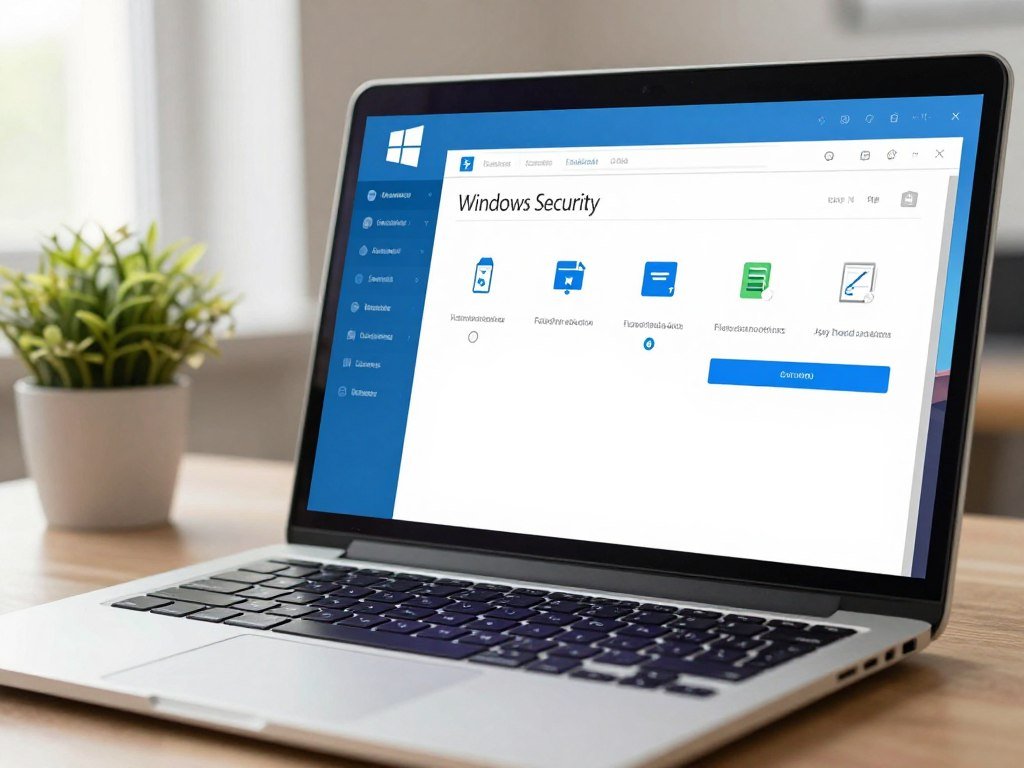
A Windows 11 computer already has Microsoft Defender Antivirus, SmartScreen, and Windows Firewall as built-in protections. Together, these tools give you a useful starting point for everyday security. Check operating-system support before buying another antivirus product.
Microsoft Defender Antivirus is the antivirus component in Windows Security, the built-in Windows security suite. It provides real-time, always-on antivirus protection in Windows 11. SmartScreen warns about potentially harmful websites, apps, and downloads. Windows Firewall blocks unwanted incoming network traffic.
On an unsupported Windows 10 computer, moving to a supported operating system takes priority over adding antivirus software.
Windows 10 support ended on October 14, 2025. Microsoft stopped providing technical support, feature updates, and security updates after that date. Installing a different antivirus does not restore those updates or support.
Eligible consumers can enroll in Consumer Extended Security Updates. That program can protect an enrolled Windows 10 device until October 12, 2027. It extends security updates, but it does not turn Windows 10 into a fully supported operating system.
People searching for the best antivirus software for Windows 10 should first check whether their computer can move to Windows 11. AV-TEST evaluated 15 home-user security products on Windows 11 in July-August 2026, but those results do not settle which system you should run.
Check the operating-system support status before spending money on another security layer.
How to Choose the Best Antivirus for Your Computer: Start With Protection
A useful antivirus should protect against more than traditional file-infecting viruses, including spyware, ransomware, and malicious downloads. Look for broad coverage that fits the risks you face. Choose a program that can block new threats and clean up existing ones.
Viruses, spyware, adware, and ransomware are types of malware. Some can steal data, track activity, flood your screen with ads, or lock your files. Scams are different: phishing emails may trick you into sharing passwords, while unsafe websites may push malicious links or attachments.
Which threats should it cover?
Good antivirus protection covers common malware and checks files as you open or download them. Many products also warn about risky websites. That can help stop a harmful download, but it cannot make every online scam safe.
A database of known malware helps a program spot threats it has seen before. New or altered malware may not match those records. Behavior detection adds another way to flag suspicious activity, such as an app making unexpected changes to files.
What prevention and cleanup should it provide?
Real-time monitoring checks activity as it happens. File checks can scan downloads, while a full-system scan looks through the computer for threats that may already be present. Web browsing protection can warn you about unsafe sites before you open them.
When a program finds a threat, it should offer a safe quarantine or removal option. Quarantine isolates a file so it cannot run while you decide what to do. A clear alert should explain what the program found and what action it took.
Use this checklist when you compare antivirus software:
- Malware coverage
- Real-time protection
- Web and download checks
- Safe quarantine and removal
If you want a closer look at no-cost tools, compare free antivirus options for Windows by their real-time protection and limits. Before choosing, confirm that the program can both block threats as they appear and handle threats already on the computer.
How Can You Judge Detection and Performance Tests?
A high protection score is useful, but a fair comparison also checks speed and false alarms. Look at all three categories: protection, performance, and usability. No antivirus catches every threat or avoids every mistake.
Protection scores show how well a product blocks malware and attacks in a test. Performance scores track the effect on common computer tasks. Usability scores consider false alarms and other problems that may disrupt normal use.
A false positive is a safe file flagged as harmful. A false negative is a harmful file the program misses. Both matter: a false alarm can block work, while a missed threat can reach your data.
What do protection and usability scores reveal?
AV-TEST evaluated 14 Windows 11 security packages in March-April 2026. Twelve scored at least 17.5 out of 18 points. Norton 360 and Microsoft Defender’s 18-point results each included six points in protection, performance, and usability.
McAfee also earned six points in each category. The results are strong, but they do not promise the same outcome on every computer. Testing uses set conditions, while your files, apps, and browsing habits may differ.
The usability test included more than 1.5 million harmless applications copied to each computer. Testers also installed and launched more than 100 programs. Thirteen of 14 products earned full usability points, with only one or two harmless applications flagged in some cases.

How can you compare system performance?
Performance tests measure the effect of security software running in the background. They check everyday tasks such as browsing, downloading files, installing apps, opening them, and copying files.
Ten of the 14 products in the March-April 2026 test earned the full six performance points. AV-Comparatives also measures how background programs, including real-time antivirus, affect system speed. Its performance reports cover June 2026 and September 2026.
To answer what is the most efficient antivirus, favor a product with 6 out of 6 performance points in a recent test for your operating system and typical workload. The March-April 2026 test had 10 of 14 products reach that score. Compare results from the same operating system and test period, since scores from different conditions are not directly interchangeable.
Which Extra Features and Device Coverage Matter?
Check every device and operating system you want covered before comparing the extras in a security package. Compatibility comes first when you use a mix of computers and phones. Confirm the device limit and supported systems for the exact plan.
A product may support several operating systems but cover only a set number of devices under one subscription. Norton lists support for Windows, macOS, Android, and iOS. McAfee lists Windows, Mac, iOS, Android, and ChromeOS, so coverage can differ by product.
Which devices and operating systems need coverage?
Write down the devices you want to protect, including an older laptop or a family tablet. Then match each one to its exact operating system. A plan that covers your Windows computer may not include every phone or Chromebook in your home.
Security.org’s 2026 comparison assessed more than 40 antivirus programs over three months. It considered malware detection, lab results, ease of use, system performance, features, and pricing. Use a similar range of factors when you compare software features.

Which extras are worth paying attention to?
Extra features help when they solve a problem you actually have. A password manager can store and create strong passwords. A VPN can add privacy on public Wi-Fi, while parental controls can help you set limits for children.
Some plans add a secure browser or identity protection. Decide whether you will use those tools before paying for them. A bundle can look generous while including features that stay unused.
Use this four-point check before choosing a package:
- Covered devices
- Supported operating systems
- Useful extras
- Clear controls and support
Choose add-ons only when they solve a specific need for you or someone who shares your devices.
Should You Choose Free Antivirus or Pay for a Suite?
Free antivirus can be a sensible choice when core protection is enough and the built-in or free option meets your device needs. Paid plans may add more features or cover more devices. Pay for a clear benefit, not just a longer feature list.
PCMag’s 2026 free-antivirus comparison says most antivirus companies charge $40-$60 to protect one computer. That is a general range, not a quote for a named product. Security.org’s 2026 comparison lists Norton and McAfee starting at $29.99 for a one-year subscription.
Total cost can depend on the features, number of devices, and subscription length. Norton subscriptions renew automatically unless you cancel before billing. Annual renewal prices may be higher than introductory prices.
Norton’s refund terms allow a full refund within 14 days of an initial monthly subscription purchase. For annual subscriptions, the full refund period is 60 days from payment. Read the billing terms before you decide.
| Option | Price information | What to check |
|---|---|---|
| One-computer antivirus | Usually $40-$60 | General range, not a named-product quote |
| Norton | Starting at $29.99 for one year | Automatic renewal; refund terms vary by plan |
| McAfee | Starting at $29.99 for one year | One-year subscription starting price |
A free option may suit one computer if you only need core antivirus protection. A paid suite may fit a household that needs more device coverage or extras in one plan. Before paying, review the renewal date and the post-introductory billing terms.
Which Antivirus Options Fit Common Computer Needs?
For most Windows 11 users who want a no-cost starting point, Microsoft Defender Antivirus is a practical first option to assess. Built-in protection may be enough for one computer when its features match your needs. For a free third-party choice, Avast Free Antivirus and AVG Antivirus Free each earned full August 2026 category scores.
Readers seeking a paid suite with full category scores can consider Norton 360. Test scores do not decide which feature bundle suits your devices or budget. The best antivirus software for a laptop is one that supports its operating system without slowing your usual tasks.
These August 2026 Windows 11 scores offer a useful comparison:
| Product | Protection | Performance | Usability |
|---|---|---|---|
| Avast Free Antivirus | 6 | 6 | 6 |
| AVG Antivirus Free | 6 | 6 | 6 |
| Bitdefender Total Security | 6 | 6 | 6 |
| Microsoft Defender Antivirus (Consumer) | 6 | 5.5 | 6 |
| TotalAV | 6 | 5.5 | 6 |
For readers asking for the best antivirus software free, Avast Free Antivirus and AVG Antivirus Free are tested options. PCMag’s 2026 free-antivirus picks also name Avast One Free and AVG AntiVirus Free as Editors’ Choice winners. Bitdefender Antivirus Free for Windows uses its commercial version’s core antivirus technology with few add-ons.
A “top 10” list is a practical sample of antivirus programs, not a universal rank order.
Twenty examples include Avast Free Antivirus, AVG Antivirus Free, Microsoft Defender Antivirus, Bitdefender Antivirus Free for Windows, and Avast One Free. Other free choices include AVG AntiVirus Free, Panda Free, and Bitdefender Antivirus Plus.
Paid examples include Bitdefender Total Security, ESET Security Ultimate, Kaspersky Premium, McAfee Total Protection, and Norton 360. The list also includes TotalAV, Panda Dome, Intego ONE, Norton AntiVirus Plus, Norton 360 Deluxe, TotalAV Premium, and TotalAV Total Security.
Microsoft Defender Antivirus is built into Windows and runs when no other antivirus is present. Use the operating-system match and the features you will actually use to narrow the shortlist to two or three candidates.
Conclusion
A good choice is the one that protects the devices you use without making your computer harder to use. Operating-system support, reliable protection, tolerable system performance, and useful features matter more than a large bundle of extras.
A free program may cover your needs, while a paid plan can make sense when it adds specific coverage or tools. Check your current protection settings today, then compare two compatible options against your needs before installing or buying anything.
FAQ
Is Norton better than McAfee?
Neither clearly scored higher in AV-TEST’s March-April 2026 test: Norton 360 and McAfee each earned 18 out of 18 points. Your better fit depends on the features and devices you need. McAfee lists ChromeOS support, which may matter if your household uses a Chromebook. Compare the exact plan’s device coverage and tools before choosing between them.
How can I tell if my computer has a virus?
Unexpected pop-ups, unfamiliar apps, changed settings, or unusual slowdowns can be warning signs, but they do not prove infection. Check Windows Security or your antivirus app for alerts, then run a full-system scan. Avoid clicking pop-ups that claim to have found a virus. If an alert names a threat, follow the security app’s quarantine or removal steps.
Do I really need antivirus software on my computer?
Yes, you need active protection, but Windows 11 already includes Microsoft Defender Antivirus, SmartScreen, and Windows Firewall. Keep Windows and your apps updated, since security tools cannot replace updates. Safe browsing habits matter too: avoid unexpected attachments, check website addresses, and do not share passwords through links in surprise emails.
What are the top 3 antivirus?
For a practical shortlist, consider Microsoft Defender Antivirus for built-in protection, Avast Free Antivirus for a free third-party option, and Norton 360 as a paid suite. Norton 360 earned six points in each August 2026 AV-TEST category. These choices serve different needs, so compare device support and features before treating any one product as the best fit.
Do I still need antivirus in 2026?
Yes, use supported, updated protection in 2026. Windows 10 support ended on October 14, 2025, and antivirus software does not replace operating-system support or security updates. If you still use Windows 10, check whether your device can move to Windows 11. Eligible consumers can enroll in Extended Security Updates through October 12, 2027.
Do I need antivirus if I have Windows Security?
No separate antivirus is required for every Windows 11 user because Microsoft Defender Antivirus provides real-time protection. Windows Security also includes SmartScreen and Windows Firewall. A separate product is optional when its extra features, device coverage, or support meet a specific need. Keep your system updated and review alerts even when the built-in tools are active.
Is McAfee a good antivirus in 2026?
McAfee earned six points for protection, performance, and usability in AV-TEST’s August 2026 Windows 11 test. That makes it a strong option to compare, not an automatic fit for every computer. Check whether its device limit, supported systems, features, and price suit your household. A strong lab result cannot replace a plan that meets your needs.
What are the downsides of using antivirus software?
Antivirus software can affect system speed, flag harmless files, add subscription costs, or renew automatically. Some plans also include confusing tools you may never use. Review alerts before removing a file, since a false positive can interrupt work. Check billing terms and turn off renewal before the deadline if you do not want another charge.



